
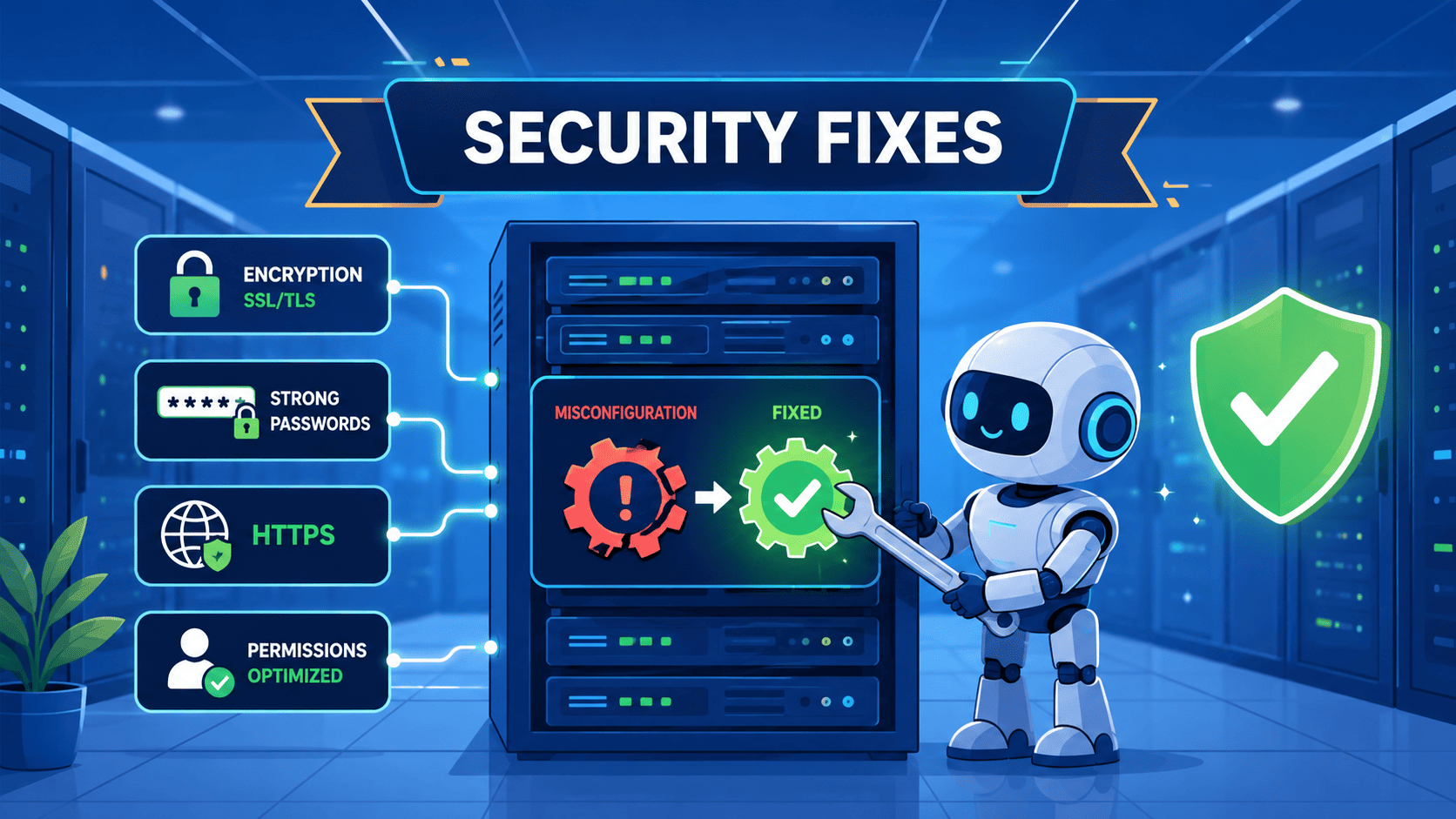

Common security misconfigurations are the unsafe settings we leave open, exposing systems without any software bugs. OWASP reports that 90% of applications were tested for some form of misconfiguration in A05:2021. The door is simply unlocked, not broken. You can prevent these errors. Do not use convenient default settings. Validate configurations continuously. Build security into every deployment process.
At Secure Coding Practices, we focus on the daily habits that lock it shut. Keep reading to learn where the keys are most often left under the mat.
Quick Recap – Common Security Misconfiguration Essentials
Security misconfigurations often happen because systems prioritize convenience over protection. Reducing risk begins with secure defaults. You need complete visibility into your systems. Consistent configuration management is essential across all environments.
- Insecure defaults are your biggest enemy. Systems are built for ease of use, not security. Changing defaults is the first, non-negotiable step.
- Visibility is everything. You can’t secure what you can’t see. This applies to cloud permissions, network rules, and running services.
- Automation enforces consistency. Human review fails at scale. Automated checks in your pipeline are the only way to ensure hardening sticks.
Why Are Security Misconfigurations So Dangerous?
They’re dangerous because they’re simple. Attackers don’t need deep skill to exploit an open port or a default password; they just need a scanner. These are oversights, not secrets.
We once found a client’s entire server file structure exposed just by adding a slash to a URL. The app was fine. The setup was a failure. That’s the core of the problem, it’s common and shockingly easy.
How Do Misconfigurations Differ From Software Vulnerabilities?
Think of a software bug as a flaw in a door’s lock. A misconfiguration is leaving that door propped open. You can write perfect code, but if your cloud storage is set to public, it’s all for nothing. We teach that security requires both.
Why Do Attackers Target Misconfigured Systems?
It’s efficient. Why craft a complex attack when you can find a database with a weak password online? Misconfigurations provide the easy foothold for everything that follows. They’re the low-hanging fruit we train our developers to eliminate first.
Which Web Server Misconfigurations Are Most Common?
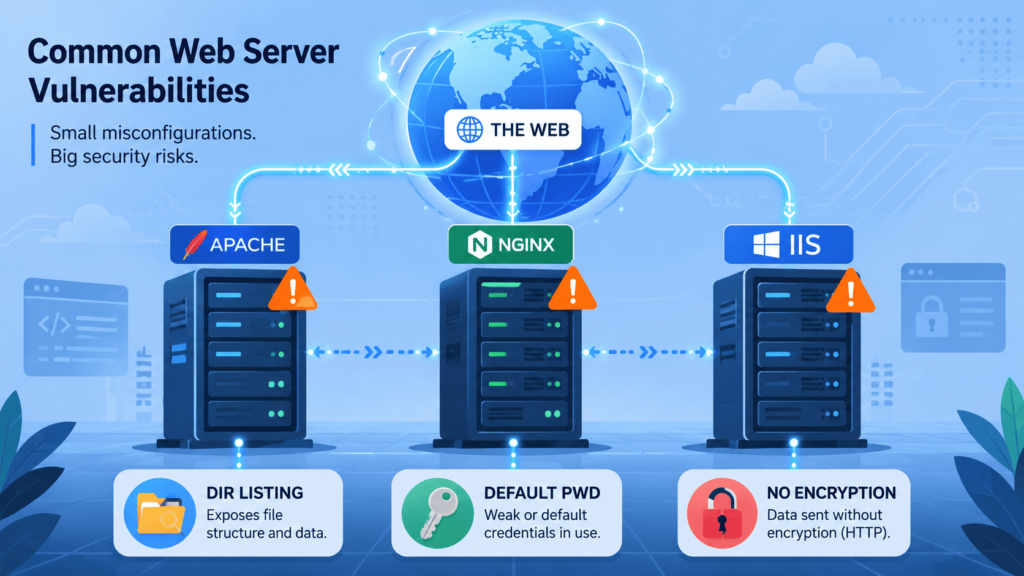
Your web server’s misconfigurations are glaring. The server can be patched but still be an open book.
We constantly see the same few. Web server misconfigurations often include directory listing left on, which I’ve found repeatedly. Debug mode running in production, spilling stack traces with database strings. Then, world-readable configuration files leaking API keys to anyone looking.
Why Is Directory Listing a Risk?
It makes reconnaissance effortless. Attackers browse for /backup.zip or /config.ini directly. There’s no guessing.
What Happens With Debug Mode On?
It turns your app inside out. One error can reveal your database type, framework, and file paths. This lets attackers tailor their next exploit precisely.
Which File Permission Mistakes Hurt Most?
Being too generous. Sensitive files should have the most restrictive permissions possible. Setting them as world-readable is a critical error we train our developers to avoid from the start.
How Can Default Settings Create Security Weaknesses?
Default settings favor easy setup over security, and every system starts from the same insecure baseline.
The risks are ignored. Default router passwords are public. Sample web apps have known bugs. A confusing cloud setting becomes a data breach.
Why Are Default Credentials Still Exploited?
They’re predictable. Scripts try admin/admin first. People focus on getting services running, not on changing them. We see this cause immediate problems in our labs.
Research from IEEE Xplore shows
“Many IoT devices are still deployed with default credentials, which increases network risk.” – IEEE Xplore
Which Unnecessary Features Should You Disable?
Anything your app doesn’t need. Sample apps, demo pages, unused modules, and other unnecessary features all create potential attack vectors.
Our rule: If it’s not from our code or config, it’s removed. We strip servers to the bare essentials, a habit we drill into our training.
What Cloud Misconfigurations Cause the Greatest Risk?
The cloud’s ease is its danger. A few clicks can expose data, and cloud misconfiguration risks often begin with simple configuration mistakes. You secure your configuration; the provider does not.
The biggest risks are obvious. A public S3 bucket. An IAM policy with a wildcard (*). A security group open to the world, making automated configuration scanning valuable for catching mistakes early.
| Misconfiguration | Primary Risk |
| Public S3 / Cloud Storage | Mass data exposure, compliance violations. |
| Overly Permissive IAM Policy | Privilege escalation, lateral movement. |
| Open Security Group (e.g., port 22, 3389 to 0.0.0.0/0) | Direct unauthorized access to instances. |
| Unencrypted storage at rest or missing encryption controls | Data compromise if underlying hardware is accessed. |
Why Are Public Storage Buckets Frequently Exposed?
UI confusion causes it. Setting a bucket “public” for one file often makes everything public. We see this constantly.
How Does Least Privilege Reduce Cloud Risk?
Give only the permissions needed. A function writing to one table should have only that access. It limits damage if compromised, a rule we drill in our training.
Why Should You Remove Unnecessary Services?
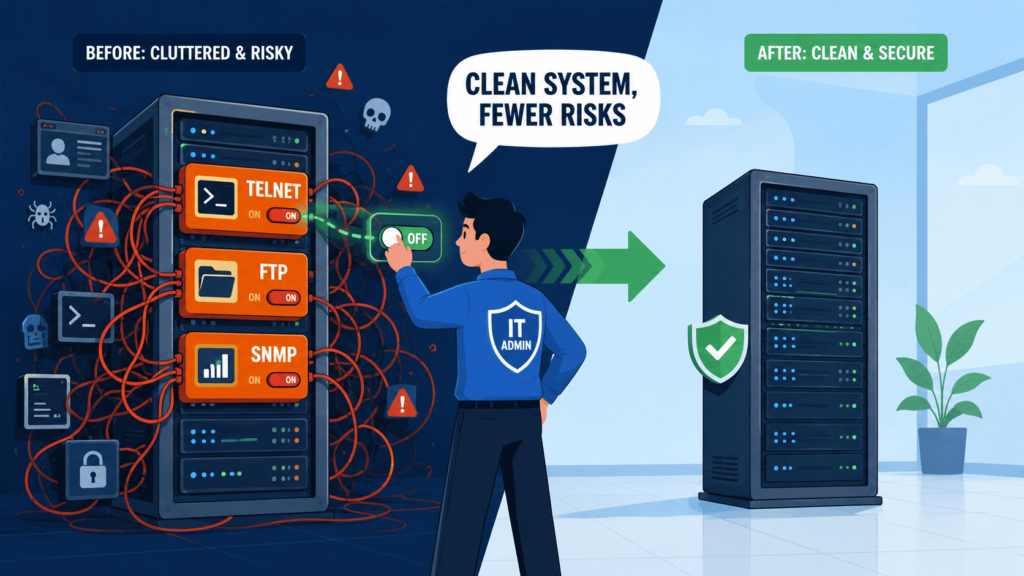
Every running service is an open door. Keeping unnecessary features enabled just gives attackers more ways in.
In larger setups, this problem grows. Temporary access is forgotten. Old endpoints are left on. These leftovers accumulate, creating a maze of entry points. We teach a simple rule: if you don’t need it, turn it off.
Which Services Are Commonly Left Enabled?
- SSH / RDP on production web servers that should only be accessed via a bastion host.
- Database ports (3306, 5432, 27017) exposed directly to the internet instead of a private network.
- Management interfaces (like JMX, phpMyAdmin) accessible from outside the trusted network.
- Legacy protocols like Telnet or FTP that lack encryption.
- Default application ports for services that are no longer in use.
A simple, regular network scan of your own systems from an external perspective can be a shocking eye-opener.
Why Are Verbose Error Messages a Security Problem?
Detailed or verbose error messages are great in development. In production, they’re a leak. A simple typo can become a major information leak.
We once saw an error page that printed a full SQL syntax error, plus the database username and server IP. The server wasn’t breached; it handed the attacker a blueprint. This is a classic misconfiguration.
What Sensitive Information Can Stack Traces Reveal?
A stack trace is a treasure map. It can show:
- File system paths, revealing directory structure.
- Database queries, exposing schema and logic.
- Framework and library versions, allowing attackers to target known vulnerabilities.
- Internal class and method names, aiding in understanding application flow.
- Configuration snippets or environment variable names.
How Should Production Error Handling Work?
Users should see a generic message: “Something went wrong. We’ve been notified.” The technical details must be logged securely on the server, visible only to admins and alert systems. We train developers to enforce this separation rigorously. It’s a simple change that closes a major information gap.
Which Browser Security Headers Should Every Website Use?
Missing security headers is like skipping basic immunizations. They’re a layer of defense built into the browser. Without them, you’re open to common, automated attacks.
These are a configuration fix, not code. Your app can be perfect but still vulnerable to injection and leaks without them.
| Header | What It Prevents | Why It Matters |
| Content-Security-Policy (CSP) | Cross-site scripting (XSS) by defining allowed content sources. | Stops injected scripts from executing, even if an XSS flaw exists. |
| X-Frame-Options | Clickjacking by preventing your site from being loaded in a frame/iframe. | Protects users from UI redress attacks. |
| X-Content-Type-Options | MIME-type sniffing attacks by forcing the browser to honor declared content types. | Prevents browsers from misinterpreting files (e.g., treating a text file as HTML). |
| Strict-Transport-Security (HSTS) | Protocol downgrade and cookie hijacking by forcing HTTPS. | Ensures users always use a secure connection. |
Why Are Headers Only One Layer of Defense?
Headers are a safety net, not a replacement for secure code or protection from common vulnerabilities. A strong CSP helps, but not having the flaw is better. This is defense in depth from multiple layers we teach.
How Can Organizations Build a Reliable Hardening Process?
Hardening cannot be a heroic, one-time effort. It must be a repeatable, boring, automated part of the deployment pipeline. A security hardening checklist is the starting point, but it only works if it’s integrated into your process, not a PDF buried on a wiki.
The goal is to eliminate variation. Every server, every container, every cloud resource should start from an identical, hardened baseline. This is where Infrastructure as Code (IaC) shines. Your Terraform or CloudFormation template is your hardening checklist, enforced with every deployment.
What Should Every Hardening Checklist Include?
- Change all default credentials and disable default accounts.
- Remove all sample applications, documentation, and test files.
- Disable debug modes, tracing, and detailed error reporting for production.
- Restrict administrative access to specific IP ranges and enforce MFA.
- Tighten file and directory permissions to the minimum required.
- Enable and centralize security logging and set up alerts for anomalies.
- Review and minimize cloud IAM policies and network security group rules.
Which Automated Tools Detect Security Misconfigurations?
Credits: The Cyber NOAAR
Manual checks can’t keep up. You need automated scanners to detect insecure components and configuration drift. They act as a persistent auditor, constantly checking your setup against benchmarks.
Tools like Qualys scan web servers for missing headers and directory listings. For the cloud, Cloud Security Posture Management (CSPM) tools are essential. They monitor AWS or Azure for public buckets and permissive IAM policies.
As noted by CISPA
“Sites often exhibit a security lottery behavior by randomly omitting security headers, meaning even when headers are configured, they may not be delivered consistently to all clients” – CISPA
How Does CSPM Help?
CSPM provides continuous oversight. It watches for changes. If someone opens a security group, it alerts immediately and can auto-fix. It shows if your cloud is secure right now.
What Is Policy-as-Code?
Instead of finding problems later, define security rules as code. Your Terraform scripts are checked against these rules before deployment. It stops misconfigurations before they start.
Why Should Scanning Run Continuously?
Infrastructure never stays still. Changes happen constantly. Continuous scanning gives you a live picture of your risk, not a stale snapshot.
How Can Secure Coding Practices Support Configuration Security?
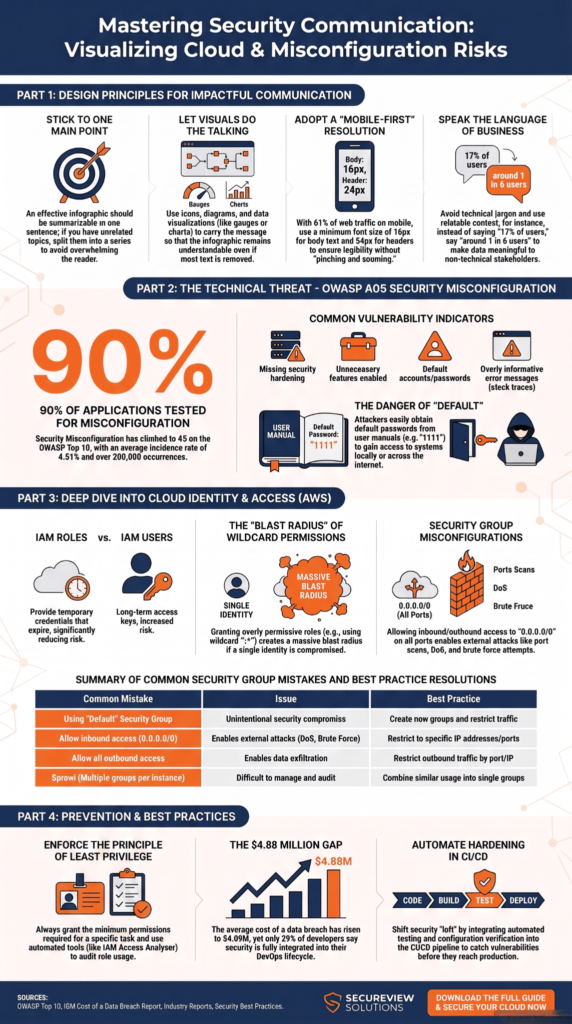
Secure coding isn’t just about functions; it’s about the entire delivery pipeline. A safe app can be broken by a bad deployment.
We push our developers to own their deployment environment. This means baking security into the process. The developer who writes a service should also define its secure container and cloud settings.
How Should Development and Operations Work Together?
The old wall is gone. The practice is now:
- Define secure configuration baselines as code, stored alongside application code.
- Use Infrastructure as Code (IaC) for every deployment, ensuring consistency.
- Integrate configuration validation into the CI/CD pipeline. The build fails if the IaC creates a public S3 bucket.
- Implement continuous monitoring with alerts routed back to the team that owns the service, creating a feedback loop.
Applying This in Practice
This means config reviews in pull requests. Automated IaC security checks on every commit. CI/CD gates that require security passes, not just tests.
The developer defines the secure footprint. This creates ownership, making security a built-in feature, not a checkpoint.
FAQs
How can security misconfiguration be identified before attackers find it?
You can find security misconfigurations in several ways. Review all insecure settings. Check for changes in configuration. Close gaps in service hardening. Address issues found during configuration reviews. Reduce the attack surface with regular security assessments.
Why are default credentials still a serious security risk?
Attackers can gain easy access with default credentials. Default account settings are also a risk. Weak passwords and poor password management help them. Systems that don’t lock inactive accounts or protect against brute force attacks are vulnerable.
Which server settings should be checked first?
Check servers for open ports. Exposed services increase risk. Directory listing can reveal sensitive information. Verbose error messages can give attackers clues. Sample applications and debug modes should be disabled. Unpatched software is a major security issue. Each of these problems makes your system less secure.
What cloud configuration mistakes expose sensitive data?
Misconfigured cloud storage is dangerous. Public buckets are a common problem. Insecure cloud configurations weaken security. Firewall rules that are not set correctly are a risk. Poor network segmentation allows unauthorized access. Giving too many permissions violates the principle of least privilege. These issues weaken “deny by default” security.
Which web application configuration issues deserve immediate attention?
Fix missing authentication. Ensure authorization is properly implemented. Address permissive CORS settings. Add missing security headers. Secure cookies by using HttpOnly and Secure flags. Use the SameSite flag correctly. These weaknesses create more opportunities for attacks.
Build Security Into Every Deployment
Security gaps often come from small settings that get missed, not difficult fixes. The best way forward is to make secure configuration part of every deployment, with automated checks and shared ownership across your team. Start with one area, improve it, then keep building from there. If you want practical, hands-on training to help developers write safer code from day one, the Secure Coding Practices Bootcamp is a great next step.
References
- https://ieeexplore.ieee.org/abstract/document/10974174
- https://cispa.saarland/group/stock/research.html#fass2018jast
Related articles
- https://securecodingpractices.com/common-vulnerabilities-attacks/
- https://securecodingpractices.com/examples-security-misconfiguration-web-server/
- https://securecodingpractices.com/cloud-security-misconfiguration-risks-aws/
- https://securecodingpractices.com/default-settings-security-risks-examples/
- https://securecodingpractices.com/unnecessary-features-enabled-security/
- https://securecodingpractices.com/verbose-error-messages-security-risk/
- https://securecodingpractices.com/insecure-components-security-misconfiguration/
- https://securecodingpractices.com/directory-listing-vulnerability-prevention/
- https://securecodingpractices.com/missing-security-headers-browser/
- https://securecodingpractices.com/importance-security-hardening-checklist/
- https://securecodingpractices.com/automated-configuration-scanning-tools/