


At Secure Coding Practices, we frequently encounter production environments relying on out-of-the-box configurations that leave doors wide open for attackers. Convenience is often the enemy of security. When software is deployed with factory settings, it is designed for ease of setup rather than protection against sophisticated threats.
We have seen firsthand how default credentials and unoptimized services provide attackers with immediate unauthorized access. Understanding these risks and how to actively harden your infrastructure is a fundamental requirement for anyone building secure software. By moving beyond vendor defaults, we can significantly reduce our attack surface.
What Should Your System Hardening Priorities Be?
Implementing a rigorous hardening strategy is essential for protecting your infrastructure from automated threats:
- Default credentials remain the most common entry point for automated discovery scripts.
- Unnecessary services significantly expand your attack surface without providing additional business value.
- Automating security baselines prevents configuration drift and ensures consistent protection across your entire stack.
What Are Common Examples of Default Settings Security Risks?
When you install a new database, web server, or CMS, the vendor’s primary goal is to make the software functional as quickly as possible. This means enabling features, listeners, and user accounts that you might never need.
Unfortunately, this functional first approach is exactly what attackers look for. In our experience, teams often skip the hardening phase, assuming the software is secure by default.
Most software defaults are set for maximum interoperability, which is the antithesis of security. To grasp the broader landscape of these issues, we recommend reviewing our analysis on Common Security Misconfigurations.
What Hidden Vulnerabilities Exist in Vendor Default Settings?
In our consulting experience, ignoring default settings security risks examples is a common path to production breaches. Default settings security risks are not limited to a single layer of the stack. They permeate network services, platform configurations, application servers, and custom code.
As noted in the NIST Guide to General Server Security, systems should be configured to produce error messages that do not disclose sensitive information about the system architecture, internal network structure, or specific configuration parameters.
If your systems are exposed to the internet, they are likely being probed right now. We must move away from the assumption that obscurity equals security. Hardening is about proactive reduction of the attack surface, ensuring that only necessary components are active and that all access points are strictly controlled.
How Do Attackers Exploit Default Credentials?

In our experience, attackers rarely spend time manually guessing passwords for every target. Instead, they rely on automated tools that scan large IP ranges for known default credentials.
When a new database or service is deployed, it often listens on public ports with factory settings enabled.
The moment a system is exposed to the internet, it becomes a target for these scripts. If you have not changed the default admin/admin or root/password credentials, your system is likely compromised within minutes of going live.
This is not just theory. We have seen production environments where unauthorized access occurred before the initial setup phase was even completed.
“Systems must be configured to change all default passwords and remove or disable default accounts that are not required for system operation.” – NIST Guide to General Server Security
Leaving these defaults active is equivalent to leaving your house keys in the front door lock. It is an invitation that sophisticated automated bots are programmed to accept instantly.
Why Are Unnecessary Services Silent Attack Vectors?
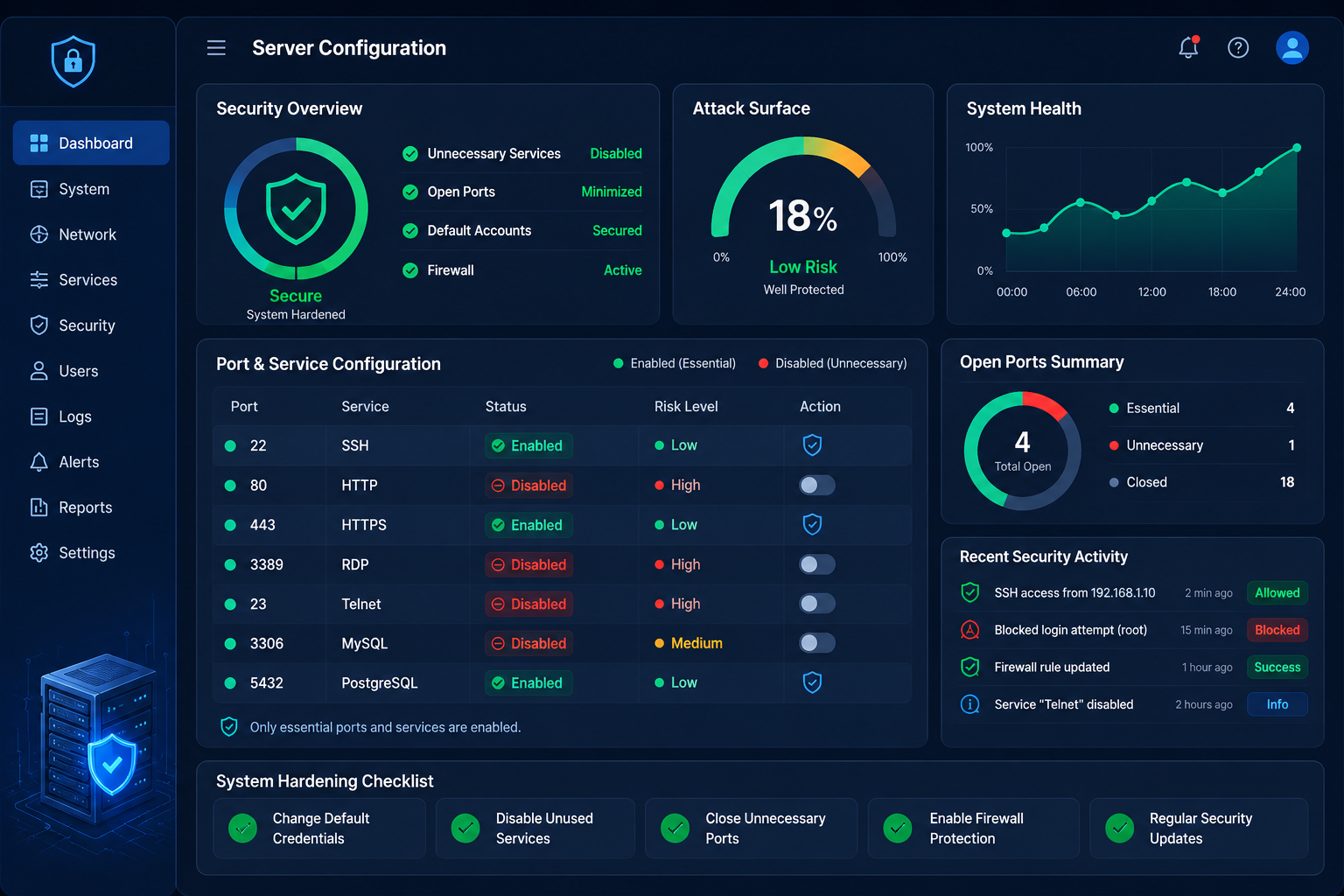
Another common oversight we encounter is the proliferation of bloatware in server configurations. Vendors often ship software with a wide array of auxiliary services, listeners, and APIs enabled by default.
While this makes setup easier for non-technical users, it significantly increases your attack surface. In our audits, we often find debug modes, sample applications, and management interfaces left active in production environments. Each of these represents a potential entry point for an attacker.
If you have not yet audited your environment for these hidden vulnerabilities, we recommend reading our guide on unnecessary features enabled security to learn how to methodically strip away non-essential components.
How Can You Prevent Default Settings Security Risks?
To help your team prioritize, we have mapped out common default settings risks that we frequently encounter during our consulting work.
| Default Setting Risk | Technical Impact | Business Risk |
| Default Admin Credentials | Unauthorized full-access login | Total system takeover |
| Enabled Debug Mode | Leakage of stack traces/env vars | Exposure of architectural flaws |
| Publicly Accessible APIs | Unauthenticated data retrieval | PII leakage and regulatory fines |
| Active Sample Applications | Known vulnerability entry points | Compromise of underlying server |
| Broad Permissions (777) | Unrestricted read/write/execute | Malicious code injection |
By systematically reviewing these areas, your development team can move from a default-trust model to a secure-by-design infrastructure. This approach significantly reduces the probability of a successful breach.
How Does Automating Security Baselines Eliminate Manual Errors?

Human error is often the weakest link when configuring complex production environments manually. If you are relying on static checklists to harden your servers, you are likely leaving critical security gaps.
We have found that the most resilient organizations are those that treat infrastructure as code (IaC) and automate their security baselines. By integrating automated hardening scripts into your CI/CD pipeline, you ensure that every environment is provisioned with secure settings from the start.
This approach prevents configuration drift, where security settings are inadvertently downgraded over time. We teach our students that security is not a one – time configuration task, but a continuous process integrated directly into the deployment workflow.
How Do Default Settings Affect Regulatory Compliance?
Leaving default settings enabled is not just a technical oversight; it is a significant regulatory risk. We often remind clients that modern frameworks explicitly require organizations to document and manage their configuration standards.
If you cannot prove that you have hardened your environment, auditors will flag this as a failure in your security maturity. Regulators expect organizations to have documented processes for securing systems and removing non-essential components.
“Security misconfiguration is the most common issue. This is the result of insecure default configurations, incomplete configurations, open cloud storage, misconfigured HTTP headers, and verbose error messages containing sensitive information.” – OWASP Security Misconfiguration
Failing to address these defaults is often cited during security audits as a primary cause of non-compliance. By systematically reviewing your configuration, you ensure your business remains compliant while simultaneously reducing the probability of a successful breach.
What Should Be Included in Your Team’s Core Hardening Checklist?
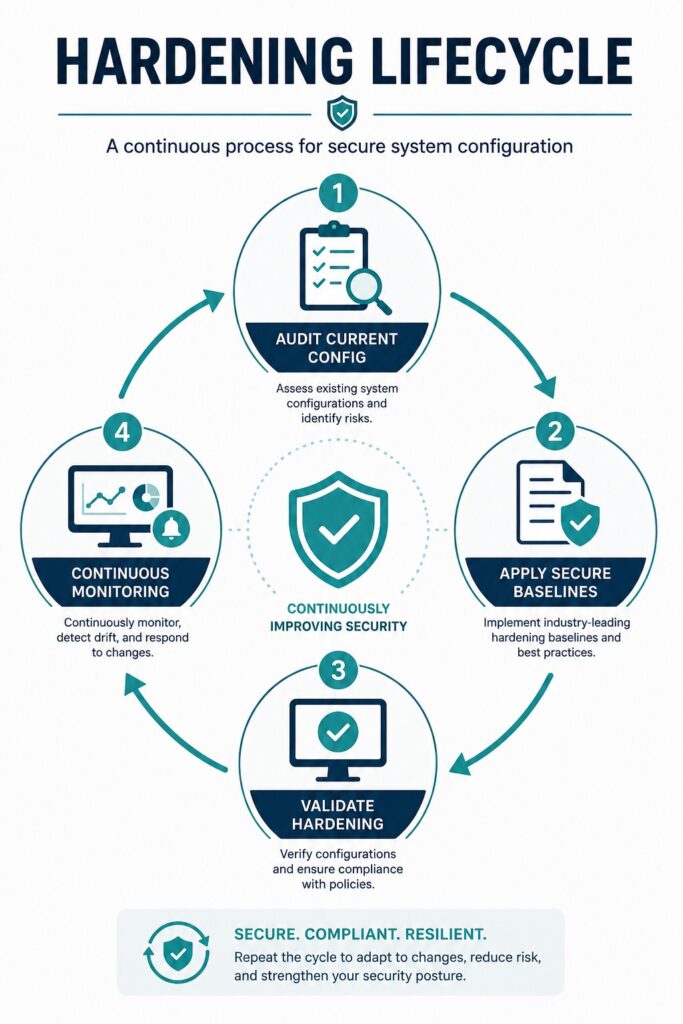
Before deploying any new service, we recommend running through this fundamental hardening checklist. This helps ensure that no “out of the box” settings slip into your production environment.
- Credential Rotation: Replace all factory default usernames and passwords immediately upon installation.
- Disable Unused Ports: Close any network ports or protocols not required for core application functionality.
- Remove Sample Apps: Delete all vendor-supplied sample code, documentation, and tutorials to reduce the attack surface.
- Suppress Verbose Errors: Configure your framework to log detailed errors internally but display generic, non-informative messages to end-users.
- Enable Least Privilege: Ensure all services run with the minimum system permissions necessary to execute their tasks.
If you find that your applications are leaking architectural details through errors, we highly recommend reading our guide on verbose error messages security risk to better protect your backend logic.
FAQ
How can I effectively identify default settings that pose a risk in my environment?
We recommend using automated vulnerability scanners that are specifically configured to check for known default credentials. However, tools only catch so much; manual penetration testing remains critical to identifying custom misconfigurations that scanners often miss. Regularly auditing your environment against known hardening benchmarks is the only way to stay ahead of automated discovery scripts.
Does changing default settings impact regulatory compliance?
Yes, hardening your environment is a baseline requirement for most regulatory frameworks, including PCI-DSS, HIPAA, and GDPR. Regulators expect organizations to have documented processes for securing systems and removing unnecessary services. Failure to address default security settings is often cited during audits as a primary cause of non-compliance, as it demonstrates a lack of basic operational security maturity.
Is there a difference between hardening development and production environments?
While production requires the strictest hardening, development and staging environments must also be secured. Attackers frequently target development servers because they are often less protected and may contain sensitive credentials or database connections. If a development environment is compromised, it can serve as a pivot point for attackers to move laterally into your production infrastructure.
How does automation help prevent default settings risks?
Automation eliminates the human factor by ensuring that security baselines are applied consistently every time a new server is provisioned. Instead of relying on a human to remember to disable debug mode or change a password, your deployment scripts handle these configurations automatically. This creates a repeatable, verifiable, and secure deployment process that scales with your organization.
Why is it so critical to change admin/admin or default credentials?
These credentials are the first things automated bots and scripts test when they encounter a new server. Even if you believe your server is obscure, bots scan the entire public internet 24/7. Changing these credentials is the single highest-return security action you can take; it instantly stops the most common, low-effort, automated attacks from gaining immediate, unauthorized access to your systems.
Building Stronger Security Through Secure Configuration
Default settings security risks examples demonstrate how factory configurations can leave systems exposed to unauthorized access, information leakage, and unnecessary attack surfaces. Changing default credentials, disabling unused services, and implementing secure configuration baselines are essential steps for protecting production environments. By making system hardening a continuous part of your deployment process, you can significantly reduce security risks while improving the resilience and compliance of your infrastructure.
Ready to strengthen your secure development and security practices? Join the Secure Coding Practices Bootcamp and learn practical, hands-on techniques for hardening systems, implementing secure configurations, and building resilient applications from day one.
References
- https://csrc.nist.gov/pubs/sp/800/123/final
- https://owasp.org/www-project-mobile-top-10/2023-risks/m8-security-misconfiguration