
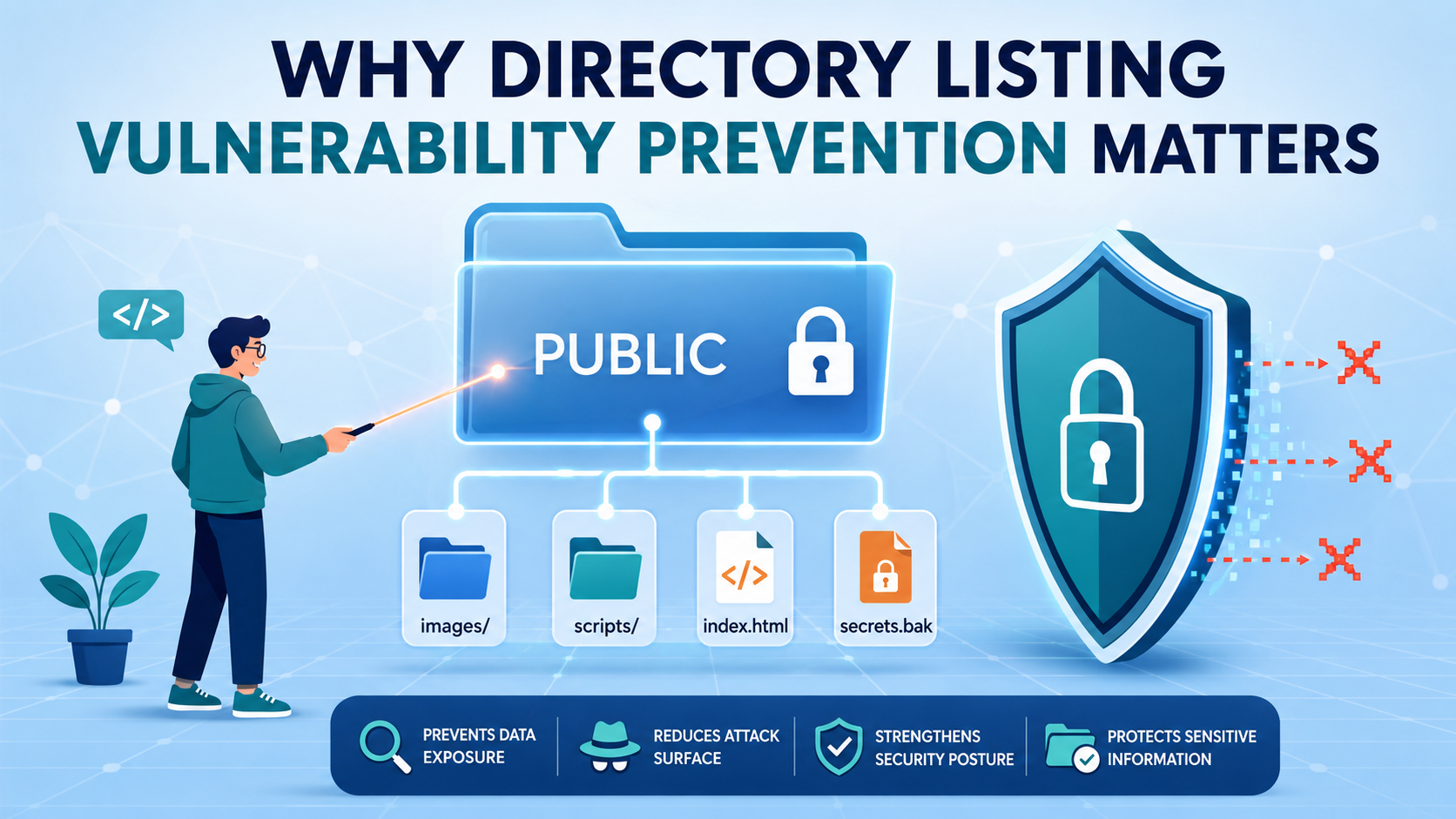

A directory listing vulnerability prevention starts with a misconfigured web server. If there’s no default index file, the server might just show a folder’s full contents. That means anyone can see your backup files, source code, or configuration secrets. We’ve seen this simple mistake cause major breaches.
At Secure Coding Practices, we know you need more than luck. The real fix is to disable the feature in your server settings, lock down your filesystem permissions, and always test your configuration. Don’t just hide files; remove the risk entirely. Keep reading to build a proper defense.
Directory Listing Defense at a Glance
These steps create a stronger defense against directory listing vulnerabilities and help keep sensitive files out of attackers’ reach.
- Disable directory browsing in your web server config; it’s the only surefire starting point.
- Move sensitive files like .env and backups completely outside the public web root.
- Verify your fix manually and with automated scanners; don’t just assume it worked.
Why are default server settings a problem?
Default settings on most web servers allow directory listing. It’s a convenience feature from an earlier time. Apache often has Indexes enabled. Nginx usually has autoindex off, but one wrong config line turns it on. IIS has a simple checkbox. The capability is built-in and ready to activate. It’s one of the most common security misconfigurations.
The trigger is a request to a folder missing a default file like index.html. The server, finding none, shows the raw contents. It’s not hacking; it’s the server doing its default job.
The exposed files are critical. We regularly find:
- Configuration files (
wp-config.php, .env) - Database backups (
*.sql.bak) - Full source code
- Uploaded user content
- System log files
This gives attackers a complete map. They don’t guess filenames; they just read the menu. In our bootcamp, we teach that your first security mistake is often trusting the default setup.
How Does an Attack Chain Start With a Simple List?
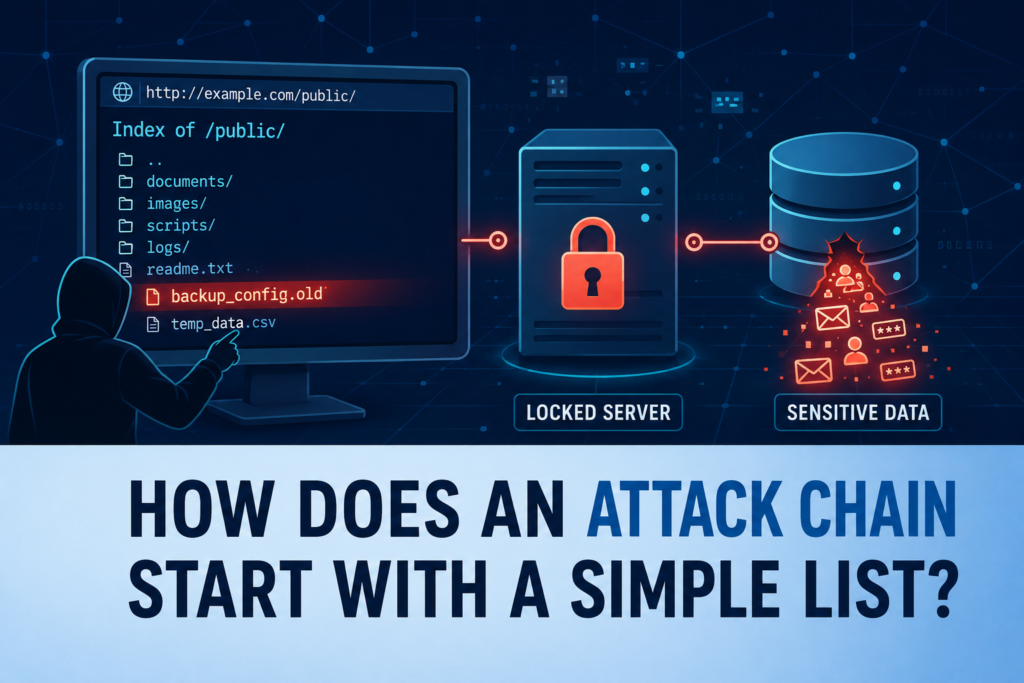
Here’s a real path we’ve seen. An attacker finds your open /assets/uploads/ folder. They download a file named firmware_backup_router_v2.5.squashfs. Using basic tools, they extract this filesystem image. Inside, they find a config folder containing hardcoded admin credentials for the device. That’s their way in. It all began because a folder had no index file.
Another common find is an exposed .git directory. With a tool like git-dumper, they can clone your entire source code repository, commit history and all. They’ll search for old secrets you thought were deleted and study your code for logic flaws. The directory listing was just the unlocked door. The code behind it is the real target.
This isn’t a theoretical scare. It’s routine for penetration testers. They run a scanner like Nikto. It flags “Directory Listing” on several paths. That finding goes straight to the top of the report. The rest of the attack builds directly from that information.
What Is the First and Most Critical Step?
You must disable directory listing at the server level. A web server security misconfiguration can expose directories before your application runs.
For Apache, edit httpd.conf or .htaccess:
# In your Apache configuration or .htaccess
Options -Indexes
DirectoryIndex index.html index.php
For Nginx, set this inside a location block in nginx.conf:
server {
    location / {
        autoindex off;
        # ... other directives
    }
}
For Microsoft IIS, disable “Directory Browsing” in IIS Manager or use a web.config file:
<configuration>
   <system.webServer>
      <directoryBrowse enabled="false" />
   </system.webServer>
</configuration>
We enforce this as step zero in our bootcamp. A server isn’t secure until this is confirmed.
Why Is an Index File Your Safety Net?
You’ve disabled indexing. Good. Now, add a safety net by putting a default index file in every public folder. Use index.html, index.php, or whatever your app needs. It can be empty. It can be redirected. Its only job is to exist, so the server never considers showing a listing.
As noted by KoreaScience
“Directory listing vulnerabilities is a vulnerability that could be called a list of directories to show a list of files in a directory on the server system, occurs when you do not have a set of additional business for the Web server” – KoreaScience
Think about your uploads/, css/, and js/ folders. Drop a simple index.html in each. It’s a five-second job that adds real resilience. If someone later reverts the server config, this file is still there to catch the request.
But know its limit. An index file stops the automatic list. It doesn’t hide the files inside. If an attacker knows the filename secret_plans.pdf, they can still request /uploads/secret_plans.pdf directly. The index file isn’t a security wall. It’s a user experience guard and a final fail-safe.
How Can You Build Real Filesystem Access Controls?

Move sensitive files outside the web root (public_html, www). If a file isn’t for public download, it shouldn’t be there.
- Configuration files go up a level.
- Database files go up a level.
- Logs and backups go up a level.
A file outside the web root can’t be reached by any URL.
For files that must stay, block access with server rules.
# Block hidden files and sensitive extensions
location ~ /\. {
    deny all;
}
location ~* \.(env|log|conf|bak|sql|git)$ {
    deny all;
}
Apply least privilege. The web server user needs only read access to the files it serves.
What Is the Trap of “Spreadsheet Security,” and How Can You Escape It?
Here’s a common scene. A quarterly security scan runs. It produces a 200-page PDF. Page 17 highlights “Directory Listing Enabled” on 12 URLs. This finding gets copied into a spreadsheet.
An engineer is assigned. They fix one or two. The rest linger. Next quarter, the same finding appears. Alert fatigue sets in. The finding becomes background noise. This is “spreadsheet security.” It measures compliance, not safety.
The escape is automation. Bake the checks into your CI/CD pipeline. When code is deployed, a lightweight security scanner can check for open directories. Make it a gate. If a directory listing is detected, the build fails, or the deployment halts.
The fix must happen before the code goes live. This shifts security left, into the development process. It turns a quarterly panic into a daily, manageable routine.
We use a simple curl command in a pipeline step sometimes. curl -I https://$STAGING_URL/uploads/. If the response is 200 OK and the content-type suggests an HTML directory listing, the job fails. It’s not fancy, but it works.
Why Isn’t Your Web Application Firewall a Silver Bullet?
As highlighted by arXiv
“Web Application Firewalls (WAFs) have been introduced as essential and popular security gates that inspect incoming HTTP traffic to filter out malicious requests and provide defenses against a diverse array of web-based threats. Evading WAFs can compromise these defenses, potentially harming Internet users.” – arXiv
WAF is great. It blocks SQL injection, cross-site scripting, and known bad bots. But a directory listing isn’t an attack payload. It’s a legitimate, if misguided, server response to a legitimate request for a directory. Most WAFs won’t block a GET /uploads/ request. Why would they? It looks normal.
Furthermore, clever attackers can sometimes bypass these checks. Unusual HTTP headers, like specific Range: headers, can trick some server configurations into dumping data.If your security relies solely on a WAF sitting in front of a misconfigured server, insecure components can make the risk even worse.
The real security must be on the server itself. The WAF is an outer wall. The server configuration is the lock on the door.
Why Is Path Normalization a Critical Security Detail?
Credit: dub-flow
Let’s get technical for a moment. Say your code has a check: if (path.includes('..')) { deny(); }. An attacker sends a request for files%2e%2e%2fconfig.env. That’s .. URL-encoded.
Your simple check might miss it. The web server, however, decodes it back to ../ before accessing the filesystem. The check passed, but the attack succeeded.
The solution is to normalize the path before validating it. Decode URL-encoded characters. Resolve all .. and . segments to get the true, canonical path. Then apply your security rules.
This ensures you’re checking the actual path the operating system will see, not a disguised version of it. Many frameworks have built-in functions for this. Use them.
Why Renaming Sensitive Files is a Fool’s Errand?
“We’ll just name the config file k38sdjfg9.cfg instead of config.ini. No one will guess it!” This is security through obscurity. It’s weak. If your application has a Local File Inclusion (LFI) vulnerability, the attacker doesn’t need to guess.
They can use the vulnerability to read the file regardless of its name. Or they can use the directory listing you missed to see the weird name anyway.
Obfuscation adds complexity for you, the maintainer, without removing the underlying vulnerability. The secure approach is to put the file where it can’t be reached (outside the web root) or to enforce strict server-level deny rules for that location. Don’t hide the key under the mat. Put it in a safe.
How to Verify Your Work and Sleep Soundly?
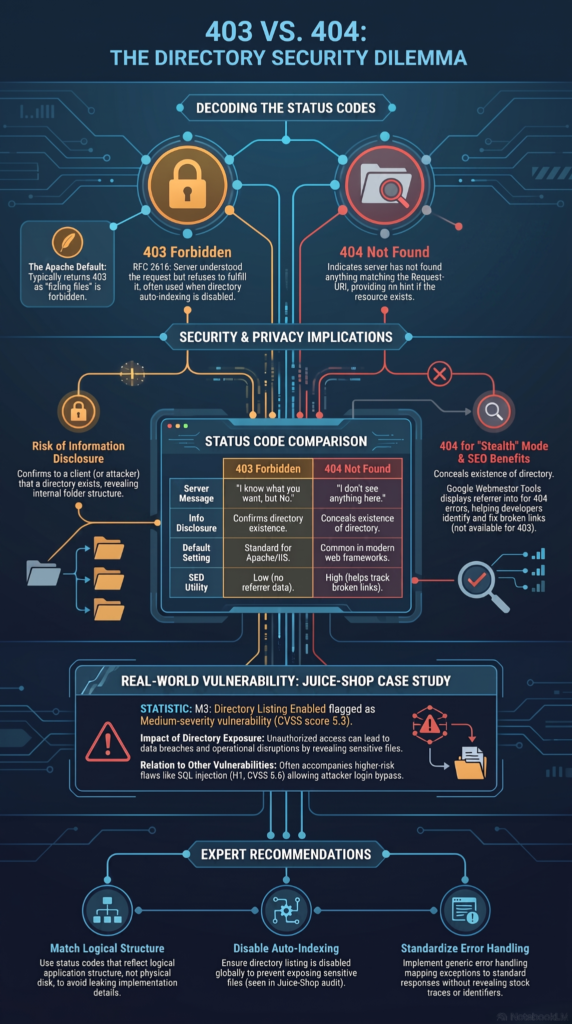
You’ve made the changes. Now prove they work. Start manually. Open your browser. Navigate to a directory you know shouldn’t list, like yoursite.com/includes/. You should get a 403 Forbidden, a 404 Not Found, or see your default index page. You should never see a page titled “Index of /includes/”.
Use the command line with curl. curl -i https://yoursite.com/data/. Look at the HTTP status code in the response headers. Then, run automated tools. OWASP ZAP has a “Directory Browsing” scanner. Nikto checks for it by default. Run these against your staging environment regularly.
Integrate them into your pipeline, as we talked about. Verification isn’t a one-time event. It’s part of the process. Every deployment is a chance to reconfirm your security stance.
| Verification Step | What to Check | Expected Result |
| Browser Test | Access a directory without an index file | Return 403 Forbidden or a custom page |
| Security Scan | Scan for exposed directories | No directory listing vulnerabilities detected |
| Configuration Review | Confirm server directory browsing settings | Directory listing remains disabled after deployment |
FAQs
How can I detect directory listing before it exposes sensitive files?
Run a directory listing scanner, perform a directory listing audit, and complete manual directory checks regularly. These steps help identify exposed directories before attackers find them.
Which server settings help prevent directory listing by default?
Configure your server to disable directory listing, set autoindex off or Options -Indexes, and use an index file default to prevent unauthorized directory browsing.
How can I protect sensitive files from public access?
Move files out of webroot, block .env access, deny dotfiles via server, and delete backups from webroot. These practices reduce the risk of sensitive file exposure.
Does restricting directory access improve overall web server security?
Yes. Restrict directory access, require authentication for directories, apply least privilege file permissions, and review file system permissions regularly to reduce unauthorized access.
How often should I review directory listing protections in production?
Perform a periodic security scan, review logging directory access, verify configuration management hardening, and confirm secure default configurations after every production deployment.
Close the Door Before It Becomes a Problem
Directory listing vulnerabilities are easy to miss, but they can expose far more than you expect. Make secure server settings the default, keep sensitive files outside the web root, and check your environment often. Small changes make a real difference.
If you want to build secure coding habits that last, join the Secure Coding Practices Bootcamp and learn hands-on skills that help you ship safer code with confidence.
References
- https://www.koreascience.kr/article/JAKO201434438338848.pdf#1#1
- https://export.arxiv.org/abs/2503.10846v1