
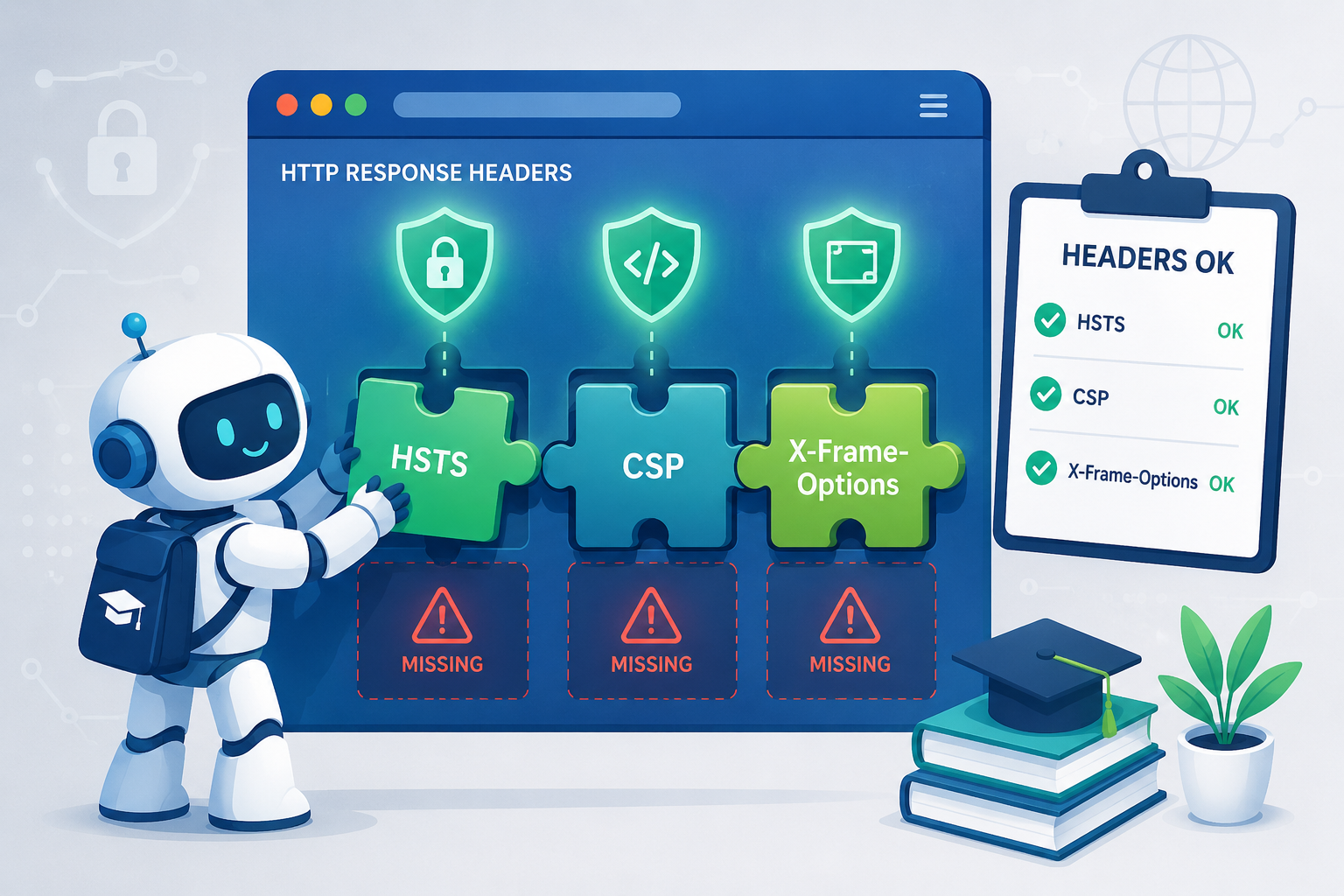

Missing security headers browser to use its default behavior, which is often less restrictive than a well-tuned policy. It’s a silent permission slip for trouble. This isn’t about a server hack. It’s about giving away control on the client side. Without these instructions, the browser may allow broader script, resource, and framing behavior than your application intends. This paints a target on your application.
At Secure Coding Practices, we consider certain headers non-negotiable. Keep reading to see which ones you need.
Quick Reads – Browser Security Wins
Missing security headers can leave browsers without essential protection against attacks like XSS, clickjacking, and session compromise. Strong header configurations create an additional security layer that requires ongoing review and testing.
- Missing headers like CSP and HSTS directly enable widespread attacks such as XSS and session hijacking.
- Simply having a header isn’t enough, its configuration must be strict and purposeful to be effective.
- Security headers are a foundational, ongoing layer of defense, not a one-time checklist item.
Where Are the Holes in Your Fence?

Picture your web app as a house. You lock the front door with secure coding. You set an alarm with input validation. But what about the windows? If they’re wide open, a strong front door doesn’t mean much.
Browser security headers are those windows. They give the browser specific orders: “Only run scripts from our domain. Don’t let other sites put our page in a frame. Always use HTTPS.” Without these headers, the browser does whatever it wants. It’s like leaving every window unlocked because you never said to lock it. It’s one of the most common security misconfigurations.
We see the damage from this all the time in our training. The risk is real and measurable.
- Cross-Site Scripting (XSS) stays a top threat.
- Clickjacking tricks users into actions they don’t intend.
- SSL stripping can force a connection back to plain HTTP.
- Data leaks straight through referrer headers.
These aren’t just ideas on a slide. They’re the direct result of those missing instructions.
Which Two Risks Can You Not Ignore?
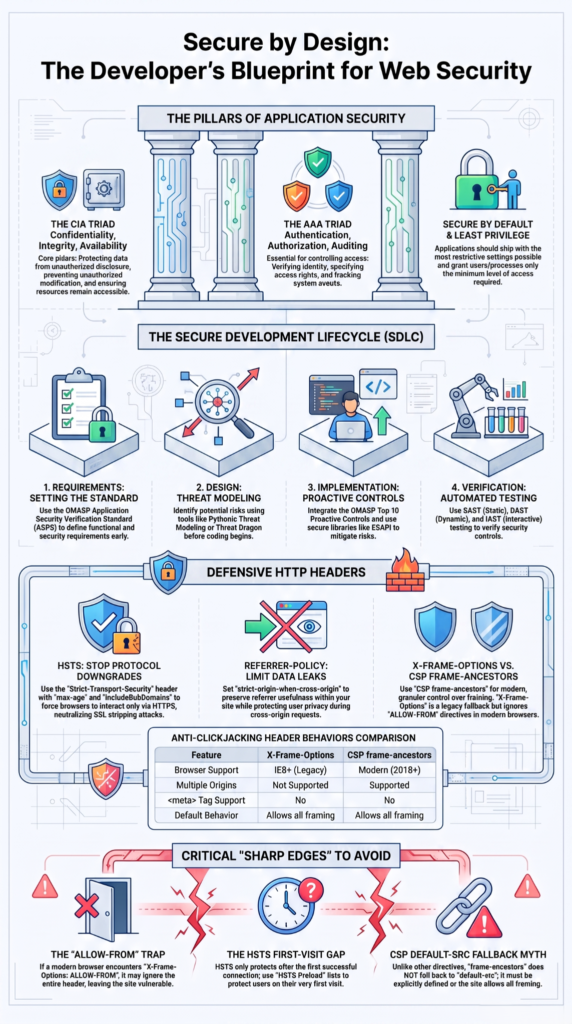
Only fix two things? Start with Content-Security-Policy (CSP) and HTTP Strict Transport Security (HSTS). Missing these is your biggest, fastest risk.
A well-configured CSP is one of the strongest browser-side mitigations against XSS. It’s a whitelist. You tell the browser, “Only load scripts from here.” An injected attack comes from somewhere else. The browser checks your list, sees it’s not allowed, and blocks it. Done. In our training, pages without a CSP run whatever they’re told. We never trust by default.
HSTS fixes the first connection. Someone types http://yoursite.com. Without HSTS, that request is vulnerable. An attacker on the network can intercept it, become a man-in-the-middle, and prevent the switch to HTTPS. The user sees a padlock later, but the attacker is already listening. HSTS forces the browser to use HTTPS-only for years. Skip this header, and that initial handshake is unprotected.
| Security Header | What It Protects | Risk When Missing |
| Content-Security-Policy (CSP) | Controls which scripts and resources browsers can load | Higher risk of XSS attacks through unauthorized scripts |
| Strict-Transport-Security (HSTS) | Forces browsers to use secure HTTPS connections | Increased exposure to downgrade attacks and SSL stripping |
When Does Your Page Become a Pawn?
Your clean interface can be used against you. A user clicks “Transfer Funds,” but they’re sure they clicked a game. That’s clickjacking.
An attacker puts your real page inside a hidden, malicious frame. The user interacts with your actual UI, but for the attacker’s goal. Stop it with X-Frame-Options: DENY. This header tells the browser, “No framing allowed.” The frame-ancestors CSP directive also works. Without it, the browser assumes framing is okay. Your page becomes a tool for someone else.
Research from iris.univ.it shows
“10% of the (distinct) framing control policies in the wild are inconsistent and most often do not provide any level of protection to at least one browser” – iris.univ.it
Data also leaks quietly. A user on your secure admin panel clicks an external link. The browser typically sends the full panel URL in the Referer header. Session IDs, user data, all of it. The Referrer-Policy: strict-origin-when-cross-origin header fixes this. It removes the path details when leaving your site.
In our labs, we trace these leaks in server logs. Missing this header is a slow, persistent bleed of sensitive information.
Is Your Sense of Safety an Illusion?
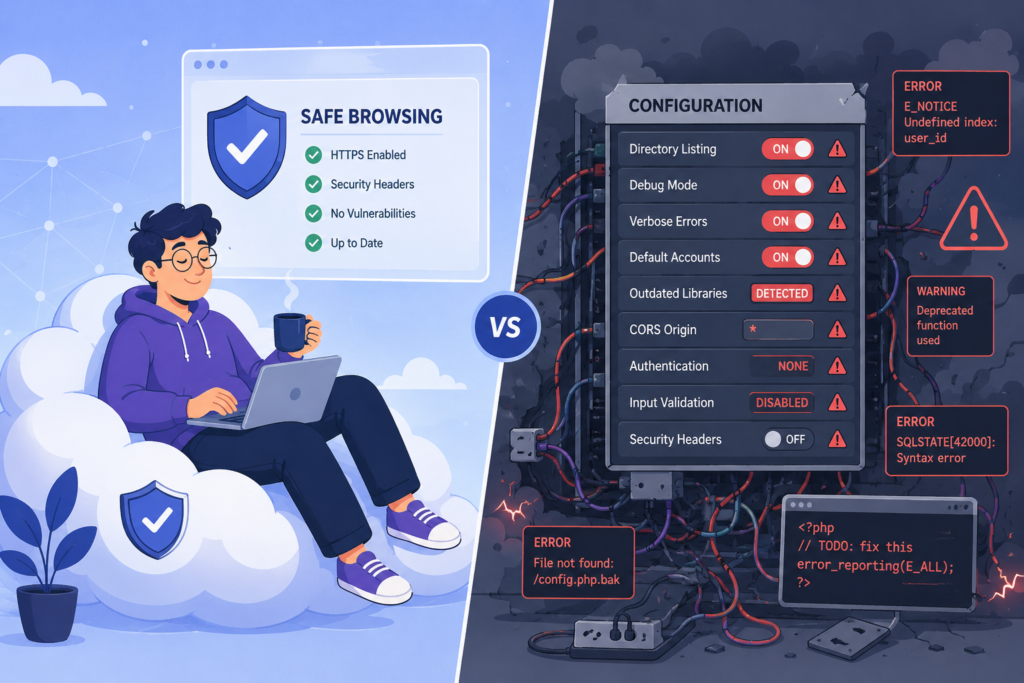
That “A” grade from a scanner is often a trap. Scanners usually just check if a header is present, not if it’s strong.
A Content-Security-Policy of script-src * 'unsafe-inline' is practically worthless. It allows scripts from anywhere and permits inline scripts, the exact vectors XSS uses. But a scanner sees the header and gives a pass. The real work is in the details: specifying 'self', banning 'unsafe-inline'. A perfect scan score is an illusion if the policy is weak.
In a recent analysis by IEEE Xplore
“The configuration quality was poor, with incorrect settings in 70–100% of the assessed applications, 70% of deployments misconfigured
X-Content-Type-Options, and 100% misconfigured Permissions-Policy.” – IEEE Xplore
Configuration also drifts. You set headers, deploy, and forget. Later, a framework update might overwrite your X-Frame-Options with its default. The site runs fine, no errors, but the protection is silently gone. Insecure components can make this easier to miss.
We see this in training. These headers need ongoing monitoring, like your code. You can’t set them once.
How Can You Build the Habit of Defense?
Credit: Life Skills with Durga Sir
So where does this leave us? It’s not about panic. It’s about procedure. Start by assessing your own site. Use your browser’s developer tools. Look at the Network tab, fetch a page, and inspect the Response Headers.
What’s missing? Begin with a Strict-Transport-Security header if you’re on HTTPS. Implement a Content-Security-Policy in report-only mode first, watch the console for violations, and then enforce it. Add X-Frame-Options and X-Content-Type-Options. These are low-effort, high-impact changes.
The deeper lesson is that client-side security is a shared responsibility. Secure coding practices stop the injection at the source. Security headers stop the execution in the browser. They also limit exposure from a directory listing vulnerability. They are layers. One without the other is incomplete. We write our code to be robust, and we must also instruct the environment that runs it to be restrictive.
It’s the difference between building a sturdy ship and also charting a safe course, avoiding the known reefs. The headers are your chart. Without them, you’re relying on luck and the absence of storms.
FAQs
What happens when a browser detects missing security headers?
Missing security headers browser issues occur when a website does not send important HTTP response headers that guide browser security behavior. These gaps can trigger browser security header warnings and increase risks such as cross-site scripting, clickjacking, and data exposure. An HTTP security headers checklist helps identify missing protections and improve browser-based security controls.
How do missing CSP risks affect website security?
Missing CSP risks occur when Content-Security-Policy rules are absent, incomplete, or poorly configured. An incomplete Content-Security-Policy can allow unauthorized scripts to execute, increasing exposure to cross-site scripting attacks. Common problems include missing CSP nonce implementation, missing CSP hash strategy, and missing script-src unsafe-inline risk caused by overly permissive script rules.
Why do absent HSTS settings create security problems?
Absent HSTS implications appear when a website does not force browsers to use HTTPS connections. Missing Strict-Transport-Security allows attackers to attempt downgrade attacks by redirecting users to insecure connections. Proper HSTS configuration should also consider HSTS preload readiness, preload list declaration, and TLS strictness header considerations for stronger transport protection.
What risks come from missing browser security controls?
Missing browser security controls can expose websites to attacks caused by weak response header configurations. Problems such as no X-Frame-Options risk, missing X-Content-Type-Options, and absent Referrer-Policy header settings may enable clickjacking, content-type attacks, or unwanted information disclosure. A missing header hardening checklist helps teams track and fix these security gaps.
How can security teams test missing browser headers?
Security teams can identify missing headers by reviewing HTTP responses, using header testing tools, and monitoring configuration changes. Testing should include missing mitigation guidance for headers, missing rollout strategy, and regression testing for headers after deployment. A rollout report-only phase can help verify changes before enforcing stricter browser security policies.
Take Control of Missing Security Headers
Missing HTTP security headers leave you exposed when your application handles real traffic. You can’t rely on default browser behavior. A small configuration gap can open the door to common attacks.
The right next step is learning how to fix these gaps with confidence. The Secure Coding Practices Bootcamp gives developers practical skills to build safer software without unnecessary complexity. Start improving your security approach today and ship code with fewer risks.
References
- https://ieeexplore.ieee.org/abstract/document/11433678/keywords#keywords
- https://iris.unive.it/handle/10278/3731395