


Broken access control examples often trace back to a simple, overlooked question. Your app checks if a user is logged in, but it fails to ask, “Are you allowed to see this?” This isn’t a coding bug, it’s a logic failure in authorization and one of the most common vulnerabilities in modern applications.
The solution is non-negotiable: enforce strict, server-side authorization checks for every single request. Don’t just authenticate; authorize. Keep reading to find the specific flaws in your system and the Secure Coding Practices you need to implement immediately.
Broken Access Control in a Nutshell
These core lessons summarize prevention. They are the most important ways to prevent authorization failures. This stops them from becoming security incidents.
- Every data access must verify the user’s ownership or role on the server, never trust the client.
- Horizontal and vertical privilege escalation happen. This occurs when you check login but skip permission checks.
- Forced browsing exposes hidden endpoints; every path needs an authorization gatekeeper.
What Is the Classic Insecure Direct Object Reference (IDOR)?
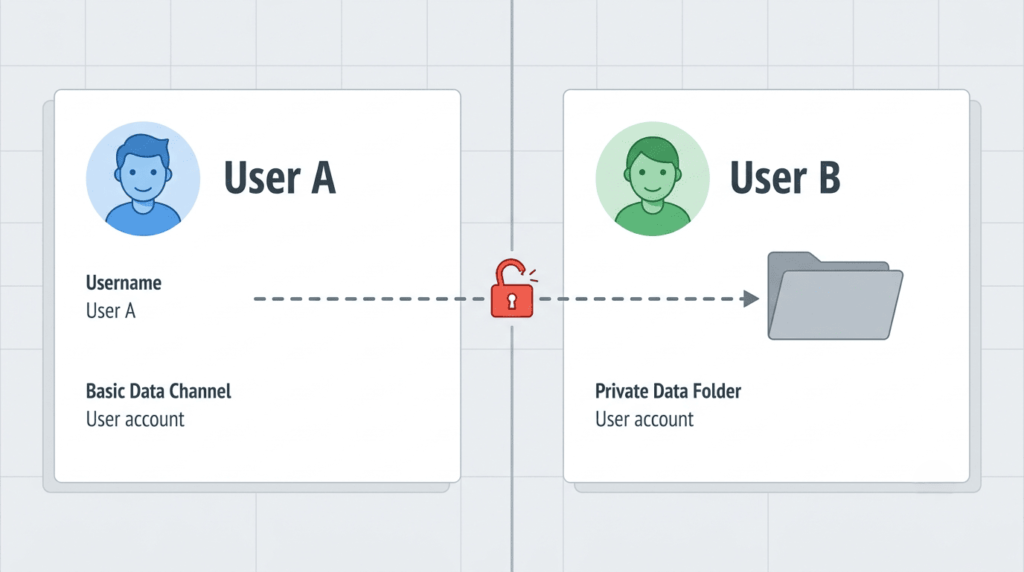
It’s a vulnerability we see constantly. You build a profile page at /user/profile/12345. That number is a database ID. It works, but the logic is flawed. When Jane, user 12345, changes the URL to 12346, the page loads Bob’s private data, his email, address, order history. The server never asked if Jane owned that record. It just fetched and sent it. That’s the core of insecure direct object reference (IDOR).
This is a critical mapping failure. The application exposes a direct reference to an internal object, like a database key. Attackers manipulate it. Hiding or randomizing IDs isn’t a solution. A found reference can still be tampered with. Our prevention is a strict, server-side ownership check for every request.
Here’s how we approach preventing IDOR in production. You never take a client-supplied ID and use it in a query alone. Instead, you scope it. Your query must look like this:
SELECT * FROM profiles WHERE id = :supplied_id AND user_id = :current_user_id.- If a query returns empty, it’s a problem. This happens if the supplied ID doesn’t belong to the user. You should return a 403 Forbidden error.
- The database itself becomes your authorization bouncer.
What Are Horizontal and Vertical Privilege Escalation?
Horizontal escalation is moving sideways and is one of the most common types of broken access control. It’s Jane, a regular user, accessing Bob’s private data, the classic IDOR flaw. The system knew she was a user but didn’t verify ownership. Our fix focuses on preventing horizontal privilege escalation by binding data access to the authenticated user.
Vertical escalation is moving up. Here, Jane finds admin functions. Maybe the panel is at /admin, or an API endpoint like POST /api/admin/delete_user only checks her login, not her role. If the server just validates her session, she executes admin commands. This is missing function-level access control.
We teach that “authenticated” does not mean “authorized.” You must verify permissions at every step.
| Type | What Happens | Primary Defense |
| Horizontal Privilege Escalation | A user accesses another user’s data or resources. | Verify resource ownership on every request using server-side checks. |
| Vertical Privilege Escalation | A normal user performs admin-level actions without permission. | Enforce strict role-based access control and function-level authorization. |
What Are Forced Browsing Vulnerabilities?
Credits: Rogério Souza
Force browsing vulnerability happens when attackers find things you left lying around, like backup files or old admin panels. The thinking is they’re hidden if they’re not linked. Attackers use tools to guess paths like /backup.zip. This brute-force hunt creates the risk. An exposed login panel invites attacks; a backup file spills secrets.
Research from IEEE Xplore shows
“Forced browsing typically happens when a page is unreachable by normal browsing unless the user has the necessary privileges (e.g. admin) and doesn’t verify that the user has these privileges.” – IEEE
We’ve seen these wreck systems. Prevention means rejecting “security through obscurity.” Every accessible route needs an authorization check to avoid access control misconfiguration. We use middleware to verify permissions before any request. Our deployment must also be clean, excluding backup files and locking down admin interfaces. Nothing gets a free pass.
Where Does Broken Access Control Prevention Actually Happen?
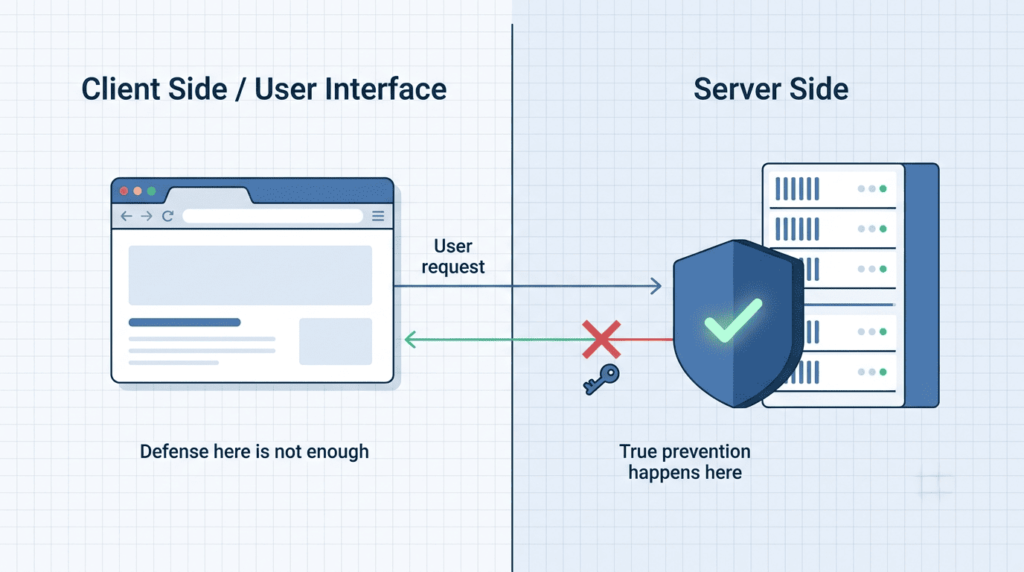
It happens in your code. A mindset shift is the first step. Treat all client-supplied parameters as malicious. Do this until your server-side logic proves they are safe. This thinking is the core of stopping IDOR.
As noted by OWASP
“Web applications must enforce access control on every URL and business function. It is not sufficient to put access control into the presentation layer and leave the business logic unprotected.” – OWASP
Your data access layer is the front line. Never write a raw query like SELECT * FROM orders WHERE id = + request.id. We use parameterized queries with scoped clauses. The rule is: SELECT * FROM orders WHERE id = :order_id AND user_id = :current_user_id. That AND user_id = :current_user_id is the ownership check. If the query returns empty, we send a 403.
For vertical escalation, your function-level checks must be explicit. Right after authentication, call an authorization function. We centralize this logic in one Policy class or middleware, checking permissions before every route executes. Don’t scatter if statements across controllers. This consistency is what finally closes the gaps.
How Can You Test for Broken Access Control Vulnerabilities?
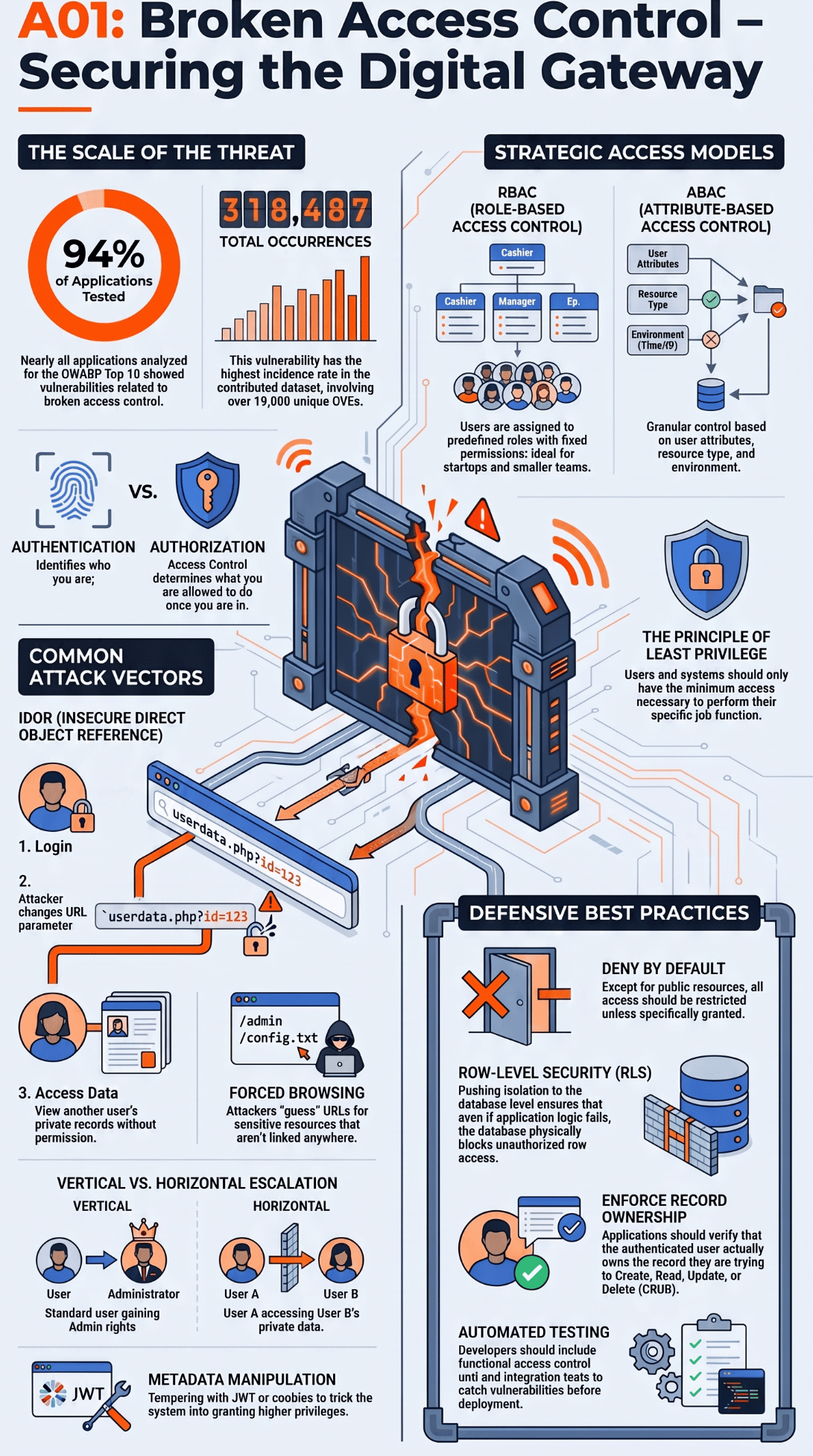
You need a methodical mindset more than fancy tools. We start with two browser windows. Log into one as User A, another as User B. As User A, try to access User B’s resource by changing an ID in the URL or request body. You should get a 403 Forbidden. If you get a 200 OK with their data, you’ve found an IDOR flaw.
Testing vertical escalation means logging in as a low-privilege user and trying to reach admin endpoints like /admin/users or sending a POST to api/users/delete. The app must reject these outright. For forced browsing, we use a simple wordlist with tools like gobuster against the base URL, hunting for hidden paths like /backup or /git. Any that return data without a login are a problem.
Our final step is automation. We add unit and integration tests that specifically assert User A can’t access User B’s data, and that a standard user role cannot call admin functions. This keeps testing broken access control part of the development cycle.
FAQs
How can I identify broken access control in an application?
You can find broken access control by testing. Test if users access protected resources. Ensure they don’t have proper permission. Check for missing authorization checks. Look for hidden URL access. Insecure endpoints are a concern. Inconsistent permission checks are also a problem. Regular access control testing helps reveal these security weaknesses early.
How does an IDOR vulnerability differ from forced browsing?
An IDOR vulnerability occurs when users change an object reference to access another user’s data. Forced browsing accesses hidden pages directly without proper authorization. Both flaws require server side authorization, ownership checks, and backend validation to prevent unauthorized resource access.
Why doesn’t user authentication prevent unauthorized access?
Authentication confirms a user’s identity, but authentication and authorization perform different functions. Every authenticated user still requires user access validation, role based access control, and server-side checks. Without these controls, attackers can achieve authorization bypass or privilege escalation.
Which access control mistakes create the highest API security risks?
API authorization mistakes can be dangerous. Missing role checks are a mistake. Weak object-level access control is another. Broken function-level access control is a problem. Parameter tampering is risky. Request tampering is also dangerous.
Strong authorization logic helps. Policy enforcement is important. Backend validation reduces risks. These measures protect sensitive endpoints.
How often should organizations review access control rules?
Organizations must review access control rules. This should happen after application updates. It’s also needed after permission changes. Infrastructure modifications also require a review.
Defense in depth practices are good. These practices help detect problems. They can find privilege abuse. They can find security misconfigurations. They can find authorization weaknesses. This happens before attackers exploit them.
Build Access Control That Holds Up
Strong access control comes from checking every request, every time. Start with your most sensitive endpoints, monitor failed ownership checks, and make authorization part of every code review. If you want practical, hands-on training to help your team build secure software from day one, join the Secure Coding Practices Bootcamp to reserve your spot here.
References
- https://ieeexplore.ieee.org/abstract/document/7884625/references#references
- https://wiki.owasp.org/index.php?title=Top_10_2007-Failure_to_Restrict_URL_Access&direction=prev&oldid=80235
Related articles
- https://securecodingpractices.com/common-vulnerabilities-attacks/
- https://securecodingpractices.com/types-of-broken-access-control/
- https://securecodingpractices.com/insecure-direct-object-reference-IDOR/
- https://securecodingpractices.com/preventing-IDOR-vulnerabilities-code-level/
- https://securecodingpractices.com/vertical-privilege-escalation-explained/
- https://securecodingpractices.com/preventing-horizontal-privilege-escalation/
- https://securecodingpractices.com/force-browsing-vulnerability-examples/
- https://securecodingpractices.com/checking-permissions-access-control-fail/
- https://securecodingpractices.com/testing-broken-access-control-flaws/
- https://securecodingpractices.com/function-level-access-control-missing/
- https://securecodingpractices.com/access-control-misconfiguration-examples/