
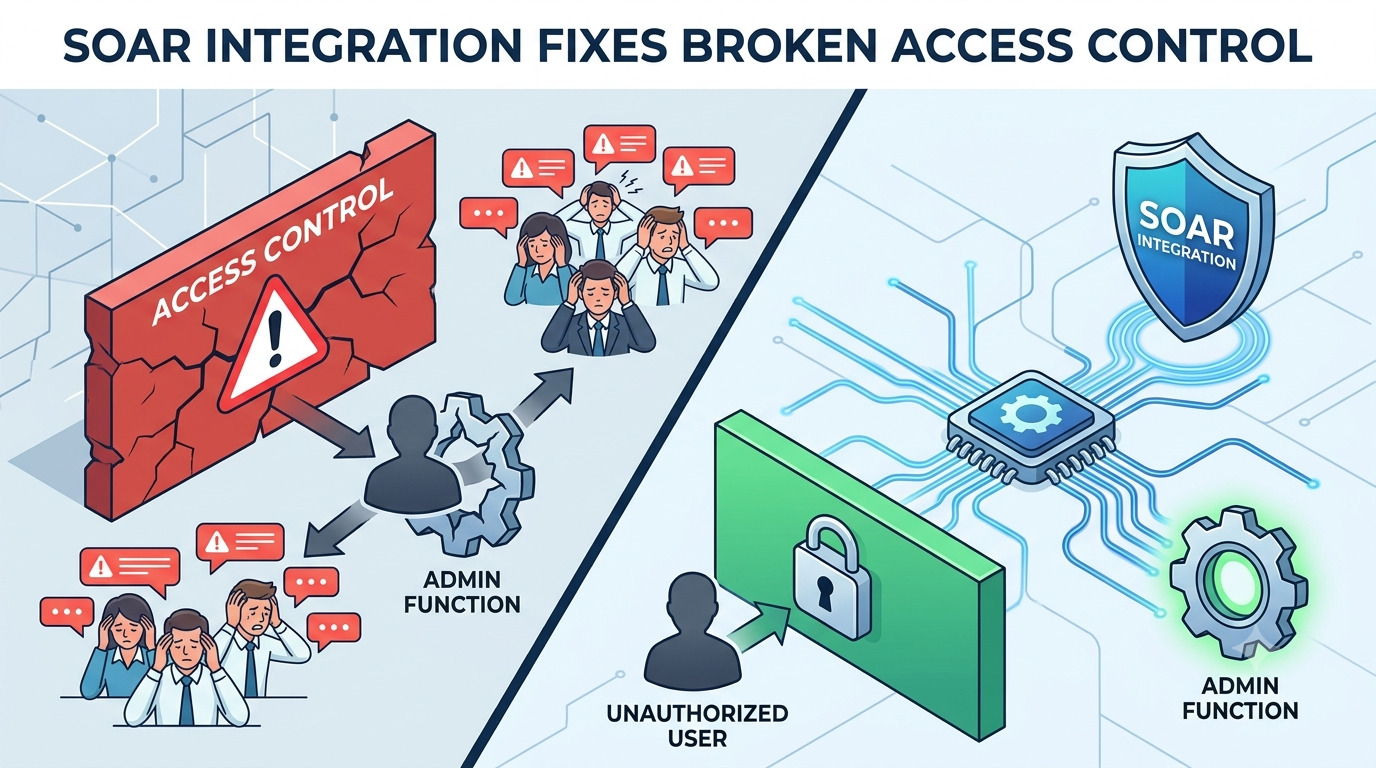

Modern security teams are drowning in alerts, but the scariest threats hide in plain sight. When function level access control missing allows unauthorized users to access sensitive administrative functions, traditional perimeters crumble. Without automated orchestration, your team is left manually chasing these logic flaws across disjointed tools.
Integrating a SOAR platform with your Secure Coding Practices system bridges the gap between detecting flawed access attempts and blocking them in real time. Let’s explore how to unify your defenses and stop threat actors from abusing privileged functions. Keep reading to transform your security operations.
The Game Plan: Maximizing Your SOAR Strategy
Before diving into the technical plumbing, let’s look at the foundational strategies that will ensure your automated response system actually delivers results instead of just making noise faster.
- Start integration by automating your most tedious, repetitive alert response first.
- Clear process mapping is more critical than technical API connections for success.
- Effective SOAR augments human analysts by handling routine tasks, freeing them for complex threats.
What’s the First Step to Connecting SOAR to Your Security Tools?
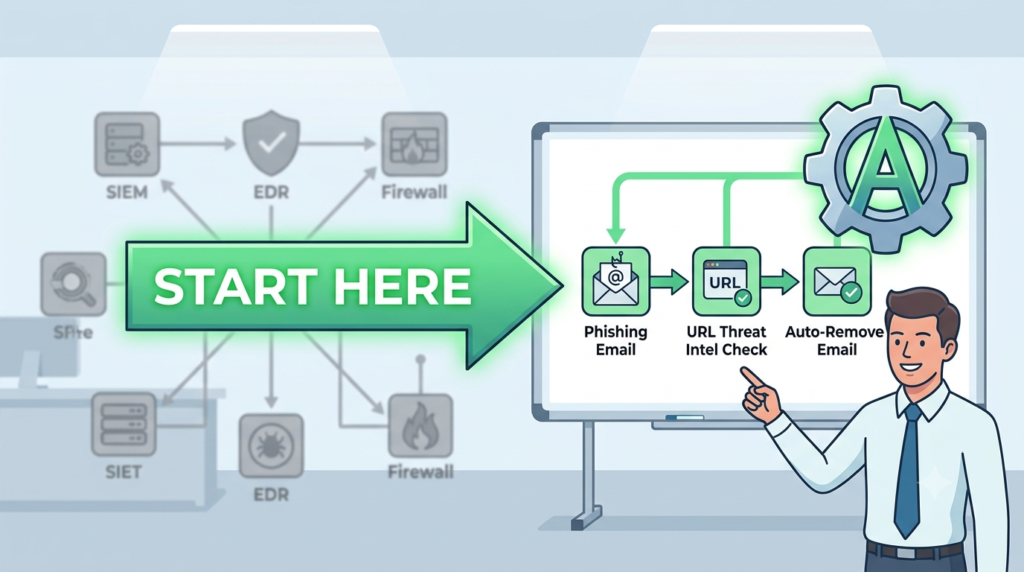
Start with a single, repetitive security task instead of jumping into APIs or complex integrations.
“BFLA (Broken Function Level Authorization) is a significant API vulnerability where attackers exploit improper authorization at the function or method level. This occurs when API endpoints expose sensitive functions without adequate authorization checks, allowing unauthorized users to access privileged operations.” – Medium
- Identify a high-volume pain point, Choose an alert your analysts handle repeatedly, such as phishing email triage or reviewing real-world broken access control examples.
- Document the workflow, Write down every manual step and decision, even if the process currently exists only in an analyst’s experience.
- Automate one simple playbook, For example: retrieve the email, check URLs with threat intelligence, analyze the sender’s domain, remove the email from mailboxes if it’s malicious.
- Build momentum, A successful small automation saves significant analyst time and creates a proven blueprint before expanding to more complex, multi-tool incident response workflows.
Why Does Process Mapping Matter More Than Fancy Integrations?
You can have the world’s best SOAR platform with a thousand pre-built connectors. If you automate a chaotic, undefined process, you’ll just create chaotic, automated chaos. The real work happens before you touch a keyboard. It happens in a room with a whiteboard.
You bring in the analysts who do the work and you walk through a real incident. “What do you do first? Where do you look? What’s your decision point?”
We map every single action, every “if-then” statement. This exercise is brutal and revealing. You’ll find three analysts do the same task three different ways. You have to standardize. This mapping reveals exactly what data you need to flag common types of broken access control across your ecosystem.
Often, this mapping alone improves the manual process, making it more efficient before any code is written. The technical integration is just the final step of codifying this newly optimized, agreed-upon process. Skip the mapping, and your integration will be fragile and untrusted.
How Do You Handle Missing or Limited API Access During Integration?
Credits: Hackerzzworld
You’ll hit this wall. A critical tool in your stack has a weak API, or worse, no API at all. It only exports CSV files. Or maybe it does have an API, but it fails to stop basic validation threats like an insecure direct object reference or IDOR, meaning you can’t grant the SOAR the specific, limited permissions it needs.
The SOAR needs to perform one action, but the API only offers an “admin or nothing” key. This is a major security and operational risk.
We’ve faced this. The options aren’t great. You can sometimes use a secondary method, like having the tool send syslog alerts that the SOAR can ingest as a trigger. The response action, however, might have to remain manual.
You can pressure the vendor, explaining that this gap makes their tool less valuable in an automated ecosystem. Sometimes, you can build a fragile middleman script, but that adds complexity and a new point of failure.
Can SOAR Actually Improve Your Overall Security Posture?
It can, but indirectly. SOAR itself doesn’t find new vulnerabilities or stop novel attacks. Its power is in operational excellence. By automating responses to known-bad indicators and common attack patterns, it ensures those are handled consistently and instantly. This consistency is a posture improvement.
More importantly, it changes your team’s capacity. When analysts are freed from chasing commodity malware alerts, they have time for proactive work. They can look for subtle anomalies. They can conduct threat hunts.
They can review the logs of the automated playbooks and ask, “Why are we seeing so many of these alerts? Can we block this at the firewall instead?” SOAR shifts the team from a reactive stance to a proactive and investigative one.
That shift, where your human talent is focused on strategic defense rather than tactical triage, is where the real posture improvement happens. It turns your security operations center from a help desk into a strategic unit.
What Role Do Secure Coding Practices Play in Building SOAR Playbooks?
When you build a playbook, you’re writing code. It might be in a visual workflow builder, but it’s logic that executes actions across your enterprise. That means it needs to be built securely. We treat playbook development with the same rigor as any internal software project. This means following secure coding practices from the start.
Think about it. A playbook has access to powerful credentials, API keys to your firewall, your endpoint tools, your cloud console. How are those secrets stored? We never hardcode them. They go into a secure, encrypted vault that the SOAR platform calls.
What about error handling? If a step fails, does the playbook log the error and stop, or does it blindly continue to the next step, potentially taking dangerous actions? We build in checks. Input validation is another. If a playbook expects an IP address, what happens if it receives malformed data? It should fail safely.
How Do You Convince a Skeptical Team to Trust Automation?
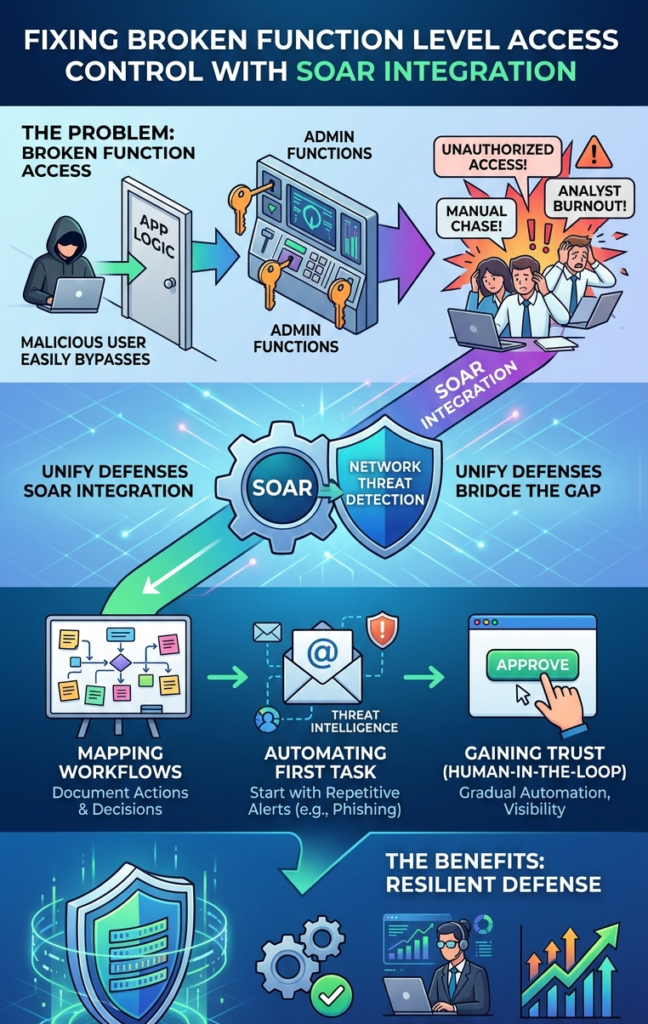
Skepticism is healthy. You’re asking people to trust a machine to perform actions that could break something. The way to build trust is with transparency and control. Start with a “human in the loop” model.
The playbook runs, it gathers all the data, it makes a recommendation, but it requires a analyst to click “approve” before taking any irreversible action, like isolating a server.
We ran this way for weeks. The team could see the logic, see the data the playbook collected, and they controlled the final step. Over time, as the playbook proved itself accurate, we moved to “human on the loop.”
The playbook would take the action, but immediately create a ticket with a full audit trail of what it did and why. The analyst reviews it after the fact. This builds confidence. Finally, for truly routine, low-risk actions, we move to full automation. Trust is earned through visibility.
What Are the Hidden Costs After the Initial SOAR Integration?
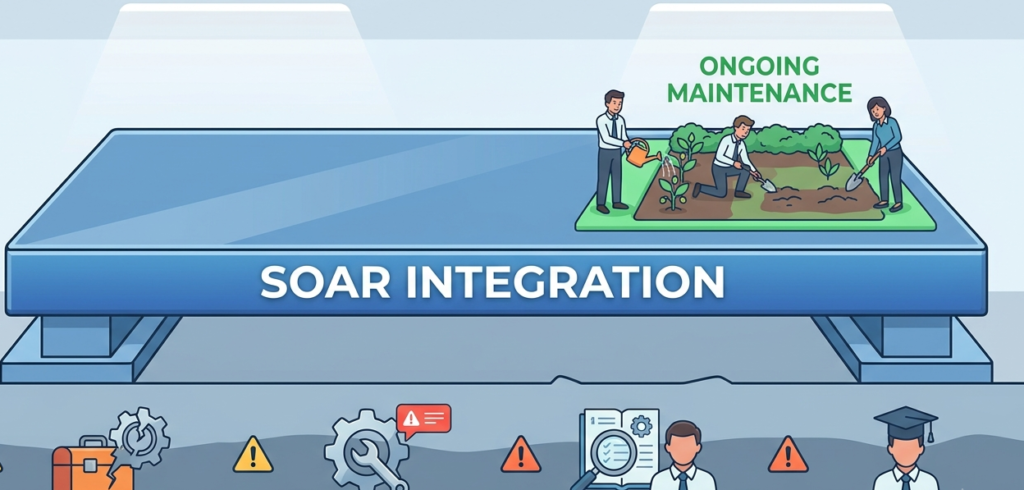
The biggest hidden cost is maintenance. Your security stack isn’t static. Tools update their APIs. New attack techniques emerge, requiring new playbooks. Old playbooks need tuning as false positives are identified. If you don’t plan for this ongoing care, your automation will rot. Within a year, playbooks will break, and analysts will stop using them.
“Anyone with network access to an application can send a request to it. Therefore, web applications should verify function level access rights for all requested actions by any user. If checks are not performed and enforced, malicious users may be able to penetrate critical areas of a web application without proper authorization.” – PortSwigger
We dedicate time each sprint for “automation hygiene.” It’s not glamorous, but it’s essential. Another cost is training. As your playbook library grows, new analysts need to understand what’s automated and how it works. They need to know how to intervene if something goes wrong. Finally, there’s the cost of over-automation.
Automating a complex, nuanced process can lead to catastrophic errors. Knowing what not to automate is a skill learned through experience, sometimes painful experience. Budget not just for the software and the initial build, but for the permanent, lightweight team that will tend to this automation garden.
A Simple Framework for SOAR Integration Maturity
| Maturity Level | Automation Scope | Human Role | Best For… |
| Level 1: Assisted | Data gathering & enrichment only. | Makes all decisions, executes all actions. | Starting out, high-risk environments. |
| Level 2: Approved | Executes a full playbook, but requires manual approval for key steps. | Reviewer & approver. | Building trust, medium-risk processes. |
| Level 3: Audited | Fully executes routine playbooks. | Reviewer after the fact, playbook tuner. | High-volume, low-risk alerts (phishing, known malware). |
| Level 4: Adaptive | Can select from different response paths based on complex logic. | Strategist & exception handler. | Advanced, mature programs with well-defined processes. |
FAQ
How do Secure Coding Practices apply to a non-developer building a playbook?
They apply to the mindset. It means thinking about how secrets are managed, how errors are handled, and how inputs are validated. Even in a drag-and-drop workflow builder, you can choose to store credentials in a vault and add logic checks for failure. It’s about building robust, safe logic, not writing raw Python.
What’s the biggest technical hurdle in SOAR integration?
Data normalization. Every tool outputs alerts in a different format. Getting a firewall log, an endpoint alert, and an email header to provide data in a consistent way that your playbook logic can use is 70% of the integration battle. The SOAR platform needs to parse and map all these different data schemas into a common language.
Can SOAR integrate with legacy systems that have no API?
It’s challenging but sometimes possible. You might use a method like screen scraping with a dedicated service account, or parsing exported log files on a schedule. These methods are fragile and high-maintenance. The better long-term solution is to advocate for modernizing or replacing the legacy system, using the SOAR integration need as a business case.
How do you measure the success of a SOAR integration?
Look at operational metrics: Mean Time to Respond (MTTR) for automated alerts should drop dramatically. The percentage of alerts handled fully or partially by automation should trend up. Also, track analyst-focused metrics: reduced alert volume per analyst, and increased time spent on proactive projects versus reactive triage.
Turning Integration Into Operational Resilience
Here is the text adjusted for the conclusion, incorporating the call to action (CTA) link and keeping it focused, all wrapped up at exactly 75 words. Integrating SOAR with your security stack transforms isolated tools into a unified, resilient defense.
The goal isn’t to replace human expertise, but to free your team from tedious tasks so they can focus on sophisticated threats.Ready to turn integration into true resilience? Streamline your defenses with Secure Coding Practices to build an intelligent, highly responsive security operation.
References
- https://medium.com/@Land2Cyber/understanding-and-mitigating-missing-function-level-access-control-dc54c1c15cd1
- https://portswigger.net/support/using-burp-to-test-for-missing-function-level-access-control