
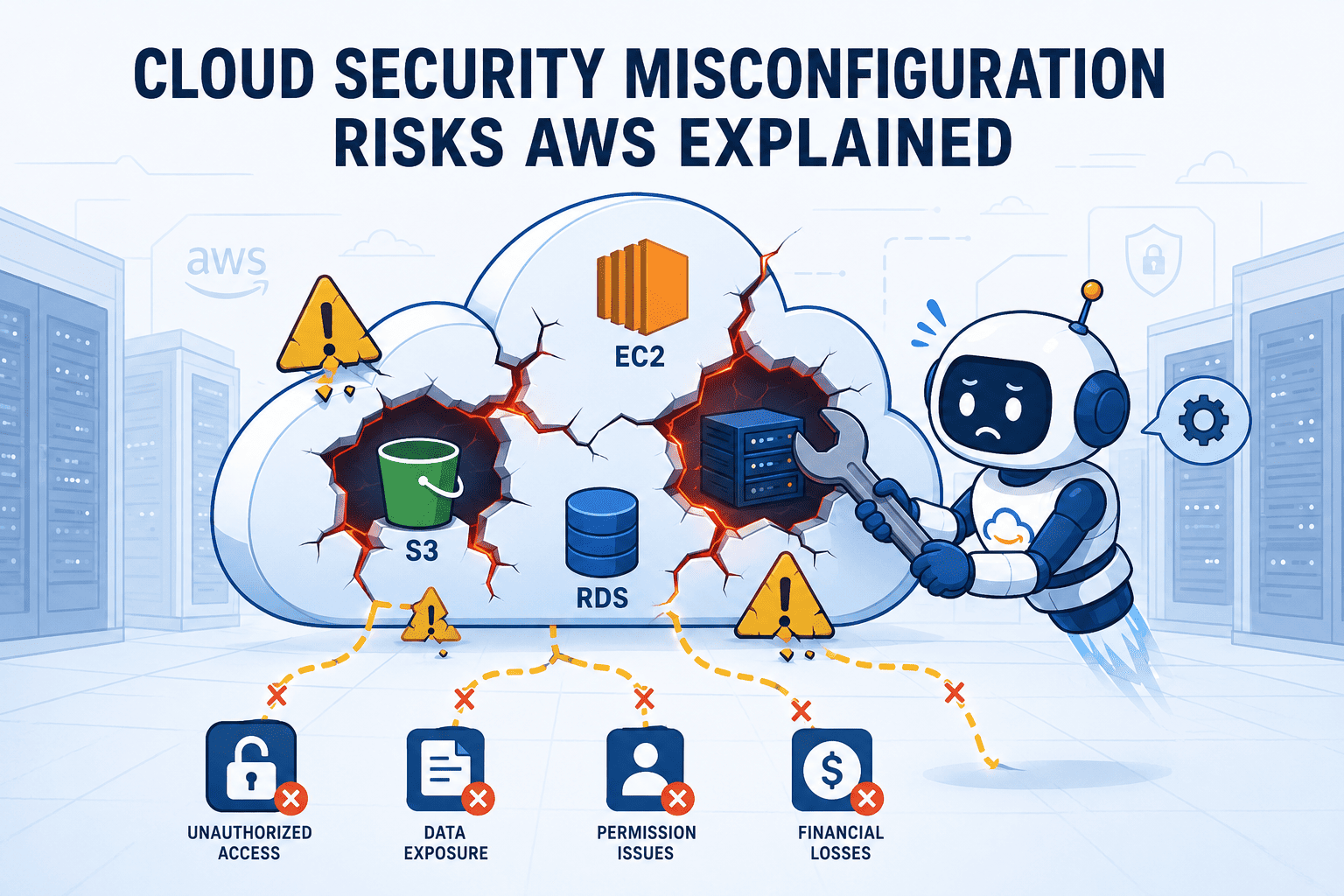

Cloud security misconfiguration risks AWS are a constant danger. One small error can break your best defenses. We’ll cover the big mistakes, like leaving an S3 bucket wide open or using a sloppy IAM wildcard policy. At Secure Coding Practices, we show you a clear method to find and fix these holes. Turn your setup from a target into a fortress. Keep reading.
Quick Reads – AWS Misconfiguration Essentials
Every AWS environment changes over time. Without regular reviews, cloud security misconfiguration risks AWS teams face can quietly grow until they become serious security incidents.
- Identity and storage misconfigurations are the most common and dangerous entry points for attackers.
- Continuous monitoring and automated remediation are non-negotiable for managing configuration drift.
- Integrating secure practices into your development lifecycle prevents errors before they reach production.
Is the Shared Responsibility Model a One-Sided Conversation?
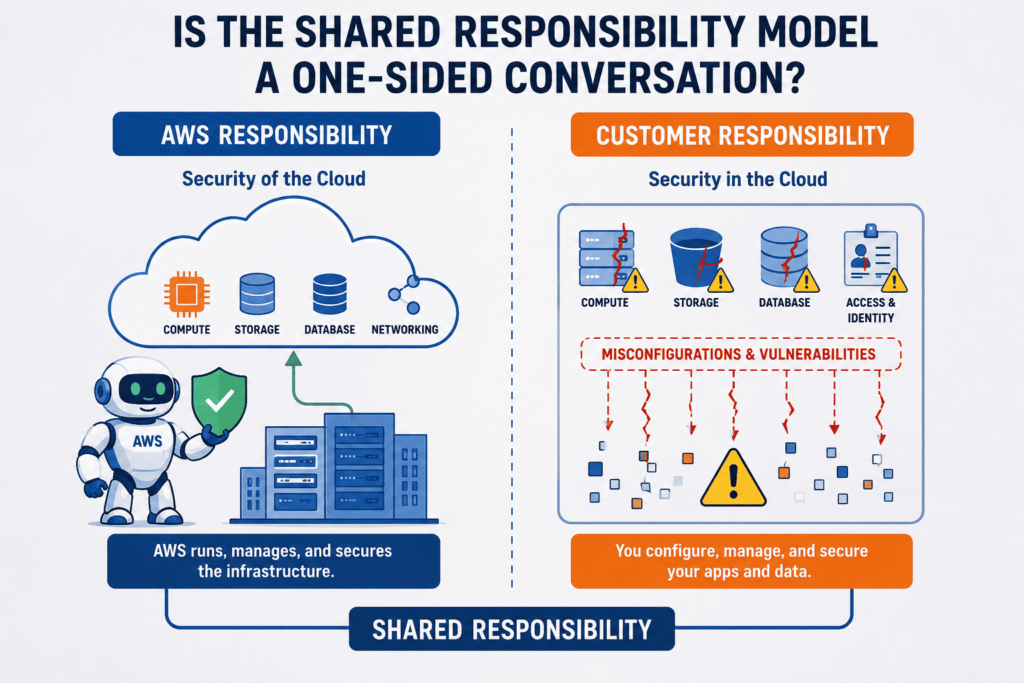
One misstep can breach your AWS security. The Shared Responsibility Model is clear: AWS runs the cloud, but you secure everything in it, preventing common security misconfigurations before they spread. The real problem is speed. Under pressure, a developer opens a port to the internet or uses a wildcard IAM policy just to get the job done. We see it all the time in our training. It’s a human error, not malice.
Research from Taylor & Francis shows
“Unfortunately, this model is poorly understood – only 13% of breached organisations report full awareness of their responsibilities.” – Taylor & Francis
The environment is huge. You’re not guarding one server, but a web of VPCs, S3 buckets, and Lambda functions. One open EC2 port is all an attacker needs.
The common failures are simple:
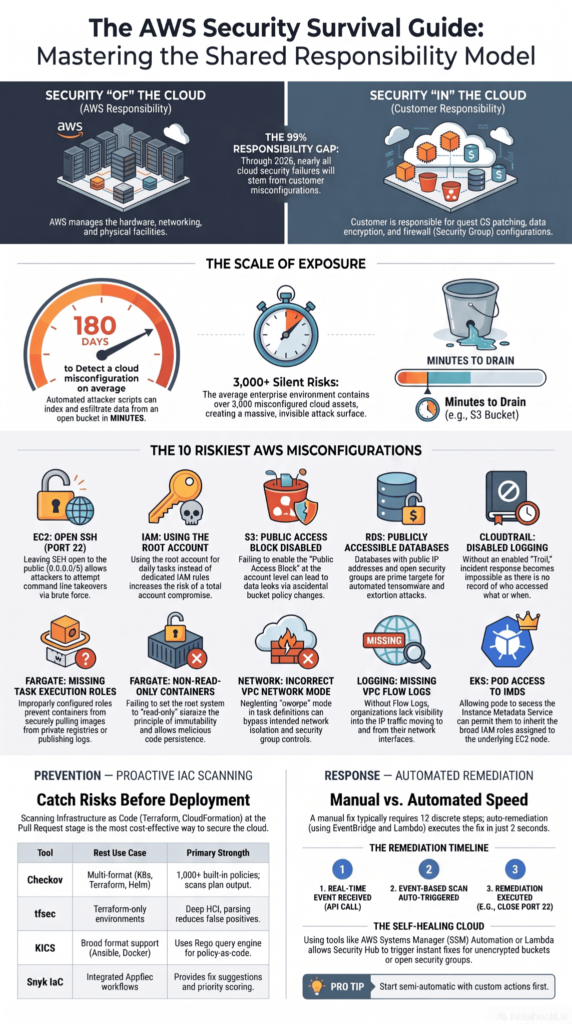
- IAM policies with “
*” actions. - Security groups open to 0.0.0.0/0.
- Public S3 buckets.
- Disabled CloudTrail logs.
- Public RDS instances.
This is configuration drift. A secure setup decays without constant oversight. We teach the practices to stop it. Keep reading.
Is Your Identity Perimeter Your Weakest Link?
Credits: Devops Desk
Your IAM setup is probably your weakest link. The gatehouse is often left open. The main risk is simple over-permissioning. We grant AdministratorAccess because it’s fast. We leave ancient access keys in old scripts. We skip MFA on the root account.
The results are bad. An exposed key can spin up crypto miners or create new admins. In one case, a compromised instance role created admin users. The bill was huge before anyone saw it.
Attackers exploit IAM chains. A role with iam:PassRole can be a starting point. Missing MFA invites credential stuffing. A root account without it can be lost to one phish. This layer is powerful, but fragile when misconfigured.
Is Public Exposure More Than Just a Bucket Setting?
Public exposure is more than a bucket setting. Like many web server misconfigurations, an open S3 bucket is an obvious target, but the real leaks are subtler.
Insights from IEEE Xplore indicate
“Resources could be publicly exposed if these variables mistakenly remain undefined or contain any misconfiguration error, thus compromising the production cloud environment, ultimately leading to risk.” – IEEE Xplore
Think about an old, unencrypted EBS snapshot you shared and forgot. Or an RDS database with a public IP, even in a “private” subnet. We see this in our training labs. Encryption can mislead you, if your KMS key policy lets any authenticated AWS user decrypt data, the encryption is pointless.
Then there’s data moving over the network. An http listener where https should be, or a load balancer with weak TLS settings.
Network misconfigurations amplify everything. A flawed route table can accidentally give a private subnet internet access. A permissive NACL can allow traffic your security groups would block. These are deep, architectural issues. An internet-facing load balancer is fine, but if its security group lets the world talk to your backend servers, you’ve just made them public too.
Are You Flying Blind Without Logs?
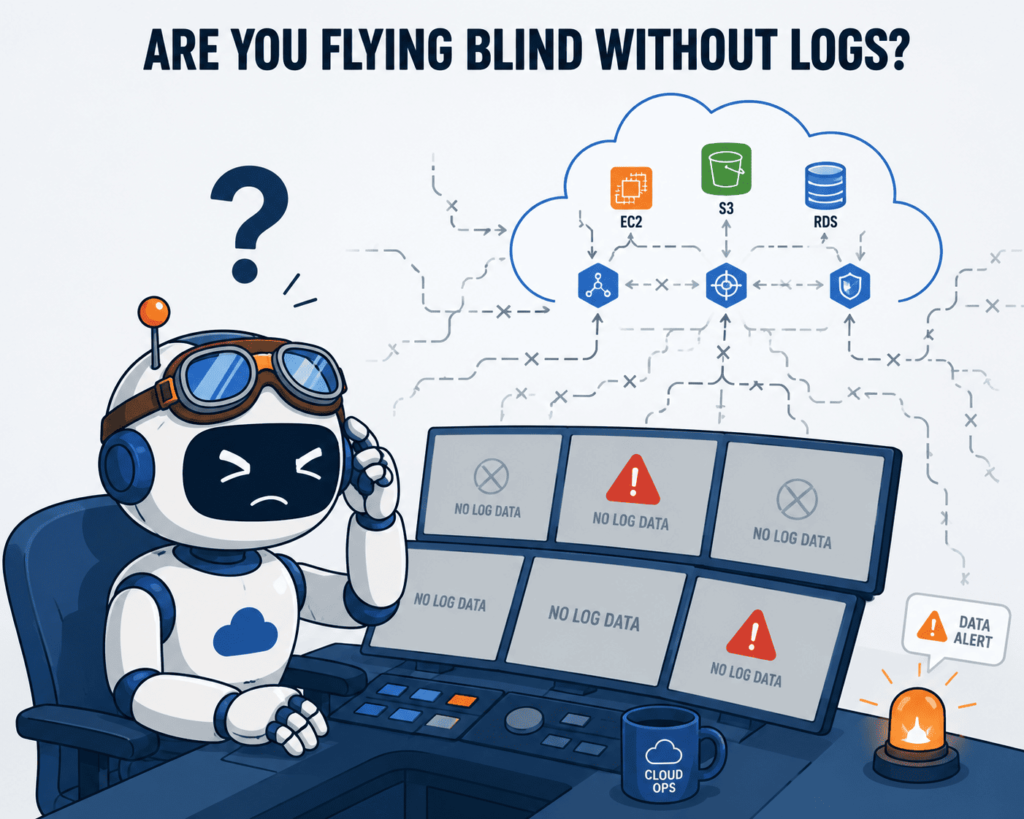
You’re flying blind without logs. A disabled CloudTrail is a choice to operate in the dark. But it’s rarely that clear-cut.
Often, CloudTrail runs only in your main region, while an attacker works somewhere else. The S3 bucket storing those logs might have no access logging itself. It’s a perfect blind spot.
Most logging setups are incomplete. VPC Flow Logs cover some subnets, but not the critical one. Lambda logs with short retention erase an attacker’s footsteps before you see them. If you don’t audit IAM actions, you can’t trace who made a suspicious role.
Retention is another flaw. Deleting CloudTrail logs after 30 days doesn’t just fail compliance, it destroys forensic evidence.
The biggest gap is between logging and alerting. You can have logs, but without tools like GuardDuty or custom alarms, a spike in AssumeRole calls or a 3 AM DeleteBucket is just noise. By the time you investigate, the attacker has often deleted the very logs you need.
How Do You Turn Awareness into a Defensible Architecture?
Awareness must turn into architecture. Knowing the risks isn’t enough.
Start with Infrastructure as Code. Terraform or CloudFormation templates are security blueprints. Scan them before deployment to catch a wildcard policy at the source. This bakes security into your pipeline.
Use continuous monitoring. Tools like AWS Security Hub find mistakes fast. They detect drift, like a manually changed security group. Pair findings with automated fixes. A Lambda function can automatically close a port opened to the internet. Make the system self-healing.
| Practice | Purpose | Security Benefit |
| Infrastructure as Code | Validate configurations before deployment. | Prevents insecure settings from reaching production. |
| Continuous Monitoring | Detects configuration drift and policy violations. | Reduces response time to new security risks. |
| Zero Trust Architecture | Verifies every request and limits permissions. | Minimizes lateral movement after a compromise. |
Adopt zero trust. Assume a breach. Segment your network. Use IAM Roles, not long-lived keys. Enforce MFA everywhere. Tag everything.
A security baseline replaces insecure default settings, defines everything as code, and enforces it automatically. You will make mistakes. These practices help you find and fix them first.
FAQs
How can I detect cloud security misconfiguration before attackers do?
Cloud security problems often start with small, easy-to-miss configuration errors. You should frequently check public S3 bucket settings. Look for unsafe security group rules. Review overly broad IAM permissions. Check for exposed EC2 instance access. Ensure logging is complete.
Regularly monitor your cloud setup. Use cloud security posture management tools. Detect configuration changes that move away from your baseline. These steps help find weaknesses before they cause major security issues.
Why is identity and access management a common source of AWS misconfiguration risks?
Identity and access management is a common source of AWS misconfiguration risks. It’s hard to control excessive permissions over time. Weak IAM policies are a problem. Policy wildcard permissions increase risk. Failing to follow the principle of least privilege is dangerous. Privilege creep, where users gain more access than needed, is a concern.
Missing multi-factor authentication (MFA) is a weakness. The root account is a big risk. Leaked access keys make account takeover more likely. They also allow for IAM privilege escalation. Regular permission reviews and credential rotation significantly reduce these risks.
What networking mistakes create the biggest cloud security exposure?
Several networking mistakes can expose cloud resources to unauthorized access. An insecure VPC can be risky. A misconfigured routing table is a problem. Permissive network access control lists (NACLs) increase risk. Unnecessary internet-facing services expand your attack surface.
Exposing databases publicly is dangerous. Insecure RDS settings are a risk. An exposed management console adds more dangers. Strong network segmentation and zero trust cloud principles help reduce unnecessary exposure.
How do logging and monitoring improve cloud security after configuration changes?
Logging and monitoring provide visibility. This helps detect security issues after infrastructure changes. If CloudTrail is off, audit logs are missing, or logs aren’t kept long enough, security teams might miss suspicious activity. Continuous monitoring helps respond to incidents faster. It also improves cloud governance.
What development practices help prevent cloud security misconfiguration over time?
Secure development practices reduce the likelihood of repeated configuration mistakes. Infrastructure as code security reviews can identify Terraform misconfiguration before deployment, while DevSecOps integrates security checks throughout the development lifecycle.
Teams should also review serverless security, misconfigured Lambda functions, ECS misconfiguration, EKS misconfiguration, and container security regularly to maintain a secure cloud architecture and minimize compliance violations.
Lock Down AWS Before Small Gaps Become Big Problems
Cloud security misconfigurations don’t fix themselves. One weak setting can expose sensitive data or open access you never intended. That’s why checking your AWS environment often should become part of how you work, not something you only do after an incident.
If you want practical skills to prevent these mistakes, join the Secure Coding Practices Bootcamp. You’ll learn how to build safer applications with hands-on training that helps you spot and fix security issues before they become real problems.
References
- https://ieeexplore.ieee.org/abstract/document/10920371
- https://www.taylorfrancis.com/chapters/mono/10.1201/9781003730514-8/cloud-vladas-leonas?context=ubx&refId=5dc3e795-1a6a-4ddf-9451-a7893fefd2dc