


Verbose error messages security risk is one of the most common security weaknesses in production environments. Applications that expose stack traces, database queries, file paths, or framework details provide attackers with valuable reconnaissance data.
At Secure Coding Practices, we frequently find verbose error handling enabled long after deployment, increasing the risk of exploitation. By displaying generic user-facing errors while logging detailed diagnostics internally, organizations can reduce information leakage, strengthen application security, and maintain effective troubleshooting without exposing sensitive implementation details.
Why Should You Prevent Verbose Error Messages?
Verbose error messages expose sensitive system information that attackers can use to identify vulnerabilities, making secure error handling a critical part of application hardening.
- Replace detailed stack traces with generic user-facing error messages.
- Store complete diagnostic information in centralized internal logs.
- Disable debug mode in production and audit third-party error responses regularly.
How Do Common Security Misconfigurations Lead to Verbose Error Messages?
We often find that verbose error handling is just one piece of a broader systemic problem. If your system is leaking stack traces, it usually suggests that other hardening steps were skipped.
When we look at Common Security Misconfigurations, verbose errors are consistently cited as a primary entry point for automated scanners. Attackers use these messages to confirm their injection attempts without needing sophisticated tools.
If you are currently exposing detailed error logs, we recommend reviewing your infrastructure settings immediately. Failing to do so makes your environment a primary target for low-effort, automated discovery scripts. We have seen teams fix the symptom but ignore the root cause: the default configuration that keeps verbose mode active.
How Do Attackers Exploit Verbose Error Logs?
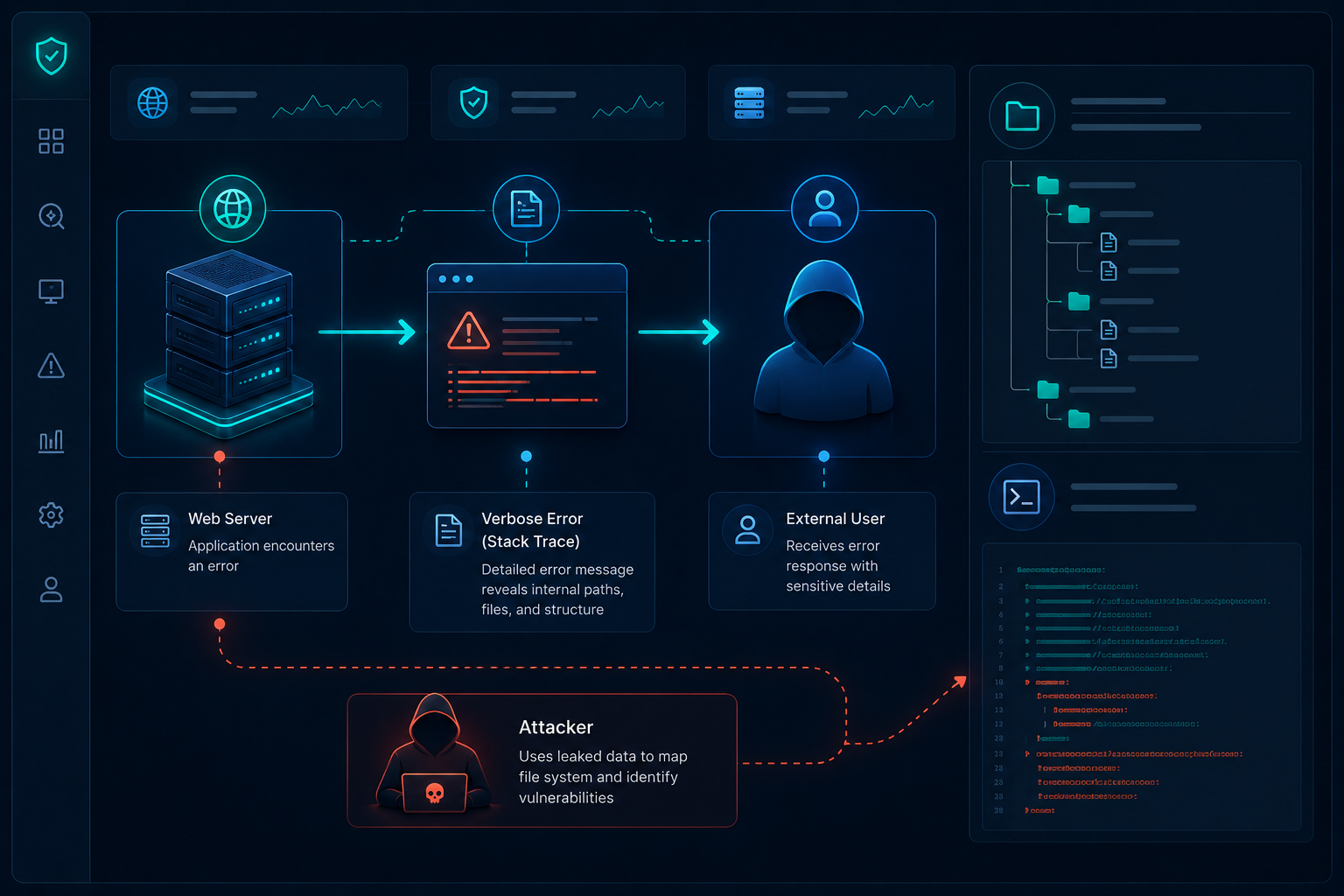
In our experience, attackers rarely spend time guessing how your database is structured or where your configuration files live. They simply wait for your application to reveal these details for them.
When a database connection fails, a poorly configured application might dump the full SQL query including table names, column structures, and connection strings directly into the browser.
This turns a simple connection error into a blueprint for a SQL injection attack. We consistently advise teams to distinguish between “debug data” and “user-facing errors.” Your users need to know that a request failed, but they have no business knowing why it failed at a database level.
Why Is Stack Trace Exposure an Architectural Risk?
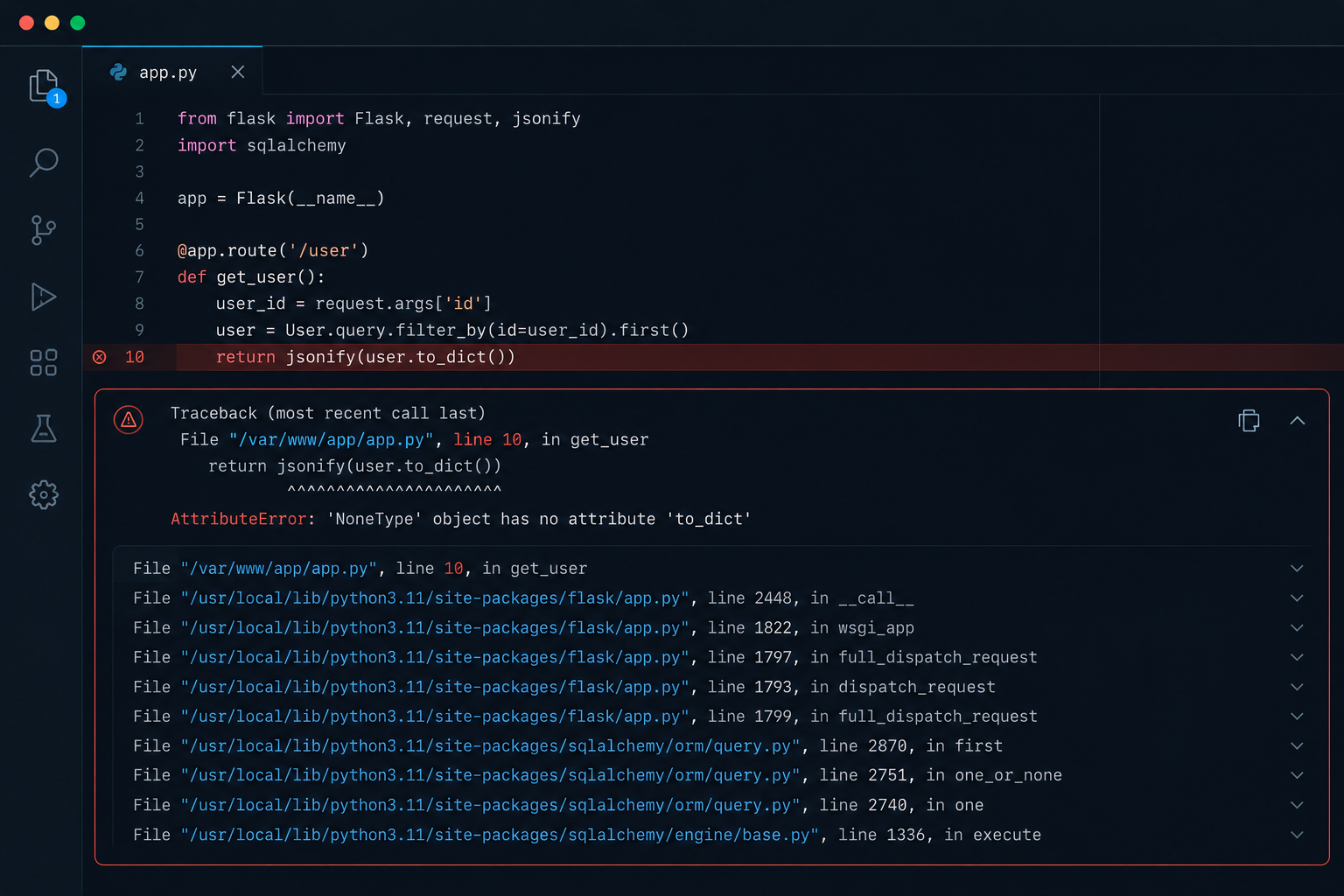
Beyond database leaks, verbose errors expose your server’s internal environment. We have seen production applications reveal absolute paths on the server, which can be combined with local file inclusion (LFI) vulnerabilities.
If an attacker knows exactly where your configuration files live, they can attempt to download them directly. This is why we treat every line of a raw error message as a potential data leak.
“Security misconfiguration can happen at any level of an application stack, including the network services, platform, web server, application server, databases, frameworks, and custom code.” – OWASP Security Misconfiguration
How Should You Analyze Verbose Error Messages Security Risk?
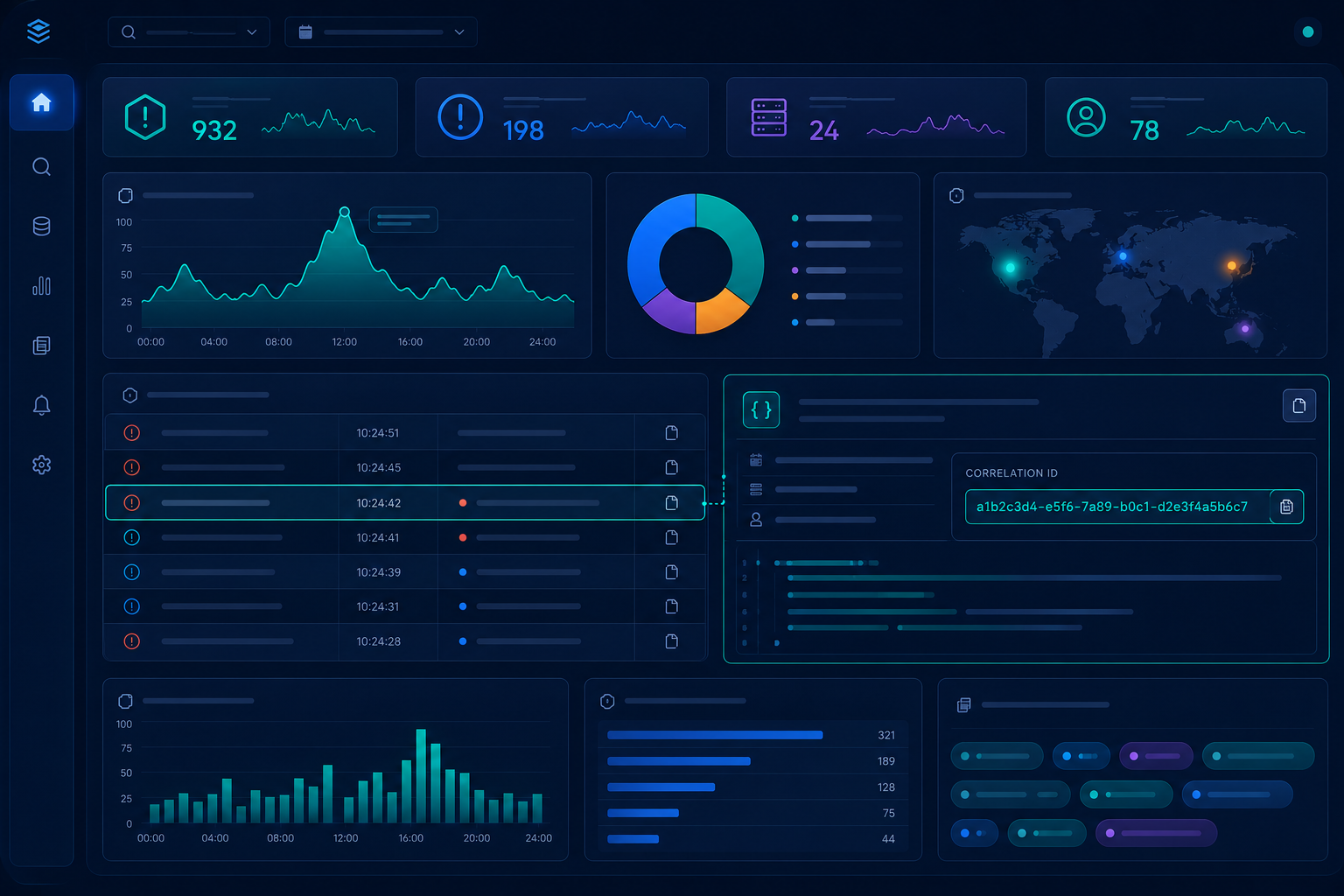
We teach our students that manual error handling is prone to failure. You must implement a global exception handler that intercepts all errors before they reach the user.
By using a centralized logging system, you keep the rich diagnostic data you need for debugging while sending only a unique, generic reference ID to the client. This ID allows your team to find the exact trace in your backend logs without exposing it to the world.
“Generate error messages that provide information necessary for corrective actions without revealing information that could be exploited.” – NIST Guide to General Server Security
What Should Be Included in an Error Handling Hardening Checklist?
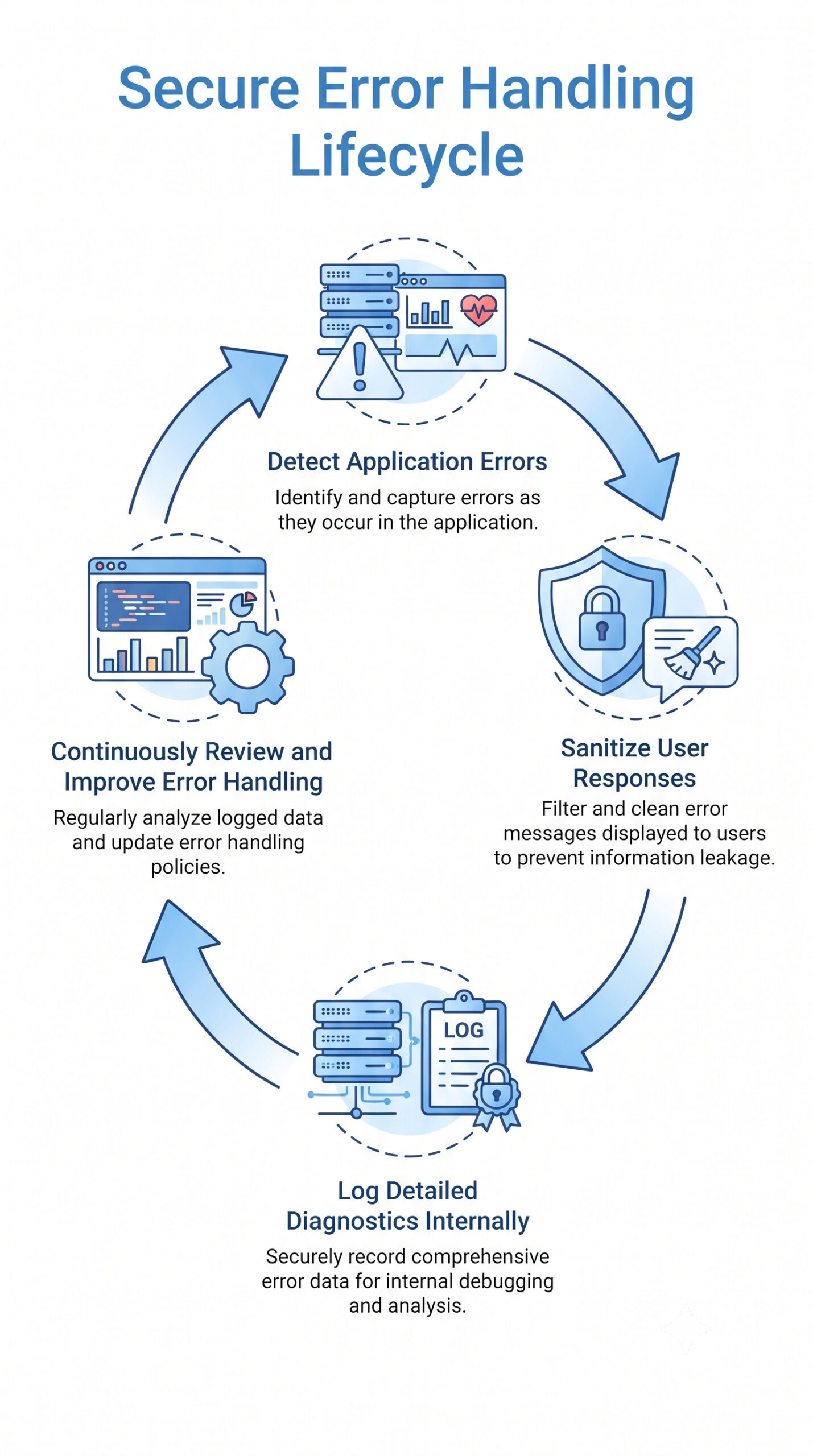
The infographic below outlines the essential stages of a secure error handling lifecycle. By detecting application errors, sanitizing user facing responses, storing detailed diagnostics internally, and continuously reviewing configurations, organizations can reduce information leakage while maintaining effective debugging and incident response capabilities.
FAQ
How can I determine if my error messages are too verbose?
Trigger an intentional error in your staging environment like a database connection failure and inspect the response. If you see file paths, library names, or raw SQL queries, your error handling is too verbose and poses a security risk.
Does disabling verbose errors hinder my ability to debug production issues?
Not at all. By implementing centralized logging, you still retain access to the full, raw error details internally. You simply hide that data from the end-user while providing your team with the context needed for faster troubleshooting.
Should I disable debug modes in all environments?
Production must always have debug modes disabled. For development and staging, you can enable them, but ensure these environments are isolated from the public internet.
How do third-party libraries affect my error handling?
Many frameworks and libraries have their own default error pages. During our audits, we often find developers configured their own app securely but left a third-party plugin exposing full stack traces.
What is the easiest way to start fixing this?
Begin by configuring a global exception handler in your main application entry point.
Reducing Information Leakage Through Secure Error Handling
Verbose error messages security risk is more than a debugging issue it is a security weakness that can expose sensitive system information to attackers. Preventing information leakage starts with secure error handling, generic user facing responses, centralized internal logging, and disabling verbose output in production.
By making these practices part of your secure development lifecycle, you can reduce attack opportunities while improving the resilience of your applications.
Ready to strengthen your secure development and security practices? Join the Secure Coding Practices Bootcamp and learn practical, hands-on techniques for implementing secure error handling, minimizing information leakage, and building more secure applications.
References
- https://owasp.org/Top10/A05_2021-Security_Misconfiguration/
- https://csrc.nist.gov/pubs/sp/800/123/final