
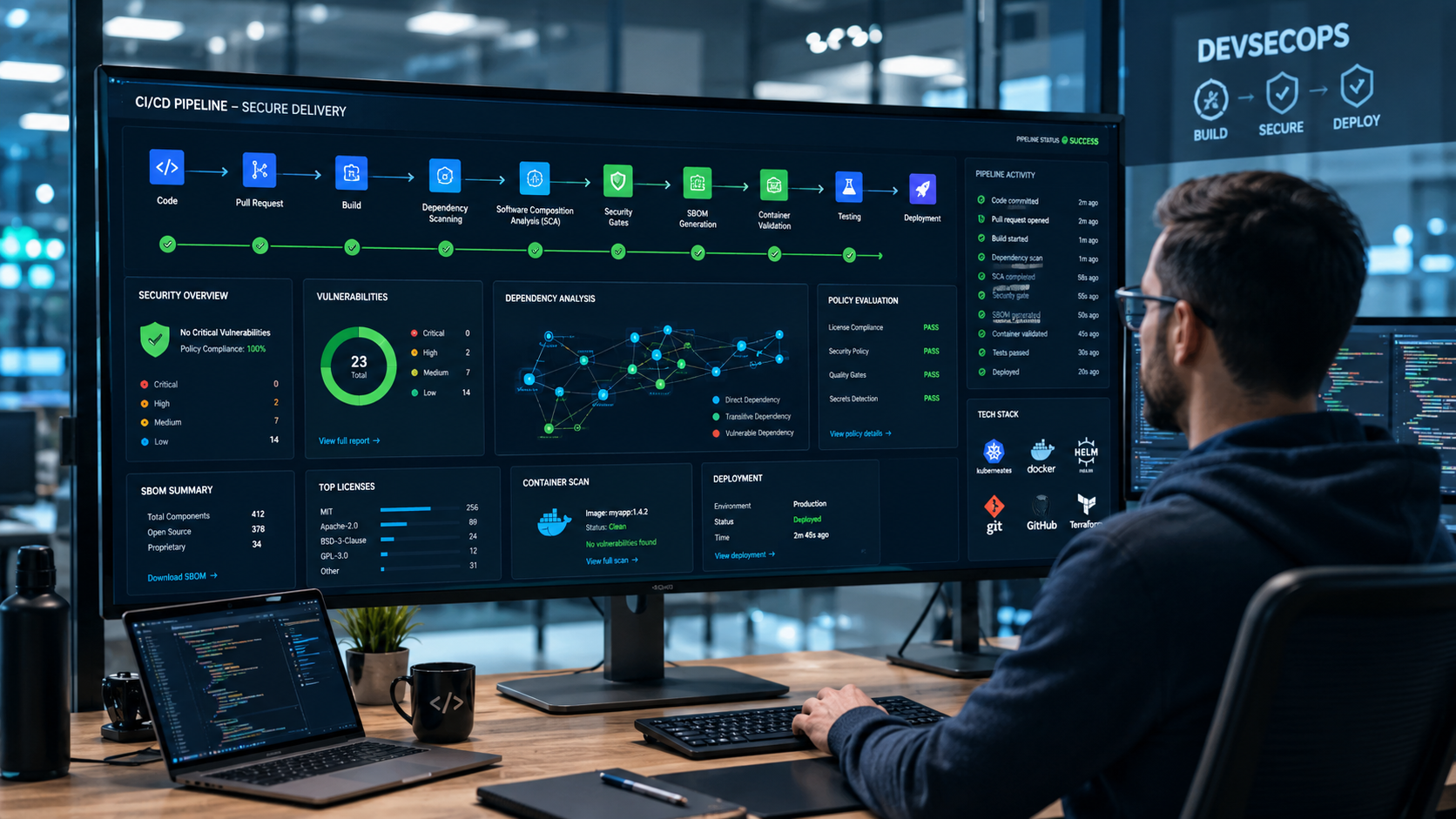

Integrating SCA CI CD pipeline workflows helps development teams identify vulnerable dependencies before they reach production, reducing software supply chain risk without slowing releases. Modern applications rely heavily on open-source components, making automated dependency scanning an essential part of secure software delivery.
From our experience at Secure Coding Practices, teams achieve the best results when SCA runs continuously throughout the pipeline. Early feedback makes vulnerabilities easier to fix, keeps builds moving, and supports consistent security standards across projects. Keep reading to see how to integrate SCA into your CI/CD pipeline while maintaining developer productivity.
Pipeline Snapshot: Secure Releases at Every Stage
Integrating SCA throughout your CI/CD pipeline helps teams catch vulnerable dependencies earlier, apply consistent security policies, and maintain fast, reliable software delivery. These practices reduce software supply chain risk while making security a routine part of development rather than a last-minute hurdle.
- Integrate SCA early in the CI/CD pipeline by scanning pull requests, builds, and releases to catch vulnerable dependencies before deployment.
- Prioritize meaningful security gates by blocking only critical and high-risk vulnerabilities first while tuning false positives to maintain developer productivity.
- Combine Secure Coding Practices with continuous dependency management through automated scanning, policy enforcement, and dependency updates to strengthen software supply chain security.
Why Should You Integrate SCA into a CI/CD Pipeline?
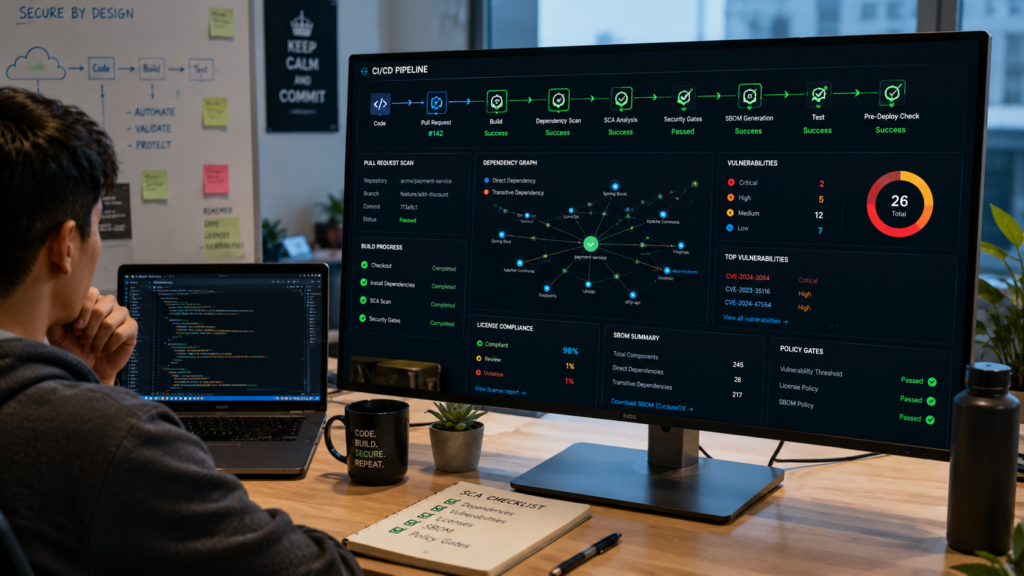
Modern software depends on open source packages. Most projects include hundreds of libraries, and many bring in even more hidden dependencies behind the scenes. We regularly see this during our secure development training. Teams often know their direct packages but are surprised by how many transitive dependencies are included during a build.
Adding Software Composition Analysis (SCA) to a CI/CD pipeline gives teams continuous visibility into those dependencies. Instead of waiting until release day, every build checks packages against known vulnerability databases and license requirements. Problems are found while the code is still fresh, making them much easier to fix.
SCA also helps organizations:
- Detect known vulnerabilities early
- Track dependency changes
- Review software licenses
- Generate an SBOM
- Improve dependency management
Security becomes part of everyday development instead of a separate review at the end. That keeps releases moving while lowering software supply chain risk.
What Problem Does SCA Solve?
Many teams focus on securing their own code but overlook the libraries their applications rely on. That’s a common gap. A project may include only a few direct packages, yet each one can introduce dozens of additional dependencies. If even one of those contains a known vulnerability, the application may be exposed.
We often demonstrate this during workshops. Developers are surprised to see how quickly dependency trees grow after installing only a handful of packages. Manual reviews can’t keep up with that level of complexity.
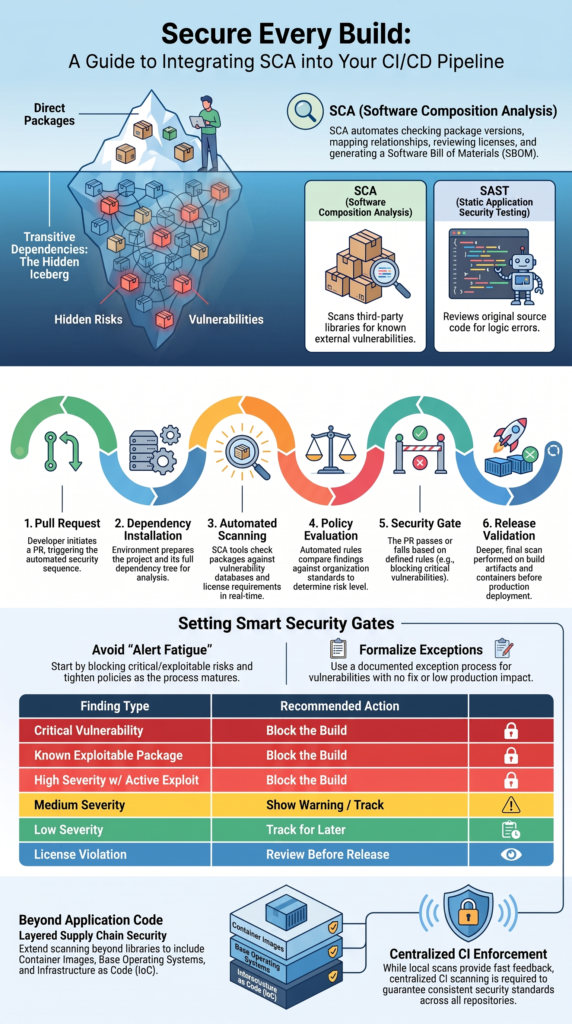
SCA automates the process by checking package versions, mapping dependency relationships, reviewing licenses, and producing a Software Bill of Materials (SBOM).
Understanding how SCA tools work also makes it easier to see how dependency analysis, vulnerability detection, and license validation fit into an automated CI/CD workflow. It also alerts teams when a package becomes outdated or vulnerable.
Instead of guessing which libraries need attention, developers receive clear information during the build. That makes software dependency management much easier and helps reduce security issues before code reaches production.
How Is SCA Different From SAST?
Some teams think SCA and Static Application Security Testing (SAST) do the same job. They don’t. Each tool looks at a different part of application security, and both are useful in a secure development pipeline.
SAST reviews source code for programming mistakes that could create security weaknesses. SCA looks at third-party libraries and checks whether known vulnerabilities already exist in those packages.
We’ve found that teams make faster progress when they use both together. Developers improve their coding habits while also keeping dependencies current.
| Software Composition Analysis (SCA) | Static Application Security Testing (SAST) |
| Scans third-party packages | Reviews application source code |
| Finds vulnerable dependencies | Finds coding mistakes |
| Checks software licenses | Reviews insecure logic |
| Maps dependency relationships | Analyzes code flow |
| Supports supply chain security | Supports secure coding |
Together, these tools cover different risks and provide a stronger foundation for secure software delivery.
Where Should SCA Run in the Pipeline?
One of the biggest mistakes teams make is running every security scan right before deployment. It catches problems, but often far too late. A failed release means developers must stop what they’re doing, switch context, and fix issues under pressure.
We’ve seen much better results by spreading Software Composition Analysis (SCA) across the pipeline instead of treating it as one final checkpoint. Lightweight scans during pull requests provide fast feedback, while deeper scans can run before deployment to validate the finished build.
A practical workflow looks like this:
- A developer opens a pull request.
- Dependencies are installed.
- SCA scans the project.
- Policies evaluate the findings.
- The pull request passes or fails based on defined rules.
- A deeper scan checks release artifacts before deployment.
This staged approach helps teams find issues early without repeating the same work over and over. Developers stay productive, and security becomes part of the normal workflow instead of an extra task.
Why Scan More Than Once?
Scanning at different stages gives teams better coverage without slowing every build. Early scans are designed for speed. They check package files, dependency changes, and newly added libraries so developers receive feedback within minutes.
Later in the pipeline, more detailed scans inspect build artifacts, containers, or deployment packages. These scans take longer, but they provide a broader view before software reaches production.
From our experience teaching DevSecOps, developers are much more likely to fix security issues when feedback arrives quickly. Waiting until release day usually creates frustration because the original work is no longer fresh.
Running multiple scans also helps teams:
- Catch problems earlier
- Shorten remediation time
- Improve audit records
- Apply security gates consistently
- Increase confidence before deployment
The goal isn’t to scan more for the sake of it. It’s to place the right scan at the right stage so security supports development instead of slowing it down.
Should SCA Run in Pre-Commit or CI?
Credits: Tech With Diego
Local scans are helpful, but they shouldn’t be the only line of defense. Developers can skip or disable pre-commit checks, whether by accident or on purpose. That’s why organizations still need centralized enforcement inside the CI pipeline.
During our training sessions, we encourage developers to run local scans because fast feedback saves time. Fixing a vulnerable package before opening a pull request is much easier than discovering it after review. Still, every repository needs the same security standards, and only CI can guarantee that happens consistently.
Insights from Hyperledger Foundation indicate
“Consider performing automated software composition analysis to manage open-source risk.” – Hyperledger Foundation
A balanced approach works well for most teams. Developers get quick local feedback while the CI pipeline applies the organization’s security policies to every build.
CI enforcement supports:
- Branch protection
- Merge approval rules
- Security gates
- Consistent reporting
- Organization-wide visibility
Using both methods creates a better developer experience. Local scans help individuals work faster, while centralized CI scanning keeps every project aligned with the same security requirements. That balance improves security without creating unnecessary friction.
How Does a Production SCA Pipeline Work?
Adding an SCA tool is only the first step. A strong security process also needs clear policies, automated reporting, and a simple way to fix issues. We learned this early in our secure development training. The first scan often produces hundreds of findings, and that can overwhelm a team if every alert is treated the same.
Instead of blocking every issue, successful teams focus on the risks that matter most. Critical vulnerabilities receive immediate attention, while lower-risk findings are tracked and handled over time. This keeps developers focused without slowing delivery.
A typical production workflow includes:
- Resolve dependencies
- Scan package manifests
- Analyze lockfiles
- Detect known vulnerabilities
- Review software licenses
- Apply security policies
- Publish reports
- Decide whether the build continues
Many organizations also extend scanning to container images and build artifacts. That broader view helps catch problems that dependency scanning alone may miss. Security becomes part of the delivery process instead of a separate activity at the end.
What Happens After Scanning?
Finding vulnerabilities is only half the job. The next step is deciding what to do with the results.
Once scanning finishes, the pipeline compares findings against predefined security policies. Critical issues may stop the build, while lower-risk items are logged for later review. Some organizations also consider exploitability and business impact instead of relying only on CVSS scores.
We encourage teams to automate these decisions whenever possible. Consistent rules remove guesswork and help every repository follow the same standards.
Common actions after a scan include:
- Review vulnerability severity
- Verify software licenses
- Handle approved exceptions
- Publish reports
- Update security dashboards
- Comment on pull requests
- Create tracking tickets
We’ve found that developers respond much faster when results appear directly inside the pull request. They can immediately see which dependency caused the problem and fix it before moving on to the next task.
What Should Fail the Build?
Blocking every warning sounds like a good idea, but it usually creates frustration. Teams quickly become buried in alerts, and important issues are harder to spot.
A gradual rollout works much better. Start with the highest-risk vulnerabilities and tighten policies as developers become comfortable with the process. We’ve seen this approach improve adoption because it builds confidence instead of creating resistance.
A simple policy might look like this:
| Finding | Recommended Action |
| Critical vulnerability | Block the build |
| Known exploitable package | Block the build |
| High severity with active exploit | Block the build |
| Medium severity | Show a warning |
| Low severity | Track for later |
| License violation | Review before release |
Every organization has different risk levels. A public-facing financial application may require stricter rules than an internal business tool. The key is having clear policies that everyone understands.
What Policies Should Govern SCA?
Technology alone won’t secure a pipeline. Clear policies tell developers which findings require immediate action, which need approval, and which can safely wait. Without those rules, different teams may make different decisions for the same issue.
We usually recommend introducing strong Secure Coding Practices before adding strict security gates. Developers understand the “why” behind the policies, making adoption much smoother.
As noted by Microsoft Learn
“Policy enforcement: Automated pipeline checks enforce license and security policies on every commit.” – Microsoft Learn
A practical SCA policy should define:
- Severity thresholds
- License requirements
- Exception process
- Review deadlines
- Audit logging
- Ownership for fixes
Keep the rules easy to understand. Complex policies often slow development because developers spend more time interpreting requirements than fixing problems.
It’s also important to review policies regularly. Threats change, dependency ecosystems evolve, and business priorities shift. Updating security rules every few months helps keep them useful without becoming overly restrictive.
Why Are Exceptions Necessary?
Not every vulnerability should stop a release. Sometimes no fix exists yet. Other times, the affected code is never used in production. Ignoring those situations can slow development without improving security.
That’s why mature organizations use a documented exception process instead of bypassing security controls.
A good exception should include:
- Business reason
- Risk assessment
- Approval
- Review date
- Expiration
We always remind teams that exceptions should be temporary. Old exceptions can pile up and quietly become technical debt. Reviewing them on a schedule keeps the security program healthy and prevents forgotten risks from lingering for years.
How Can You Secure More Than Application Dependencies?
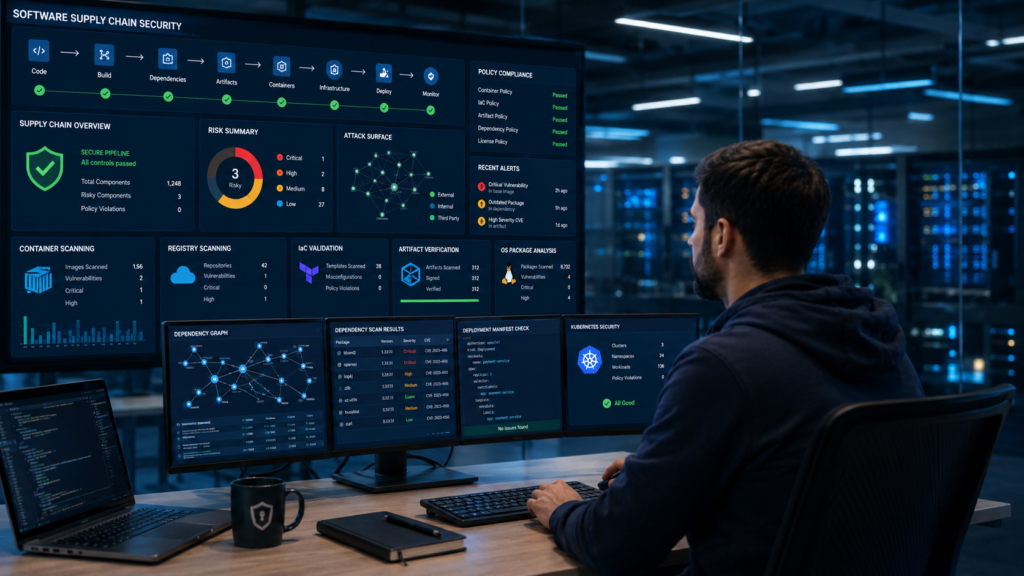
Applications depend on more than package managers. Even if every library is secure, risks may still exist inside container images, operating systems, infrastructure templates, or deployment artifacts.
We’ve seen many teams improve dependency security but overlook these other layers. Many of the long-term benefits of using SCA throughout the development lifecycle become much more noticeable. Expanding coverage gradually usually produces better results than trying to secure everything at once.
A broader security program often includes:
- Application dependencies
- Container images
- Base operating systems
- Container registries
- Build artifacts
- Infrastructure as Code
- Deployment manifests
Each layer helps reduce blind spots that package scanning alone cannot detect.
Why Does Layered Scanning Matter?
Software supply chain attacks don’t always target application code. Attackers may exploit outdated operating systems, vulnerable base images, or insecure infrastructure definitions instead.
That’s why many mature DevSecOps programs combine several types of security testing throughout the pipeline.
A layered approach often includes:
- Software Composition Analysis
- Container image scanning
- Infrastructure scanning
- Artifact verification
- Runtime validation
Adding these checks over time creates stronger protection while keeping the pipeline manageable. Teams don’t need to secure every layer on day one. Small, steady improvements are usually easier to adopt and maintain.
FAQ
How often should dependency scanning run in a CI/CD pipeline?
Dependency scanning should run whenever code changes introduce new dependencies or update existing ones. Most teams scan during pull requests, build stages, and before production releases.
Running automated security scanning at multiple points improves vulnerability detection without adding significant delays. Frequent scans also keep software dependency management accurate as open source components and their security risks change over time.
How do security gates improve CI/CD security without slowing development?
Security gates improve CI/CD security by focusing on meaningful risks instead of blocking every finding. Many teams configure builds to stop only for critical vulnerabilities while allowing lower-risk issues to follow a remediation workflow. Setting clear severity thresholds, reviewing security alerts, and using risk-based remediation help maintain strong security while allowing developers to work efficiently.
Why is transitive dependency analysis important for secure software delivery?
Applications often rely on many indirect libraries that developers never install directly. Transitive dependency analysis identifies hidden vulnerabilities, license compliance issues, and outdated packages throughout the dependency graph.
This visibility strengthens secure software delivery by helping teams reduce software supply chain risk, improve software dependency management, and resolve issues before they reach production.
How does SBOM generation support software supply chain security?
SBOM generation creates a software bill of materials that lists direct dependencies, transitive dependencies, and other open source components used in an application.
This inventory helps organizations improve dependency vulnerability management, simplify license compliance and compliance scanning, and respond more quickly when newly discovered vulnerabilities affect released software.
What should teams monitor after they integrate SCA pipeline workflows?
After teams integrate SCA pipeline workflows, they should monitor dependency update automation, vulnerability management trends, false positive tuning, and remediation workflow performance. Tracking these metrics helps identify recurring issues, improve policy as code decisions, strengthen build pipeline security, and maintain consistent application security as software and dependencies continue to evolve.
Build Stronger Dependency Security Every Day
Dependency security works best as an ongoing process, not a one-time task. Regular updates, automated Software Composition Analysis, and practical security habits help teams reduce software supply chain risk while keeping development efficient.
Start building safer software with Secure Coding Practices. Gain hands-on secure coding and DevSecOps skills that help your team manage dependencies with confidence.
References
- https://lf-decentralized-trust.github.io/governance/guidelines/automated-pipelines-best-practices/#contribution-flow
- https://learn.microsoft.com/sr-cyrl-rs/training/modules/software-composition-analysis/5-integrate-software-composition-analysis-checks-into-pipelines