
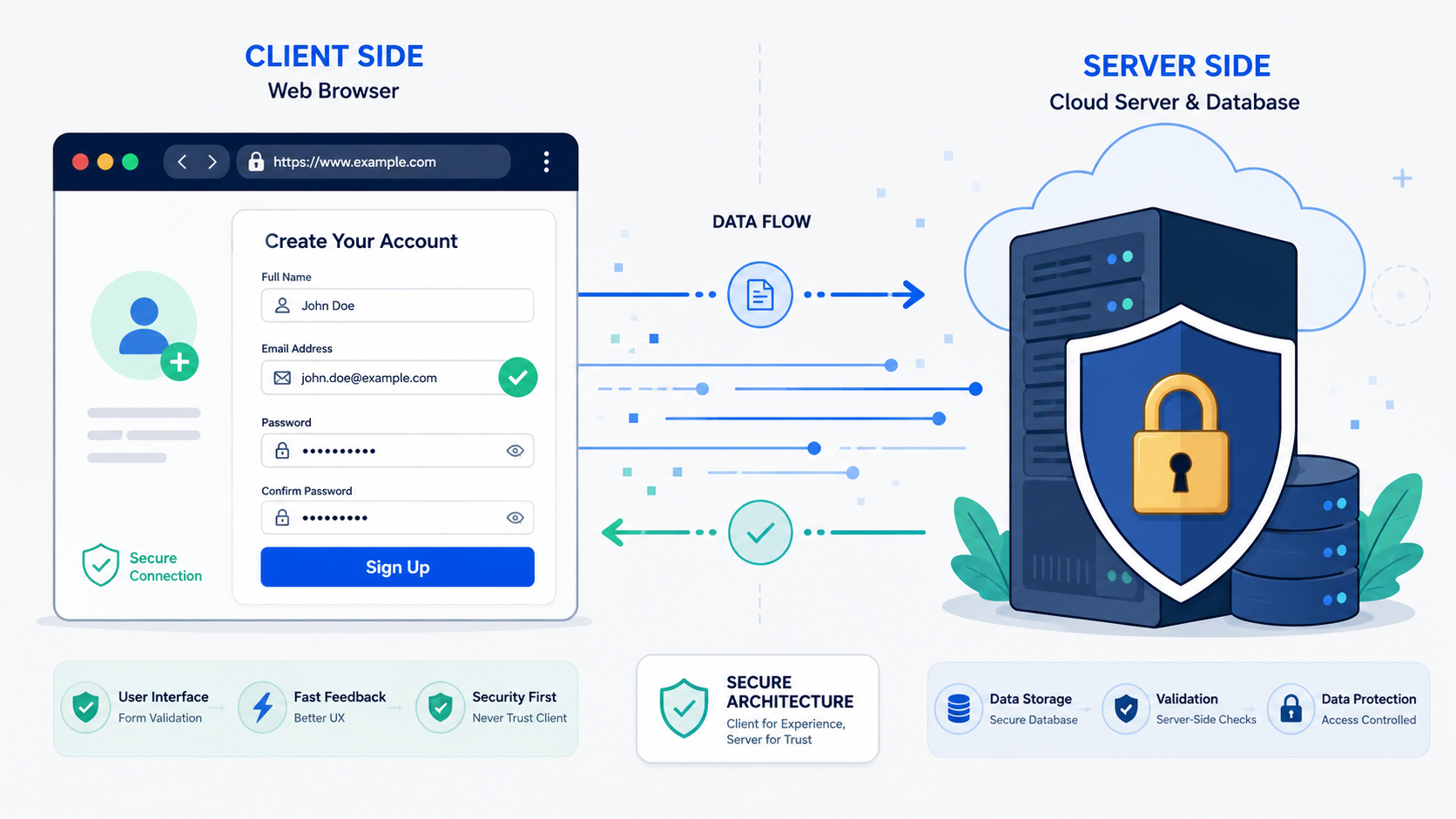

Use both client side vs server side validation: client-side for UX, server-side for enforcement. Client-side checks make your app feel quick. Server-side validation keeps it secure and reliable. Client-side validation improves usability, while server-side validation protects security and data integrity. Relying on just one is like having a good front door with no lock.
It’s how you stop software from breaking or getting hacked. Our Secure Coding Practices make these layers work together without duplicate code. See why skipping one is a real problem. Keep reading.
Quick Recap – Validation That Works
Using both validation layers creates a smoother experience for users while keeping your application secure and your data trustworthy.
- Client-side validation improves user experience by providing fast feedback, but users can bypass it.
- Server-side validation protects security and data integrity by verifying every request before processing.
- The strongest applications combine both approaches as part of a defense-in-depth strategy because each serves a different purpose.
What Is Client-Side Validation?
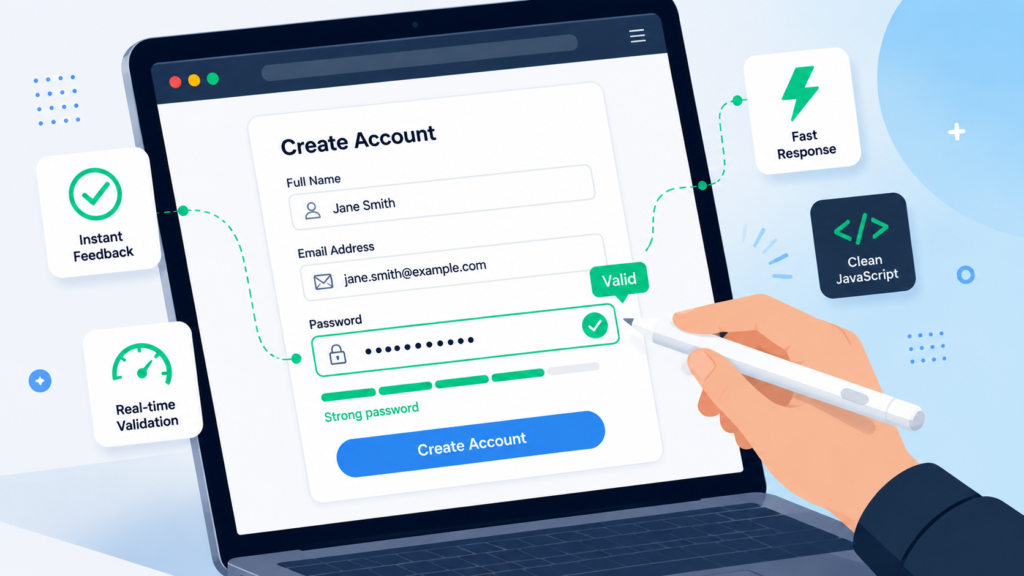
It happens in the browser. You type into a form, and the page responds before you click ‘submit.’ That’s the red underline for a bad email, or a warning that your password is weak. We use HTML5 attributes like required and JavaScript to run these checks instantly.
We focus on the user’s experience. Why make someone wait for a server to tell them they forgot the @ symbol? Catching simple errors immediately shows respect for their time. It also reduces load on our servers. Every invalid form we stop is one less request to process.
Insights from Nielsen Norman Group
“To help people correct slips, provide informative feedback as soon as possible after the error occurs… Ideally, users should get feedback immediately after they finish typing in a field, rather than having to submit the entire form and wait for a response.” – Nielsen Norman Group
But this is the key lesson from our bootcamp: Client-side validation has no security boundary value because it can be bypassed. We treat it strictly as a UX feature, never a security layer.
Is Client-Side Validation Giving You a False Security?
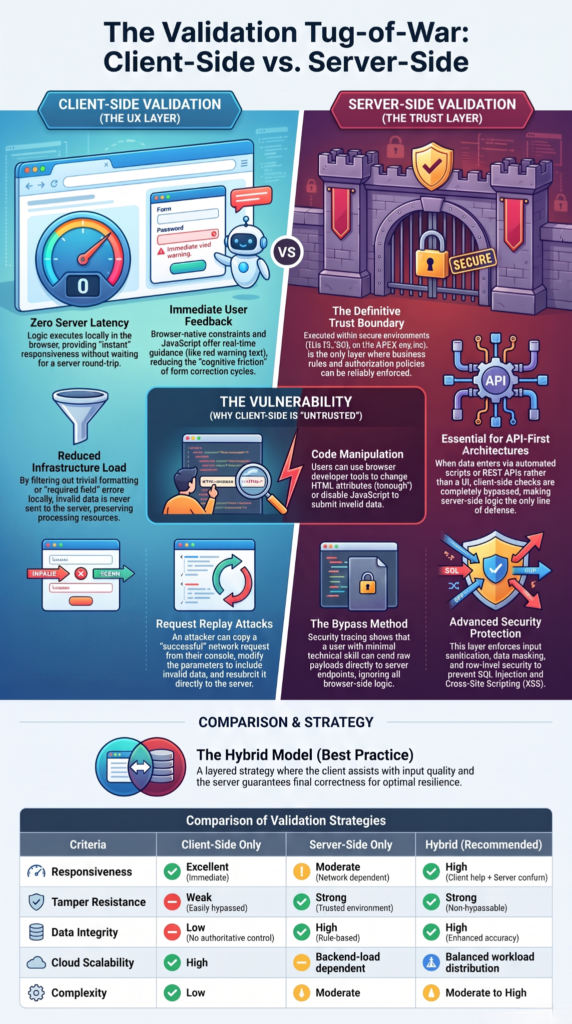
It is, because it’s trivial to bypass. Anyone can open a browser’s developer tools and do it. They can disable JavaScript, edit the HTML, or send data directly to your server with a tool like curl, completely skipping your page.
Research from OWASP Cheat Sheet Series shows
“Client-side validation, such as using JavaScript, is not a security measure and can be easily bypassed. All validation must be performed on the server-side.” – OWASP Cheat Sheet Series
A student once showed me his “secure” form that blocked negative numbers. I opened the dev tools, changed an input attribute, and submitted an order for negative one hundred items. The form accepted it. That’s the lesson we teach: the frontend is just a UI. It’s not a guardrail.
If you rely only on client-side validation, malicious input can still reach your server and expose you to injection, data integrity, and business logic issues.
Our rule is simple: never trust client input. Ever.
Why Is Server-Side Validation Your Strongest Security Gate?
Credit: Server Logic Simplified
Server-side validation is your strongest security gate. It happens on your backend, in code you control. A user can’t turn it off. Server-side validation means every request is checked before reaching your database or business logic.
This is about security and integrity. It’s the final bouncer, not a friendly guide. It checks data types, lengths, and formats. More importantly, it handles checks a browser never could. A browser can see if an email looks valid. Only the server can check if that email is already in our database.
Can you rely on just one type of validation?
No. We have two layers: a fast but weak one, and a strong but slower one. The modern approach uses them together. This is defense-in-depth of multiple barriers between a threat and your system.
The client-side is a friendly first filter. It improves the experience and catches simple errors. The server-side is the final, unbreakable wall. Why server-side validation is crucial becomes obvious because it enforces your actual rules.
We teach this with an analogy. Client-side validation is like proofreading your own letter. You catch typos to look competent. Server-side is the editor who gets it. They fact-check everything against strict standards before it’s published. You need both steps.
| Feature | Client-Side Validation | Server-Side Validation |
| Runs On | User’s Browser | Application Server |
| Primary Goal | User Experience (UX) | Security & Data Integrity |
| Feedback Speed | Instant | Network-dependent |
| Bypassable? | Yes, easily | No |
| Access to Database/Business Rules | No | Yes |
How Do You Keep Validation Logic DRY Without Creating Security Risks?
Keeping validation logic DRY is tricky. You often write the same rule twice like checking an email’s format on both the client and server. It feels wrong, a clear break from “Don’t Repeat Yourself.”
We used to accept this duplication as a security tax. Now, tools help. Libraries like Zod or Yup let you define a schema once. Use it to validate a form in React, then run the same check on your Node.js backend. Frameworks like ASP.NET generate client rules from server models.
But there are limits. You can share basic rules, like an email’s shape. You cannot share checks that need server context, like “is this email already in our database?” That must stay only on the server. Shared logic handles data shape; the server adds authority.
What Happens When You Trust the Front-end Too Much?
The consequences are real. We’ve seen it ourselves. One story from a developer forum involved a SaaS tool with a free plan and a paid plan for AI features. The upgrade modal was slick client-side code. It checked your account and only showed the “Use AI” button if you were paying.
A user opened the browser’s network tab, saw the API call the button made, and simply replayed it with a different parameter. The server, with no authorization check of its own, executed the expensive AI operation. The company didn’t notice until their cloud bill jumped by thousands. The front-end was just a visual gate. The real gate on the server was left open.
The takeaway is clear:
- Treat the front-end as a presentation layer, not a security boundary.
- Always validate authorization on the server before executing sensitive actions.
- Enforce server-side checks for billing, permissions, and data integrity.
- Assume users can inspect, modify, or replay any client-side request.
These incidents teach a brutal lesson we emphasize. The frontend is a presentation layer, a user interface. It is not an enforcement mechanism. Any rule that matters for security, billing, or data integrity must be validated where it can’t be bypassed.
What Advanced Validation Pitfalls Should You Watch Out For?
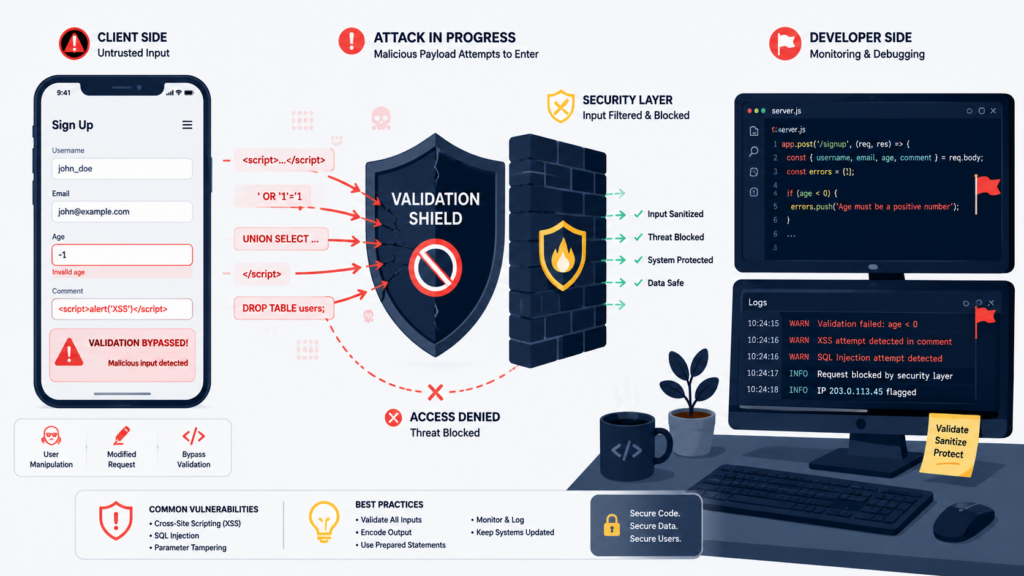
Even with both validation layers, tricky problems appear. Real-time validation, like checking a username, sends a request on each keystroke. If the user types fast, an old response for “john” might return after they’ve typed “johnny.” You must cancel stale requests to avoid wrong errors.
Sharing a regex pattern between JavaScript and Python can backfire. Their engines differ slightly. A phone number that passes client-side might fail on the server, confusing users. Native HTML5 validation is limited; its error messages are hard to style, so you often write custom JavaScript anyway.
Server-driven UI frameworks like HTML add another wrinkle. If a server validation fails and re-renders a form, it can wipe out the client-side state, like an open modal. You need careful hooks to preserve it.
These aren’t deal-breakers. They’re the nuanced reality of building for the web, showing validation is an ongoing architectural concern.
FAQs
What is the difference between client side validation and server side validation?
Client side validation provides immediate feedback through browser validation before submission. Server side validation verifies user input on the server, protects data integrity, and prevents malicious input from bypassing validation checks.
Which input validation rules should every web form include?
Include validation rules that match the field’s business purpose, such as required fields, length bounds, allowed values, and format checks where appropriate
How does input sanitization improve web form security?
Input sanitization may help in specific contexts, but secure applications also need output encoding and context-aware defenses.
Why is backend validation still necessary with JavaScript validation?
JavaScript validation improves user experience by providing immediate feedback, but client-side checks can be bypassed. Backend validation enforces business rule validation, API validation, endpoint validation, and reliable security validation.
How can developers build a reliable validation layer?
Developers can build a reliable validation layer by combining frontend validation, server-side checks, custom validators, authentication validation, authorization validation, error handling, and defense in depth for secure development.
Building Confidence With Validation
You notice the difference when validation works, because errors get caught early and your form feels easy to use. That’s only part of the job. Real protection happens when your server checks every request, so your application stays reliable even when bad input gets through.
If you want to put these secure coding habits into daily practice, the Secure Coding Practices Bootcamp is a practical next step. You’ll learn by writing real code, not just reading about security. Join the bootcamp and build software that works well because every check happens in the right place.
References
- https://www.nngroup.com/articles/slips/
- https://cheatsheetseries.owasp.org/cheatsheets/Input_Validation_Cheat_Sheet.html#client-side-vs-server-side-validation