
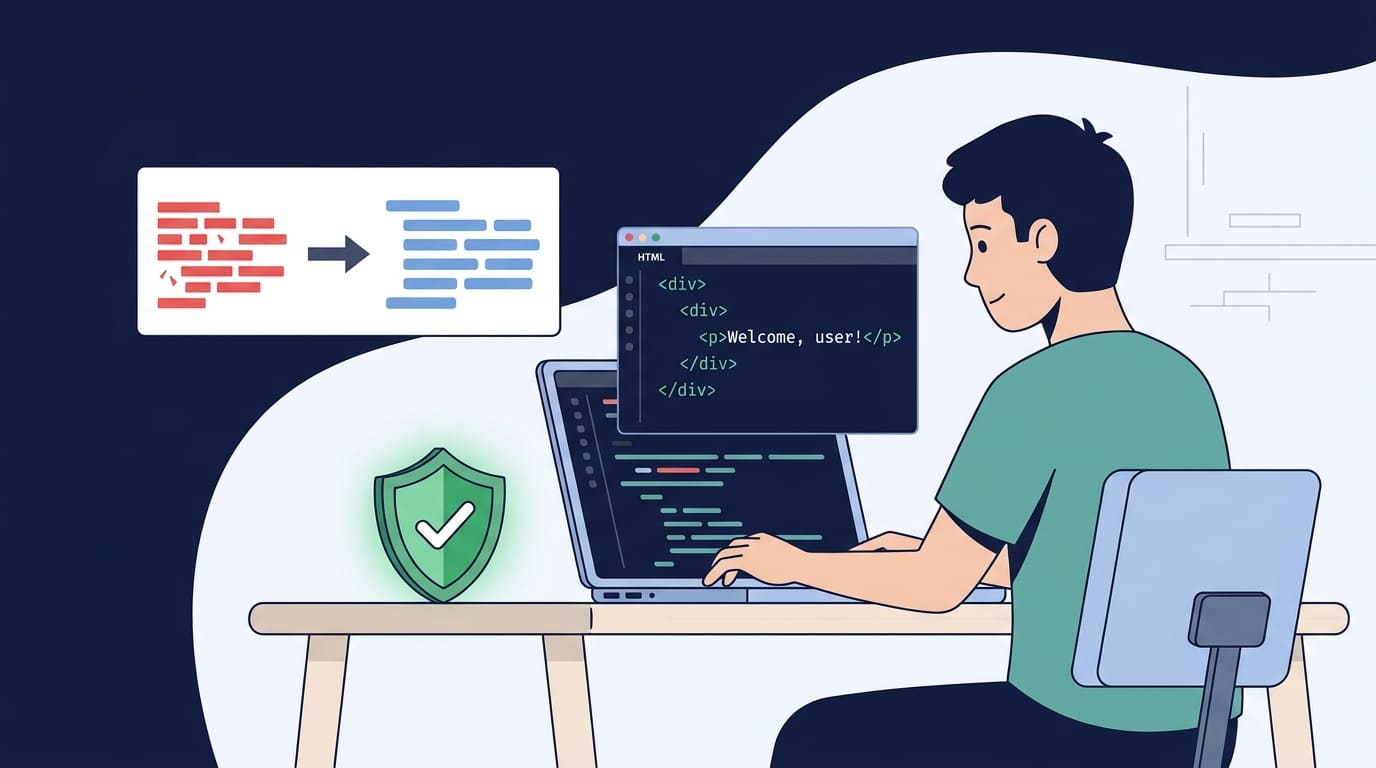

Sanitization libraries help developers render untrusted HTML safely, but they can’t stop every injection attack. A 2023 study from Technische Universität Braunschweig found that 9 of 11 tested HTML sanitization libraries were vulnerable to mutation cross-site scripting (mXSS) bypasses under the study conditions. That’s a risk developers can’t ignore.
At Secure Coding Practices, we treat sanitization as one part of a wider security strategy. The right library matters, but so does its configuration and how the sanitized output gets rendered. Use context-aware output encoding, test for bypasses, and keep dependencies updated. Keep reading to learn how to secure your sanitization workflow.
Quick Guide to Using Sanitization Libraries Effectively
- Choose the right control: Use HTML sanitization, allowlist validation, and context-aware output encoding to prevent XSS.
- Maintain sanitizers: Apply strict allowlists, avoid regex-based HTML filtering, update dependencies, and test for bypasses.
- Use defense in depth: Combine sanitization with server-side validation, parameterized SQL queries, CSP, and Trusted Types as part of Secure Coding Practices.
What Should Developers Know About Sanitization Libraries?
A sanitization library removes the risky parts of some content and keeps the rest. But no single library fits every job, so developers have to choose the right protection each time.
Input validation, HTML sanitization, and output encoding are three different tools. OWASP says the best defense against cross-site scripting (XSS) depends on where the data ends up. Effective sanitizing data to prevent XSS means handling HTML safely and encoding output the right way. A sanitizer won’t take the place of parameterized SQL queries, strict validation, or safe DOM methods.
Most of our students get stuck on one thing: which tool goes where. In our Secure Coding Practices course, we ask them one question before they write any code. Where is this data going? A lot of beginners skip it and run everything through one “clean” function. We’ve watched that go wrong in student projects more than once.
Here’s how to choose the right protection for common inputs.
- Input Validation: Checks whether input meets expected formats and requirements. Use strict allowlists and enforce validation rules on the server.
- HTML Sanitization: Removes disallowed elements and attributes from untrusted HTML. Use a maintained HTML sanitization library with a restrictive allowlist.
- Context-Aware Output Encoding: Prevents untrusted data from being interpreted as executable code. Apply the correct encoding for the HTML, JavaScript, CSS, or URL context.
- SQL Injection Prevention: Prevents user input from changing the meaning of SQL queries. Use prepared statements and parameterized queries.
- Content Security Policy (CSP): Restricts the scripts and other resources a browser can execute or load. Configure CSP as an additional layer of defense.
- Trusted Types: Restricts how values enter potentially dangerous DOM injection sinks. Define and enforce Trusted Types policies in supported browsers.
In 2023, a study tested 11 popular HTML sanitization libraries. The researchers broke through 9 of them with mutation XSS under their test setup. That doesn’t mean every version out there is broken today. It does mean a library’s name isn’t proof of safety. We make our learners test how the page actually renders, and they’re often surprised by what gets through.
So match the protection to where the data lands. And don’t trust one library to cover everything.
When Is DOMPurify the Right Tool, and When Is It Not?

DOMPurify is a good pick when your app takes untrusted HTML but still needs to allow some formatting. Think comments or rich-text descriptions.
It removes dangerous elements, attributes, and URL patterns before the HTML gets to the page. How well it does that depends on your settings, your version, and what your code does with the result.
OWASP makes the same point about XSS: your defense has to fit the output context. Its Cross Site Scripting Prevention Cheat Sheet explains HTML sanitization, output encoding, and safe rendering.
Which inputs need sanitization?
Start by asking what kind of data you have and where it’s going. Each type needs its own protection.
- Rich HTML: Use a maintained HTML sanitization library with a tight allowlist.
- Plain text: Use textContent or another safe way to show text.
- SQL values: Use prepared statements and parameterized SQL queries.
- URLs and filenames: Check the expected format, length, and allowed characters.
- JSON and XML: Use proper parsers, serializers, and protections that fit the context.
A comment box is a good example. It can allow paragraphs, bold text, and links. It should block embedded objects, event-handler attributes, and risky URL schemes.
How should developers configure DOMPurify?
Your policy should keep only the formatting your app really needs.
These are the habits we drill with our students:
- Allow only the HTML elements and attributes you need.
- Limit URL protocols to the ones you approve.
- Remove event handlers such as onclick and onerror.
- Skip custom hooks and extra overrides unless there’s a real reason.
- Keep the library updated and read its security advisories.
- Test the final DOM in the place where it actually renders.
Here’s a basic JavaScript example:
const cleanHtml = DOMPurify.sanitize(untrustedHtml, {
ALLOWED_TAGS: [
“p”,
“strong”,
“em”,
“ul”,
“ol”,
“li”,
“a”
],
ALLOWED_ATTR: [“href”]
});
container.innerHTML = cleanHtml;
This policy is small on purpose, and it works for simple rich text. A real project should also check which URL schemes are allowed, review the library settings, and test the final DOM. Follow the current DOMPurify docs. Don’t edit the cleaned HTML afterward in unsafe ways.
What has worked best for us is the smallest allowlist that does the job. We only add more tags when a real product need shows up.
Why Do Custom Regex-Based Sanitizers Fail?
A browser reads HTML in complicated ways, and regular expressions and string replacement can’t copy that. Attackers make it worse by sending broken, nested, or encoded markup.
A homemade filter can seem fine because it catches the obvious script tags. Attackers don’t stop there. They use other tag shapes, parser quirks, and strange character mixes to slip around it.
Regular expressions aren’t bad in general. They’re great for checking simple, predictable formats like product codes or IDs. The trouble starts when someone tries to rebuild a full HTML parser out of them.
Here’s an example:
const unsafeHtml = userInput.replace(
/<script>/gi,
“”
);
This code deletes one exact string. It never asks whether the HTML that’s left is safe. Other tag structures can get past it, and many other dangerous elements and attributes are still allowed.
What makes string-based filtering dangerous?
The core problem is that string replacement can’t see the structure of an HTML document.
An attacker can send broken tags, odd attributes, encoded characters, or nested elements that change how the browser reads the content. We run this exercise in class, and someone usually finds a way around a “finished” filter within minutes.
A safer choice is a maintained sanitizer:
const cleanHtml = DOMPurify.sanitize(userInput);
container.innerHTML = cleanHtml;
This is better than cutting out suspicious text because preventing XSS attacks through proper sanitization requires a maintained library, correct configuration, and use in the HTML context it was designed for.
Academic security coursework and OWASP guidance consistently emphasize that string-based replacement tools fail because HTML requires context-aware DOM parsing. Those lessons still help when you review a homemade input filter.
We boil it down to three rules:
- Parse and rebuild structured content instead of cutting out suspicious text.
- Use allowlists for permitted HTML elements, attributes, and URL protocols.
- Test malformed markup and the final rendered DOM, not just the sanitizer’s text output.
Regular expressions still belong in input validation. A well-made pattern can check that an ID follows the format you need. Just don’t ask it to be your main HTML sanitizer.
How Do HTML Parser Differentials Enable Mutation XSS?

Mutation XSS happens when HTML looks safe at one step and turns dangerous at the next. A sanitizer checks the markup and calls it clean. Then a browser, a server-side parser, or another DOM step reads the same text and builds a different structure. The risk grows when the sanitizer, the server, the browser, and any later steps all read the content differently.
Research from IEEE Symposium on Security and Privacy shows
“Each assessed sanitizer has at least several functional deficiencies” and were able to “automatically bypass all but two of the 11 sanitizers” – IEEE Symposium on Security and Privacy
In our workshops, this is the moment students get stuck. They run a payload through a sanitizer, see a clean string, and move on. Then we have them open the final page in dev tools. The DOM often looks nothing like what they expected, and that gap is the lesson.
Researchers at Technische Universität Braunschweig studied this in 2023. Their paper, Bypassing HTML Sanitizer via Parsing Differentials, tested 11 popular sanitization libraries across several programming ecosystems. They found full sanitization bypasses through mutation XSS in 9 of the 11. That result covers the libraries and settings they tested. It doesn’t prove that every current version is still vulnerable.
Where can parsing differences arise?
A typical failure follows these steps:
- An application receives HTML from an attacker.
- A sanitizer parses it and removes what it thinks is dangerous.
- Another parser or DOM operation reads the leftover markup in a different way.
- The final document has dangerous structures that the sanitizer never saw.
At its core, the problem is the distance between what the content appears to be and what the browser actually does with it. The full paper is available from Technische Universität Braunschweig.
To lower the risk, keep your sanitizer patched. Avoid changing the markup after it’s been sanitized. Test the final DOM in the same kind of environment that will show it to users.
Server-side sanitizing needs extra care. A server-side JavaScript library may use its own DOM tool or HTML parser, and that parser may not match the browser. When the browser reads broken markup differently, the security rules you set up can fall apart. We tell our students that good secure coding means thinking about parser match-ups, library upkeep, and the whole path the content takes. A sanitizer is not a single function call that fixes everything.
Should You Sanitize Content Before Storing or Rendering It?
Treat stored content as untrusted. Sanitize rich HTML before it goes into a browser document.
Choosing between input sanitization and output encoding depends on how the application processes and displays untrusted data. Some systems need the original text for editing, audits, or later use. If that’s your case, store the original and make a sanitized copy when it’s time to show it.
For a Markdown comment system, run the Markdown through a trusted processor first. Then sanitize the HTML it creates before you put it on the page.
What should a secure content pipeline look like?
We teach a pipeline that keeps each job separate:
- Accept the submitted content.
- Check its type, size, and structure.
- Store the original if your app needs it.
- Convert structured content, like Markdown, with a proper processor.
- Sanitize the generated HTML for where it will be shown.
- Render the clean result with a safe API.
- Check the content again whenever the sanitizer, policy, or display context changes.
This lowers the chance of stored XSS. That’s when bad content sits in a database and runs in the browser of the next person who views it.
Why does sanitizing once create risks?
Content that was safe last year may not be safe today. A team might change its sanitizing policy. It might add a new display component. A dependency update might change how some markup gets parsed. Any of these can turn old, “clean” data into a problem.
One of our past students told us about a bug on her team that came from this exact thing. They had cleaned user bios when the data was first saved. Months later, a new profile widget showed those bios in a different way, and the old cleaning no longer covered it. Nobody had touched the stored data. The page around it had changed.
So we keep original content and display-ready content apart. When the processing rules change, we rebuild the sanitized output. A good rule to follow is to sanitize at the point where content is prepared for use. If the content is stored in a form you can reuse, prove it’s safe again before you show it.
Which Sanitization Mistakes Can Introduce XSS?
Bad settings, unsafe hooks, old dependencies, and changes made after sanitizing can all weaken a good library. A library can do its job perfectly while the app around it opens a hole. For example, an app might sanitize a comment and then drop untrusted text into the clean HTML. That creates a brand new way in.
Which mistakes deserve the most attention?
These are the ones we look for first in code reviews:
- Overly broad allowlists: Every extra tag or attribute you allow gives attackers more to work with.
- Dangerous URL schemes: Some protocols can turn a plain link into a way to run code.
- Unsafe hooks: A custom hook that edits nodes or attributes can undo your policy.
- Post-sanitization transformations: If you rewrite clean markup, you can’t assume it’s still clean.
- Outdated dependencies: Older versions may not have fixes for bypasses found later.
- Unsafe insertion APIs: Passing raw input to innerHTML is a risky way to render.
- Incorrect output context: An HTML sanitizer won’t protect JavaScript, CSS, SQL, or shell commands.
As noted by OWASP
“If you sanitize content and then modify it afterwards, you can easily void your security efforts.” – OWASP
Security research and public disclosures have shown many cases of sanitizer bypasses and unsafe setups. When we review student projects, we read the library settings and the code around it together, because the bug is often in the code around it.
We tell every class the same thing. Our view is that each custom hook, transformation, and exception is part of your security boundary. If a change touches sanitized content, look at the output again.
How Should Developers Handle Sanitizer Performance?

Measure first. Speed up your sanitizer only after you’ve tested real workloads, and make sure the faster version stays just as secure.
A sanitizer might handle thousands of short comments with no trouble. Then it might slow down on a large rich-text document or deeply nested markup. What you should tune depends on the traffic and content your app really sees.
What should a meaningful benchmark measure?
A fair benchmark compares like with like and checks both speed and correctness. Here’s what we put in ours:
- Processing time for realistic input sizes.
- Memory use and peak allocations.
- Broken HTML and deeply nested markup.
- Browser and server-side environments.
- Output consistency and security regression results.
- Speed under many requests at once.
In 2026, some developers have claimed much faster sanitizing from other tools, including ones built with Rust and WebAssembly. We treat those claims as unproven. They need independent benchmarks that use matching workloads, matching security checks, and clear test conditions.
Before you swap out a well-maintained sanitizer, set a baseline and profile your real content. Then run each new option through the same security test suite. We’ve seen students get excited about a speed gain and skip that last step, so we make them do it in class.
Caching is another thing to think about. Saving sanitized output can cut repeat work, but you need to clear the cache when your policies, dependencies, or display contexts change.
A faster sanitizer is no improvement if it weakens your security.
When Should Developers Consider the Browser Sanitizer API?
The browser Sanitizer API might work well for you if your code runs in the browser and your users have a browser that supports it. It cleans up risky HTML for you, and you don’t have to add another package to your project.
But don’t switch just because it sounds nice. Check which browsers your users have, which method you’d call, and what your app needs. When we teach this in class, we say the same thing every time: if a library is already working, keep it until you’ve tested the new option.
How does browser-native sanitization compare with DOMPurify?
Both do the same basic job, but they work in different ways. Here’s how they stack up.
| Consideration | DOMPurify | Browser Sanitizer API |
| Implementation | Requires adding the library to the project. | Uses native browser functionality. |
| Configuration | Supports library-specific sanitization options. | Depends on the API methods and configuration supported by the browser. |
| Browser Compatibility | Depends on the library version and execution environment. | Depends on browser support for the specific API method. |
| Server-Side Use | Can run in server-side JavaScript with a suitable DOM implementation. | Generally requires a browser environment with API support. |
| Maintenance | Requires monitoring library updates and security advisories. | Requires checking browser support and changes to the relevant API. |
| Security Testing | Test configuration, sanitized output, and the final rendered DOM. | Test API behavior, browser compatibility, and the final rendered DOM. |
| Best Use Case | Applications that need a maintained HTML sanitizer across supported environments. | Browser-based applications where the required API is supported and meets security requirements. |
A good place to start is Element.setHTML(), along with the other Sanitizer API methods.
Browsers don’t always behave the same. One of our students once had a demo that worked fine in Chrome and fell apart in another browser during a live review. That’s why you should test the exact method you plan to use in each browser you support.
Servers are a different story. A browser feature can’t clean HTML on a server that doesn’t have it, so you still need to validate and handle HTML there.
If your app shows rich text from people you can’t trust, let your test results guide the choice. Look at browser support, how much upkeep it takes, how the parser behaves, and how your security tests turn out.
How Can CSP and Trusted Types Strengthen Sanitization?
Credits: Jengo
CSP and Trusted Types give the browser extra ways to protect your page. They help, but they can’t take the place of good sanitization or proper output encoding.
A Content Security Policy (CSP) sets limits on which scripts can run and what else the browser can do. Trusted Types, where browsers support it, forces the values that go into risky parts of the page to follow rules you write.
Which additional controls should developers implement?
Use more than one control. Each one catches mistakes the others might miss.
- Content Security Policy: Only allow the scripts your app truly needs.
- Trusted Types: Where supported, write clear policies for values sent to risky DOM APIs.
- Safe DOM APIs: Use textContent for plain text instead of building HTML strings.
- Parameterized queries: Block SQL injection, no matter what the browser does.
- Server-side validation: Enforce your rules on the server, even if the client already checked.
Picture a comment system. It cleans the HTML it allows, runs a strict CSP, and uses Trusted Types in browsers that support them.
In our bootcamp, we see a lot of students trust CSP too much. If your code has an unsafe way of adding content to the page, a strict CSP may soften the blow, but the bug is still sitting there. Fix the bug.
The same goes for REST API sanitization and safe input handling. Following sound application security practices helps teams approach these controls as part of a broader security strategy. Each part of your system should check data for its own job and not count on another part to do it.
How Should Teams Test Sanitization Libraries?
Test what really ends up on the page. Don’t just check whether the scary-looking text is gone from the sanitizer’s output.
Say you test that one tag got removed. That test can miss bad attributes, broken markup, or text that turns into something else once the browser reads it. We’ve watched students pass a test like that and then see their attack run anyway during lab time.
What belongs in a sanitization test suite?
Your tests should show that normal content still works and that attack content doesn’t.
- Common XSS payloads and hidden or disguised markup
- Broken HTML and deeply nested elements
- Risky event handlers and URL protocols
- Mutation XSS and cases where parsers read the same HTML differently
- Unicode normalization and changes made after sanitizing
- Custom hooks and settings changes
- Regression tests for bypasses you’ve seen before
Run your tests in the real browser or the real setup whenever you can. If you sanitize on the server, also test how the server’s parser differs from the browser’s.
Make dependency updates part of your normal security routine. Rerun your regression tests whenever the library, your settings, or your rendering steps change.
A passing string test doesn’t mean much if the final page can still run an attacker’s code.
What Should a Secure Sanitization Implementation Checklist Include?

A checklist makes sanitization easier to review during code reviews, upgrades, and security checks. We give one like this to every student, and our own team uses it on real projects.
Use it as part of your secure development process:
- Decide if each input needs validation, sanitization, output encoding, or some mix.
- Pick a well-maintained library that fits your content type.
- Set a strict allowlist for the HTML you permit.
- Check URL schemes and allowed attributes.
- Don’t use regex to filter HTML.
- Sanitize rich content before you put it into an HTML context.
- Recheck safety after any change to the content.
- Review parser differences and custom hooks.
- Add XSS regression tests.
- Watch dependency advisories and apply security updates.
- Use CSP and Trusted Types where they make sense.
- Benchmark other options before you replace a library you already use.
Make these checks part of your everyday Secure Coding Practices. Don’t run through them once when you install a library and then forget about them.
FAQ
What Should You Check Before Choosing an Input Sanitization Library?
Choose input sanitization libraries based on your programming language, data format, and security requirements. Check whether a library supports allowlist input validation and HTML tag and attribute sanitization. Review its maintenance history, security testing results, and documentation before integration. Using sanitization libraries effectively also requires understanding their limitations and combining them with other secure coding practices.
How Can You Prevent XSS When Displaying User-Generated Content?
To prevent cross-site scripting attacks, combine HTML sanitization with context-aware output encoding. An HTML sanitization library can remove disallowed tags and attributes from rich text, while output encoding methods help prevent browsers from interpreting untrusted data as executable code. Apply server-side input validation, use automatic output escaping where appropriate, and test your implementation to reduce stored, reflected, and DOM-based XSS risks.
Is Input Sanitization Enough to Prevent SQL Injection Attacks?
No. Input sanitization alone cannot reliably prevent SQL injection attacks. Use server-side input validation to enforce expected data formats and parameterized SQL queries to separate user input from SQL commands. Prepared statements help prevent attackers from changing the intended meaning of database queries. Combine these controls with secure input handling to reduce injection risks across your web application.
How Should You Test a Sanitization Library After Integration?
Write sanitization unit tests that cover normal inputs, unexpected characters, malicious scripts, and malformed HTML. Test whether untrusted user input can bypass your sanitization policy or introduce executable content. Include cases involving Unicode normalization and double encoding. Run automated security testing and conduct regular security code reviews to identify weaknesses before deployment. Retest the library after configuration changes or updates.
How Often Should You Update and Review Sanitization Libraries?
Check for sanitization library updates regularly and review security advisories for known vulnerabilities. Use dependency vulnerability scanning to identify outdated or vulnerable components. Review the library’s configuration whenever your application accepts new data formats or introduces new features. Include these checks in your secure software development lifecycle, and combine them with input validation, output encoding, and other defense-in-depth measures to maintain web application security.
How to Apply Secure Coding Practices Effectively
When your application handles user input, even a trusted sanitization library can leave security gaps if it’s poorly configured or used in the wrong context. The risk is real.
To strengthen your defenses, review HTML insertion points, validate incoming data, and test how sanitization behaves after integration or dependency updates. The 2023 research from Technische Universität Braunschweig highlights why developers must test sanitizer behavior instead of assuming every implementation is secure. Secure Coding Practices can help you build a stronger security review process and apply secure coding techniques with greater confidence. Explore the Secure Coding Practices Bootcamp to take the next step.
References
- https://casa.rub.de/en/research/publications/detail/parse-me-baby-one-more-time-bypassing-html-sanitizer-via-parsing-differentials
- https://cheatsheetseries.owasp.org/cheatsheets/Cross_Site_Scripting_Prevention_Cheat_Sheet.html