
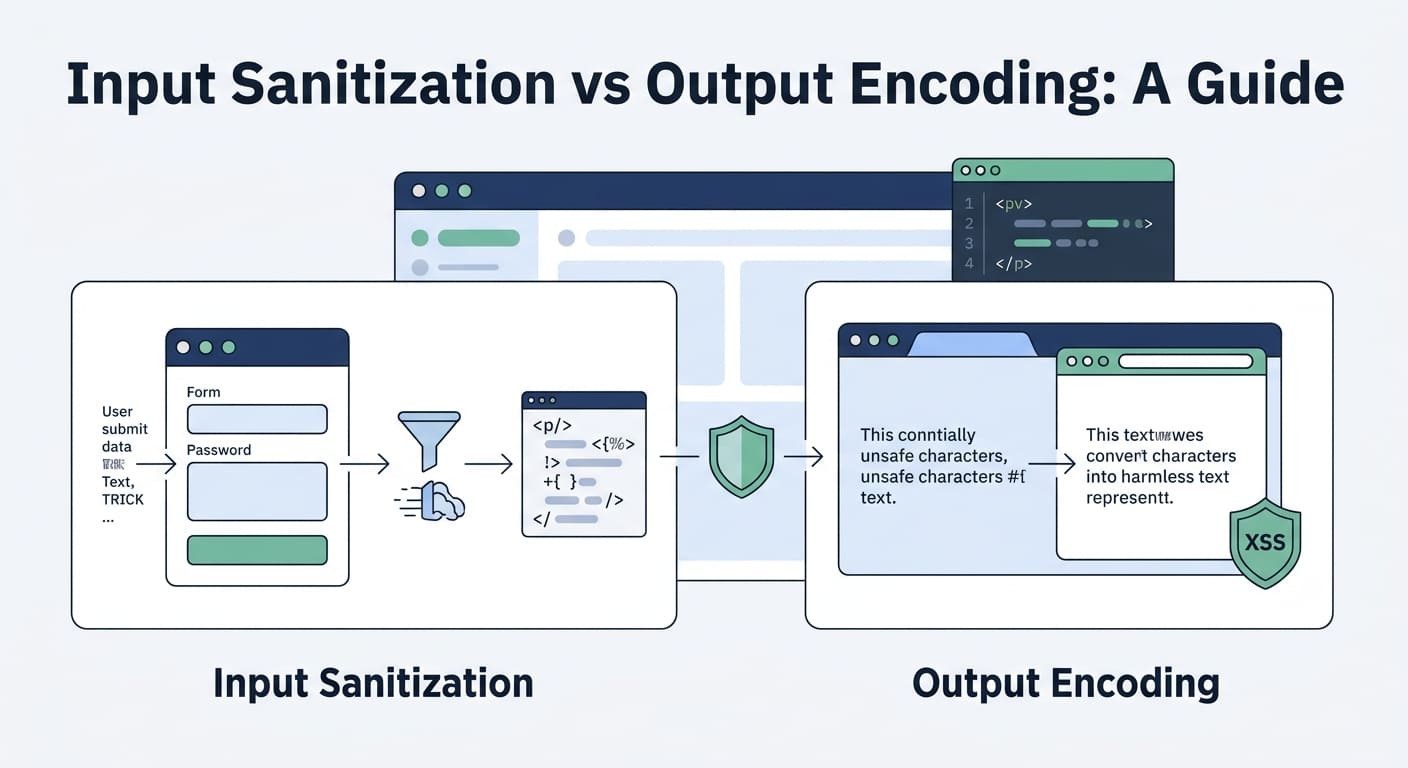

Input sanitization and output encoding serve different security purposes. Sanitization changes data based on a defined policy, while encoding makes data safe for a specific output context. OWASP recommends context-aware encoding to reduce cross-site scripting (XSS) risks. Input validation also helps reject data that fails expected rules.
At Secure Coding Practices, we treat validation, sanitization, and encoding as separate controls. Each has its own job. Validate incoming data, sanitize unwanted content, and encode untrusted data before displaying it. But using one method alone can leave security gaps. Keep reading to learn when to apply each technique and how they help protect your application from common attacks.
Quick Guide to Input Sanitization vs. Output Encoding
- Input validation checks data against expected rules, while sanitization modifies content when necessary.
- Output encoding protects data based on its output context, such as HTML, JavaScript, CSS, or URLs.
- Defense in depth combines validation, sanitization, output encoding, parameterized SQL queries, and security testing to reduce injection risks.
What Is Input Sanitization, and How Does It Work?
Input sanitization means cleaning up data before an app uses it. It helps. But it won’t stop every injection attack on its own, and that’s the part people forget.
Forms, API requests, and comment boxes all take in data from strangers. Before writing a single line of code, an app has to know what it expects back. A username, a filename, and a comment with bold text all follow different rules. In our bootcamp, students sometimes run one filter over all three. The data breaks. The attacks still get through.
Sanitizing can mean removing HTML tags that aren’t allowed, letting in only certain characters, or fixing a value so it matches the app’s rules. Each step needs a reason. No reason, no step.
What Does Input Sanitization Change?
Sanitizing edits a value before the app saves it or works with it. Say a comment box allows a little HTML. The app might remove attributes like onclick and leave the bold and italic text alone.
Some common uses are:
- Removing risky HTML tags from comments that users write with formatting.
- Fixing filenames so they fit the app’s storage rules.
- Keeping structured data in a format the app has approved.
- Applying set formatting rules to business data.
OWASP treats validation and sanitization as two separate jobs. Validation asks whether the data follows the rules. Sanitization changes the data based on a written policy.
Why Can Sanitization Fail?
Most generic filters fail because they try to catch every bad input without knowing where the data will end up. That’s a tough job for anyone.
Attackers slip past a blocklist by writing the same attack in a new way. And a filter that strips punctuation can ruin real data too, like names, messages, and text in other languages. These are common input sanitization pitfalls that developers need to consider when choosing how to handle untrusted data. Following best practices for using sanitization libraries effectively in code can help developers configure sanitizers correctly and reduce the risk of security gaps.
Three problems show up again and again:
- Incomplete filtering: The filter misses an attack nobody thought of.
- Data corruption: Taking out characters can change what the user meant.
- Context mismatch: A filter made for HTML does not protect SQL queries, JavaScript, or shell commands.
Here’s how we handle it on our own projects. We check data against clear requirements first, and we sanitize only when a content policy says the data has to change. Good data stays good. No single filter gets stuck doing all the work.
What Is Output Encoding, and Why Does Context Matter?
Output encoding changes data so the system reading it treats special characters as plain text instead of code.
Timing is the big difference from sanitizing. Encoding usually happens right before the app shows a value or passes it along, which matters because one value might land in an HTML page, a JavaScript string, a URL, or some other format. Each of those has its own rules, and mixing them up is where trouble starts.
As noted by OWASP
“Don’t place variables into dangerous contexts as even with output encoding, it will not prevent an XSS attack fully.” – OWASP
The OWASP Developer Guide calls encoding and escaping key defenses against injection. We teach it like this: pick the protection that matches where the data is going, not where it came from.
How Does Output Encoding Work?
Let’s say a user signs up with the name O’Brien.
The app can save that name exactly as typed. When it shows the name on a web page, it can swap the apostrophe for '. The browser still displays O’Brien, and the saved data never changed. Nothing lost.
Angle brackets follow the same idea. If someone types <script>, proper HTML encoding makes the browser show those characters as text, not run them as a script. We see this click for students during labs. They send the same input to two different places, and watch it do nothing in one and cause real trouble in the other. Then they get it.
Which Output Encoding Techniques Should Developers Use?
Every place the data goes needs its own kind of protection. This table shows the main ones.
| Output context | What to do | Common mistake |
| HTML body | Use HTML entity encoding on untrusted text | Putting raw user input into the page |
| HTML attributes | Use encoding built for attributes and always quote them | Putting untrusted data in unsafe attributes |
| JavaScript | Don’t drop untrusted values into scripts; use safe APIs for handling data and the right encoding | Thinking HTML encoding is enough inside JavaScript |
| URLs | Check that the scheme is allowed and encode each part of the URL | Thinking URL encoding blocks every unsafe link |
| CSS | Limit the values and keep untrusted data out of CSS code | Thinking HTML encoding protects CSS |
| SQL queries | Use parameterized queries or prepared statements | Counting on HTML encoding or gluing strings together |
The words encoding and escaping can mean slightly different things depending on the language. Both try to stop special characters from being read the wrong way. The method just has to match the system getting the data.
This is why we say encoding that fits its context sits at the heart of XSS prevention. A fix that works in one spot can do nothing in another, and that surprises a lot of new developers.
Input Sanitization vs Output Encoding: What Are the Main Differences?
Input sanitization changes content according to a defined policy. Output encoding prepares data for a specific output context. Both work alongside input validation, and neither can replace the other.
An easy way to tell them apart is to look at where each fits as data moves through the app. Validation checks whether a value meets the requirements. Sanitization modifies content according to defined rules. Output encoding protects data when it reaches a parser by preventing special characters from being interpreted as code.
- Primary purpose: Input sanitization modifies content according to a defined security policy. Output encoding prevents special characters from being interpreted as code in a specific output context.
- When to apply: Use input sanitization when processing content that must follow a defined policy. Apply output encoding when displaying or inserting untrusted data into a particular output context.
- Data integrity: Sanitization may remove or modify content. Output encoding generally preserves the original data while changing how it is represented for output.
- Context dependency: Sanitization depends on the content being accepted and the rules being applied. Output encoding depends on the destination, such as HTML, JavaScript, or URLs.
- Common use case: Sanitization helps allow user-submitted HTML with restricted elements and attributes. Output encoding helps display user-submitted comments as plain text on a web page.
- Main limitation: Generic sanitization filters may miss malicious content or damage legitimate data. Incorrect encoding or encoding for the wrong context can leave vulnerabilities.
- Role in XSS prevention: Sanitization helps make permitted user-generated HTML safer. Output encoding is a primary defense when rendering untrusted text in supported output contexts.
Can One Security Control Replace the Other?
No. Each one solves a different problem.
Think about a shop that lets customers post product reviews. The app has to check the review’s length and required fields, keep normal punctuation, and show the text safely. If reviews can be formatted, it also needs HTML sanitization. Output encoding alone would show the tags as plain text, so customers would see strange symbols where bold words should be.
It works the other way too. Sanitizing a review as it comes in doesn’t let the app skip safe output later. That same review could show up on a web page, in an admin dashboard, or on a screen built with JavaScript. Each one reads the data differently, and each one can go wrong.
When we review student projects, we make them check every trust boundary one at a time. What the app accepts, plus where the data goes next, decides which protection to use. Simple as that.
Why Is “Sanitize Input, Escape Output” an Incomplete Rule?
“Sanitize input, escape output” is a fine place to start. But we teach our students that it leaves out a lot. Checking data, cleaning data, and encoding data are three different jobs, and each one does something different.
One rule can’t cover everything because data rarely stays in one place. Say an API receives a value. That value might go into a database, show up on a web page, and end up in a log file. Each stop has its own risks.
What Do Developers Commonly Get Wrong?
In our bootcamp labs, we see the same mistakes again and again. Here are the most common myths and the reality behind each one.
- Myth: Every input needs a universal sanitizer.
Reality: Validate data against clear requirements first. Only sanitize it when a defined policy requires content changes. - Myth: HTML encoding stops every injection attack.
Reality: Each parser interprets data differently, so developers must use protection suited to the output context. - Myth: Escaping data before storing it in a database makes it safe everywhere.
Reality: Data may later appear in HTML, JavaScript, or other contexts, each requiring appropriate protection. - Myth: Client-side validation is enough.
Reality: Attackers can bypass browser checks, so the server must validate incoming data independently. - Myth: Framework auto-escaping eliminates all XSS risks.
Reality: Unsafe HTML insertion and incorrect context handling can still expose applications to cross-site scripting (XSS).
Our students often tell us they were sure their framework had them covered. Then they find a spot where someone used a raw HTML insert, and the protection was gone. The OWASP guidance on encoding and escaping explains why protection has to match where the data lands. You can read it in the OWASP Developer Guide to encoding and escaping data.
Still, sanitizing input has its place. The goal is to pick the right tool for the right reason.
When Should Developers Actually Sanitize Input?

Sanitizing makes sense when your app knowingly accepts content that has to be changed to fit a set of rules. For rich-text content, appropriate sanitization techniques that help prevent XSS attacks can remove dangerous HTML elements and attributes while preserving permitted formatting.
A rich-text editor is the clearest case. Users want bold text, links, and lists. The app shouldn’t accept any old HTML, though, because some of it can run harmful code.
Which Inputs May Need Sanitization?
It depends on what your application needs.
Rich-text content needs HTML sanitization. This keeps the approved formatting and removes dangerous tags and attributes. That is different from encoding plain text, which just stops the browser from treating it as markup.
Filenames may need cleanup to match your storage rules. We once reviewed a student project that stripped odd characters from uploaded filenames and called it done. It still allowed path traversal. Sanitizing helps, but those risks need their own controls.
Business fields sometimes need small changes, like trimming extra spaces or standardizing an ID. Base these changes on written requirements. Don’t base them on a guess about which characters look scary.
Structured content should match an approved schema. In that case, strict validation that rejects bad input usually works better than trying to fix it.
When Should You Avoid Sanitization?
Don’t strip characters just because they look suspicious. A catch-all filter can damage real data and still let an attack through. We’ve watched it break a customer’s name more than once.
For HTML that users supply, use a well-maintained sanitization library with an allow-list. Take time to review which elements, attributes, and URL schemes you permit.
For plain text, keep the value as the user typed it and encode it when you display it. This protects the data and avoids double-encoding, where text gets encoded twice and shows up as a mess of symbols.
How Can You Prevent Cross-Site Scripting With Output Encoding?
Credits: webpwnized
Cross-site scripting, or XSS, happens when a browser treats untrusted data as code it should run. Context-aware output encoding helps stop this when an app shows untrusted text in supported places.
Data can come from forms, URL parameters, APIs, or saved database records. The data doesn’t have to come from a form field to cause trouble once it reaches the browser.
What Does an XSS Vulnerability Look Like?
Picture a comment box that drops whatever people type straight into the page. If an attacker types in markup and the browser runs it, the attacker’s JavaScript now runs in someone else’s browser.
From there, the attacker may see private page data or take actions as the victim, depending on what other protections exist. In our hands-on exercises, students usually need only a few minutes to pull this off on a vulnerable demo app. That is why we spend so much time on it.
The MITRE CWE-79 entry calls the root problem improper neutralization of input during web page generation.
How Can Developers Reduce XSS Risks?
No single fix is enough. Our advice is to layer several defenses, including sanitizing data to prevent XSS when applications accept user-submitted HTML that must retain approved formatting.
- Use framework templates with context-aware auto-escaping.
- Avoid unsafe DOM operations that insert untrusted strings as HTML.
- Encode untrusted text for the exact place it will appear.
- Sanitize HTML when rich content has to keep working.
- Validate URL schemes before accepting links.
- Add a suitable Content Security Policy as an extra layer.
- Test reflected, stored, and DOM-based XSS paths.
These defenses work as a team, but they can’t stand in for each other. A Content Security Policy, for example, is a backup. It never replaces correct output encoding.
In the end, our aim is simple: keep untrusted data from turning into code anywhere it reaches the browser.
How Do You Prevent SQL Injection Without Relying on Sanitization?

Parameterized queries keep the SQL command and the user’s data apart. The database treats the data as a plain value, so it never gets read as part of the command.
A lot of new developers ask us if cleaning up the input first is enough. It isn’t. HTML encoding and general input filters were built for other jobs. SQL injection needs a fix made for SQL.
What Is the Preferred SQL Defense?
Don’t build a SQL statement by gluing user input into a string. Use prepared statements or parameterized queries instead.
Here is what that looks like in Python:
cursor.execute(
“SELECT * FROM users WHERE username = ?”,
(username,)
)
The placeholder style changes from one database driver to the next. The idea stays the same: the query and the value travel separately.
In our bootcamp labs, students often try to patch a broken query by stripping out quote marks. Then we show them an input that gets right past that filter. Once they switch to a parameterized query, the same attack stops working, and that usually makes the lesson stick.
What Else Should Developers Check?
A full SQL injection plan covers a few more habits.
- Check that values match the expected data types and business rules.
- Use parameterized queries every time, not just most of the time.
- Use an allow-list for table and column names when you have to build them dynamically.
- Give database accounts only the permissions they need.
- Test every path that reaches the database for injection problems.
Insights from OWASP indicate
“If you are faced with parts of SQL queries that can’t use bind variables, such as table names, column names, or sort order indicators (ASC or DESC), input validation or query redesign is the most appropriate defense.” – OWASP
Input validation still helps because it makes sure values fit what the app expects. It just can’t stand in for parameterized queries.
Remember: HTML encoding protects HTML output. Parameterized queries protect SQL. Pick the tool that fits the job instead of hoping one trick covers everything.
How Should You Handle Data That Moves Between Multiple Contexts?
Whenever untrusted data lands somewhere new, a developer has to ask what that spot needs for protection.
Picture a comment that comes in through an API, gets saved in a database, and later shows up on a web page. That’s three stops, and each one has its own rules.
What Does Secure Data Handling Look Like?
The easiest way to get this right is to follow the value from start to finish. This is the order we teach.
- Validate input: Check the comment’s type, length, and allowed content.
- Preserve accepted data: Don’t encode it for a destination you don’t know yet.
- Protect database operations: Use parameterized queries when saving or loading it with SQL.
- Encode browser output: Use the right HTML encoding when you show the comment as plain text.
- Sanitize rich content: If people can post formatted HTML, use a trusted HTML sanitizer with a clear allow-list.
- Review additional destinations: Add the right protection when the data reaches JavaScript, URLs, logs, or other parsers.
Following this order keeps you from assuming data is safe just because it passed one check earlier.
We see this mistake a lot when we review student projects. Someone says, “That came from our own database, so it’s fine.” But the database only holds what someone sent in. If that value started as an untrusted API request, it’s still untrusted when it comes back out.
Server-side templates and client-side JavaScript work the same way. What keeps you safe is knowing where the data is going and what you’re doing with it.
Which Secure Coding Mistakes Should Developers Avoid?

Most injection bugs happen because a good security control gets used in the wrong place, or gets asked to do a job it was never made for.
A solid code review looks at two things: the control itself, and the spot where the app uses the data.
Which Mistakes Create Unnecessary Risk?
- Removing suspicious characters indiscriminately: Check input against written requirements. Don’t rely on a generic filter.
- Storing HTML-escaped text unnecessarily: Keep the real data and encode it when you display it.
- Using one encoder everywhere: Match the protection to where the data is going.
- Building SQL through string concatenation: Use parameterized queries.
- Trusting stored data automatically: Treat database content as possibly untrusted.
- Assuming sanitization eliminates XSS: Pair a good HTML sanitizer with proper output handling.
- Relying only on client-side validation: Enforce security rules on the server.
- Ignoring framework exceptions: Look closely at unsafe template features and DOM insertion methods.
These checks pay off in code reviews because they catch problems that normal testing tends to miss. An app can work perfectly in a demo and still have a hole in it.
We usually coach our students to trace a value from the moment it enters the app to every place it’s used or shown. Doing that makes missing protections and pointless changes much easier to spot.
How Can You Build an Effective Input-Handling Security Checklist?
A checklist your team uses every time keeps validation, sanitization, and output encoding consistent across the whole app.
Security works better when it’s part of the plan from the start. Teams can build these steps into design reviews, coding standards, and automated tests instead of saving everything for a last-minute check.
What Should Your Security Checklist Include?
Here’s a starting point for secure web development.
- Define the accepted types, formats, lengths, and values.
- Validate untrusted input on the server.
- Keep legitimate data as it is whenever possible.
- Sanitize any rich HTML you mean to allow.
- Use parameterized queries for database work.
- Apply output encoding that fits the context.
- Prefer safe framework features and secure template rendering.
- Review how URLs are handled and which DOM operations are unsafe.
- Test HTML, attribute, JavaScript, and URL contexts one at a time.
- Add security regression tests for injection cases you already know about.
How Should Teams Prioritize Implementation?
Begin with the riskiest data flows. These are the ones where untrusted input reaches SQL queries, browser rendering, or system commands.
After that, look for shared functions and framework defaults that can make safe handling the normal way of working. Test how they behave, review any exceptions, and write down where special handling is needed.
Automated XSS testing is a good helper, but it can’t do the whole job. We always tell our students to pair it with a manual review, because no single test suite can prove every output context is covered.
When we first set up checklists like this with teams, the biggest change was fewer repeat bugs. People stopped fixing the same kind of flaw one endpoint at a time.
How Can Secure Coding Practices Help Teams Apply These Controls?

Secure Coding Practices gives teams a shared set of rules for validating input, keeping real data intact, and protecting every place untrusted content ends up. Teams can also explore security tools like PrimeSec to support their application security efforts and help identify potential risks during development.
Our goal is to make security part of the normal workday, not a pile of one-off fixes. Developers need plain guidance on which controls fit forms, APIs, databases, templates, and client-side rendering.
What Should a Team Standardize?
A practical secure development standard should cover these areas.
- Input validation: Define acceptable formats, types, lengths, and values.
- Context-aware output encoding: Spell out the protection needed for each output context you support.
- HTML sanitization: Write down when rich content is allowed and how to limit it.
- Parameterized database access: Set clear rules for how SQL queries get built.
- Framework security features: Encourage safe defaults and steer people away from unsafe rendering.
- Security testing: Include automated checks, code reviews, and regression tests.
We teach these repeatable controls and steer clear of sanitizing everything in sight. That way, developers keep their data accurate while still putting the right defense at each trust boundary.
A good way for a team to begin is to pick one important data flow, list where the data comes in and where it goes, and write down the protection needed at each step.
FAQ
What Is the Difference Between Input Sanitization and Output Encoding?
Input sanitization vs output encoding involves two different approaches to handling untrusted data. Input sanitization removes or modifies content that violates a defined security policy, while output encoding converts special characters so browsers treat them as data rather than executable code. Both support cross-site scripting prevention, but developers must apply each technique based on the data’s purpose and output context.
When Should Developers Use Input Validation and Sanitization Together?
Input validation in web security checks whether data meets expected formats, types, and length limits, while input sanitization techniques remove or modify unwanted content. Developers should validate input against an allowlist and sanitize it when necessary. Server-side input sanitization is essential because client-side input validation can be bypassed when attackers send malicious requests directly to a server.
How Does Context-Aware Output Encoding Prevent XSS Attacks?
Context-aware output encoding helps prevent cross-site scripting vulnerabilities by adapting encoding to the location where data appears. HTML entity encoding protects HTML text, while JavaScript output encoding requires different handling. Developers must also apply appropriate HTML attribute encoding and URL encoding in web applications. Using the correct encoding method for each context helps prevent browsers from interpreting untrusted data as executable code.
Can HTML Sanitization Safely Handle User-Generated Content?
HTML sanitization helps developers display user-generated content while removing unsafe HTML elements and attributes. Input sanitization best practices include allowing approved elements, removing dangerous HTML tags, and blocking unsafe attributes. For rich text, developers should use a maintained sanitization library and validate content on the server. For plain text, they should use safe rendering methods that prevent the browser from interpreting the content as HTML.
How Can Developers Test Input Sanitization and Output Encoding?
Web security testing helps developers identify weaknesses in input sanitization and output encoding. They should test forms, API endpoints, URL parameters, and dynamic page content with harmless XSS test cases. Developers must check reflected, stored, and DOM-based XSS risks separately. Automated XSS testing can identify common vulnerabilities, while manual testing helps verify that context-aware encoding and secure output handling work correctly.
Input Sanitization vs. Output Encoding: Make the Right Security Decision
When handling untrusted data, one mistake can leave your application vulnerable to injection attacks or cross-site scripting (XSS). The distinction matters. Validate input on the server, sanitize only when your content policy requires it, and encode output for its intended context. Use parameterized queries to prevent SQL injection and a maintained HTML sanitizer when users can submit rich HTML.
Don’t assume stored or validated data is automatically safe. For your next code review, trace untrusted data from entry to its final use, check each trust boundary, and add regression tests to verify the protections. If your team needs practical guidance, explore Secure Coding Practices Bootcamp to strengthen your secure coding skills.
References
- https://cheatsheetseries.owasp.org/cheatsheets/Cross_Site_Scripting_Prevention_Cheat_Sheet.html
- https://cheatsheetseries.owasp.org/cheatsheets/SQL_Injection_Prevention_Cheat_Sheet