


How sensitive data gets exposed often comes down to simple mistakes rather than sophisticated attacks. Data is rarely stolen through dramatic breaches alone. Instead, it leaks through overlooked gaps such as misconfigured cloud storage, exposed API keys, weak access controls, or credentials shared in the wrong place.
Many incidents stem from routine errors that could have been prevented with stronger security practices. At Secure Coding Practices, we regularly see these issues during training and assessments. Keep reading to learn how sensitive data gets exposed and where hidden risks may exist.
Data Exposure at a Glance
Common exposure methods are highlighted. These include human mistakes, technical weaknesses, and third-party risks.
- Human error causes most exposures.
- Cloud misconfigurations remain a major risk.
- Developers often leak secrets through repositories and logs.
- Encryption protects data but not metadata.
- Least-privilege access reduces exposure.
What Are the Most Common Ways Sensitive Data Gets Exposed?
From our bootcamps, we see data leaks follow a clear pattern. It’s rarely a cinematic cyber-heist. Usually, someone just forgets to close the door.
Phishing works because it tricks a person. A well-made email from “IT Support” or a panicked SMS can get anyone to share their credentials. The 2023 Twitter breach began with a phone call. Another massive leak in 2021 came from an API flaw, showing how critical API security risks are. The target is always the human, not the machine.
Then there’s using the same password everywhere. One leaked password can open dozens of accounts. We see this every single week.
But the most common leaks are simple errors. An email sent to the wrong address. A cloud storage bucket left unlocked. API keys posted to a public code repository. Developers often share their setup files, completely overlooking the secrets hidden inside.
“Security misconfiguration is one of the most common causes of application compromise.” – OWASP
Our goal is to teach you how to lock that door for good.
How Do Technical Misconfigurations Create Data Exposure Risks?
In our training, we constantly see data exposed by simple technical mistakes.
The classic example is a misconfigured cloud bucket. Teams upload a backup for testing and forget to set it to private. Scanners find these public buckets daily.
Research from Verizon Business shows
“The top three action varieties were Misdelivery, Misconfiguration and Publishing error” – Verizon Business
Unpatched software is another common issue. Hackers target known vulnerabilities where fixes already exist but haven’t been applied.
We also regularly find broken access control. Changing a URL to access another user’s data without a check is a foundational error we train developers to fix.
| Misconfiguration | How It Causes Exposure | Common Example |
| Public Cloud Storage | Makes sensitive files accessible to anyone | Open S3 bucket |
| Unpatched Software | Leaves known vulnerabilities exploitable | Outdated web server |
| Broken Access Control | Allows unauthorized users to view data | IDOR vulnerability |
| Excessive Permissions | Grants broader access than necessary | Shared admin accounts |
Why Do Developers Accidentally Leak Secrets During Daily Work?

Deadline pressure makes security feel like a speed bump. That’s where leaks start, creating opportunities for sensitive data exposure during routine development work.
Convenience drives the biggest risk: sharing “dotfiles.” Developers push their perfect setup to public GitHub repos to back it up or show it off. Buried inside is an alias with a server IP, or an old.ssh folder with a private key. A 2023 analysis found over a million exposed email addresses and thousands of keys in these configs.
The problem spreads to forums. A developer pastes an error log for help, but it contains a database connection string. Even automated scanners can miss secrets hidden in plain text within a story.
We also see issues with environment variables. They feel safe, but any process can often dump its environment, revealing those secrets. It’s a hidden layer few consider until it’s too late.
Can Encryption Still Leave Sensitive Information Exposed?
Credits: SciShow
Encryption is like a sealed envelope. It hides the letter, but not the envelope’s size, weight, or destination.
This is the problem of metadata. Your bank uses strong TLS encryption, so a snooper can’t read your login. Even encrypted data can be vulnerable. Attackers analyze data packet size, timing, and sequence. This can reveal your activity. For example, encrypted video streams can leak data. Their variable bitrate creates unique data “bursts.” These bursts can show what you are watching.
So the content is safe, but the context isn’t. An attacker might not know what confidential document you downloaded, but they can see you connected to your company’s server and moved 50MB at 2 AM. That behavioral footprint is itself a leak. We teach that encryption best practices are just one layer, not a complete solution.
How Do Third Parties and Insiders Contribute to Data Exposure?
Your defenses can be perfect, but a weak link in your supply chain breaks them. Attackers target your smallest vendor to get to you. It’s not your fault, but it becomes a data exposure breach problem.
Inside threats are often well-meaning. A malicious insider is rare. More common issues involve employees. They might email reports to personal accounts for remote work. Or they may copy data to unencrypted USB drives. This is for convenience. They create risk without meaning harm.
That’s why our bootcamps treat least-privilege access as non-negotiable. Not every employee or third-party tool needs access to everything. Limiting access shrinks the damage from any single mistake or breach.
Which Emerging Technical Edge Cases Are Often Overlooked?
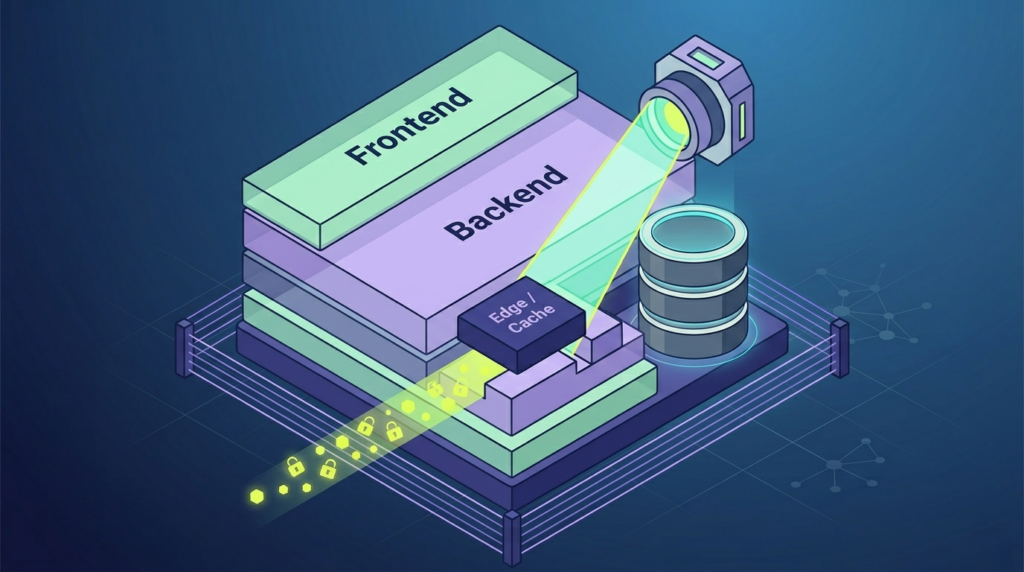
Modern development creates new, subtle leaks we see in our bootcamps.
Memory management is tricky. In languages like C#, you create a string for a password and dispose of it. But the garbage collector, focused on speed, might move that data without wiping the original spot. The password can linger in RAM as plain text, creating risks that make protecting sensitive data memory far more challenging than many developers realize.
Server-side rendering frameworks like Next.js have another trap. Developers can accidentally bundle server-only environment variables into data-fetching logic that gets serialized to the client. The value might not display on screen, but it’s sitting there in the raw page source HTML for anyone to see.
AI-assisted coding introduces risk, too. Apps built quickly with these tools often skip basic steps like adding authentication to database calls. The result can be a functional app with a public, unauthenticated API endpoint that dumps all its data to anyone who finds the URL. These aren’t theoretical risks; they’re edge cases we now actively teach developers to spot.
What Practical Steps Reduce the Risk of Sensitive Data Exposure?

Prevention needs layers of sensible habits, not a single fix. We start with the least privilege to minimize the attack surface. gets access to data or systems they don’t absolutely need. Implement strong, role-based controls and audit them quarterly.
Get secrets out of your code. Use a dedicated secrets manager for API keys and database passwords. These tools provide logging, automatic rotation, and control. It’s a non-negotiable step in our secure coding curriculum.
Automate your hygiene. Use scanners on your code repos to catch accidentally committed secrets. Implement automated checks for cloud misconfigurations. Make security part of the CI pipeline, not an afterthought.
Protecting data at rest and in transit still has limits. Use current algorithms. For credentials, make them short-lived. A token that expires in an hour is worthless if stolen tomorrow.
Finally, train your people. Make security awareness practical. Teach them to spot phishing, handle data responsibly, and understand that convenience never trumps security. They are your most important defense.
FAQs
Can public Wi-Fi increase sensitive data exposure risks?
Yes. Public Wi-Fi poses a risk. Attackers can intercept unencrypted traffic. This can lead to unauthorized data access and theft.
How can I tell if my credentials were exposed?
You might notice credential exposure. This can happen through suspicious login attempts. Account lockouts, password reset requests, or unauthorized account activity are signs.
Why do cloud systems sometimes cause data leakage?
Cloud data exposure often occurs when security misconfiguration data leak issues leave storage, backups, or services accessible publicly.
Can old software lead to an information breach?
Yes. Unpatched software data exposure vulnerabilities allow attackers to exploit known weaknesses, causing information breach incidents and theft.
What personal information is most targeted by attackers?
Attackers frequently target exposed personal data, including credit card exposure details, email data breach records, and identities.
How Can You Prevent Sensitive Data Exposure Long-Term?
Most sensitive data leaks don’t come from advanced attacks, they come from small mistakes that go unnoticed until it’s too late. That’s why strong security starts with secure coding habits, careful access management, and regular reviews of everyday systems.
For developers who want practical, hands-on training in secure software development, the Secure Coding Practices Bootcamp covers real-world skills like input validation, authentication, encryption, and OWASP Top 10 risks. Learn more and join here: Secure Coding Practices Bootcamp
References
- https://www.verizon.com/business/resources/reports/2025-dbir-data-breach-investigations-report.pdf
- https://owasp.org/www-project-top-ten/