


The best way to stop credential stuffing attacks is a layered strategy. It blocks reused passwords, spots automated bots, and slows down attackers without bothering real users.
You must stop the automation, make stolen passwords worthless, and check if they’re real people. This breaks the attack’s main tools: huge automation and common password reuse.
At Secure Coding Practices, we’ll cover practical steps, from quick fixes to long-term plans, to build a tough login system. Keep reading to build a defense that lasts.
Credential Stuffing Prevention at a Glance
These key points highlight the most effective safeguards for reducing account compromise risk and stopping automated password attacks before they succeed.
- Multi-factor authentication provides the strongest protection: Even if a password is stolen, attackers cannot access the account without the additional verification factor.
- Block compromised passwords proactively: Screening for known breached passwords during registration and login removes a major source of attacker success.
- Stop automation at the source: Intelligent rate limiting and bot management are critical for detecting and disrupting large-scale credential attacks.
What Is Credential Stuffing and Why Does It Work?
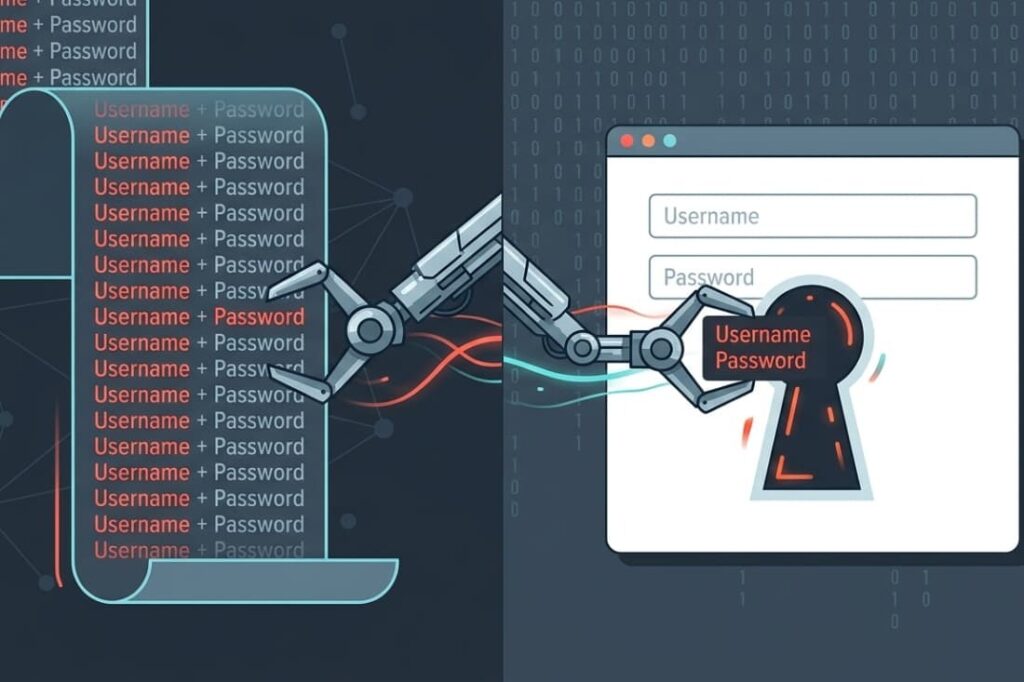
Credential stuffing is a brute force attack with a twist. Attackers use automated tools to test billions of stolen username and password pairs against your login. It works because of password reuse. The email and password from a breached site can unlock a bank or shopping account.
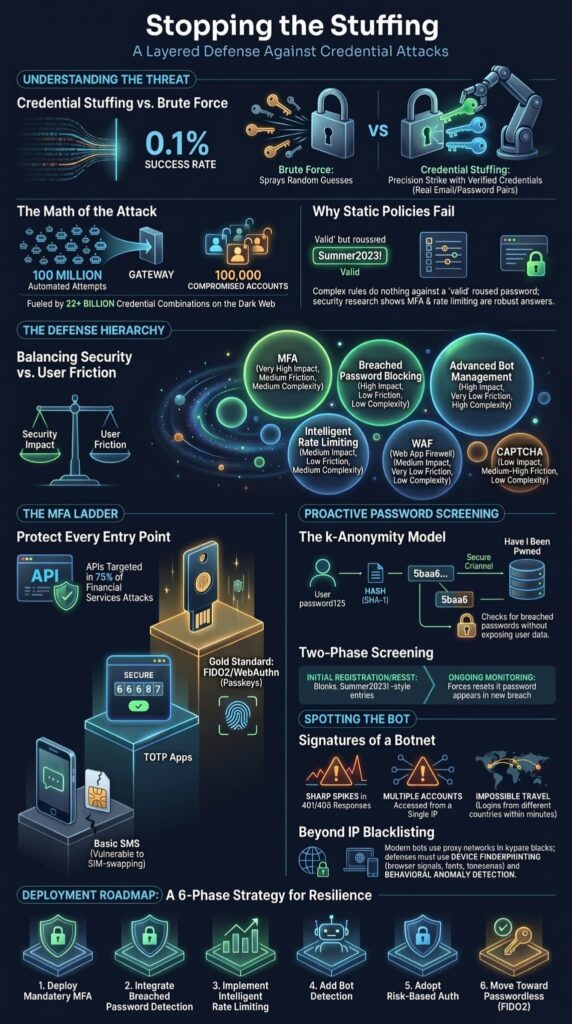
The success rate seems tiny, around 0.1%. But 100 million attempts still yield 100,000 compromised accounts. That’s the math that makes it profitable.
The fuel leaked data. Over 15 billion stolen credentials circulate on the dark web. Lists like “Collection #1-5” contain over 22 billion combos. Attackers buy them cheaply and let bots do the work.
In our production environments, we consistently observe that relying purely on static password policies fails during automated campaigns. Security research compiled by arXiv echoes our field findings:
“The attack highlights the increasing threat of credential stuffing, exacerbated by poor password hygiene and the absence of robust security measures such as multi-factor authentication (MFA) and rate limiting.” – arXiv
Key Attack Characteristics:
- It uses valid credentials stolen from other sites.
- It is fully automated, using botnets and headless browsers.
- It exploits human behavior, specifically password reuse.
How It Differs From Brute-Force Attacks
People mix these up. A traditional brute force attack sprays guesses like Password123 or qwerty at a known username. Credential stuffing is more targeted. It’s a precision strike with verified ammunition.
The attacker already has your email and a password you used somewhere else. They’re just checking if you reused it on our site. This changes everything for defense. A strong password policy does nothing to stop a valid, reused password. We need to build different walls.
Which Prevention Methods Deliver the Biggest Security Gains?
Not all security controls work the same. You must weigh impact against effort. The goal is to make the attack too costly for the attacker. A clear hierarchy of what works best emerges.
Think of “Security Impact” as how well it stops an account takeover. “User Friction” is the extra hassle for a real user. Our job is to maximize the first while minimizing the second.
| Method | Security Impact | User Friction | Deployment Complexity |
| Multi-Factor Authentication (MFA) | Very High | Medium | Medium |
| Blocking Known Breached Passwords | High | Low | Low |
| Advanced Bot Management | High | Very Low | High |
| Intelligent Rate Limiting | Medium | Low | Medium |
| Web Application Firewall (WAF) | Medium | Very Low | Low |
| CAPTCHA Challenges | Low | Medium-High | Low |
MFA and breached password checks are your bedrock. Bot management tackles the attack’s scale. The rest are layers, but not a complete defense. We learned this when a retailer with a strong WAF lost 140,000 accounts due to a gap in their mobile app MFA. The attackers just went around the front door.
Why Is MFA the First Control Most Organizations Should Deploy?
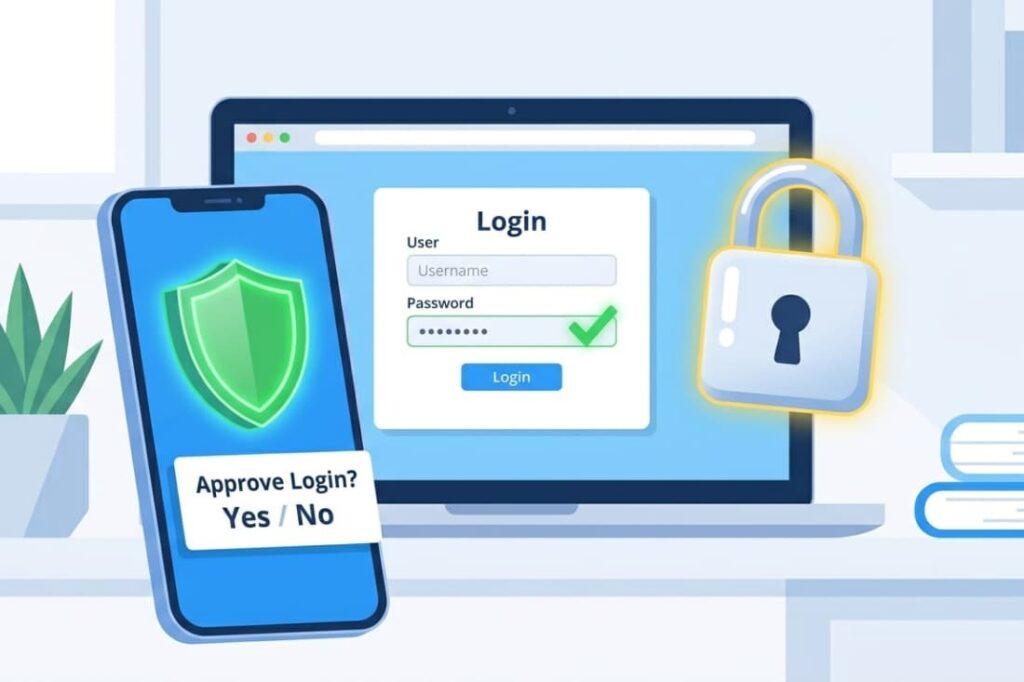
MFA changes the game. It adds a requirement that automated scripts almost never have: a second proof. This is especially important when defending against broken authentication flaws that allow attackers to bypass or weaken login protections. Even if a bot has the right username and password from a breach.
it gets stuck without the user’s phone, security key, or authenticator app. Groups like the FBI and CISA consistently rank it as a top defense. It’s not perfect, but it’s the closest thing we have.
The key is how you put it in place. It must be required, and it must cover every way into your system, especially your APIs. We’ve seen attackers target APIs in up to 75% of attacks against financial services.
You have options, each with different trade-offs between security and user experience. You should rank them in your own plan.
| Method | Security Level | User Experience | Notes |
| FIDO2/WebAuthn (Security Keys/Passkeys) | Gold Standard | Good | Phishing-resistant architecture utilizing unique asymmetric key pairs tied directly to the domain. |
| Time-based One-Time Password (TOTP) Apps | Strong | Good | Time-based tokens generated completely offline via apps like Google Authenticator; vulnerable to inline reverse-proxy (e.g., Evilginx) session interception. |
| Out-of-Band (SMS / Email) | Basic | Convenient | Highly vulnerable to SIM-swapping, SS7 intercept, and telephony routing exploits. Use strictly as a temporary migration stepping stone. |
The goal is to move users up this ladder. Start with what you can deploy right now to stop the bleeding, then build towards stronger methods. In our training, we stress that secure coding practices are critical here. The backend logic for MFA must be rock solid so it can’t be bypassed.
How Can You Block Automated Credential Stuffing Bots?
The attack is automated, so your defense must be too. You need to stop non-human traffic before it reaches your login. Fight their scale with smart detection. Basic IP blacklists fail because attackers use massive proxy networks. You must analyze their behavior.
As noted by Elsevier Expert Systems with Applications
“Credential stuffing attacks have caused significant harm to online users who frequently reuse passwords across multiple websites.” – Elsevier Expert Systems with Applications
We use a series of filters. First, dynamic rate limiting that looks at the username, device fingerprint, and request patterns, not just the IP.
Then, device fingerprinting checks hundreds of browser signals, canvas rendering, fonts, timezone. Even advanced bots struggle to fake a real user’s footprint.
Key Tactics:
- Risk-Based Rate Limiting: Throttle per username, not IP.
- JavaScript Challenges: Simple tasks for browsers, costly for botnets.
- Anomaly Detection: Flag logins from new devices or impossible locations.
- Bot Management: Use services that track proxy networks.
Remember, CAPTCHA alone isn’t enough. Solving 100,000 CAPTCHAs costs attackers about $139. It’s a speed bump, not a roadblock.
How Does Compromised Password Detection Stop Account Takeovers?
This is proactive defense. Stopping a user from setting a password already on the dark web removes that key from the attacker’s ring. Services like Have I Been Pwned (HIBP) offer APIs for this.
We enforce proactive credential screening using Compromised Credential Checking (C3) protocols. Using a k-Anonymity model, our systems hash a user’s password with SHA-1, send only the first 5 characters of that hash to HIBP, and compare the rest locally. This prevents raw credential data from ever leaving our perimeter.
We apply this check at two key moments:
- At registration and password reset, rejecting any password found in a breach.
- Through ongoing monitoring, forcing a reset if a user’s password appears in a new breach later.
This breaks the attacker’s cycle. They might have your user’s email and an old password, but that password no longer works on our site. Combined with protections against insecure password storage risks, this approach significantly reduces the value of stolen credentials. It’s a simple, effective layer that tackles the root cause of credential stuffing.
What Login Monitoring Signals Indicate a Credential Stuffing Attack?
You can’t stop what you can’t see. Monitoring is your early warning system. The signs are obvious: a sudden spike in login tries against many usernames, many failures from IPs with no success history, or logins from different countries in minutes. These are a botnet’s fingerprints.
Official guidance says to log every failed attempt and alert after a threshold, like 5 failures in 2 minutes. But you need to go further.
Track the ratio of failed to successful logins, weird session patterns, and clues in user-agent strings. Over 88% of organizations admit their tools can’t reliably tell bots from humans. The goal is to join the other 12%.
Key Indicators to Watch:
- Failed Login Velocity: A sharp rise in 401/403 responses from your /login endpoint.
- IP & Geolocation Anomalies: Different accounts from one IP, or one account from far-apart countries in minutes.
- Headless Browser Signatures: Requests missing normal browser headers, JavaScript, or cookie support.
- API Traffic Spikes: Especially on mobile app login endpoints, which attackers target more.
What Common Mistakes Leave Organizations Vulnerable?

We see the same mistakes made again and again. Many of these issues fall into the category of common broken authentication vulnerabilities that attackers actively look for during account takeover campaigns.
Common Errors in Defense:
- Over-Reliance on Password Rules: Forcing special characters doesn’t stop a reused password from a breach.
- Naive Account Lockouts: Locking an account after 10 tries hurts real users. A bot will try 10 passwords against 10,000 accounts, never locking one.
- Only Protecting Web Logins: If your mobile app or SSO uses a separate API without the same defenses, you’ve left a side door open. The FBI notes 75% of attacks on banks target APIs.
- Treating MFA as a Checkbox: If it’s optional or poorly implemented on key pathways, it might as well not exist.
What Is the Recommended Deployment Roadmap?
You can’t do everything at once. A phased approach builds momentum. Start with the controls that cut the most risk with the least user hassle. This is the sequence we’ve used under real attack.
- Deploy MFA. Make it mandatory, especially on API paths.
- Integrate Breached Password Detection. Block known compromised passwords at sign-up.
- Implement Intelligent Rate Limiting. Throttle by username and behavior, not just IP.
- Add Advanced Bot Detection. Use device fingerprinting to spot automated traffic.
- Adopt Risk-Based Authentication. Trigger extra checks only when risk is high.
- Move Toward Passwordless. Pilot FIDO2 passkeys with a small user group.
This roadmap turns layered defense into a concrete plan. Each phase builds on the last, creating a more resilient system.
FAQ
How can businesses detect credential stuffing before accounts are compromised?
Businesses can detect Credential Stuffing by monitoring failed login attempts, unusual login locations, and repeated authentication requests from the same IP address or device. Security teams often use device fingerprinting, anomaly detection technologies,
AI threat detection, and threat intelligence data to identify suspicious activity. Early detection helps prevent account takeover, identity theft, and unauthorized access to user accounts.
Why is password reuse dangerous for online accounts?
Password reuse creates a serious security risk because attackers can use stolen user credentials from previous data breaches to access multiple accounts. Credential stuffing attacks rely on reused credentials found in combo lists and credential leaks.
If attackers gain access, they may steal personal information, change account settings, access recovery emails, or perform fraudulent transactions.
What authentication methods provide stronger protection against credential attacks?
Multi-factor authentication, two-factor authentication, Passwordless authentication, and FIDO2 Passkeys provide stronger protection than passwords alone.
These methods require additional verification before access is granted, making stolen username and password combinations far less useful.
Strong authentication workflows reduce the likelihood of account takeover, even when attackers obtain credentials from a breached database or password dump site.
How do attackers automate credential stuffing campaigns?
Attackers use automated tools, Headless Browsers, Headless Chrome, proxy networks, and Proxy Servers to test large numbers of username and password combinations against website login forms.
They frequently rotate IP addresses to avoid detection and distribute traffic across multiple systems. Many campaigns use credential pairs collected from credential leaks, breached databases, and publicly available combo lists.
What security controls help stop credential stuffing attacks?
Organizations can reduce Credential Stuffing risks by implementing rate-limiting controls, web application firewalls, bot management solutions, IP Blacklisting, credential breach monitoring, and breached password detection.
Strong session management controls also help protect session cookies from misuse. When combined with multi-factor authentication, these security measures significantly reduce the success rate of automated credential-based attacks.
Strengthening Your Defences Against Credential Stuffing
Credential stuffing succeeds when organisations rely on a single layer of protection. The most effective defence combines breached password detection, strong authentication controls, bot mitigation, and continuous monitoring. By assuming compromised credentials already exist and building security around that reality, teams can significantly reduce the risk of account takeover and fraud.
Ready to strengthen your secure authentication and application security skills? Join the Secure Coding Practices Bootcamp and learn practical, hands-on techniques for building safer software from day one.
References
- https://ui.adsabs.harvard.edu/abs/2025arXiv250204303H/abstract
- https://www.sciencedirect.com/science/article/abs/pii/S0957417425036954