
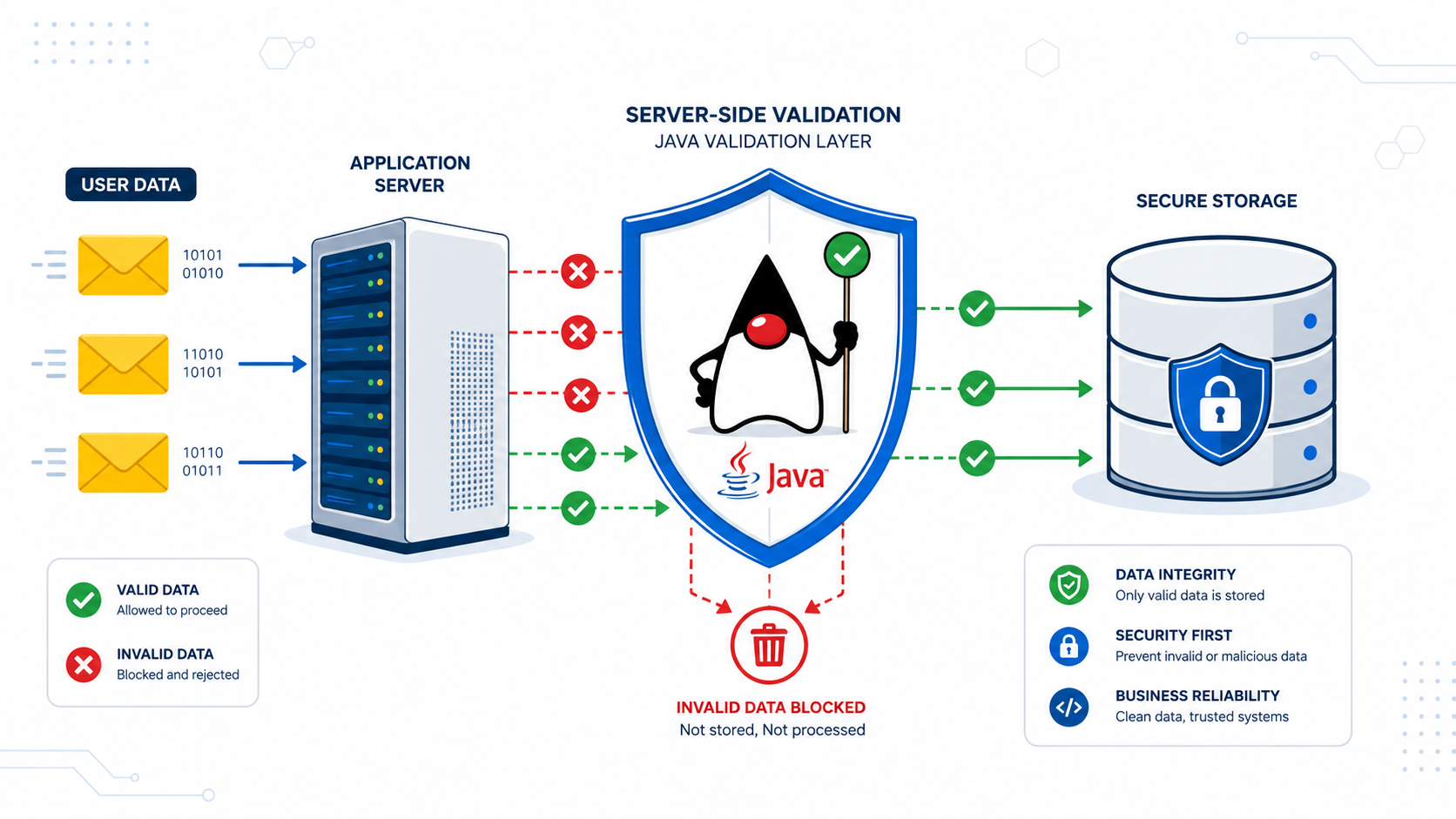

Implementing server side validation java is your final, non-negotiable checkpoint. It’s the law that asks every piece of data to prove it belongs before it touches your business logic. This is the core of Secure Coding Practices. Client checks are just suggestions for users, but server validation is mandatory.
Enforcing it properly is the simplest way to strengthen your application. A robust system depends on it. Keep reading to build a validation layer that actually holds up.
Quick Recap – Strong Validation Starts at the Server
Following these practices helps Java applications reject bad data early while keeping validation reliable, maintainable, and secure.
- Validate all incoming data at the application boundary before it reaches your service layer.
- Keep validation rules in request Data Transfer Objects instead of JPA entities to maintain a clear separation of responsibilities.
- Handle validation failures with global exception handlers that return consistent, user-friendly error messages instead of raw stack traces.
Why Is Server-Side Validation Essential?
Server-side validation is the final authority. Think of your app as a castle. Client-side checks are a courtesy. The real security is inside, at the server. We control this gate completely.
You can’t trust what the client sends. JavaScript can be disabled. Tools like Postman can send anything. Malicious payloads show why client-side validation needs server-side validation.
As noted by OWASP
“All input validation must be performed on the server-side. Client-side validation is a convenience to the user and a defense-in-depth measure, but it does not provide security. An attacker can easily bypass it using a proxy or browser tools.” – OWASP
This validation protects everything. It ensures clean data enters our database. It stops invalid operations from crashing things for users. It’s our main shield against many common attacks. In our secure development training, we treat this as mandatory, not optional. It’s the core of any robust system we build. Keep reading to lock it down.
Which Validation Framework Should You Use?
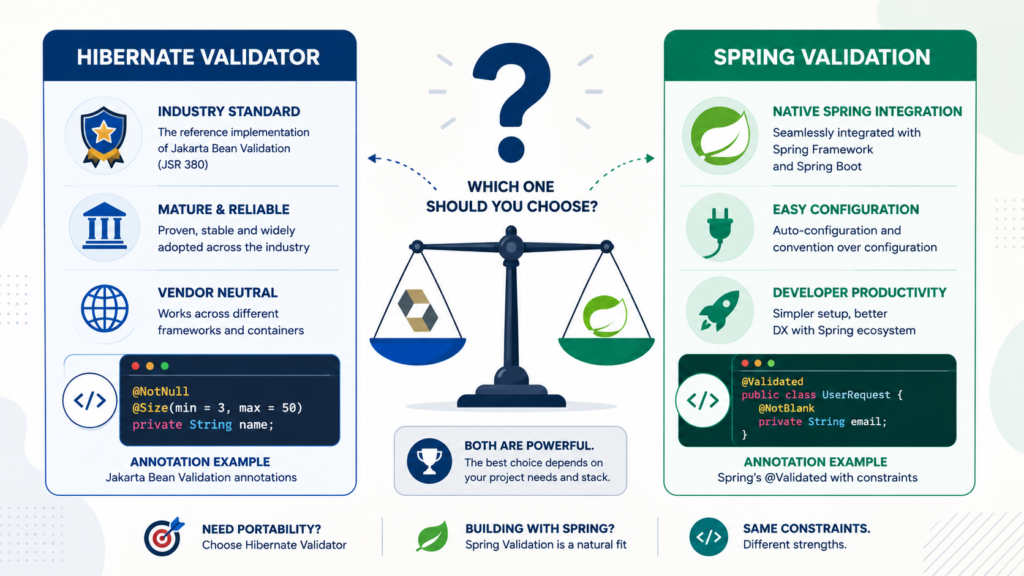
For many modern Java projects, Jakarta Bean Validation with Hibernate Validator is the default choice. It’s the standard. It’s well-documented, widely supported, and integrates seamlessly with frameworks like Spring Boot.
You used to see javax.validation in your imports. That was the old Java EE standard. The namespace moved to jakarta.validation as part of the shift to the Jakarta EE platform. In Spring Boot 3 and newer, validation APIs use the jakarta.validation namespace instead of javax.validation.
This tripwire catches a lot of developers. Your code might look right, but if you’re importing javax.validation.constraints.NotBlank in a Spring Boot 3 app, your annotations will be silently ignored. It’s a small detail with big consequences.
Where Should Validation Annotations Live?
This is a common point of debate, but the consensus among experienced architects is clear: put them on your Request DTOs. Your UserRegistrationRequest class should be festooned with @NotBlank and @Email. Your User JPA entity should be relatively clean.
Why? Separation of concerns. Your API contract is different from your persistence model. The username field might need to be 3-20 characters for registration, but your database column could handle 255.
You might have a CreateUserRequest that requires a password, and an UpdateUserRequest that doesn’t. If you bake those rules into the User entity, you create a tangled mess.
The DTO is the perfect place to define what a valid request looks like. Your entities should enforce core domain invariants, while server-side validation belongs at the application boundary.
Which Bean Validation Annotations Should You Use?
The built-in toolkit is powerful. You should know the key players and their nuances.
@NotNull: Accepts any value, including an empty string"". Just notnull.@NotEmpty: For strings, collections, and arrays. Means not null and size/length > 0.""fails.@NotBlank: For strings only. The strictest. Not null, trimmed length > 0. Rejects" ".@Size(min=, max=): The workhorse for length. Great for passwords, usernames, and comments.@Pattern(regexp=):Your custom rule enforcer. Use it for phone numbers, ZIP codes, or complex formats.@Email: A basic RFC-compliant check. It’s good, but for production, you’ll often pair it with a confirmation step.@Min/@Max/@Positive: Keep your numbers in line.@Past/@Future: Temporal logic, right in the annotation.
We once saw a bug where a @NotEmpty annotation on a string field let a single space character through. The form looked filled, but the trimmed value was empty. The business logic failed later in a weird way. Switching to @NotBlank fixed it instantly. Choosing the right annotation matters.
How Do You Validate Incoming Requests?
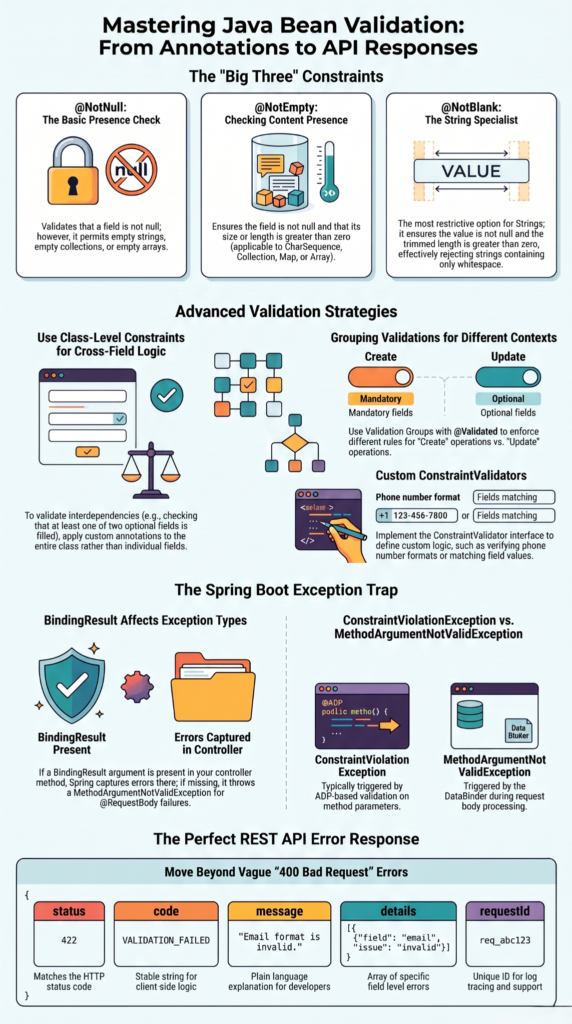
In a Spring MVC controller, you make it happen with one word: @Valid. You annotate the request body parameter with it.
@PostMapping("/users")

public ResponseEntity<UserResponse> createUser(@Valid @RequestBody CreateUserRequest request) {

    // This line is only reached if validation passes.

    return ResponseEntity.ok(userService.create(request));

}
When this method is called, Spring intercepts the request, binds the JSON to your CreateUserRequest object, and then runs the Bean Validation engine against it. If any constraint fails, a MethodArgumentNotValidException is thrown before your method body executes. This “fail-fast” behavior is what you want. Don’t waste cycles on invalid data.
Sometimes you need more control, like validating only certain fields for an update operation. That’s where @Validated and validation groups come in. It’s more advanced, but it solves the problem of using one DTO for multiple scenarios.
How Should Validation Errors Be Returned?
You must not let the default error page or a raw stack trace bubble out. You need a clean, consistent API response. This is done with a global exception handler using @RestControllerAdvice.
The goal is to catch that MethodArgumentNotValidException and transform it into a useful message. The modern standard is to use a format like RFC 7807 Problem Details. It’s a structured JSON response that machines can parse and humans can understand.
@RestControllerAdvice
public class GlobalExceptionHandler {
    @ExceptionHandler(MethodArgumentNotValidException.class)
    public ProblemDetail
handleValidationException(MethodArgumentNotValidException ex) {
        ProblemDetail problemDetail = ProblemDetail.forStatus(HttpStatus.BAD_REQUEST);
        problemDetail.setTitle("Validation Failed");
        // Build a clean map of field errors
        Map<String, String> errors = new HashMap<>();
        ex.getBindingResult().getFieldErrors().forEach(error ->
            errors.put(error.getField(), error.getDefaultMessage())
        );
        problemDetail.setProperty("errors", errors);
        return problemDetail;
    }
}
This handler produces a clear JSON response. It tells the client exactly which fields failed and why. It’s professional and secure.
When Should You Create Custom Validators?
Credit: DNN Sharp
The built-in annotations cover a lot, but what about your business’s specific rules? What if you need to validate a custom invoice number format, or a product code that follows an internal scheme? You create a custom constraint.
Let’s say you need to validate a phone number. You create an annotation @ValidPhoneNumber.
@Target({ElementType.FIELD})
@Retention(RetentionPolicy.RUNTIME)

@Constraint(validatedBy = PhoneNumberValidator.class)
public @interface ValidPhoneNumber {
    String message() default "Invalid phone number";
    Class<?>[] groups() default {};
    Class<? extends Payload>[] payload() default {};
}
Then you write the validator logic.
public class PhoneNumberValidator implements ConstraintValidator<ValidPhoneNumber, String> {
    @Override
    public boolean isValid(String value, ConstraintValidatorContext context) {
        if (value == null) {
            return true; // Combine with @NotNull if needed
        }
        // Simple E.164 format example
        return value.matches("^\\+[1-9]\\d{1,14}$");
    }
}
Now you can just use @ValidPhoneNumber on any field. It’s reusable, clean, and keeps the validation logic out of your controller and service code. This is perfect for stateless, format-based rules.
How Do You Handle Cross-Field Validation?
What if a valid request requires that password and confirmPassword match? Or that endDate is after startDate? These are cross-field validations, and they require a class-level annotation.
You create a custom annotation like @FieldsMatch that targets the whole class. Its validator receives the entire object instance, so it can compare fields. The process is similar to a single-field validator, but the logic examines multiple properties.
This is where validation groups can really help, allowing you to apply these cross-checks only in specific scenarios, like user registration but not user profile updates.
Which Spring Boot Validation Pitfalls Should You Avoid?
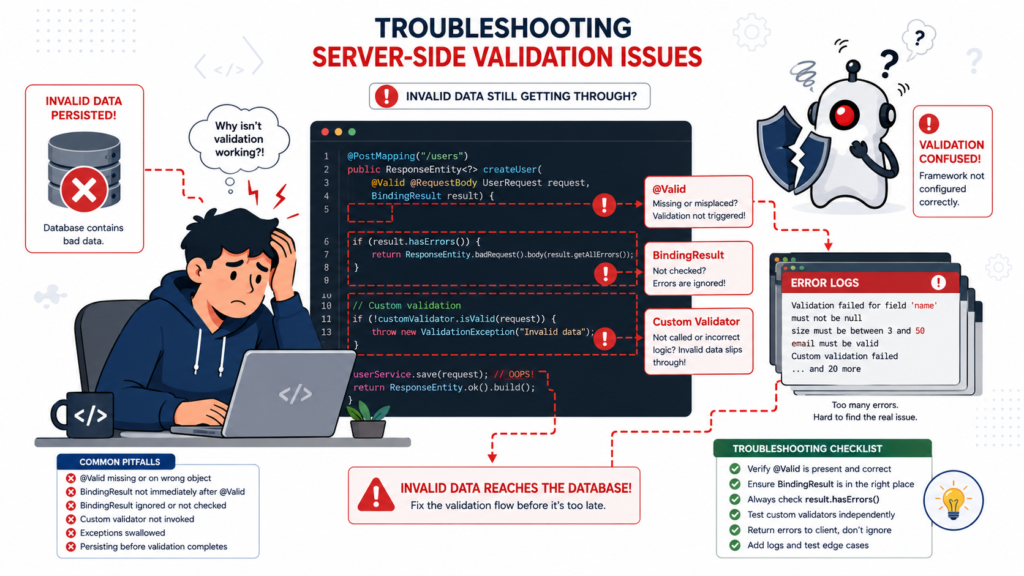
We’ve stumbled over most of these, so you don’t have to.
- The Silent
@Valid: In Spring Boot 2.7+, the validation starter is not bundled with the web starter. If your@Validdoes nothing, addspring-boot-starter-validationto yourpom.xmlorbuild.gradle. It’s the number one fix. - The Wrong Package: Using
javax.validationin a Spring Boot 3 app. It must bejakarta.validation. Your IDE might not even complain. - The
BindingResultOrder: If you’re usingThymeleafandBindingResultin a controller method to handle form errors, it must be the parameter immediately following the@Validmodel object. Get the order wrong, and you get an exception instead of a graceful error message. - Overly Complex
@Pattern: A regex for a password that requires one uppercase, one lowercase, one number, one special character, and a blood sample can be a maintenance nightmare. Consider breaking complex logic into a custom validator for readability.
How Can You Build a Secure Validation Pipeline?
Think of validation as a pipeline, not a single step. Bypassing client-side validation makes defense in depth essential.
Research from Carnegie Mellon University shows
“Validate all input at the trust boundary. Data from untrusted sources must be validated before it is used. Trust boundaries represent the point at which data enters or leaves a trusted environment. An application’s network interface is typically a trust boundary.” – Carnegie Mellon University
| Validation Layer | Primary Responsibility | Outcome |
| Controller / DTO | Validate request structure and required fields | Reject invalid input early |
| Service Layer | Apply business validation and sanitization | Enforce business rules safely |
| Persistence Layer | Apply database constraints | Protect data integrity as a final safeguard |
This layered approach creates a robust system. Each layer has a clear responsibility. Data that passes through all of it is far more likely to be clean, safe, and ready for processing.
FAQs
Why should Java applications always use server-side validation?
Java applications need server-side validation. This checks every request. It blocks bad input. It stops validation bypass. It makes server enforcement stronger. Secure coding helps with this.
How can developers identify input validation bypass attempts?
Developers can find validation bypass attempts. They should test server-side validation. They should also do application security testing. This finds request manipulation. It finds parameter tampering. It finds bad input.
What attacks can bypass weak client-side controls?
Client-side validation alone is not enough. JavaScript validation can be bypassed. Hidden fields can be tampered with. Browser validation can also be bypassed. These attacks happen if only client-side checks are used.
How does validation hardening improve application security?
Validation hardening is important. It uses input validation. It uses secure coding. It uses server enforcement. This reduces validation evasion. It stops trust boundary violations. It lowers the risk of bad input.
Why should every API validate incoming requests?
All APIs should validate requests. Direct API access can bypass front-end validation. Forged requests can do this too. Tampered payloads are another risk. These can try to change input without authorization.
Build Security Into Every Request
Server-side validation protects your application from bad input before it becomes a real problem. Start with Jakarta Bean Validation, enforce it with @Valid, and keep business rules where they belong. It pays off.
If you want hands-on practice, the Secure Coding Practices Bootcamp helps developers apply input validation, secure authentication, and other real-world security skills.
References
- https://cmu-sei.github.io/secure-coding-standards/
- https://owasp.org/www-project-application-security-verification-standard/#