


Default credentials are a preconfigured open door. They are the usernames and passwords, like admin/admin, that vendors ship with devices. If left unchanged, they give attackers immediate, authorized-looking access.
At Secure Coding Practices, we’ve seen a forgotten IP camera with its factory login become a foothold for a ransomware gang. This isn’t theoretical; it’s a guaranteed vulnerability that turns authentication into a formality. The risk is the absence of security from the moment a device is plugged in.
Keep reading to close this door for good.
What Security Teams Must Remember
Before we dissect the problem, understand these truths. Default credentials are not a minor oversight.
- They are publicly known. Attackers don’t guess; they use lists from manuals and online databases.
- They grant high-level access. Often, these accounts have administrative or root privileges from the start.
- They enable silent compromise. Logins look legitimate, bypassing many brute-force and anomaly alerts.
- The fix is simple, but enforcement is hard. The challenge isn’t knowing to change the password; it’s ensuring it’s done for every single asset, every single time.
What Are Default Credentials?
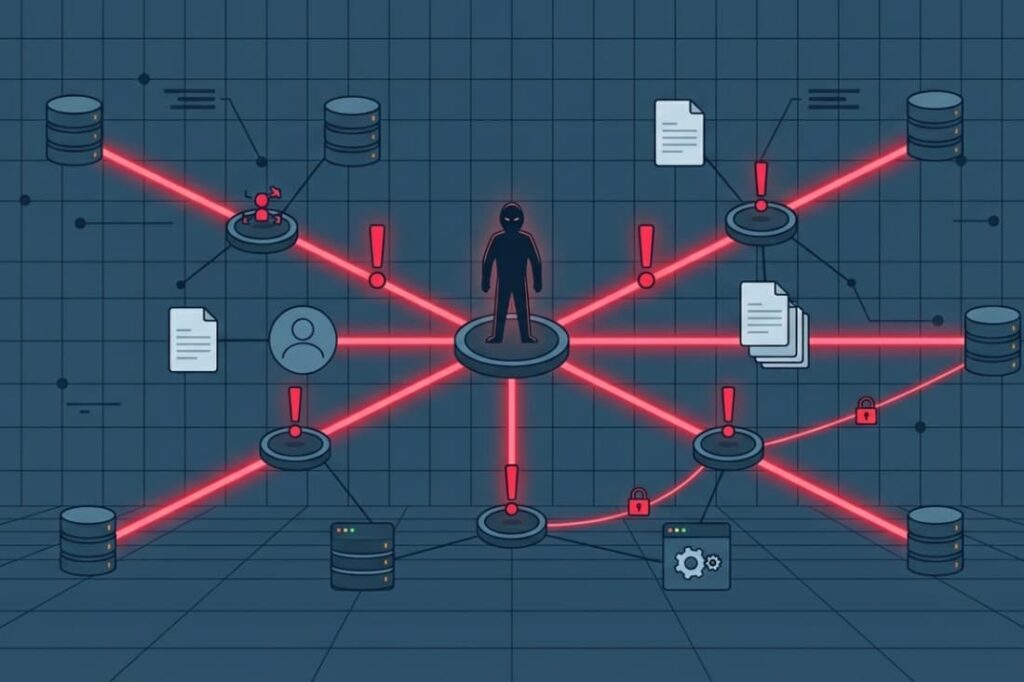
Think of them as the universal key that comes with every lock. Vendors put them in everything from network routers and security cameras to cloud databases and industrial systems.
The goal is innocent: to let you, the owner, log in for the first time and set up the device. The security flaw is that this “temporary” access often becomes permanent.
We’ve walked into client environments and found support/password still active on a critical server two years after it was installed. These credentials are rarely secret; they’re documented in user manuals and put into huge lists used by both pen testers and attackers.
Common Examples You Will Recognize
- admin / admin (The most classic, on everything from web apps to printers)
- root / root (For Linux-based systems and embedded devices)
- support / password (Common in vendor support backdoors)
- pi / raspberry (The infamous Raspberry Pi default)
- 1111 or 1234 (Default PINs for embedded systems and IoT devices)
In our training, we show how these simple, well-known pairs are the first thing an attacker tries. It’s a basic but critical lesson.
Why Are Default Credentials a Critical Security Risk?
The danger is one of efficiency, for the attacker. It removes the hardest part of a breach: getting in. There’s no need for clever phishing, password cracking, or exploiting a software bug.
An attacker can just scan the internet for an exposed management interface and try a few well-known logins. This method, linked to the Initial Access tactic in the MITRE ATT&CK framework, has a staggering success rate because it preys on simple inaction.
Joint threat advisories from Cybersecurity and Infrastructure Security Agency (CISA) & National Security Agency (NSA) explicitly classify,
“Default configurations of systems, services, and applications can permit unauthorized access or other malicious activity. Common default configurations include: Default credentials… Malicious actors and assessment teams regularly abuse default credentials by: Finding credentials with a simple web search and using them to gain authenticated access to a device.” – Cybersecurity and Infrastructure Security Agency (CISA) & National Security Agency (NSA)
We treat this as a cardinal sin in our secure coding practices. It’s so easily preventable, yet so catastrophically common. In our reviews, finding an unchanged default credential is an immediate fail. It hands over control without a fight.
How Do Attackers Exploit Default Credentials?
The process is methodical and simple. It’s often an attacker’s first step because it needs little skill for a big reward.
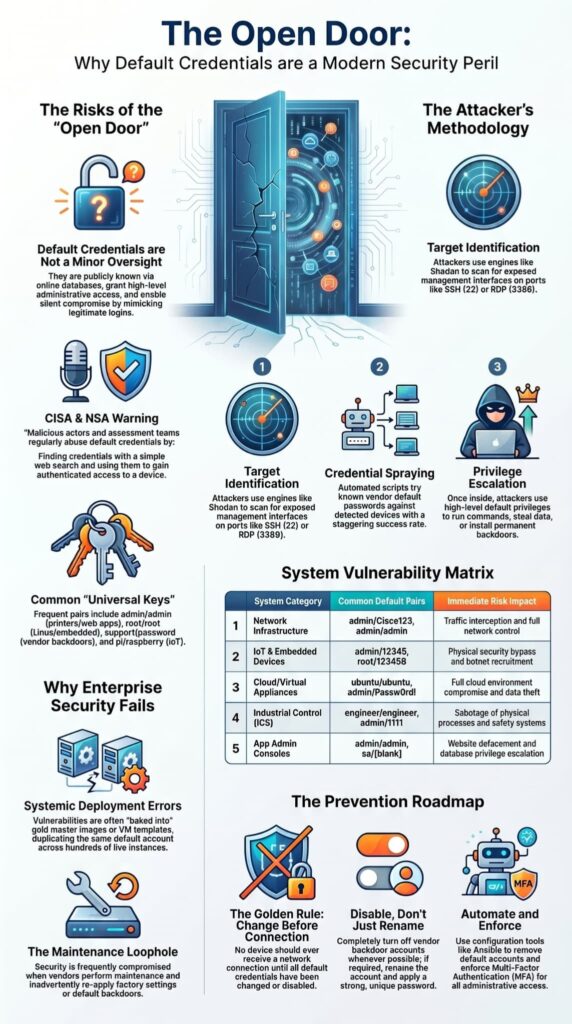
- Target Identification: Attackers use engines like Shodan to scan for exposed management interfaces on ports like 22 (SSH) or 3389 (RDP).
- Credential Spraying: They use automated scripts to try known vendor default passwords against the detected devices.
- Privilege Escalation: Once in with a default account, they use its high privileges to run commands, steal data, and install backdoors.
System infrastructure vulnerability is illustrated by the 2024 FHFA OIG security audit,
“Using penetration testing tools, we were able to search for employees who were using default passwords… We accessed sensitive data using their compromised credentials… [and] used the privileged user account to elevate our standard user account to a higher access level.” – Federal Housing Finance Agency Office of Inspector General (FHFA OIG)
We’ve traced breaches back to exactly this sequence. It’s a reminder that the most basic oversight can open the widest door.
Which Systems Are Most Vulnerable?
The risk is everywhere but is highest in devices that are “set and forget.” We’ve found the most problems in systems set up by teams outside of core IT, where security setup is an afterthought.
| System Category | Common Defaults | Immediate Risk |
| Network Infrastructure (Routers, Switches, Firewalls) | admin/Cisco123, admin/admin | Full network control, traffic interception, VLAN hopping. |
| IoT & Embedded Devices (Cameras, Printers, Smart HVAC) | admin/12345, root/123456 | Physical security bypass, network sniffing, botnet recruitment. |
| Cloud & Virtual Appliances (Pre-built VM images, Database instances) | ubuntu/ubuntu, admin/Passw0rd! | Full cloud environment compromise, data theft. |
| Industrial Control Systems (ICS) | engineer/engineer, admin/1111 | Sabotage of physical processes, safety system manipulation. |
| Application Admin Consoles (CMS, ERP, Database Admin) | admin/admin, sa/<blank> | Data theft, website defacement, privilege escalation. |
In our incident reviews, these categories come up again and again. The defaults are predictable, and the consequences are severe.
What Happens After an Attacker Logs In?
Credits: BUG XS
The initial login is just the start. With default admin access, the attacker owns that system. We’ve investigated incidents where this led to a cascade of failures.
From a single compromised router, an attacker can capture all passing traffic, including credentials. From a database with a default sa account, they can steal entire customer datasets. From a network-attached storage device, they can plant ransomware that encrypts shared drives.
The compromised device becomes a trusted insider. This allows for lateral movement that’s hard to detect because it uses legitimate credentials.
This type of access frequently contributes to broken authentication flaws because attackers are operating through valid accounts rather than exploiting software bugs. In our work, we see this pattern create the deepest breaches.
Why Is Changing the Password Not Always Enough?
The standard advice is “change the default password.” This is necessary, but it’s not enough. The real-world failure is operational. We see the same patterns again and again:
- A golden image with a default account gets cloned across hundreds of virtual machines.
- A cloud marketplace template deploys with a well-documented password.
- A vendor does maintenance and re-applies factory settings.
- The password gets changed once, but no one keeps a list of which systems have vendor backdoors.
This is why we build credential hygiene into our provisioning process and configuration scripts, to remove the human step of “forgetting to change it.”
Large organizations often create credential risks during deployment because different teams handle systems in different ways.
The most frequent oversight involves baking static, temporary system passwords directly into gold master images and virtual machine deployment templates, one of the most common broken authentication vulnerabilities found during enterprise security assessments, which duplicates vulnerable accounts across hundreds of live, production cloud instances.
Our scripts and checks exist to catch these exact failures before they become a breach.
How Can Organizations Audit for Default Credentials?
You can’t secure what you don’t know about. A proactive audit is essential. Our approach mixes discovery with automated checking.
A practical audit checklist:
- Asset Discovery: Use network scanning tools to make a complete list of every IP address, MAC address, and device type on your network, especially in OT and IoT areas.
- Interface Enumeration: For each device, find all open ports and available admin screens (like web, SSH, RDP, or API).
- Credential Testing: With clear permission, use automated scanners or special tools to test a short list of default passwords against these screens. Do this carefully to avoid locking accounts.
- Manual Review: For very important systems, check the setup files and user account lists by hand for built-in or service accounts.
- Continuous Monitoring: Add checks for default passwords into your build pipeline for infrastructure code and into regular network security scans.
We run this process for clients and often find forgotten devices in the first scan. It’s the only reliable way to find these hidden doors.
What Is the Best Way to Prevent Default Credential Risks?

Prevention is a governance and engineering challenge, not just a policy. It requires designing the risk out of the system lifecycle. Our secure coding practices say that any system we deploy must be free of known defaults before it touches a production network.
- Change Before Connection: The golden rule. No device gets a network connection until all default credentials are changed or disabled. This is a physical and procedural gate.
- Disable, Don’t Just Rename: Where possible, completely turn off vendor backdoor accounts. If an account is needed, rename it and use a strong, unique password.
- Enforce First-Login Rotation: Set up a system that makes you change the password the very first time you log in with a default or starter account.
- Implement Multi-Factor Authentication (MFA): For all admin access, especially for cloud consoles and network devices, MFA is a very important extra step. However, teams should also understand common multi-factor authentication bypass methods so they do not treat MFA as a complete replacement for strong credential management.
- Automate Compliance: Use configuration management tools (like Ansible) to make sure password rules are followed and default accounts are removed everywhere. Make the first setup automatic and secure from the start.
We build these steps into our deployment pipelines. It’s the only way to make sure the rule is followed every single time.
FAQ
Why do static vendor configurations present an immediate threat to enterprise environments?
Factory logins serve as pre-mapped exposure vectors because target credential lists are aggregated into open-source penetration databases.
Leaving these factory strings intact across accessible network infrastructure, web applications, or embedded edge devices allows external threat actors to completely bypass traditional perimeter defenses and secure high-privilege administrative access without triggering brute-force anomaly alarms.
How do attackers find systems using default credentials?
Attackers use automated tools to scan internet-facing systems for devices that still use factory settings. They test known default credentials against network devices, printer credentials, databases, and Remote Desktop Protocol services.
These attacks require little effort because the login information is already known. Many successful breaches begin with this simple method of Initial Access.
What security controls help stop default credential attacks?
Organizations should replace every default password during the provisioning process and enforce strong password complexity requirements. Multi-factor authentication adds another layer of protection if a password is stolen. Identity and Access Management systems,
Access Control Lists, and password management tools also reduce risk. Together, these security controls make unauthorized access much more difficult.
How can companies detect default credential problems early?
Regular vulnerability assessment reviews, Vulnerability Scanning, and penetration tests can identify systems that still use default credentials.
Security analysts also use SIEM Tools, Log Management, and Endpoint Detection platforms to monitor unusual login activity. Finding these weaknesses early helps organizations fix them before attackers can exploit the security vulnerability.
What should happen after default credentials are discovered?
The organization should immediately change the credentials, review affected user accounts, and check whether unauthorized access occurred.
The security response should follow the incident response plan and include a review of logs and system activity. Strong Configuration Management, a clear Cyber Security Policy, and good security hygiene help prevent the same problem from happening again.
Eliminating Default Credentials Before Attackers Find Them
Default credentials are one of the simplest and most dangerous security weaknesses. A single unchanged username and password can give attackers direct access to important systems. This makes strong credential management a basic part of cybersecurity. Building a secure-first culture means treating the removal of default credentials as a requirement from day one, not a task for later.
Ready to strengthen your secure development and security practices? Join the Secure Coding Practices Bootcamp and learn practical, hands-on techniques for building and maintaining more secure systems.
References
- https://www.cisa.gov/news-events/cybersecurity-advisories/aa23-278a
- https://www.fhfaoig.gov/sites/default/files/AUD-2024-007.pdf