
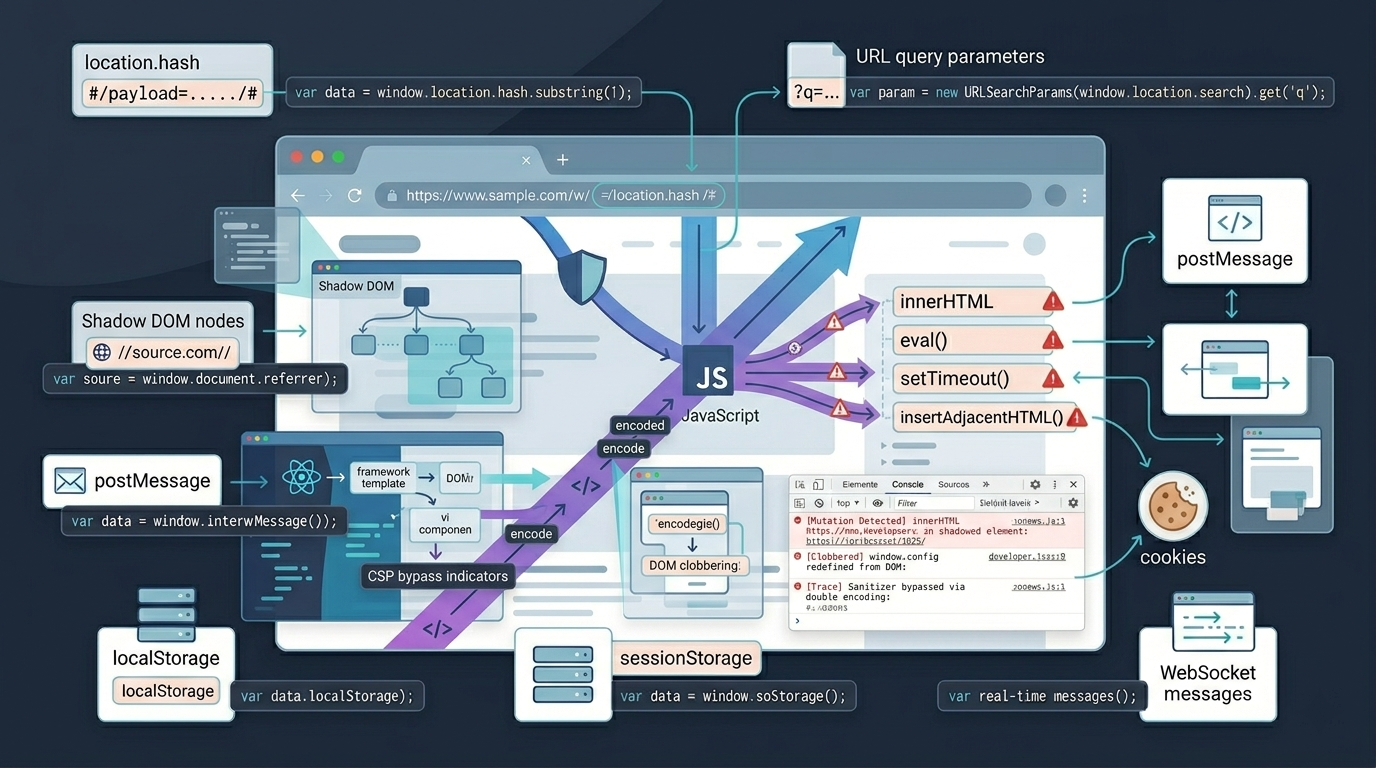

DOM Based XSS Attack Vectors explain how browser-side code injection bypasses server defenses. Learn sources, sinks, and how to secure them.
DOM Based XSS attacks vectors are sneaky. They happen entirely inside your browser, so the malicious code never even touches your server. Your backend logs won’t see it. That’s why traditional security controls and many automated scanners miss them. They’re only looking at server traffic, not what’s actually executing on the client side. Detection is much harder.
To understand how these attacks slip through and what you can do about it, keep reading.
DOM XSS Fast Facts
DOM XSS attacks happen inside the browser, often using data sources that traditional server-side security tools never inspect. Understanding dangerous sinks and securing how data reaches them is the key to preventing these client-side vulnerabilities.
- DOM XSS uses the browser render system. It uses data like URL parts or postMessage that server tools miss.
- The main risk comes from sinks like innerHTML, eval, and setTimeout. They run text as code.
- Effective defense requires a shift to sink-focused security: sanitize at the point of output, not just the point of input.
DOM Based XSS Differs From Traditional XSS Through Client-Side Script Execution
“As single-page web applications become more and more prevalent, client-side code is growing exceedingly large and complex, putting DOM-based XSS on the path to becoming the most common XSS variant.” –IEEE Xplore
Understanding the difference between stored and reflected XSS helps clarify why DOM XSS behaves uniquely inside the browser runtime.
| Aspect | DOM XSS | Reflected/Stored XSS |
| Execution Location | Entirely within the victim’s browser. | Payload is delivered from the server to the browser. |
| Server Involvement | None. The malicious payload never touches the server. | Critical. Server stores or reflects the payload. |
| Detection Difficulty | High. Invisible to server logs and traditional WAFs. | Lower. Leaves traces in server requests/responses. |
| Common Delivery | URL fragments (#), postMessage, poisoned localStorage. | URL query strings, form inputs, stored database content. |
| Typical Defenses | Client-side sanitization, Trusted Types, strict CSP. | Input validation, output encoding, server-side WAFs. |
Client Side Sources That Commonly Trigger DOM Based XSS Vulnerabilities

DOM XSS starts when bad data gets into your front-end code. As a lead threat hunter who breaks apps for a living, I start my code reviews by mapping the entry points where a web user can inject code.
These are the key sources we focus on:
- location.search (query parameters)
- location.hash (URL fragment)
- document.referrer
- window.name
- window.postMessage() data
- localStorage / sessionStorage items
They all represent uncontrolled data entering your application, and you must validate every one.
DOM Sinks With the Highest Risk of XSS Exploitation
The main risk comes from parts that read HTML or run code. Use safe DOM manipulation techniques in JavaScript to lower risk when handling web page data.
In our labs, element.innerHTML is the most frequent culprit. It takes a string and renders it directly as HTML. If that string contains <script> or an event handler like onerror, the browser runs it. document.write() and outerHTML work the same dangerous way.
Even more direct are execution sinks like eval(). It runs a string as raw JavaScript. setTimeout() or new Function() with user data can do the same. Setting element.src or element.href to a user-controlled string risks javascript: protocol exploits.
The attack path is simple: bad source -> your app logic -> dangerous sink. Break that chain anywhere to stop it.
Real DOM XSS Attack Vectors in Modern Web Applications
Credits: ZACK0X01
DOM XSS attacks in modern apps often combine dynamic rendering, event handling, and browser APIs. We see a few common patterns in our code reviews.
These issues often emerge from a wider attack surface vs attack vector mismatch, where exposed browser APIs expand attack surface while execution paths define the actual exploit vector.
The classic case is innerHTML injection. An app greets a user by pulling a name from a URL query string. The code does document.getElementById(‘greeting’).innerHTML = “Hello, ” + username;. If the user sends a bad image tag, the script runs when the image fails. The server never saw the payload.
Another vector is the javascript: URI. A “back” button sets its href from location.hash. If an attacker crafts #javascript:alert(document.cookie) and the user clicks the button, the script runs.
We also see postMessage attacks. The app takes data from other pages and puts it into the page body. If it doesn’t check event.origin, a malicious site can embed your page and send a script payload directly.
These aren’t theoretical. They’re real patterns found in production code, sometimes hidden behind framework abstractions.
Why Modern Security Scanners Often Miss DOM Based XSS Vulnerabilities
Many security scanners miss DOM XSS because they operate from a server’s perspective, not a browser’s. The vulnerability exists in a runtime state they can’t see.
Some tools warn too much and give wrong alerts. They also miss real issues in complex code. We’ve wasted time chasing false positives where a scanner misread a simple jQuery call.
Dynamic scanners (DAST) have a bigger problem: they don’t execute JavaScript like a real user. They won’t click buttons, wait for setTimeout, or handle events from postMessage. If an exploit only triggers after dragging an element, the scanner is blind.
The real fix needs the browser to track data flow. This is hard and not common yet. This leaves most client-side logic effectively untested by automation.
Advanced DOM XSS Edge Cases That Matter Beyond Basic Payloads
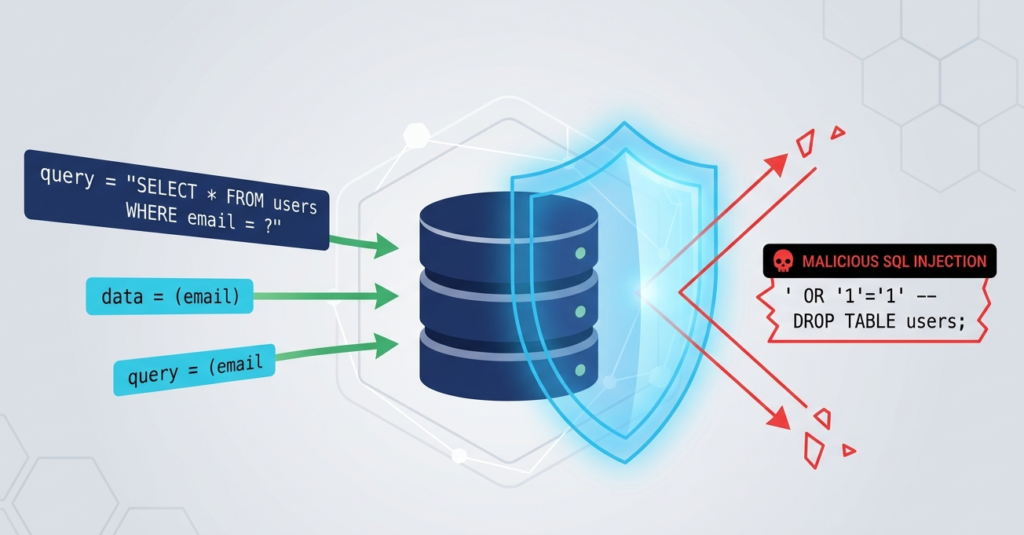
DOM XSS gets tricky when you move past basic payloads. Real exploits often abuse framework quirks and browser behavior we don’t expect.
We’ve seen older jQuery versions, for example. Passing a selector like #<img src=x onerror=alert(1)> into $() could sometimes create the element and run the script during parsing. It was a sink disguised as a simple element fetch.
Bad HTML tags that can change how the page works. They can replace data used by the page and break normal flow. It blurs the line between data and DOM structure.
These cases show the vulnerability isn’t just about innerHTML. It’s about the complex, sometimes surprising, interaction between JavaScript and the browser’s state.
Why Source Sanitization Alone Fails at Enterprise Scale
Fixing data only at entry does not work well. The same data is used in many places and needs different safe rules.
Take a user nickname like O’Reilly<script>. If we put it into innerHTML, we must encode characters like < and > to stop tags. If it goes into a URL like element.href, we need URL encoding to block javascript: schemes. If it lands inside a JavaScript string, it requires yet another type of escaping.
Research from Google Research shows
“a novel Web attack that is capable of circumventing all currently existing XSS mitigation techniques. In this attack, the attacker abuses so-called script gadgets to execute JavaScript.” –Google Research
If we strip the <script> tag at the source, we’ve “fixed” the HTML context but corrupted the original data. The user “O’Reilly” can’t save their name, and we haven’t protected the URL or script contexts at all.
The real solution is context-aware encoding at the point of use. Store the raw data. When writing to HTML, use an HTML encoder. When setting a href, validate it’s a safe URL. Frameworks like React do this automatically. For vanilla JS, this means being deliberate: use .textContent over .innerHTML, or purify data right before assignment with a library like DOMPurify.
Fixing all data early does not work. You must fix it where it is used.
Defensive Strategies That Effectively Reduce DOM-Based XSS Risk
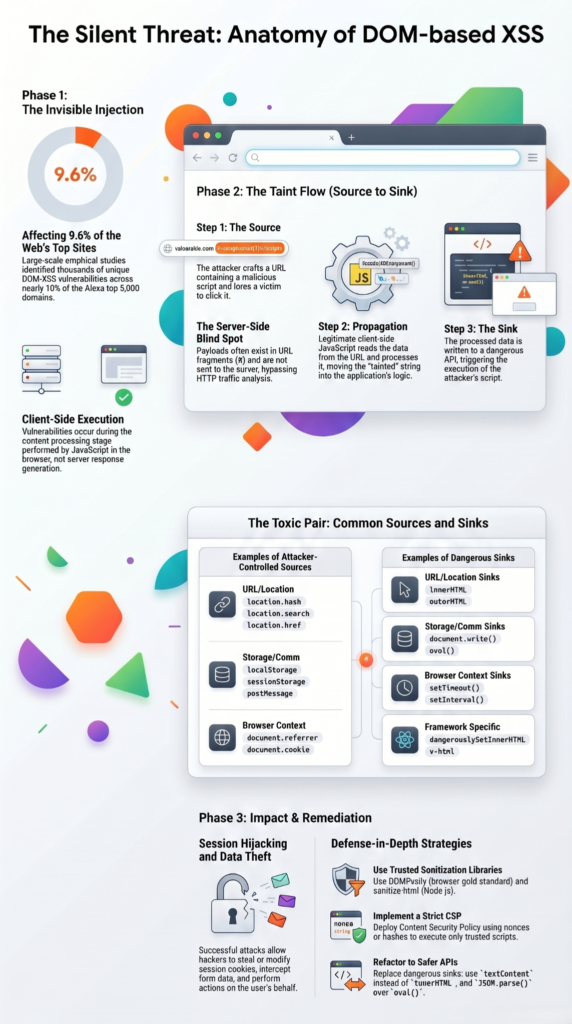
First, replace dangerous code sinks with safe ones. Use element.textContent instead of innerHTML to treat input as plain text. Never use eval() or setTimeout(string); use function references instead. Always validate URLs before setting href or src.
When you must render HTML, use a library like DOMPurify right before assignment. Don’t write your own sanitizer.
Embrace browser-enforced security with Trusted Types. This API, available in Chrome, forces you to define a policy. You can’t assign a raw string to innerHTML anymore; you must pass it through your policy first. It prevents entire classes of mistakes by design.
Finally, implement a strict Content Security Policy (CSP). A policy like script-src ‘self’ blocks unauthorized scripts. It might not stop the initial injection, but it severely limits what an attacker can do afterward.
These strategies combine for a strong, layered defense.
FAQs
How does a hash link make single page apps high risk?
Attackers can hide a payload in the link hash. Since the web host does not see it, the front end script runs it straight in the page web view.
Why is innerHTML injection riskier than using textContent safe alternative methods?
inner HTML injection allows client side script injection attacks, while text Content safe alternative methods safely display untrusted data without executing scripts.
How can postMessage abuse create serious window.postMessage vulnerability problems?
Attackers exploit weak origin validation during post message abuse attacks to steal credentials, manipulate sessions, and execute malicious JavaScript payloads.
Why do automated XSS scanning tools miss many DOM based XSS vulnerabilities?
Automated bot tools fail to spot DOM XSS because they do not track data flow in the web page state. They do not click links or wait for code clocks, so they miss the whole threat path.
How does DOMPurify sanitization reduce unsafe DOM API usage vulnerabilities?
DOM purify sanitization removes dangerous payloads targeting outer HTML XSS, document.write payload execution, and onerror attribute injection vulnerabilities before rendering.
Secure the DOM Before Attackers Do
DOM-based XSS becomes dangerous when unsafe browser features meet weak client-side validation. One missed data path can leak sessions or tokens. Most teams miss these issues because scanners rarely follow how user-controlled input moves through the DOM in real time.
Start by reviewing one client-side feature and tracing where user data ends up. Use DOMPurify for dynamic HTML, enforce a strict CSP, and test Trusted Types before production rollout. Small audits often uncover risks hidden inside modern frameworks. If your team needs to find hidden flaws or train devs on safe code, check out MSSP Security Consulting Services. We hold top code badges like OSCP and CISSP, and we review tech stack flaws every day.
References
- https://ieeexplore.ieee.org/abstract/document/9583692
- https://research.google/pubs/adopting-trusted-types-in-production-web-frameworks-to-prevent-dom-based-cross-site-scripting-a-case-study/