



The answer is simple. You still need fundamental debugging skills because AI doesn’t understand your intent, your system, or the consequences of a subtle logic flaw. It writes plausible code, but you are the one who must ensure it works correctly, securely, and efficiently in the real world.
These core skills are your final line of defense against system crashes, security holes, and performance nightmares. They turn you from a coder into an engineer. To understand why this human element is irreplaceable, even as tools get smarter, you should keep reading.
Key Takeaways
- AI-generated code requires human verification to catch logical errors and security risks that syntax checkers miss.
- Systematic debugging builds a critical mental model of how your code actually runs, preventing future bugs.
- These fundamentals save significant time and money by catching issues early, before they reach production.
The Illusion of the Perfect Machine
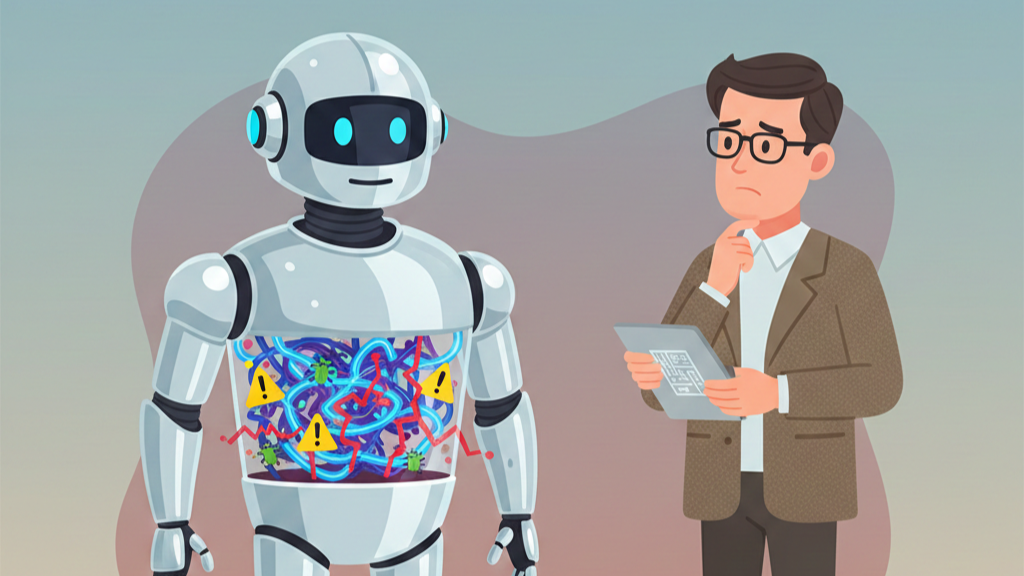
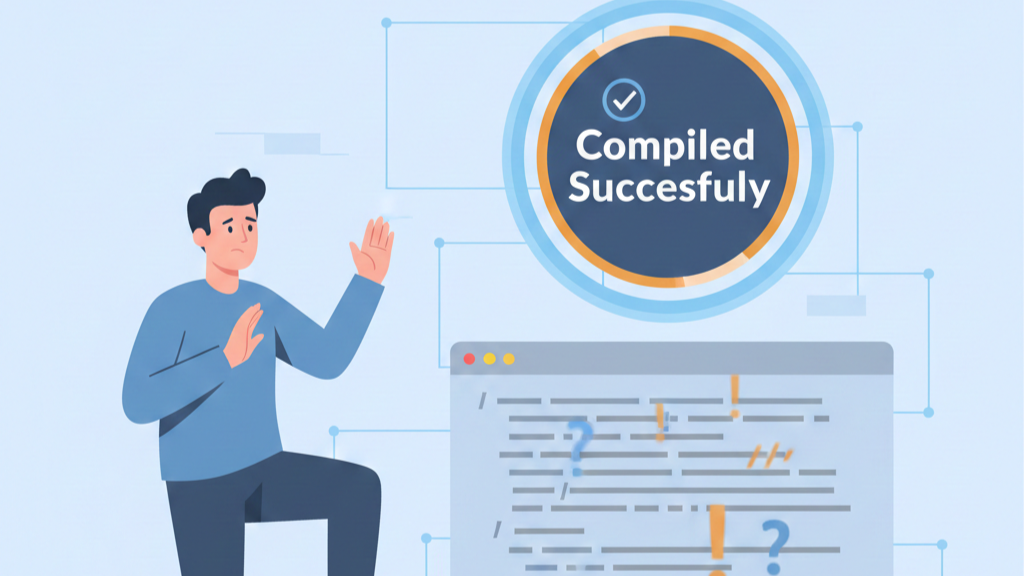
We keep seeing the same pattern in class: someone pastes AI-generated code into their editor, it compiles, and there’s this quiet moment of relief. It feels done. Clean. Almost perfect. The myth of the flawless machine shows up right there.
We’re told that AI now writes a big chunk of production code, sometimes a third on certain teams, and that sounds impressive, but it’s still pattern matching, not actual thought. The model doesn’t understand a user’s fear when their data leaks, or the sick feeling you get when you ship a race condition into production. We do.
In our secure development bootcamp, we treat AI like a strong autocomplete with sharp edges, and we emphasize debugging and refining AI-generated code as a human responsibility, not a machine capability. It can draft:
- Boilerplate controllers
- Test skeletons
- Integration stubs
Yet it never owns the consequences. We’re the ones who own the impact, so we’re the ones who have to question every line: what does this actually do, and who could break it on purpose?
Verifying Logic, Not Just Syntax
Most of us learn this the hard way. The IDE yells about a missing bracket, we fix it, the code runs, and then a user report shows up proving we were wrong in a way the compiler couldn’t see. That’s the gap between syntax and semantics.
Our workshops come back to the same habits again and again: step through the code, watch the values, and ask if the behavior matches what we meant, not just what we wrote.
| Aspect | Syntax Validation (What AI/Compilers Catch) | Logical Verification (What Humans Must Do) |
| Focus | Code structure and language rules | Intended behavior and real-world outcomes |
| Typical Tools | Compiler, linter, IDE warnings | Debugger, breakpoints, logs, code review |
| Example Failure | Missing bracket, wrong type | Wrong authorization logic, incorrect state |
| Security Coverage | Very limited | Critical for detecting access control flaws |
| Can AI Fully Handle It? | Often yes | No , requires human judgment |
Here’s how we drill it with our students:
- Set breakpoints on critical branches, walk the execution path slowly
- Inspect variables at each step, not just the final output
- Use logging (console.log or equivalents) to trace risky data flows
- Read stack traces as narratives: where did trust break, and why?
API hallucinations from AI sharpen this lesson. We’ve watched models invent methods that don’t exist, call deprecated APIs, or skip authentication checks entirely. When that happens, our rule is simple: the AI is never the authority. The docs, the debugger, and our own secure coding habits are.
That’s why our workshops keep returning to the same habits, stepping through execution paths, inspecting values, and validating assumptions, which is exactly how to debug AI-generated code effectively when the model’s confidence hides logical gaps.
Building Your Mental Model of the Machine
We’ve watched students stare at a failing test and say, “But it should work.” That sentence always gives away the real problem: their mental model doesn’t match the machine. The computer isn’t being unfair, it’s just doing exactly what we told it to do, line by literal line.
In our secure development bootcamp, we treat each bug as a signal that our understanding is off, not just that a line of code is wrong.
We push learners to grow that mental model by asking concrete questions:
- What exact path does this request follow through the system?
- Where does user data enter, and where can it be modified?
- Which assumptions about state are we trusting, without proof?
Once you see it that way, debugging stops feeling like random trial and error and starts feeling like calibration. The more accurate the model in your head, the fewer goofy, dangerous bugs you write, especially the kind that leak data or skip checks because you assume “that variable will always be there.”
Execution Versus Intention: The Detective Mindset
Sometimes a student will say, “I just wanted this function to send a welcome email,” and we pull up the debugger to find the user object is null halfway through the flow. The intention was fine. The execution, not so much.
In practice, debugging means walking through the real data flow, seeing where objects are born, where they die, and where they get into unsafe states. That’s where secure coding grows up, inside those details.
During our sessions, we nudge everyone into a detective mindset:
- Treat the bug as a crime scene, not a nuisance
- Use logs as witness statements, even when they conflict
- Read variable states as forensic evidence, not random values
Hypotheses come next: “Maybe the loop index is off,” or “Maybe this auth check never runs on that route.” Then we test those guesses with tools, breakpoints, stack traces, targeted logs. When people do this patiently, they don’t just fix one bug, they start to see the whole architecture: the call chains, the weak spots, the places an attacker would love.[1]
A Method to the Madness
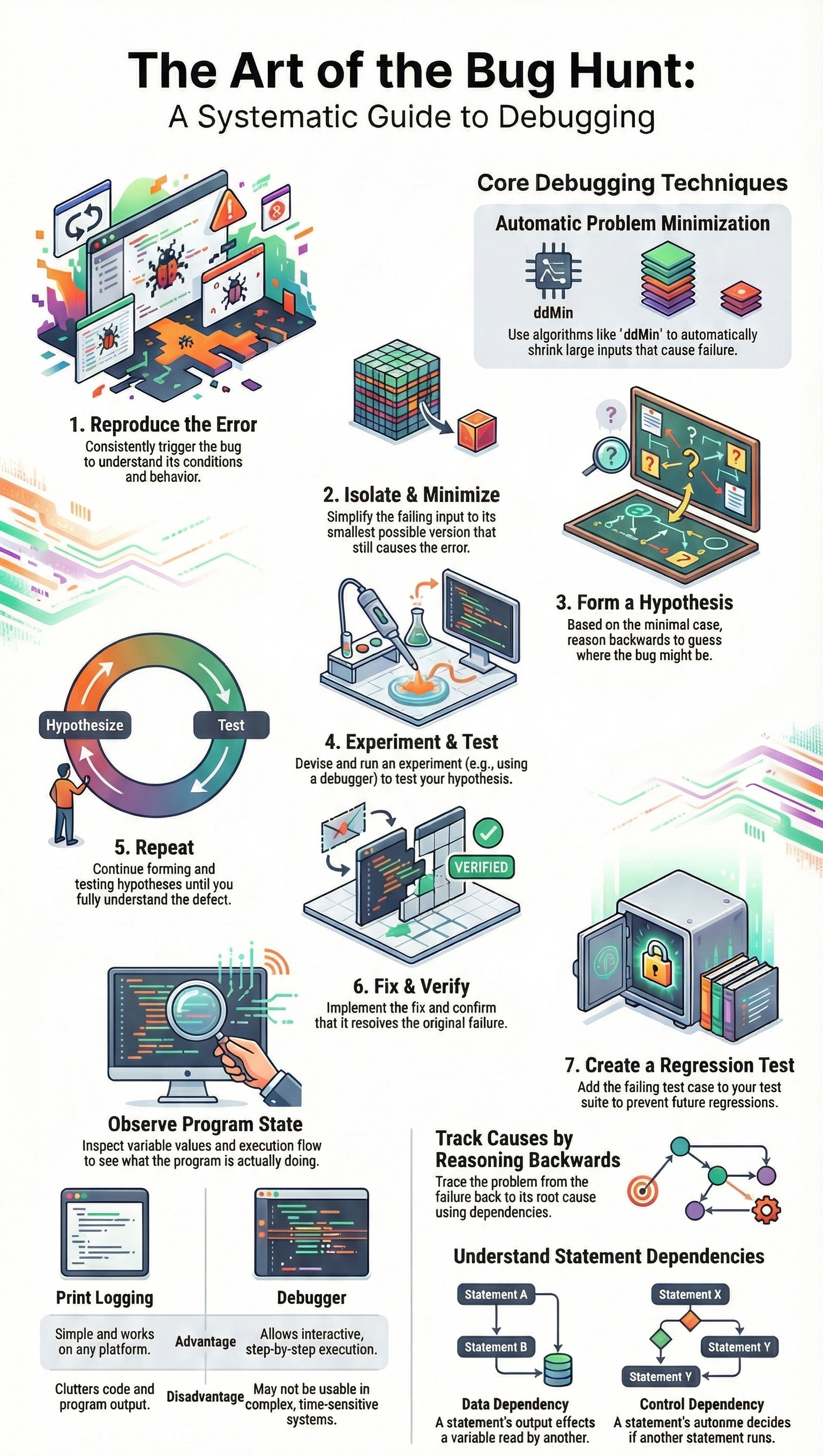
Every cohort has that moment when someone sprays console.log across half the codebase and hopes for a miracle. We’ve done it ourselves, so we don’t judge, but we also don’t pretend that’s a method.
Debugging[2] only becomes sustainable when you reduce complexity on purpose, which is why we teach managing and simplifying complex AI-written code before trying to reason about security, performance, or correctness.
In our secure development bootcamp, we coach learners to follow a simple pattern:
| Step | Action | Purpose |
| Reproduce | Trigger the bug consistently | Confirm the problem is real and observable |
| Isolate | Reduce code paths and inputs | Remove noise and false leads |
| Observe | Inspect variables, logs, and stack traces | Understand actual runtime behavior |
| Hypothesize | Form a specific, testable theory | Avoid random trial-and-error fixes |
| Validate | Change one factor and retest | Confirm the root cause before fixing |
- Reproduce the bug on demand, under clear conditions
- Strip away noise until only the suspect path remains
- Change one variable at a time, and watch the behavior shift
Once the error is repeatable, we narrow it down. Sometimes we literally bisect the code path, commenting out or disabling big chunks, then smaller ones, until we’re left with a handful of lines. Fixing comes last, but we press hard on one rule: fix the root cause, not the symptom. Otherwise, you’re just hiding future landmines from yourself.
Performance Is a Debugging Issue
Credits: Web Dev Simplified
On the surface, performance looks like a separate topic, but in practice, it behaves like any other bug. We’ve watched AI generate a solution that passes all functional tests and then quietly melts under real traffic. A nested loop that’s cute with ten users becomes cruel with ten thousand. The code is “correct,” yet the system is unusable.
Our training treats slow code as a kind of failure with its own clues:
- Profilers and flame graphs highlight where time is actually spent
- Heap snapshots expose memory leaks and forgotten references
- Load tests reveal race conditions and lock contention under pressure
Students start out looking only for crashes, then slowly realize that a request taking five seconds is just as serious as a stack trace in some contexts. When they connect performance debugging to secure design, like avoiding timeouts that break security guarantees, they see that efficiency isn’t just a nicety, it’s part of building something trustworthy.
The Practical Payoff
What usually changes minds isn’t theory, it’s cost. We walk through real incidents where a bug caught in a dev environment cost an hour and some coffee, while the same pattern in production burned through a weekend, a support backlog, and a chunk of customer trust. Companies feel that difference in invoices and churn, not just in Git history.
Here’s how strong debugging discipline quietly pays off:
- Fewer regressions, because every serious bug gets a regression test
- Lower technical debt, since hacks are replaced with real root-cause fixes
- Safer refactors, with engineers who understand actual behavior, not guesses
From our side, we see debugging as career armor. The people who can drop into a messy, half-documented codebase, trace a security bug across services, and come back with a clear, tested fix, are the ones teams rely on. That’s not AI’s job. That’s ours.
FAQ
Why do you still need fundamental debugging skills when tools and AI exist?
Fundamental debugging skills support developer problem solving, critical thinking coding, and production code reliability. Tools help, but humans must reproduce bugs, isolate errors, and perform root cause analysis.
This bug fixing process relies on error identification methods, code inspection practices, and manual debugging. It builds a strong debugging mindset, patience in debugging, attention to detail programming, and software quality assurance across projects.
How do fundamental debugging skills improve fixing real-world bugs?
Strong code debugging techniques guide logical error detection, syntax error correction, and semantic errors. Developers use print statements debugging, logging for debugging, and debugger step through with watch variables.
This systematic debugging approach helps stop infinite loop breaking, off by one error, null pointer exceptions, and program crashes prevention. These skills improve runtime debugging and exception handling improvement.
Why are fundamental debugging skills critical for AI generated code review?
AI generated code review still needs human AI code verification. Developers must check API misuse detection, framework dependency issues, and refactoring bugs.
Fundamental debugging skills help spot security vulnerability fixing needs, input validation checks, and edge case handling. They protect production code reliability, support technical debt reduction, and reinforce secure coding fundamentals beyond automated debugging.
How do fundamental debugging skills support complex systems and teams?
Distributed systems bugs, microservices troubleshooting, and concurrency issues require careful thinking. Developers rely on stack trace analysis, thread dump review, race condition fixing, and deadlock detection.
Fundamental debugging skills support multi-threaded bugs, asynchronous code debugging, and remote debugging. They also strengthen post mortem analysis, debugging checklists, and teamwork through code review debugging.
How do fundamental debugging skills protect reliability and safety?
Fundamental debugging skills support software reliability engineering, resilient code design, and fault tolerant systems. Developers perform memory leak detection, performance bottleneck finding, and profiling tools usage, including flame graphs analysis.
These skills support compliance code auditing, cybersecurity code review, and safety critical debugging. They improve access control verification, least privilege debugging, and defense in depth code.
Your Debugging Mandate
The tools will change. AI will improve. Frameworks will come and go. But the need remains: someone must understand the gap between intention and execution. That’s you, grounded in fundamental debugging skills.
Treat every bug as a lesson. Build a habit of systematic thinking. Use AI and modern IDEs to assist, not replace, your judgment. Your edge isn’t speed, it’s knowing why code fails. Ready to sharpen that edge? Join Secure Coding Practices.
References
- https://owasp.org/www-project-secure-coding-practices-quick-reference-guide/stable-en/02-checklist/05-checklist
- https://deliberatedirections.com/quotes-about-coding-and-programming/
Related Articles
