


Effective vibe coding is learned by pairing clear thinking with the right tools, not by memorizing syntax or endless APIs. If you’re wondering where to learn effective vibe coding techniques, secure development bootcamps often lead because they teach you to direct AI like a junior teammate you’re responsible for.
The work stays practical: break ideas into small, testable steps, ask precise questions, review outputs, and iterate instead of freezing at a blank editor. Over time, coding becomes a focused conversation, with secure-by-design habits embedded in every request and review.
Keep reading to explore courses, routines, and communities that support you.
Key Takeaways
- Start with structured courses on platforms like Coursera to grasp the fundamentals of prompt engineering.
- Master an iterative workflow where the AI is treated as a coding partner, not just a shortcut.
- Build a personal library of effective prompts and get comfortable with multiple AI coding assistants.
The Shift from Syntax to Conversation
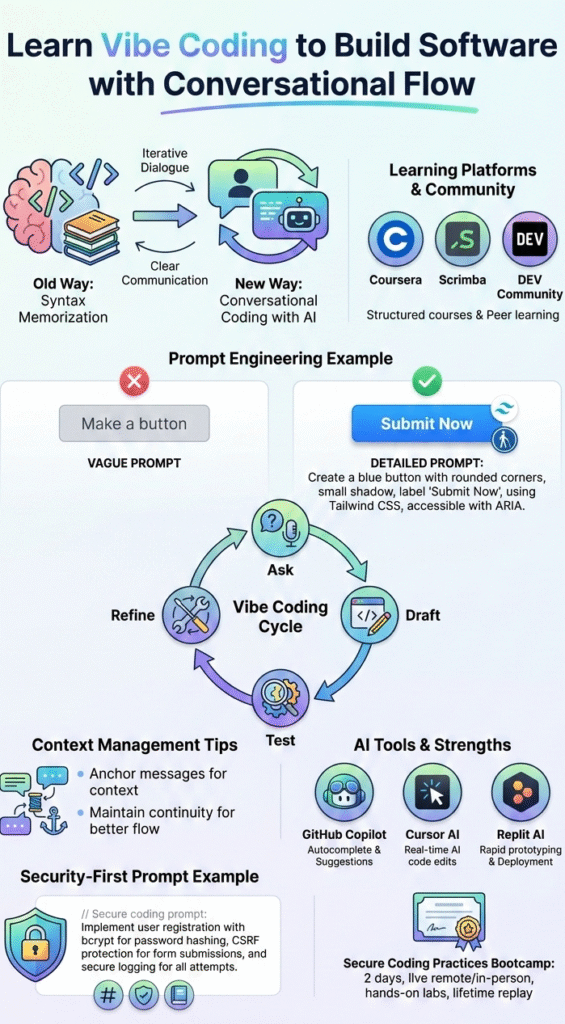
We used to train developers to know every function, operator, and semicolon by heart. That still helps, but the center of gravity has moved. Now the real skill is clear communication.
In vibe coding, you’re not just hammering out code, you’re describing the behavior, the constraints, and the security posture you want. The AI handles the translation to code, but you control the intent. This mindset becomes clearer once developers start how to get started with vibe coding in a way that treats conversation as part of the build process, not an afterthought.
It starts to feel less like solo programming and more like pair programming. You bring the goal, the AI drafts the implementation, and together you shape the details. The quality of what comes out tracks very closely with how precise and grounded your request is.
From what we’ve seen in our secure development cohorts, the students who get results are the ones who:
- Describe features and functions, not just “make code for X.”
- Specify frameworks, UI elements, and security requirements in the same prompt.
- Treat each message as part of a longer dialogue, not a one-off query.
When that thread is coherent, the codebase tends to be coherent too. When the conversation jumps around with no context, the code usually follows.
Where to Find Your Foundation
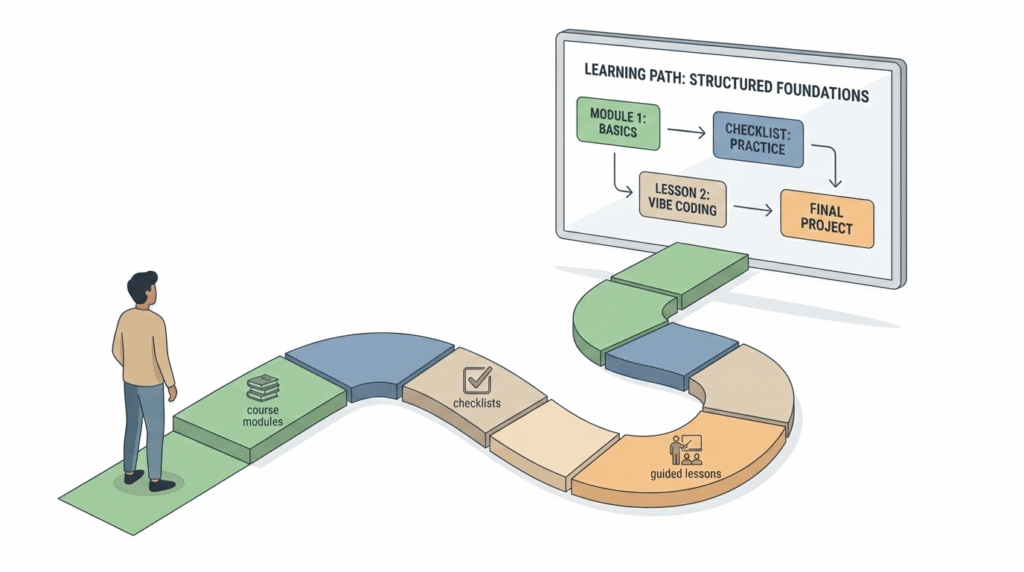
Our experience teaching secure vibe coding keeps coming back to one pattern: those who start with a structured path ramp up faster and make fewer mistakes.
One reliable starting point is the “Vibe Coding Fundamentals” course on Coursera from the University of Colorado System. It doesn’t assume you’re already a developer. Instead, it walks you straight into how to use AI tools with clear, testable tasks.
The assignments push you to build small applications by talking through requirements, refining prompts, and inspecting what the AI produces.
We’ve also seen strong progress from learners using Scrimba’s “Vibe Coding Essentials” track. Those lessons are hands-on and interactive, with a focus on real app flows rather than toy examples.
They include targeted modules on tools like Cursor AI and GitHub Copilot, which matters a lot once you start optimizing your own workflow. You don’t just hear theory; you see how each assistant behaves, where it shines, and where you still need to step in, especially around security decisions.
For people who like seeing the whole process unfold, long-form YouTube sessions help. Masterclasses such as “How to Master the Art of Vibe Coding” show an app being built in stages, from the first prompt to polishing interactions. Watching that iteration in real time makes the approach more concrete.
Then there are the peer spaces. Communities on DEV Community or Refact.ai often share real prompts, failures, and workarounds from daily practice. We pay close attention to these as trainers, because they highlight recurring issues: vague instructions, missing security checks, or context getting lost. Those are exactly the patterns we train our own cohorts to avoid.
The Core Techniques of Vibe Coding
Credits: Matt Palmer
From our side as a secure development bootcamp, we see one pattern over and over: the people who treat prompt engineering as a core skill, not an afterthought, grow the fastest.
Prompt design is basically instruction design. If you write, “make a button,” you’re handing the AI a blank canvas and hoping it reads your mind. Developers who improve faster usually spend time refining prompts and learning how word choice, structure, and constraints shape what the AI produces, which is why following a beginner’s guide to natural language prompts helps shorten the learning curve.
“Create a blue button with rounded corners, a small box-shadow, and the label ‘Submit Now’, using Tailwind CSS, and make sure it’s accessible with proper ARIA attributes.”
That level of detail, framework, style, behavior, accessibility, gives the AI something solid to work with. It’s the difference between saying “go to the city” and handing someone a precise route.
The workflow itself is deliberately iterative. Nobody in our classes gets rewarded for expecting the first answer to be perfect. You ask, you get a draft, you test it, then you respond with what worked and what didn’t.
It often looks like this:
- “That’s close, but tighten the validation on this field.”
- “Update the query to use parameterized statements to avoid injection.”
- “Refactor this into a reusable component and add unit tests.”[1]
That back-and-forth is where most of the real learning happens.
Context management is where we see the biggest gap between beginners and more experienced vibe coders. If you’ve spent ten prompts on secure registration flows and suddenly jump to payments with no bridge, the model can “forget” subtle constraints you set earlier. Our advice is to keep anchoring your messages:
- Reference prior choices (“Based on the login flow we just built…”)
- Restate non-negotiables (“Keep all password handling using bcrypt, no plain text.”)
- Tie new features back to earlier architecture decisions.
That way, all the generated pieces fit together as an actual system, not just isolated snippets.
To make this stick, we recommend:
- Start with small features and build up complexity layer by layer.
- Run and test every generated snippet as soon as you get it.
- Rewrite your prompts after testing, baking in what you just learned.
Over time, you’ll notice you reuse certain patterns. That’s when we push our learners to start building a personal prompt library. Save the prompts that gave you secure, clean, maintainable outputs: auth flows, input validation, logging patterns, API wrappers.
Organize them by topic, authentication, data access, UI, error handling, security checks. This becomes your own internal playbook.
Integrating Tools and Ensuring Quality
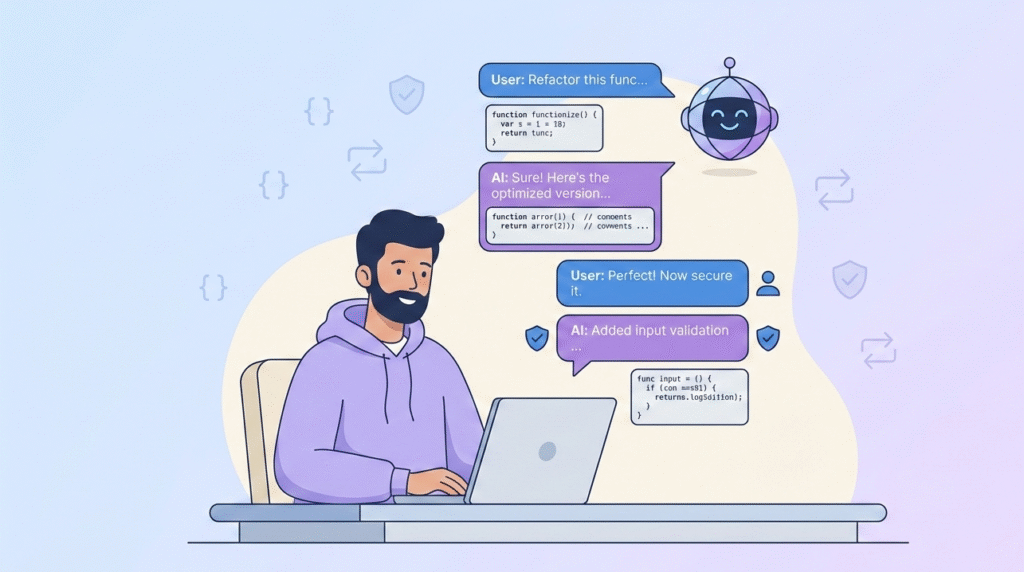
Each AI coding assistant has its own rhythm, and we’ve had to learn those rhythms ourselves when building our course projects and secure training labs. Much of that learning comes from how to set up a vibe coding environment that supports longer conversations, testing, and review instead of quick one-off outputs.
Some patterns we see:
- GitHub Copilot works well for inline suggestions while your hands are on the keyboard. Great for filling in obvious patterns, but it needs your oversight for edge cases and security.
- Cursor AI leans into longer conversations, where you can paste files, discuss architecture, and have it refactor or extend existing modules.
- Replit AI integrates the chat loop with a hosted environment, which is handy for learners who don’t want to set up local tooling yet.
We usually have our cohorts try at least two assistants, compare outputs on the same prompt, then talk through which version is safer, clearer, or easier to maintain. That contrast sharpens judgment.
On the quality side, we treat AI-generated code exactly like human-written code: it goes through testing, review, and version control.
Version control, usually with Git and GitHub, is non-negotiable in our labs. When an AI-generated change breaks a feature, or quietly weakens a security control, you want a clean way to roll back, inspect the diff, and patch the issue. It trains you to see the AI as a fast collaborator, not an unquestioned authority. [2]
Security is where our own mission shows the most. We train from day one that prompts themselves are a security tool.
Instead of saying:
“Build a login form.”
We push learners to ask for:
“Build a secure login form in Next.js that uses bcrypt for password hashing, rate limiting on failed logins, server-side validation, and CSRF protection. Include basic logging for suspicious activity.”
By embedding security requirements into your prompts, you shape the model’s options from the start. You still need to review the output, it can miss details or choose weak defaults, but you’re starting from a safer baseline.
This habit, thinking “secure by design” while you talk to the AI, is the core of how we approach vibe coding in our bootcamp.
FAQ
What is vibe coding, and how does this coding approach work?
Vibe coding is a coding approach where you guide an ai assistant using clear instructions instead of writing everything manually. In this process, generative ai generates code based on your intent, constraints, and feedback. You stay responsible for decisions, testing, and structure, while the ai generates drafts you refine through conversation.
How does the vibe coding process differ from traditional coding?
The vibe coding process focuses on communication rather than memorizing syntax. Instead of typing every line, you explain what you want, and the ai assistant responds with code. You review, test, and adjust it. This coding approach emphasizes iteration, clarity, and context over speed or shortcuts.
Can generative ai generate secure and reliable code?
Generative ai can generate useful code, but it does not guarantee security or correctness. Ai generates output based on patterns, not judgment. Developers must review logic, validate inputs, and test results. Vibe coding works best when humans stay in control of security decisions and quality checks.
What skills help beginners succeed with vibe coding?
Clear communication is the most important skill in vibe coding. You need to describe requirements, limits, and expected behavior clearly. Understanding basic programming concepts also helps you evaluate what the ai assistant produces. Over time, this coding approach improves problem-solving and structured thinking.
Are tools like autorenew packs related to vibe coding tools?
Autorenew packs are usually billing or subscription features, not part of the vibe coding process. Vibe coding focuses on how you work with an ai assistant, not how tools are paid for. Always review tool settings separately so subscriptions do not distract from learning or coding responsibly.
Your Vibe Coding Journey Starts Now
Learning vibe coding with a security-first mindset is less about finding one perfect tool and more about building habits that fit how you think and work. Clear structure helps turn ideas into precise instructions and avoid fragile results. For those exploring where to learn effective vibe coding techniques, this foundation sets realistic expectations. As skills grow through iteration and hands-on practice, confidence follows. If you’re ready to go deeper, the secure coding practices bootcamp offers practical training for real-world application.
References
- https://moldstud.com/articles/p-the-importance-of-iteration-in-web-development-a-developers-perspective
- https://www.veracode.com/blog/genai-code-security-report/
Related Articles
