


Security breaches hit hard, just ask any company scrambling to fix holes after hackers strike. Smart development teams don’t wait for disasters though. They use threat modeling to spot weak points early, kind of like finding cracks in a foundation before building starts.
Our bootcamp drills this into every student’s head: bake security into the code from the start. Sure, it takes extra work upfront, but beats losing sleep (and money) over emergency fixes. Want solid software? Start with a solid plan.
Key Takeaway
- Finding weak spots early saves big money and stress later
- Focus on the scary stuff first, not every threat needs immediate action
- Building security checks into development beats patching holes later
Why Threat Modeling Matters
Security breaches hit companies where it hurts most, their wallet and reputation. When hackers strike, projects freeze, customers lose faith, and regulators come knocking. A single breach in the U.S. costs around $4.5 million (based on IBM’s 2023 report), and that’s before counting the hit to your brand name.
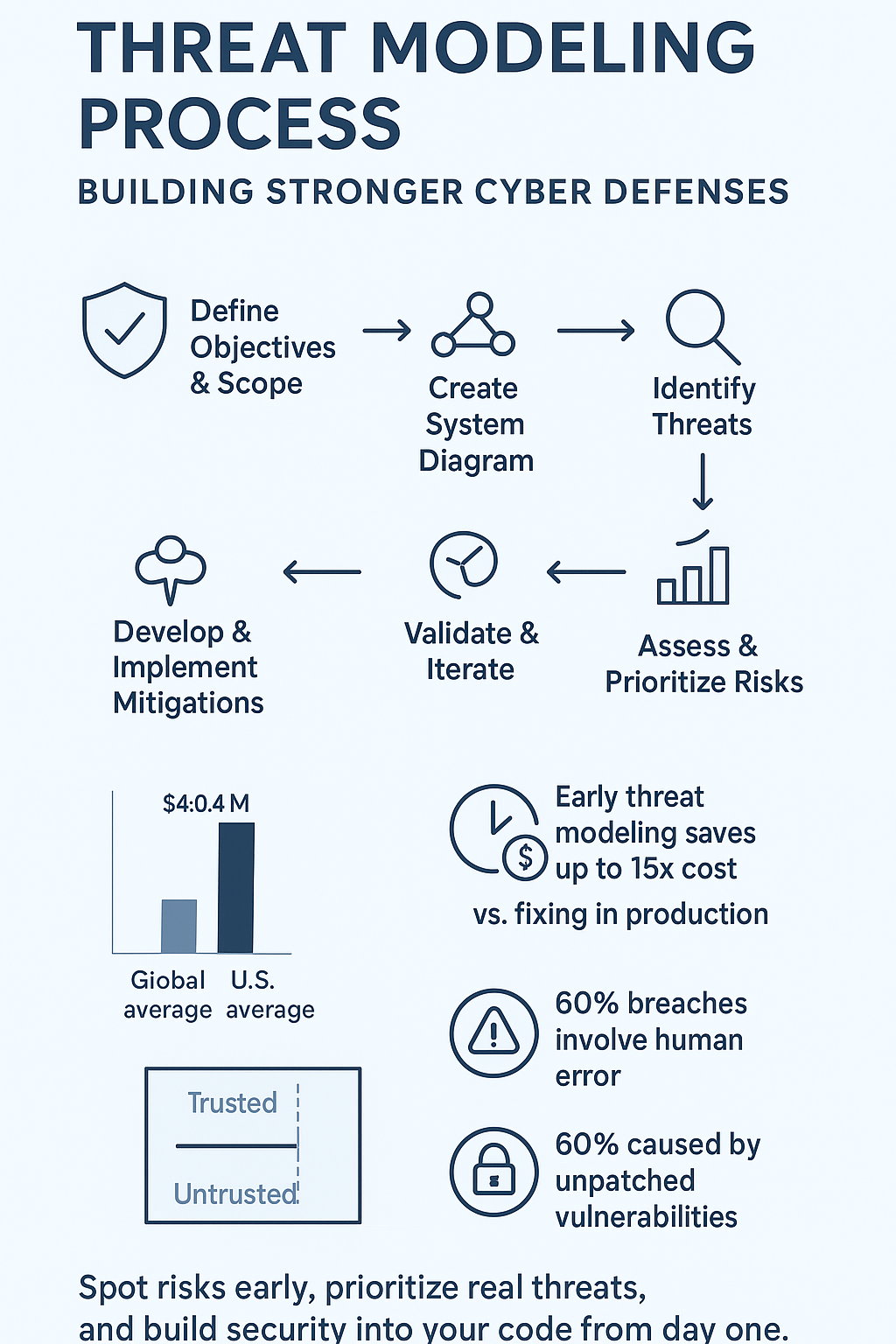
In fact, the global average cost of a data breach dropped to about $4.44 million in 2025, but in the U.S. the cost rose to $10.22 million, partly due to longer detection times and higher regulatory fines. [1]
Smart companies play defense first. They map out where attackers might strike, then build walls before anyone tries breaking in. That’s what threat modeling does, it shows you the weak spots in your system before the bad guys find them.
Rules and regulations push for this too. Whether it’s HIPAA for healthcare, PCI DSS for payments, or GDPR for privacy, they all want proof you’re protecting sensitive data. Threat modeling checks these boxes while making security part of your team’s DNA.
Bottom line? Stop playing catch-up with hackers. Threat modeling flips the script from panic mode to planned protection. Your future self will thank you.
Defining Threat Modeling
Think of threat modeling as your security blueprint, it’s how you spot trouble before it finds you. The process breaks down your system piece by piece, looking for gaps where attackers might slip through. This introduction to threat modeling helps teams think several moves ahead, like a chess player anticipating threats and ranking which risks need attention now versus later.
The goal isn’t complicated: catch problems early when fixes are cheaper and easier. No developer wants to explain to their boss why they didn’t see a major security hole coming. Smart planning now means fewer emergency meetings later.
Early detection saves both time and money (about 15x less expensive than fixing issues in production, according to NIST). Teams can focus their energy on real threats instead of chasing false alarms. Plus, having a clear plan helps everyone sleep better at night.
Don’t worry if this sounds like a lot, it breaks down into bite-sized steps that any team can handle.
The Threat Modeling Process: A Step-by-Step Guide

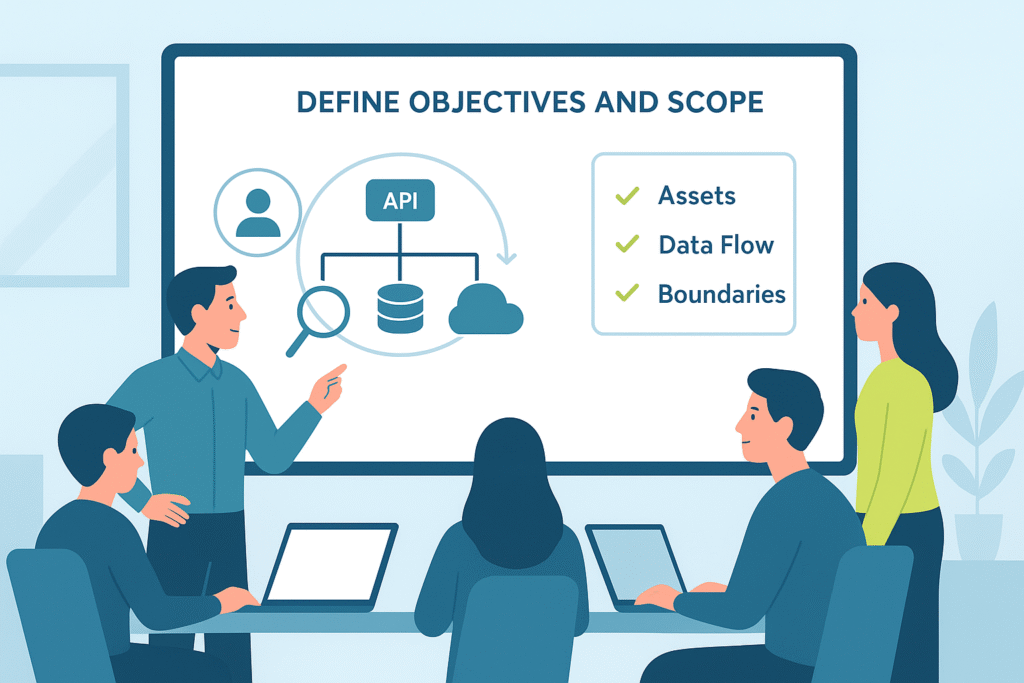
Step 1: Define Objectives and Scope
Start with the basics: what needs protecting? Maybe it’s sensitive customer records, your secret sauce code, or systems that keep the lights on. Most teams want to jump right into the technical stuff, but rushing past this step is like building a house without checking the ground beneath it.
Your business goals set the direction here. Healthcare companies need HIPAA compliance, while online stores focus on keeping payment data safe. Whatever your target, your security plan should point toward it.
Pick your battles wisely, you can’t lock down everything at once. Start with your crown jewels or the parts that keep you up at night. This focused approach means you’ll actually finish what you start.
Step 2: Create a System Diagram
Next up: mapping your system’s guts. Grab a whiteboard and sketch out how everything connects, the servers, databases, user touchpoints, the works. Most teams use Data Flow Diagrams (DFDs) to track how information moves around. These aren’t just pretty pictures, they show where your system might be exposed.
Key diagram elements to include:
- Architecture components and connections
- Data storage locations (databases, file systems)
- User entry points and interfaces
- Third-party integrations
- Network boundaries
Pay special attention to trust boundaries. These are the spots where data jumps between security zones, like when customer info moves from a web form into your secure database. These boundaries often attract trouble, so they need extra eyes.
Drawing these maps takes time (and plenty of coffee), but skipping this step is like driving cross-country without GPS. The whole team needs to see how the pieces fit together.
Step 3: Identify Threats
Now comes the fun part, thinking like a hacker. Get your developers, security folks, and business people in a room. Their different viewpoints help spot problems others might miss. Using attack surface analysis tools alongside the STRIDE framework keeps everyone on track: Spoofing, Tampering, Repudiation, Information disclosure, Denial of service, and Elevation of privilege.
Common attack vectors to consider:
- SQL injection attempts on database inputs
- Phishing campaigns targeting employees
- Unauthorized access through weak authentication
- Data leaks from misconfigured servers
- DDoS attacks on public endpoints
Remember: attackers only need to find one way in. Your team needs to find them all first.
Step 4: Assess and Prioritize Risks
Sorting threats isn’t a simple yes-no checklist. Some risks could wreck your company but rarely happen, while others pop up daily but barely cause a hiccup. Most teams use CVSS scores (ranging from 0.0 to 10.0) to rank each threat’s danger level.
Over 60% of data breaches in 2025 involve a human element such as misconfiguration, credential misuse, or phishing. Another study found that 60% of cybersecurity breaches are caused by unpatched vulnerabilities, many of which could be caught during threat modeling or early risk assessment. [2]
Key factors in risk assessment:
- Potential damage to business operations
- Cost of recovery and fixes
- Impact on customer trust
- Regulatory compliance issues
- Technical complexity of exploitation
Don’t waste time chasing minor glitches when bigger wolves are at the door. Smart teams tackle the scariest problems first, then work their way down the list.
Step 5: Develop and Implement Mitigations
With your hit list ready, it’s time to build defenses. This might mean rewriting shaky code, adding encryption layers, or completely redesigning parts of your system. Whatever it takes to plug the holes.
The fixes need to match your team’s reality. Some solutions cost serious money and need boss approval. Others just need a developer’s afternoon to patch. Getting these changes rolled out smoothly means working them into your normal routine, code reviews, testing cycles, the usual drill.
Security updates to consider:
- Input validation checks
- Access control improvements
- Encryption upgrades
- Monitoring systems
- Backup procedures
The goal isn’t perfection, it’s making attacks harder and costlier for the bad guys.
Step 6: Validate and Iterate
Good security isn’t “set and forget.” After putting fixes in place, you’ve got to poke at them. Bring in penetration testers to play attacker, or run security reviews to make sure your defenses hold up.
Your threat model needs regular check-ups too. Maybe every quarter, or whenever big changes hit your system. New features mean new risks. Attack methods keep evolving (just look at how AI is changing the game in 2024). Yesterday’s solid defense might be today’s Swiss cheese.
Key validation steps:
- Regular penetration testing
- Security control reviews
- Incident response drills
- Threat intelligence updates
- Documentation refreshes
Think of threat modeling like a living document, not something that gathers dust on a shelf.
Integrating Threat Modeling with Secure Coding Practices
Security works best when it’s baked in from day one, guided by foundational security principles that shape every stage of development. Get your security pros involved while ideas are still on whiteboards, not after code’s already shipped. This saves everyone headaches (and plenty of late nights).
Layer your defenses: combine threat modeling with solid coding rules and regular vulnerability scans. Each layer catches different problems. When developers understand the risks they’re coding against, they write tighter, safer software.
Security reviews hit harder when everyone knows what they’re looking for. It’s about getting developers and security folks speaking the same language, working toward the same goal: code that stands up to real-world attacks.
FAQ
How does the threat modeling process fit into the software security lifecycle?
The threat modeling process helps developers understand security risks early in the software security lifecycle. By performing asset identification, system decomposition, and data flow diagram (DFD) creation, teams can see how information moves through their system.
This makes it easier to spot attack surfaces, trust boundaries, and entry points where threat agents may try to exploit vulnerabilities. Integrating threat analysis and security controls early helps reduce future risk and build safer applications.
What steps are involved in identifying and analyzing threats effectively?
Threat identification starts with mapping assets, attack vectors, and misuse cases. Using threat modeling frameworks like the STRIDE model or DREAD model helps teams organize threats by type and impact.
The next step is risk assessment, evaluating each threat using CVSS scoring or other risk scoring methods. This helps with threat prioritization and creates a clear path for mitigation strategies and countermeasures that strengthen overall security posture.
How can data flow diagrams and attack path analysis improve threat discovery?
A data flow diagram (DFD) shows how data moves between processes, databases, and users, helping teams visualize where trust boundaries and attack paths exist. Attack path analysis builds on this by simulating how an attacker profile might exploit security gaps or weak security controls.
Combining DFDs with threat identification tools allows for better vulnerability management, threat detection, and overall risk mitigation in the secure SDLC.
Why is threat modeling important for continuous security validation and response?
Threat modeling is not a one-time task, it supports ongoing threat monitoring, security testing, and security incident response. As systems evolve, new cyber threats and adversary tactics emerge.
Regular threat model updates, threat intelligence integration, and attack simulation help maintain strong security controls implementation. This continuous cycle improves security validation, security architecture review, and threat response, ensuring long-term security risk reduction.
How do teams measure the effectiveness of their threat mitigation plan?
To evaluate how well a threat mitigation plan works, teams use penetration testing, security evaluation, and vulnerability assessment to test their defenses. Measuring changes in risk prioritization and reviewing CVSS scoring can show how much the attack surface has been reduced.
Security compliance checks, security auditing, and secure coding reviews also confirm that the mitigation strategies align with security policies, best practices, and the overall security framework.
Wrapping Up What is Threat Modeling Process
The world of software security feels like shifting sand, but threat modeling gives teams solid ground to stand on. When developers learn to spot weak points early, before the first line of code hits production, they save countless hours of emergency patches and stressed-out meetings.
Most breaches happen because someone missed an obvious gap (about 82% according to recent Verizon reports). Working with development teams shows a clear pattern: those who take time to map their threats end up with stronger, cleaner code. No last-minute security patches. No 3 AM crisis calls.
Building secure software isn’t about perfect defense, that’s impossible. It’s about making smart choices early, understanding your risks, and protecting what matters most. The best time to start? Right now, while the code’s still fresh and flexible. Your future self (and your users) will thank you.
Ready to take your secure coding skills further? Join the Secure Coding Practices Bootcamp
References
- https://www.asisonline.org/security-management-magazine/latest-news/today-in-security/2025/july/Global-Data-Breach-Costs-Drop/
- https://www.huntress.com/blog/data-breach-statistics
Related Articles
