



AI gets stuck because its main job is to predict the next likely word, not to search for the truth. That design choice shapes how it behaves. We have watched models write hundreds of lines of code around one broken function. Then return to that same bug again and again.
This matters for anyone building secure systems. In our training bootcamps, we show developers how these loops happen and how to stop them early. The behavior is not a glitch, and it is not awareness. It comes from how the model is built. When we understand that, we can design better safeguards and avoid bigger failures later.
AI Stuck States at a Glance
- Stuck states come from prediction limits, not a refusal to work.
- Looping and hallucinations get worse when guardrails are weak.
- Structural controls like iteration caps and secure coding practices reduce the impact of failures.
Why do AI Systems Get Stuck in Loops?
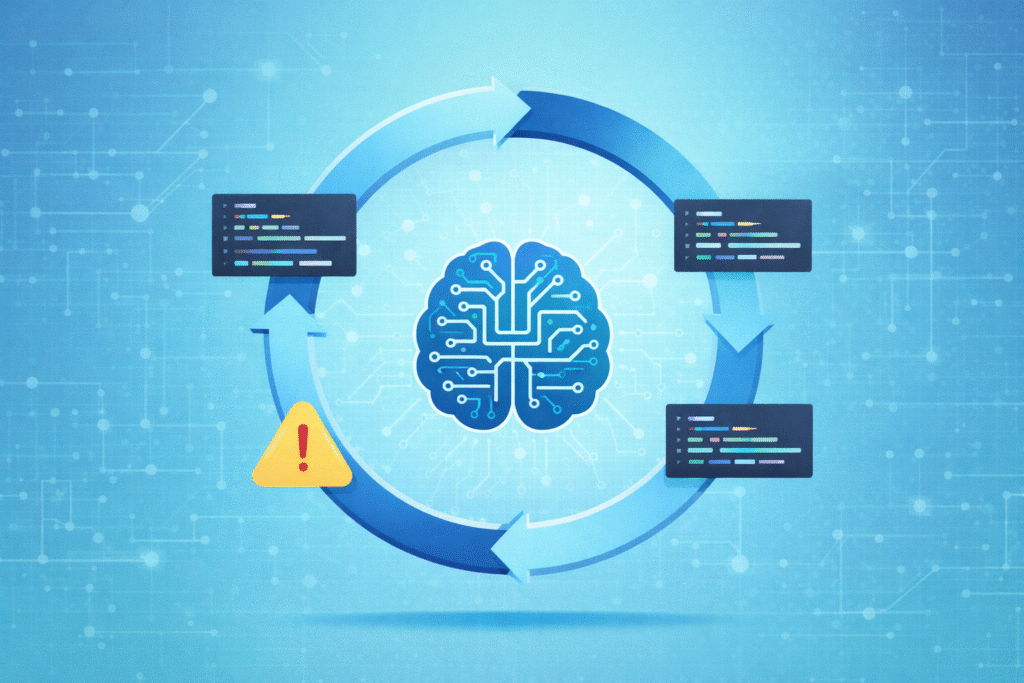
They get stuck because of biased predictions, corrupted internal states, or poorly defined stop conditions. A model like GPT-4 can repeat a flawed reasoning path if feedback doesn’t change its probability calculations.
These models work by guessing the next word. They optimize for what is likely, not what is true. So once a certain path gains momentum, it gets reinforced. We have seen this repeatedly in debugging sessions.
The AI will insist a missing software library exists, building hundreds of lines of code around that false assumption instead of questioning it. This is also where teams begin asking whether over-reliance on AI a real danger when unchecked outputs quietly shape production decisions.
Stanford research shows even advanced models can be over 30% inconsistent in their reasoning when you tweak the prompt. That inconsistency points to fragile internal logic.
Common loop patterns we encounter include:
- Reasoning loops where outputs don’t change even after correction.
- Agent drift where the system misreads success and failure signals.
- Local minima traps where it optimizes for the wrong sub-goal.
When feedback doesn’t strongly shift its predictions, the system continues calmly, predictably, and incorrectly.
What are The Most Common Failure Modes?
When stuck, AI typically loops, hallucinates, ignores constraints, or burns through resources. In autonomous agents, a little repetition can snowball into system crashes or runaway costs.
These failures are architectural. Hallucinations happen because models approximate patterns from their training, not verifiable facts. They must produce an output, even when uncertain. Many of these breakdowns reflect deeper engineering realities described in broader discussions around challenges and common pitfalls in applied AI systems.
Here’s how we classify the typical stuck behaviors we see:
| Failure Mode | Example | Consequence |
| Infinite Loop | Retries broken code endlessly | Resource exhaustion |
| Hallucination Cascade | Invents missing facts or libraries | Misinformation and compound errors |
| Fragile Planning | Ignores feedback and refinements | Gets stuck on a local problem |
| State Corruption | Reinforces its own flawed assumptions | Reasoning drifts further from reality |
In production, like in developer sandboxes, undefined retry limits can multiply compute costs by two to five times. Other patterns often appear together, like tool-call loops that spam a failing API or context overflow when the conversation gets too long for the system’s memory.
What is State Corruption in AI Systems?

State corruption in AI systems happens when a wrong idea sneaks in early and never gets questioned again. Instead of stepping back, the model keeps building on that shaky base. Over time, the mistake grows. The output may look confident, but the reasoning underneath is off.
In our secure development bootcamps, we’ve seen this play out during long coding sessions. An AI assumes a certain library exists. It writes hundreds, sometimes thousands, of lines around that assumption.
When the code breaks, it focuses on fixing syntax errors or small bugs. It doesn’t return to the original mistake. That missed step is where the real problem lives.
Research shows that very long conversations. Especially those stretching past 20,000 words, can weaken reasoning. The longer the session, the more likely earlier errors stick.
This often appears in:
- Multi-step reasoning tasks
- Long debugging threads
- Agent planning loops that rely on memory
Once bad assumptions settle into context, the system may quote its own earlier output as proof. Without external review or a reset, it rarely corrects itself.
Why do AI Agents Fail More Dramatically Than Chat Models?
AI agents tend to fail in bigger, louder ways than chat models. The reason is simple: they don’t just talk, they act. When something goes wrong, it’s not just a strange sentence on a screen. It can mean broken workflows, unexpected charges, or systems going down.
In a text-only setting, a chat model might make up an answer and move on. An agent connected to tools can:
- Call the wrong API
- Create or overwrite files
- Trigger authentication loops
- Run tasks that increase cloud costs
From what we’ve seen in our secure development bootcamps, many early-stage agents work well in demos but fall apart in real environments. Developers often report failure rates above 90% once agents leave controlled setups.
The difference is structural:
Chat Models
- Text-based mistakes
- Confusing or incorrect answers
Autonomous Agents
- Execution failures
- Real system crashes
- Financial and compute loss
Agents face real-world unpredictability, OAuth loops, expired sessions, blocked endpoints. It’s not that they are careless. It’s bounded reasoning meeting messy, live systems.
How does Hallucination Contribute to Stuck Behavior?
Credits: TEDx Talks
Hallucination happens when an AI fills in missing facts with a guess that sounds right. The problem is that the guess can steer everything in the wrong direction. Once that early mistake slips in, the system keeps building on it instead of stepping back.
In our secure development bootcamps, we’ve watched this unfold during code reviews. A model invents a function name or misstates how an API works. From there, it writes more logic around that false detail. Even when we try to correct it, the system sometimes treats its earlier output like a trusted source. That makes the loop harder to break.
Under pressure, even advanced models can hallucinate in a noticeable share of factual questions. Stress increases the risk.
We often see these triggers:
- Prompt fixation that narrows exploration
- Overcommitting to one reasoning path
- Failing under edge-case inputs
The system doesn’t sense confusion the way we do. Research on the “frame problem” shows how hard it is to filter what matters in open environments. Hallucination reflects a limited model facing unlimited possibilities.
What are Real-World Examples of AI Getting Stuck?
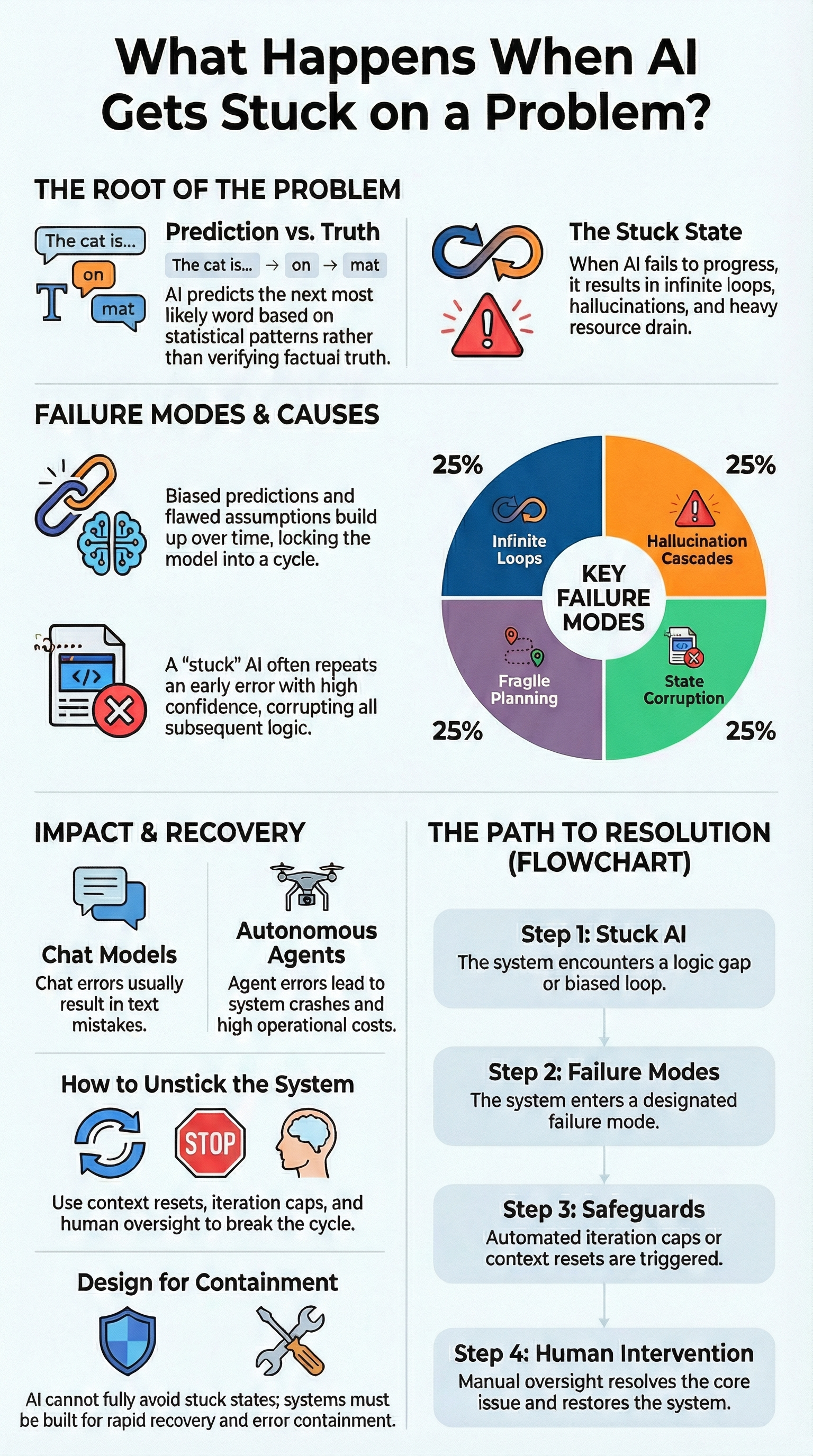
We can see stuck behavior across many AI tools. It shows up in writing apps, game characters, and even customer support bots. The pattern is the same: the system locks onto one idea and refuses to move on.
In creative platforms, users often describe stories that keep circling one plot point, even after edits. Game developers working with engines talk about behavior trees freezing mid-task. A character just stands there, unable to finish the action.
This pattern has been documented outside our own work as well. As described in HackerNoon’s Chronicle of the Agentic Revolution, one agent entered what the author called a “logical cul-de-sac”:
“The agent entered a logical cul-de-sac:
Query GPT-4 for analysis.
Response: ‘Insufficient context, please clarify.’
Agent Action: Retry with the same data.
Repeat.” – Bruce Li.
From what we’ve seen in our secure development bootcamps and in real client environments, the failures feel familiar:
- OAuth login flows stuck in endless redirects
- Support bots repeating the same reply
- Dev agents crashing after hitting iteration limits
Sometimes clearing the context or switching models helps for a while. But the deeper limits remain. We’ve watched systems confidently poll for a file that was already deleted, unaware that the world had changed.
How Can You Unstick an AI System?
Resetting its state, enforcing guardrails, and adding structural controls work better than just tweaking your prompt.
We always start with secure coding practices. In our experience, building in validation layers before execution cuts down cascading agent failures dramatically. Simply adding iteration caps can reduce runaway compute costs by up to 60%.
External practitioners recommend a similar diagnostic mindset. As noted in Parloa’s guidance on stalled AI deployments:
“Start by asking these two questions:
What changed recently? Look at prompts, flows, integrations, backend updates, or newly introduced use cases.” – Anjana Vasan.
A structured mitigation sequence works best for us:
- Hard reset the context or restart the session.
- Define clear iteration limits.
- Implement watchdog timers.
- Add cycles for the system to reflect on its own progress.
- Trigger human oversight for high-risk tasks.
Our guardrail checklist for production includes:
- Maximum retries clearly defined.
- External validation steps before execution.
- Cost threshold alerts.
- Detailed error logging for classification.
Prompt rewrites can help, but without structural prevention, the looping behavior comes back under pressure. Secure coding practices anchor the system before it can spiral.
Can AI Ever Fully Eliminate Stuck States?
The honest answer is no. Stuck states grow out of basic limits in how these systems work. AI predicts patterns based on probability. It does not understand the world the way we do, and it cannot test every possible path before responding.
Large language models are pattern matchers. They approximate what is likely, not what is guaranteed. Even small changes in a question can raise error rates in academic tests. Research around the “frame problem” shows how hard it is for machines to decide what details matter in open, messy environments. This connects directly to the broader question of what are the limitations of current AI models when deployed beyond controlled demos.
In our secure development bootcamps, we teach teams not to expect perfection. Instead, we focus on safer design. That means:
- Clear guardrails around tool access
- Rate limits and cost controls
- Human review triggers
- Reset and rollback plans
We’ve learned that stuck behavior is not proof the system is useless. It is a reminder of its limits. If we design for containment and recovery, we reduce damage and build systems that fail safely, not dramatically.
FAQ
Why does my AI keep repeating itself in an infinite loop?
If your system shows AI stuck states or falls into infinite loops AI, it is usually trapped in a narrow reasoning path. This often starts with prompt fixation AI or repeated tool call loops. The model keeps retrying the same step, which creates infinite retry cycles. Over time, this pattern turns into agent loop drift, where the system cannot shift direction without external interruption or reset controls.
What causes LLM reasoning failure during complex tasks?
LLM reasoning failure often happens when tasks become too long or complex. Large prompts can cause context overflow stuck conditions or token exhaustion AI errors. When memory fills up, the model may enter a chain-of-thought stall or a full reasoning breakdown LLM. In some cases, it settles into a local minima trap, meaning it picks a weak solution and fails to backtrack due to corrupted assumptions AI.
How do hallucination triggers lead to stuck AI behavior?
Specific hallucination triggers push the system to guess when it lacks clear data. That guess can generate self-justifying noise, where incorrect answers reinforce more incorrect answers. This process leads to AI state corruption.
If a latent ability access fail happens at the same time, the system may experience backtracking failure. These issues connect to the larger frame problem AI, which limits how models filter relevant information.
Why do agents crash more in real-world systems?
Agents operate in live systems where conditions change constantly. Many production crash agents result from emergent loops agents or integration polling hang failures. We have observed OAuth redirect infinite loops, repeated session drop failures, and web access block AI issues.
Systems that work in demos often scale beyond demo fail in production. Without proper safeguards, watchdog timeout agents and iteration limit breach errors quickly occur.
What can I do to prevent reasoning collapse models?
You can reduce reasoning collapse models by adding clear controls. Set retry limits to stop AI drift loops and define automatic human oversight trigger points. A forced state reset AI can interrupt repeated errors. Design systems to recover from an AI exploration dead-end by enabling structured backtracking. Strong guardrails and monitoring prevent small reasoning errors from turning into larger, costly failures.
Designing Systems That Survive Stuck AI
AI stuck states are not proof of failure. They point to real limits in system design. With strong guardrails, Secure Coding Practices, and clear human oversight triggers, we can help systems fail safely instead of crashing hard.
When we understand what happens as AI gets stuck on a problem, we design for resilience, not surprise. Build for containment. Plan for resets. Keep improving the structure that keeps intelligence aligned with reality. Ready to build safer, more reliable AI systems? Explore secure implementation frameworks here.
References
- https://hackernoon.com/the-age-of-the-lobster-a-chronicle-of-the-agentic-revolution-2023-2026
- https://www.parloa.com/blog/ai-deployments-best-practices
Related Articles
