


Software security breaches hit companies where it hurts most, their bottom line and reputation. Getting ahead of these risks means catching problems early, which is where threat modeling steps in.
When developers take time to map out potential weak spots during planning, they’re investing in protection that pays off. The approach puts teams in an attacker’s shoes, making it easier to spot problems before code even hits production.
For teams who want better security without the stress of post-incident fixes, threat modeling offers a clear path to building stronger applications from the ground up.
Key Takeaways
- Threat modeling reveals system weaknesses by viewing software through an attacker’s eyes before writing code
- STRIDE and similar frameworks help teams find and rank threats based on their risk levels
- Building security checks into each development phase beats tacking them on at the end
Why Threat Modeling Matters
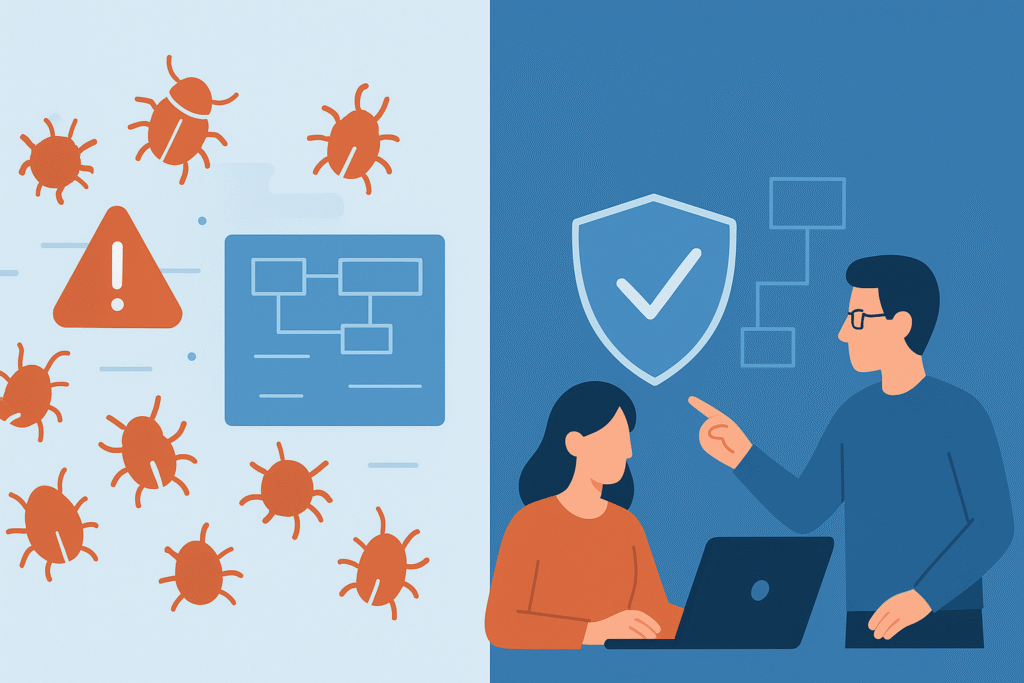
The numbers paint a stark picture: security holes drain millions from company accounts yearly. In fact, the average cost of a data breach hit USD 4.88 million in 2024, a 10% jump over the year before. [1]
A single data breach runs about $4 million to clean up, and fixing bugs after launch costs ten times more than catching them early. Many teams still treat security like an afterthought, slapping on patches when things go wrong. Threat modeling flips this approach, it’s about spotting problems before they become disasters.
Starting security work during planning stages (not after coding) builds stronger systems from the ground up. This cuts down on those midnight emergency fixes that plague so many projects. At our bootcamp, we push teams to weave threat modeling through their entire development process because it just makes sense, security becomes part of the DNA of each project phase.
The results speak for themselves: fewer security gaps, less time spent putting out fires, and apps that users can trust. Plus, it gets everyone on the same page, developers, security folks, and project leads all work toward one goal: software that’s both secure and functional.
Core Threat Modeling Concepts
Breaking into a hacker’s mindset requires more than running security scans, it means understanding how attackers pick their targets and plan their moves. This kind of proactive thinking lies at the heart of threat modeling for developers, where teams anticipate attack paths before writing a single line of code.
The building blocks of threat modeling include:
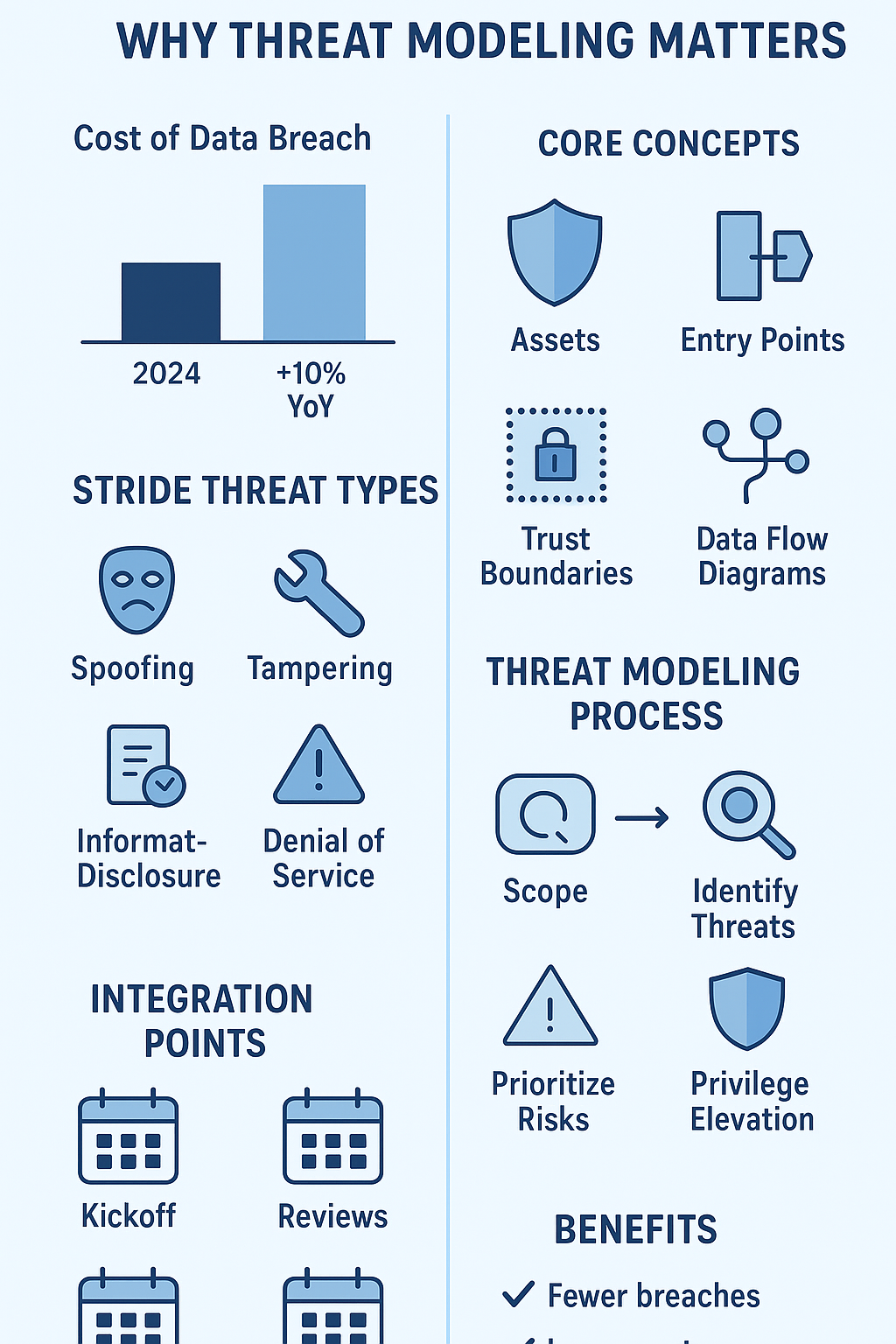
Assets: Every system has its crown jewels, whether that’s customer records, trade secrets, or essential services. Knowing exactly what needs protection helps teams focus their security efforts where they count.
Entry Points: Systems aren’t fortresses, they have doors. These might be web forms, API endpoints, or connections to other services. Each represents a possible way in, and smart teams watch these access points carefully.
Trust Boundaries: Different parts of a system need different levels of security. Outside data (like user input) needs more scrutiny than internal processes. Understanding these zones helps catch attempts to bypass security controls.
Data Flow Diagrams (DFDs): Drawing out how information moves through the system creates a map of potential weak spots. These visual guides help teams track data movement and spot where things might go wrong.
When these concepts click, developers stop seeing security as extra work and start treating it as part of good design, like checking your mirrors before changing lanes.
The Threat Modeling Process: A Step-by-Step Guide

Step 1: Scope Your Work
Starting threat modeling means getting clear on what we’re protecting. Teams sketch out how their system works and track where sensitive data goes. This groundwork helps narrow down what needs attention most, kind of like creating a blueprint before building a house.
Key steps include:
- Drawing up a map of system parts and data movement
- Marking down what’s worth protecting
- Finding spots where attackers might try to break in
- Setting boundaries between trusted and untrusted areas
A solid scope keeps teams focused on what matters, preventing both tunnel vision and scope creep.
Step 2: Identify Threats
With the system mapped out, teams dig into potential attacks. The STRIDE method breaks this down into six main types:
- Spoofing: Faking identity to gain access
- Tampering: Changing data or code without permission
- Repudiation: Actions without accountability
- Information Disclosure: Data leaks
- Denial of Service: Making systems unavailable
- Elevation of Privilege: Getting unauthorized access levels
Working through these categories opens eyes to risks that might slip past regular testing. Dev teams often find this part eye-opening, it turns abstract security concepts into concrete issues they can spot in their code.
Step 3: Prioritize and Assess Risks
Some threats need immediate attention, while others can wait. Teams rank each risk by considering how likely it might happen and how much damage it could cause. A simple matrix helps sort this out, high-impact, high-likelihood issues jump to the top of the fix list.
Smart prioritization means teams don’t waste time on unlikely scenarios while ignoring real dangers. Getting this right often means pulling in security folks who know which attacks are trending and which ones rarely pan out.
Step 4: Define and Implement Mitigations
With risks ranked, teams put protective measures in place. These range from basic steps (like checking user input) to layered safeguards that follow the principle of defense in depth. Regular testing makes sure these protections actually work.
Security isn’t set-and-forget, it needs constant tweaking as new threats pop up and systems change. Teams keep detailed notes about what they’ve done and why, so everyone knows the game plan. This running record helps new team members get up to speed and keeps security efforts on track.
Integrating Threat Modeling into Your Workflow
Threat modeling works best when it’s baked into projects from day one, not bolted on at the end. When teams check for security issues early, they catch problems while they’re still cheap to fix.
Key integration points:
- Project kickoff meetings
- Architecture review sessions
- Sprint planning
- Code review checkpoints
- Major feature additions
Teams that pair developers with security folks find better ways to spot and fix issues. This back-and-forth helps everyone learn, developers get sharper at finding security holes and strengthen their security mindset, while security teams better understand the code they’re protecting.
Keeping good notes about threats and fixes helps teams track what’s working and what isn’t. These records also come in handy during audits and compliance checks. Once threat modeling becomes routine, it feels less like extra work and more like a natural part of building good software.
Common Challenges and Misconceptions
Many developers push back against threat modeling. Some think it’ll slow them down too much, while others figure their app’s too small to interest attackers. We get it, we’ve had those same doubts.
But here’s the thing: every piece of software faces risks, no matter its size. In fact, vulnerability exploitation is the initial access method in about 20% of breaches. [2] Starting small makes sense, pick your most important features and focus there. Teams usually find their security mindset grows stronger with each round of modeling.
Think of threat modeling like wearing a seatbelt, it’s not about paranoia, it’s about smart preparation. The goal isn’t perfect security (which doesn’t exist), but rather making informed choices about protecting what matters most.
FAQ
How does the threat modeling process fit into the secure development lifecycle?
The threat modeling process helps developers think about software security from the very beginning of the secure development lifecycle. By performing asset identification and analyzing trust boundaries, teams can visualize data flow diagrams to map entry points and attack vectors. This allows them to identify software vulnerabilities, conduct risk assessment, and apply secure design principles before coding begins.
Integrating threat modeling tools and threat modeling techniques ensures developers stay aware of system security, apply security controls early, and reduce risk factors before they become real security threats.
What role do STRIDE threats and the DREAD model play in threat identification?
When doing threat identification, developers often use STRIDE threats and the DREAD model to classify and prioritize risks. STRIDE helps identify threat categories like spoofing, tampering, and information disclosure, while DREAD assigns scores for damage, reproducibility, exploitability, affected users, and discoverability.
Combining these models supports better risk management, vulnerability analysis, and threat prioritization. By analyzing security threats using structured threat modeling methods, teams can design effective mitigation strategies, align with security frameworks, and improve software threat detection.
How do data flow diagrams help uncover security risks in software design?
Data flow diagrams (DFDs) are a key part of secure software design because they make hidden security flaws visible. Developers use them to track how data moves between systems, entry points, and trust boundaries. This helps with identifying potential security attacks, threat scenarios, and authentication threats.
DFDs also support security risk evaluation and impact analysis by showing where an attacker perspective might exploit weak links. Including data flow diagrams in the threat model documentation ensures that software vulnerabilities are understood, mitigated, and properly managed as part of the threat modeling framework.
Why is attacker perspective important in threat scenarios analysis?
Thinking like an attacker is one of the most effective threat identification techniques. The attacker perspective allows developers to predict potential exploitation techniques, malware threats, and authorization threats before they occur. This mindset supports better threat simulation, threat hunting, and vulnerability analysis.
By analyzing security threats from an attacker’s point of view, teams can implement more targeted security controls, strengthen software security architecture, and plan realistic threat mitigation strategies. It also helps refine threat modeling methods and ensure security best practices are consistently applied across all stages of development security.
How can developers use threat modeling tools to improve risk reduction and software security?
Threat modeling tools simplify complex software security tasks by automating threat identification, risk assessment, and threat mitigation planning. They help document threat scenarios, evaluate system vulnerabilities, and align actions with secure coding standards and security policies.
Using these tools, teams can perform penetration testing, code review security checks, and apply mitigation strategies to reduce common security threats. Effective use of threat modeling tools promotes secure software design, helps maintain security auditing records, supports continuous improvement of security frameworks, and ultimately leads to designing secure systems that minimize software risk mitigation gaps.
Wrapping Up: Making Threat Modeling Work for Developers
Catching security issues before they explode saves more than just money, it saves reputations and sleepless nights. Think of threat modeling as setting up storm barriers before hurricane season, not scrambling for sandbags when the water’s rising.
The bootcamp breaks down threat modeling into steps even newer developers can follow. No security background needed, just a willingness to look at code through different eyes. Teams learn to use tools like STRIDE to spot weak points and build stronger defenses, all while keeping their development momentum.
Starting threat modeling doesn’t need fancy tools or expert consultants. Begin by sketching out your system on paper, marking the spots where attacks might happen, and ranking which risks matter most. Then build protections that make sense for your project’s size and needs. Keep checking and adjusting as your software grows.
Ready to dig deeper? Our practical exercises show these concepts in action. Through real examples and guided practice, you’ll build the skills to create software that holds up under pressure. Because in today’s world, secure code isn’t optional, it’s essential.
Take the next step: Join the Secure Coding Practices Bootcamp to turn your understanding into hands-on expertise.
References
- https://www.ibm.com/think/insights/cost-of-a-data-breach-2024-financial-industry
- https://www.indusface.com/blog/key-cybersecurity-statistics/
Related Articles
