


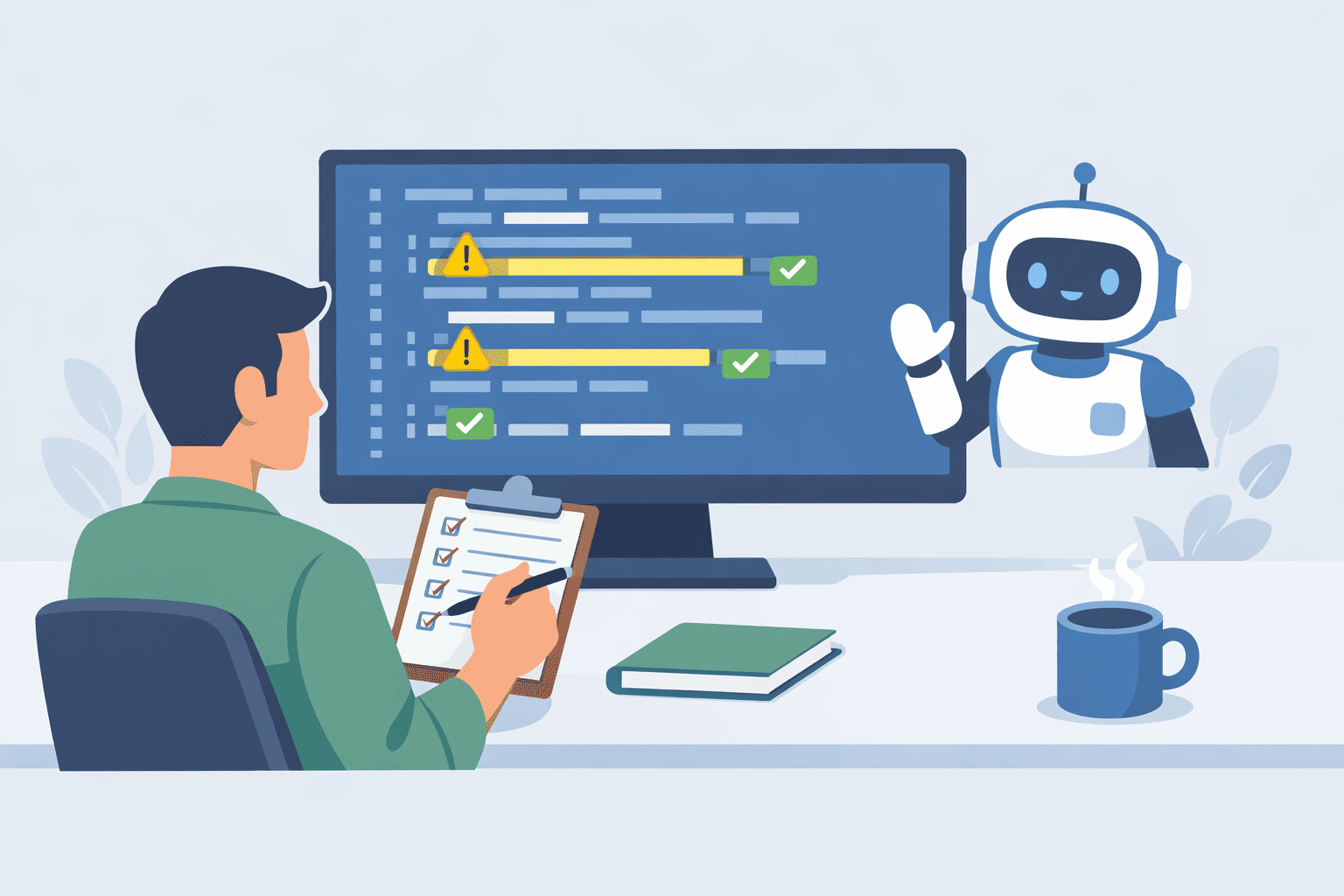
You fix AI coding errors by turning every failure into input for the next attempt, instead of treating each bug as a fresh disaster.
When the model outputs broken code, you don’t just patch it quietly, you feed the exact error, stack trace, and behavior back into the prompt.
Then you add automated guardrails,tests, linters, and type checkers,as the first line of review, so you’re not doing all the catching by hand. From there, you decide when to let the model retry and when to step in. Keep reading to see how to build that system for yourself.
Key Takeaways
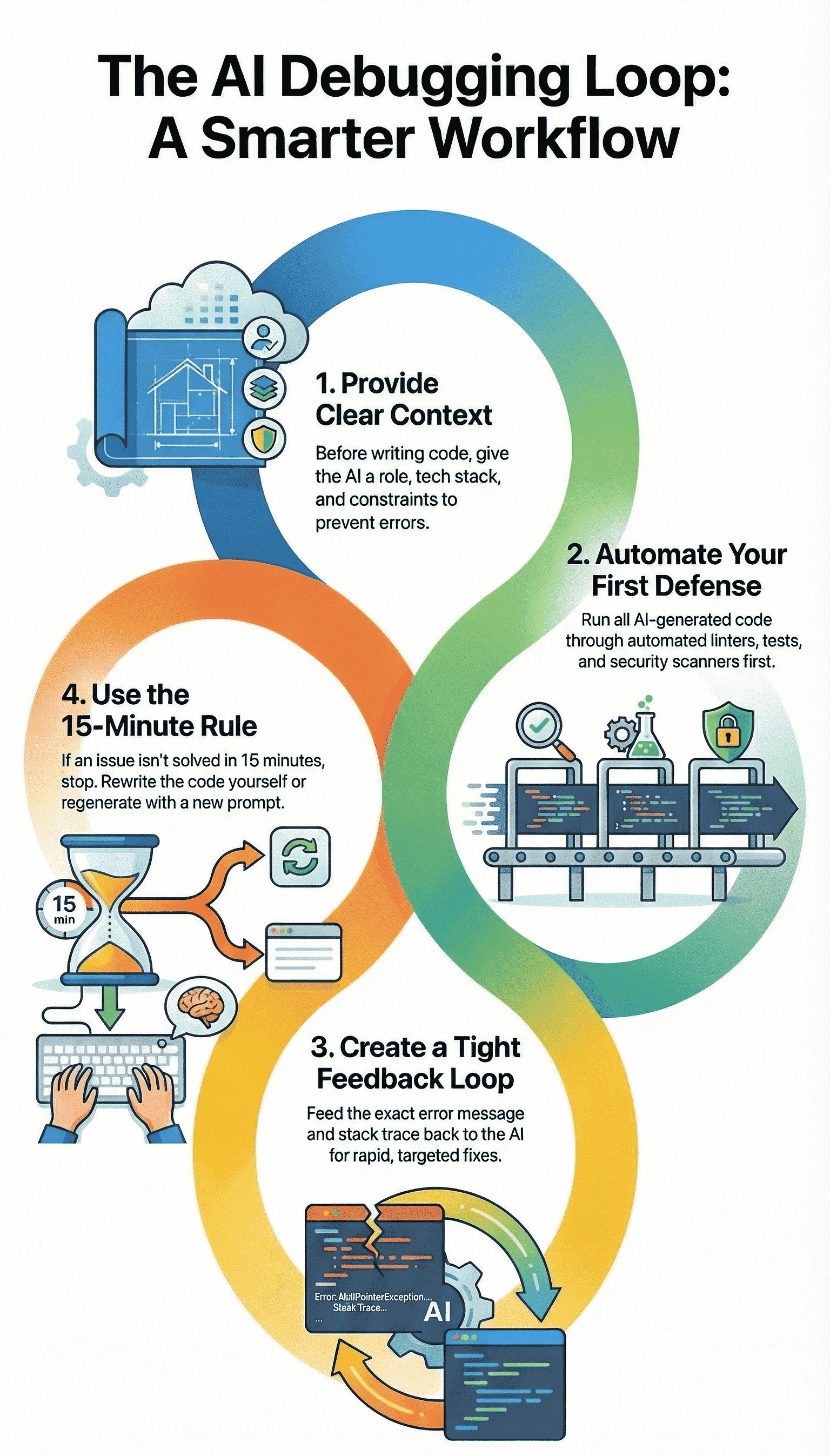
- Isolate errors and feed the raw logs back to the AI in a tight feedback loop for rapid fixes.
- Automate your first line of defense with linters and security scanners to catch what the AI misses.
- Set a strict time limit on debugging any single AI error to avoid sunk-cost traps, and know when to rewrite or take over.
The Feedback Loop: Turning Error Logs into Solutions
AI fails because it lacks context. It doesn’t run the code, it just predicts the next token.
When that script crashes, the stack trace isn’t just an error, it’s your most powerful prompt.
This matters because 84 % of developers are now using AI tools in their workflows but “trust in the accuracy of AI output remains low,” with only about 29 % saying they trust AI-generated code, meaning most of that loop involves intentional review and correction rather than blind acceptance [1].
This creates a closed feedback loop that mirrors how effective debugging AI-generated code actually works in practice.
You give the AI a problem, it provides a solution, you run the solution, and you give the AI the results. The cycle continues until it works.
The trick is in how you present the failure. Don’t just say “it didn’t work.” That’s useless. You must isolate the bug. Copy the specific failing function and the exact error message.
Nothing more. Then, use a method some call the “beaver method.” Ask the AI to insert log statements or print() commands at every critical execution step.
You’re not asking it to fix the bug yet, you’re asking it to help you see the data flow. When you run that instrumented code, you get a detailed trace. Feed that trace back.
Iterative refinement is key. If the first fix fails, you tell the AI exactly what happened next. “The previous fix resolved the TypeError but now throws a NullPointerException on line 42.”
You are having a conversation with the machine about its own mistakes. The table below shows how to structure these prompts for common error types.
| Common Error | Effective Prompt Strategy |
| Off-by-one error | “Review the loop boundaries in this function. The output is missing the final element of the array.” |
| Logic Flaw | “This conditional returns True when the input is negative, but it should return False. Walk me through your logic step-by-step first.” |
| Missing Imports/Scope | “The code references axios but it is not imported or defined in this scope. Rewrite the function using only standard Node.js fetch.” |
This loop turns debugging from a hunt into a guided conversation. You’re not doing the mental work of parsing the error, you’re making the AI do it. The AI’s first answer is rarely the last, but its third or fourth often gets it right.
Your Automated First Line of Defense
You wouldn’t send an email without spell check, so why would you run AI code without a basic scan? Automated tools are the non-negotiable editor for your AI collaborator.
In fact, a recent industry analysis found that “66 % of developers report AI-generated code is ‘almost right, but not quite,’ requiring debugging and correction”, a reminder that linters and early scans aren’t optional but essential to catch those nearly-valid errors before they cause cascading failures [2].
They reinforce a secure coding workflow where fast iteration doesn’t mean careless output. These checks catch the simple, stupid stuff early so you can focus on the complex, subtle bugs that actually need human judgment.
This is where secure coding practices begin, not as an afterthought, but as the first filter.
We run every snippet through a linter immediately. A tool like Pylint for Python or ESLint for JavaScript. It catches unused variables, undefined symbols, and syntax quirks the AI glosses over. It’s a five-second check that saves ten minutes of “why is this undefined?”
- Static Analysis: These tools parse code without running it. They find style issues, potential bugs, and enforce consistency.
- Security Scanners: AI is notoriously optimistic about security. It will suggest code that works but is vulnerable. A basic security scan for hardcoded secrets or potential injection flaws is essential.
- Unit Test Generation: Here’s a clever trick. After the AI writes a function, prompt it to “write three comprehensive unit tests for this function.” Then run them. If the AI’s own tests fail against its own code, you’ve caught a fundamental logic hallucination before you even integrate it.
A pro tip is to automate this. Set up a pre-commit hook in your version control that runs these checks. If the AI-generated code doesn’t pass the linter and a basic test, it never even gets to the main branch.
This guardrail prevents whole classes of errors from ever entering your codebase. It turns quality from a review task into a built-in feature of your workflow.
The 15-Minute Rule and When to Step In
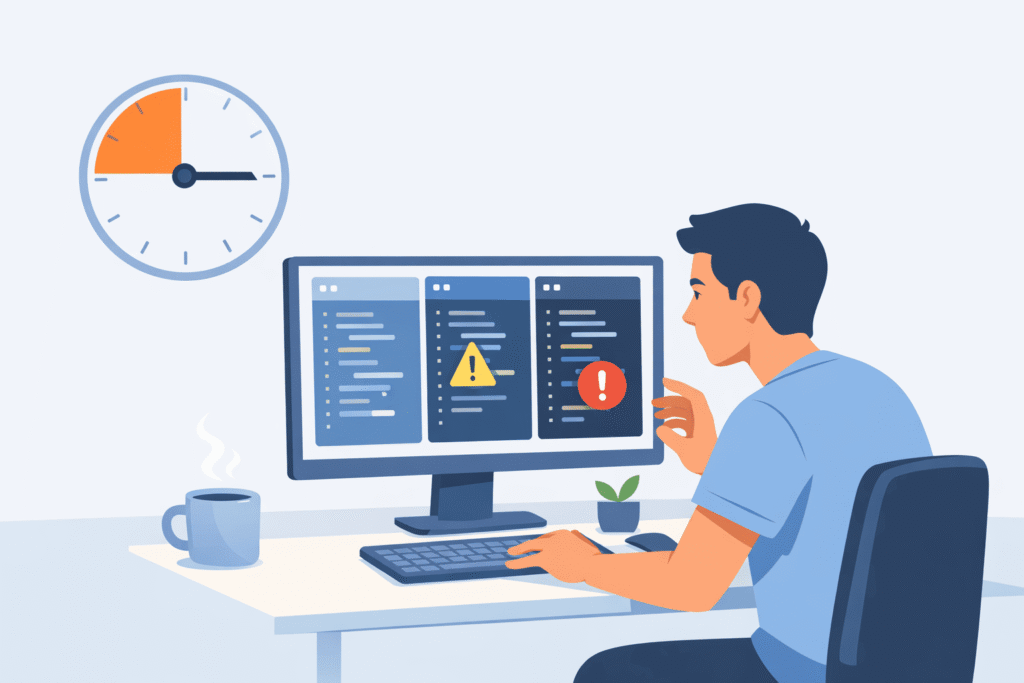
There’s a quiet danger in the feedback loop with AI: you can end up chasing a bad idea long past the point where it deserves your time.
Debugging a twisted AI-generated snippet can feel like untangling old headphones in the dark, especially when you skip deliberate AI debugging refinement and keep asking for surface-level fixes. You keep pulling and hoping, but the knot just tightens.
That’s why you need a clear, simple rule. If you’ve spent fifteen focused minutes feeding errors and fixes back and forth on the same issue, pause.
At that point, the AI’s core approach is probably flawed, not just its syntax. When you hit that wall, you have two deliberate paths:
- Regenerate with a new strategy.
- Step in and solve it yourself.
First, regeneration. Instead of begging the model to “fix” the broken version, you reset the problem. You give it a sharper, more opinionated directive that changes the shape of the solution.
For example: “The iterative loop approach is creating too many edge cases. Please provide a solution using a hash map for O(1) lookups instead.”
You’re not asking for polish on a bad design, you’re asking for a new design altogether. That shift,from patching to rethinking,often cuts out whole classes of bugs.
Second, and this part matters, you step in as the human editor. Your domain knowledge is the boundary the AI can’t see.
It doesn’t understand your business rules, your data anomalies, your real latency constraints, or the way your team actually deploys code. You do. So after, say, three serious failed attempts on the same function or module, you switch modes:
- Collect the stack traces and error logs.
- Skim the AI’s past attempts and partial fixes.
- Write the correct version yourself, clean and direct.
What usually happens here is subtle but useful. By explaining the problem over and over to the model,feeding it errors, clarifying edge cases,you’ve already forced yourself to define the problem more clearly.
By the time you sit down to write the function manually, the path often feels obvious, and the code comes out more grounded in your actual constraints.
None of this means the system “didn’t work.” It means it did. The AI helped you burn through bad branches fast, instead of you wandering through them alone for hours.
The fifteen-minute rule is a guardrail, not a surrender flag. It keeps the loop from turning into a maze and keeps your most limited resource,your attention,pointed where it matters most.
Building Context Before the First Line of Code
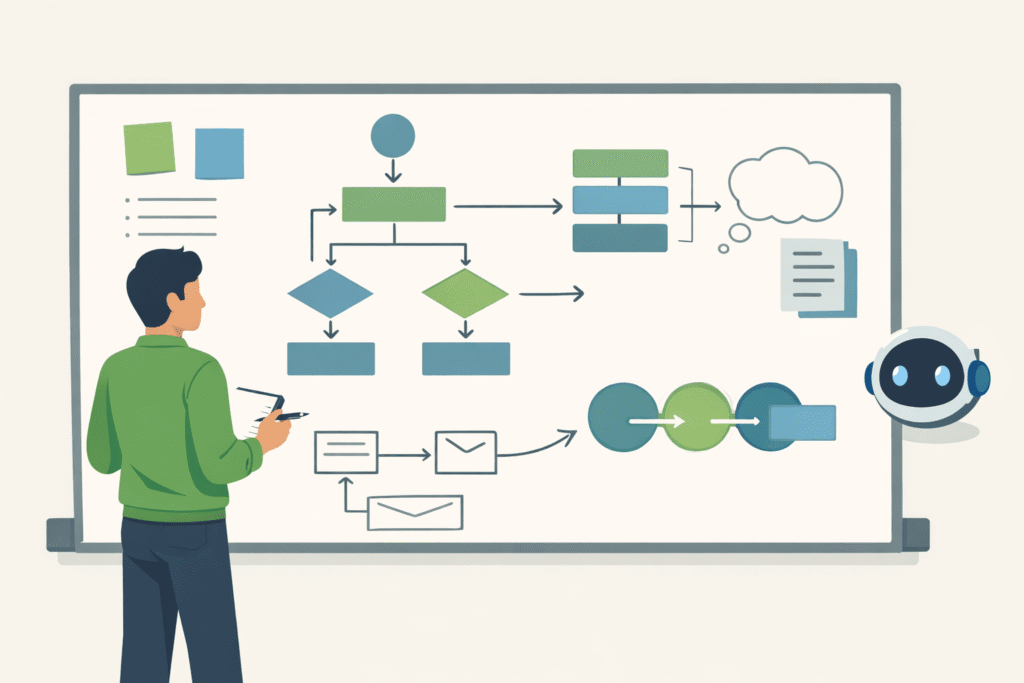
Many errors are born from a lack of context. The AI doesn’t know you’re building a mobile app with strict memory limits, or a serverless function that must cold start quickly.
You have to bridge that gap before it writes a single character. This is done with a system prompt, a set of instructions that sets the stage.
Think of it as the briefing before a mission. You wouldn’t send a developer into a project without telling them the tech stack or the coding standards. Don’t send your AI in blind either.
- Define the Environment Clearly: Start with a role. “You are a senior backend engineer writing production-ready Python for a Flask API. Use type hints and adhere to PEP 8.” This frames its entire approach.
- State Constraints Explicitly: Are there performance needs? “This function must process 10,000 records in under 2 seconds.” What about edge cases? “Always handle null input and empty list returns gracefully.”
- Request an Explanation: This is a powerful preventative tool. Ask the AI to “explain the logic of your solution, step by step, before providing the code.” Reading its reasoning allows you to spot flawed assumptions in its “thinking.” If the logic is sound, the code likely will be too.
By investing thirty seconds in a detailed system prompt, you can prevent minutes, even hours, of debugging later. You’re guiding the AI away from known cliffs before it starts running.
A Practical Debugging Workflow
So what does this look like in practice, from error to resolution? It’s a cycle, not a straight line. The table below outlines the phases, turning these strategies into a repeatable action plan.
| Phase | Your Action | Primary Tool / Method |
| Detection | Reproduce the bug in a minimal, isolated environment (a sandbox, a simple test script). | Logging, Unit Tests |
| Diagnosis | Feed the exact error message and relevant code snippet back to the AI with a targeted prompt. | Iterative Prompting |
| Validation | Run the proposed fix through automated style and security checks before full integration. | Linters, Security Scanners |
| Refinement | Optimize for clarity, performance, and maintainability. This is where human insight is irreplaceable. | Human Code Review |
This workflow isn’t rigid. You might jump from validation back to diagnosis. The point is to have a map. It moves you from chaotic reaction to systematic correction.
From Error Correction to Confident Collaboration
There’s a moment when AI stops feeling like a risky shortcut and starts feeling like a real partner, and it usually happens after you’ve debugged with it a few times.
Strategies for correcting AI coding errors don’t just fix bugs, they reshape how you work with the tool.
The model is no longer a mysterious box that sometimes hands you broken code, it becomes a fast, fallible junior who can generate options, try ideas, and accept correction without getting tired. Red error messages shift from a source of dread to the next step in the back-and-forth.
To make that shift real, the process matters as much as the code:
- You treat every error as structured feedback, not random noise.
- You keep your prompts grounded in actual stack traces and outputs.
- You let tests and guardrails catch failures before they hit production.
The aim here isn’t a “perfect on the first try” model. Human developers don’t work that way, and neither does AI. What you’re building instead is a tight loop where errors are:
- Caught early with linters, tests, and type systems.
- Diagnosed using precise prompts and clear reproduction steps.
- Resolved either by revised AI output or by your direct intervention.
In that loop, the AI brings speed, pattern recall, and endless patience. You bring judgment, domain context, and quality standards.
Together, the two sides produce code you can actually trust,not because the AI never fails, but because your process doesn’t let those failures hide.
So when you start your next session:
- Lead with a clear system or role instruction for the model.
- Run every non-trivial output through a linter or test harness.
- Keep the fifteen-minute rule close, and don’t be afraid to reset.
You’re not just “using AI,” you’re building a collaboration that you can rely on over time.
FAQ
How do strategies for correcting AI coding errors handle common AI code errors?
Strategies for correcting AI coding errors focus on spotting AI code errors like generated code bugs, syntax mistakes, and logic flaws early.
They rely on testing, clear prompts, and human-in-loop reviews. This approach helps catch issues such as off-by-one errors, scope issues, or null pointer bugs before they cause runtime exceptions or infinite loops.
What prompting techniques help reduce LLM hallucinations in generated code?
Prompting techniques like iterative prompting, prompt refinement, and few-shot examples help reduce LLM hallucinations.
Clear system prompts, fix instructions, and edge case prompts guide the model toward accurate logic. Using error feedback loops and verbose debugging also improves results by forcing the model to explain and adjust faulty assumptions.
Which testing methods work best for catching generated code bugs?
Unit testing, integration tests, and full test suites are effective for catching generated code bugs. Static analysis, dynamic testing, and regression tests help uncover boundary conditions and hidden logic flaws.
Mock data is useful for simulating real scenarios, while linter tools and code scanners flag syntax and style problems early.
How do error detection tools support strategies for correcting AI coding errors?
Error detection tools like stack traces, debug logs, and breakpoints help locate runtime exceptions fast. Print statements, profilers, and code coverage reveal performance issues and missed paths.
ESLint rules, pylint checks, and semantic clustering assist with static analysis, while log analysis highlights recurring failure patterns in AI-generated code.
What prevention practices reduce repeated AI coding mistakes over time?
Prevention practices include code standards, documentation comments, and maintainability checks. Version control, git diffs, and diff analysis make changes easier to review.
Human-in-loop workflows, refactoring tips, and pattern recognition help teams respect AI limitations. Hybrid workflows balance automation with judgment, reducing long-term errors and rework.
Building a Sustainable Workflow
Once you’ve watched this approach work a few times, the question shifts from “Can I trust AI code?” to “How do I make this my normal way of working?”
That’s where a simple, repeatable workflow beats any clever trick. You define the problem clearly, let the AI draft, then verify with tests and tools. You log prompts, errors, and fixes, and you respect hard limits like the fifteen-minute rule.
Over time, the red errors become just another signal in a system you run. To take this further in real projects, check out the Secure Coding Practices Bootcamp.
References
- https://the-decoder.com/developers-rely-on-ai-tools-more-than-ever-but-trust-is-slipping/
- https://www.softwareseni.com/the-hidden-quality-costs-of-ai-generated-code-and-how-to-manage-them/
Related Articles
