


You can guide an AI to fix its own bugs by treating it like a junior engineer sitting at a REPL, following clear steps instead of guessing.
When you give it tightly scoped context, short feedback cycles, and prompts that demand root-cause reasoning, the model stops flailing and starts acting more like a careful debugger.
This isn’t theory for theory’s sake either, research from groups like Google and UC Berkeley shows pass@1 can jump by over 15% with the right setup. If you want that kind of reliability, keep reading to build your own self-healing automation loop.
Key Takeaways
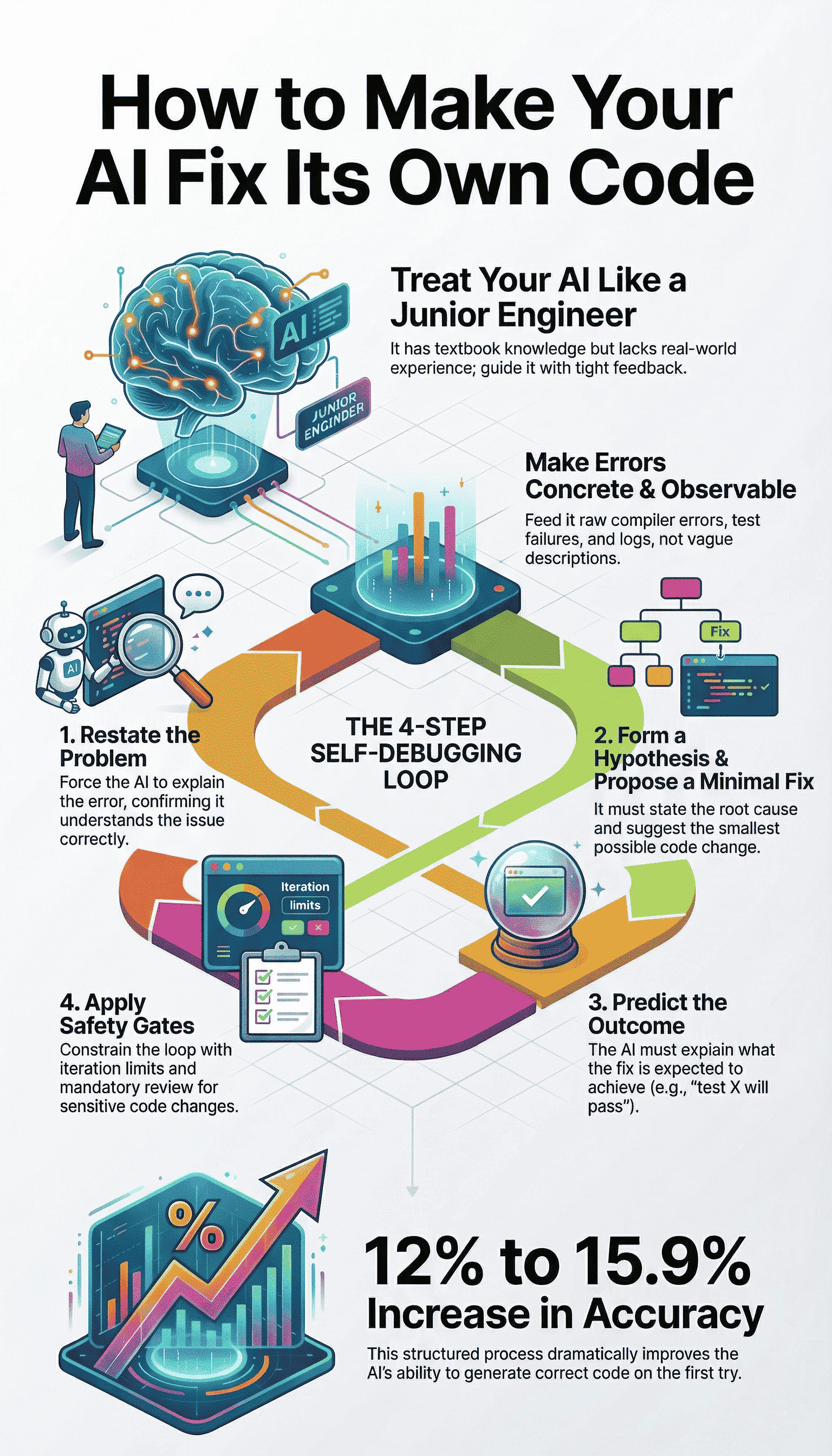
- Make Errors Observable: Feed the AI concrete compiler outputs, unit test failures, and runtime logs, not vague descriptions.
- Enforce an Explicit Debug Loop: Require the AI to restate the problem, form a hypothesis, propose a minimal fix, and predict the result before any code change.
- Constrain with Safety Gates: Limit the AI’s “blast radius” with file permissions, iteration limits, and mandatory human review for sensitive modules.
Establishing the Junior Engineer Mental Model
Think of your AI as a very bright, very eager intern. It has read all the textbooks, it can quote best practices, but it has never felt the sting of a production outage at 3 a.m. Its knowledge is theoretical, not yet tempered by experience.
You wouldn’t hand this intern a vague ticket saying “make it work.” You’d sit them down, point to the terminal, and say, “Run the tests. Tell me what you see.”
This is the core of the REPL, Read-Eval-Print Loop, mentality. You are constructing a tight, iterative cycle. The AI writes code (Eval), you run a tool to get feedback (Print), and you feed that exact output back for analysis (Read). The loop closes fast.
In a recent empirical assessment of AI debugging workflows, researchers observed that modern context-aware agents are successful on over 69% of well-scoped bug fixes, up from roughly 5–10% just two years prior, when integrated with iterative testing and real telemetry [1].
“GPT-5.1, executes a debugging loop: observe, hypothesize, instrument, test, refine”, demonstrating how defined feedback directly improves fix accuracy.
This kind of rhythm mirrors what many developers describe as vibe coding with AI assistance, where fast feedback and emotional confidence replace blind trial-and-error.
The learning happens in the gap between its expectation and the concrete reality of a compiler error.
Without this loop, you’re just doing rubber duck debugging with a very expensive, very confident duck. It will happily explain why its perfect code should work, all day long. You need the test failure to be the undeniable truth that corrects its mental model.
The Error-Driven Refinement Workflow
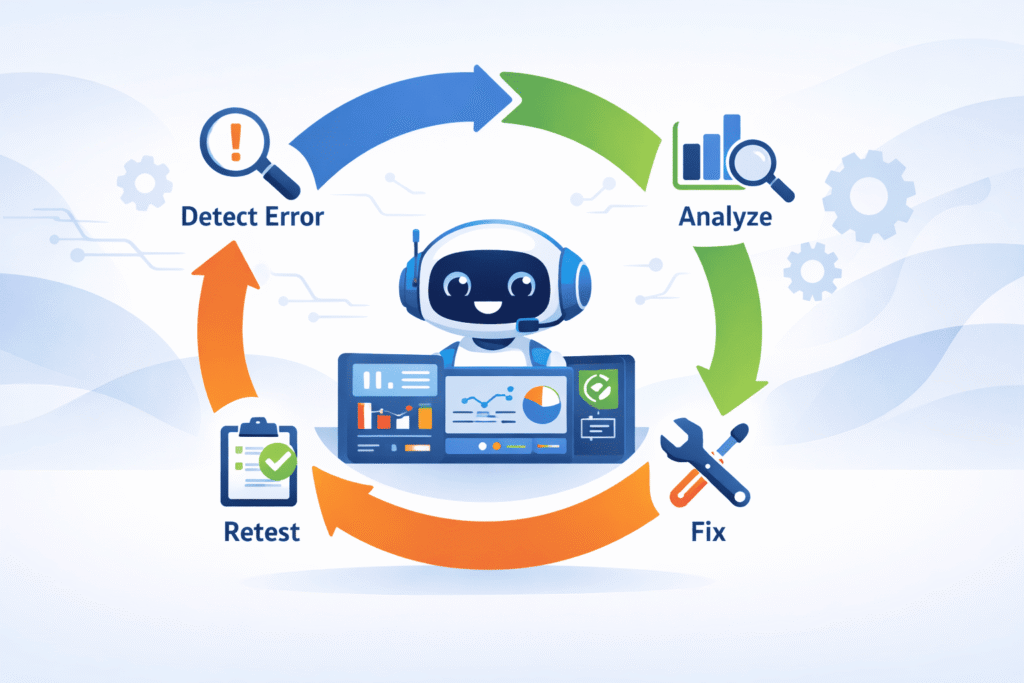
This is the practical engine of self-debugging. It’s a numbered list not because it’s always linear, but because it enforces discipline.
This discipline is what turns raw debugging attempts into consistent AI refinement, where each failure feeds directly into a tighter hypothesis instead of a broader rewrite. You are building a habit of thought for the AI.
- Make the Error Observable. Don’t summarize or interpret. Pipe the raw, unfiltered output directly into the next prompt.
- Initiate the Explicit Debug Loop. Use a strict template that mandates analysis before action.
- Apply Constraints. Use prompt patterns to prevent common failure modes like hallucination.
- Iterate with Control. Loop automatically, but define clear stopping criteria to prevent infinite thrashing.
Phase 1: Making Errors Observable
The AI can’t fix what it can’t see. “It doesn’t work” is a useless signal. A stack trace with a line number is a clue. Your job is to collect and present the clues from the most authoritative sources available.
- Compiler and Interpreter Errors: These are the ground truth. The exact error message, code, and line number are non-negotiable inputs.
- Unit Test Failures: The failing test name, its assertion message, and the actual vs. expected output. This is often better than compiler errors because it defines correct behavior.
- Runtime Logs and Stack Traces: For integration or logic bugs, the sequence of log events leading to a crash is gold. Include timestamps and severity.
- Static Analysis/Linting: Warnings about potential null dereferences, security smells, or style violations. These are bugs waiting to happen.
You gather these artifacts automatically. A script runs pytest, or gcc, or docker logs. Then you paste that output, in full, into the next iteration. No cherry-picking.
Phase 2: Executing the Explicit Debug Loop
You provide: The current code snippet and the exact error or test output.
You require this four-step response:
- Restate the problem in the AI’s own words. This confirms it parsed the error correctly.
- Form a hypothesis about the root cause. It must point to specific lines or logic.
- Propose a minimal fix. This is the critical constraint. A one-line change is better than a ten-line rewrite.
- Predict the result. “This change should make test X pass because it adds the missing null check.”
Let’s see the difference. A weak prompt: “The test is failing because of a null pointer, fix it.” The AI might swap a library, refactor the data flow, who knows.
A strong prompt uses the template. It forces a chain of thought. “I see that test validate_user_input fails with NullPointerException at line 47.
My hypothesis is that the user object is not initialized when the profile field is absent. I propose adding a null guard before accessing user.profile.id. The updated code should pass this test but may not affect other integration tests.”
That response is debatable. You can follow its logic. You have something to work with.
Prompt Patterns for Autonomous Correction
You can shape the AI’s behavior dramatically by baking rules into your system prompt. These aren’t suggestions, they are guardrails.
Clear constraints like these align closely with proven approaches for correcting AI coding errors safely, where structure prevents overcorrection and keeps fixes tightly scoped.
Neutralizing Hallucinated Fixes
This is the most common failure. The AI, desperate to please, will invent an API. It will swear that framework.secure.doSomething() exists. It doesn’t. You combat this with mandatory uncertainty flagging.
First, state its uncertainty explicitly. Second, propose a concrete verification step.
Instead of: “Use secure.validateToken(token, strict=True).”
It should say: “I’m uncertain if the strict parameter exists in the validateToken function. The fix is to add a null check, but to verify the API, you could check the official documentation or run a quick test: print(help(secure.validateToken)).”
This does something profound. It shifts the AI from being a sometimes-wrong authority to a collaborative partner showing its work. It externalizes its assumption check, which is exactly what a good junior engineer would do.
Requesting Structured Diff Outputs
Never accept a full file rewrite for a one-line bug. The noise is overwhelming and the risk of new bugs is high. You demand diffs.
The prompt instruction is simple: “Output only a unified diff relative to the original code. Context is limited to 3 lines above and below the change. Before the diff, list each change with its intent.”
python
Change 1: app/models/user.py, line 47 → Add null guard before profile access.
— a/app/models/user.py
+++ b/app/models/user.py
@@ -44,7 +44,7 @@
def get_display_id(self):
“””Return a safe display ID from the user profile.”””
– return self.profile.id
+ return self.profile.id if self.profile else None
Run
This format is machine-readable. You can often apply it automatically with patch. It’s also human-scanable in seconds. You see exactly what moved, and the comment tells you why. It enforces the “minimal fix” principle by its very structure.
Building a Self-Healing Automation Loop
Now you stitch the phases together into automation. The goal is a loop that runs until the code is stable or a clear stopping point is hit. This is where you move from guiding to supervising.
You need a script that does this:
- Takes the AI’s generated code.
- Executes the relevant test command.
- Captures the output (stdout, stderr, exit code).
- If tests pass, exit with success.
- If tests fail, format the code and error output into the Explicit Debug Loop prompt.
- Send it back to the AI. Repeat.
This is powerful, but dangerous without limits. For self-healing AI frameworks that autonomously measure bug detection and correction, studies show self-healing systems consistently outperform traditional debugging: one evaluation found self-healing AI reached up to 93% bug detection accuracy compared to 72% for traditional methods, with reduced false positives and faster repair times [2].
“Automated patches reduced unexpected crashes by 35%” in those testbeds, illustrating measurable reliability gains when automation is applied with defined controls.
Defining Success and Stopping Criteria
You must define the boundaries of the AI’s playground. These are your safety constraints.
| Criterion | Purpose | Example Setting |
| Max Iterations | Prevents infinite loops on impossible bugs. | 5 cycles |
| Flapping Detection | Stops thrashing if the same test fails repeatedly. | Same test fails 3 times in a row |
| Blast Radius | Limits which files can be modified. | Only files in /src/app/logic/ |
| Human Review Gate | Mandates a check for sensitive changes. | Always trigger on files containing “auth”, “payment”, “delete” |
Human Review Gate
Mandates a check for sensitive changes.
Always trigger on files containing “auth”, “payment”, “delete”
You bake these into the prompt. “Your goal is to get all unit tests in /tests/unit to pass. You may only modify files in the /src directory.
Do not modify any file in /tests or /config. Stop and present a full analysis if you hit 5 iterations or if the same test fails in 3 consecutive attempts.”
This turns a wild search into a bounded, measurable debugging session.
Safety Gates and Secure Coding Practices
Here is where we must be deliberate. When we give the AI the ability to write and modify code, we inherit the security responsibility.
This isn’t about adding a // SECURE comment. It’s about weaving security into the feedback loop itself.
We make secure coding practices the first, automatic check. Our automation loop doesn’t just run unit tests. It runs a static analysis security test (SAST) tool.
If that tool flags a potential injection flaw or an unsafe deserialization, that finding is fed back to the AI as the primary error to fix, before unit tests even run.
The prompt becomes: “Your code generated the following security warning from the scanner: [CWE-89] Potential SQL injection at line 22.
This is the most critical issue. Form a hypothesis: are you using string concatenation for the query? Propose a fix: use parameterized queries. Predict the result: this warning should clear.”
We position security not as an extra step, but as the core definition of “correct.” A passing test suite with a SQL injection bug is a failure. The AI learns that security regressions are the most important bugs to fix. This is how you build a security-first mindset into an autonomous agent.
Measuring Debugging Performance
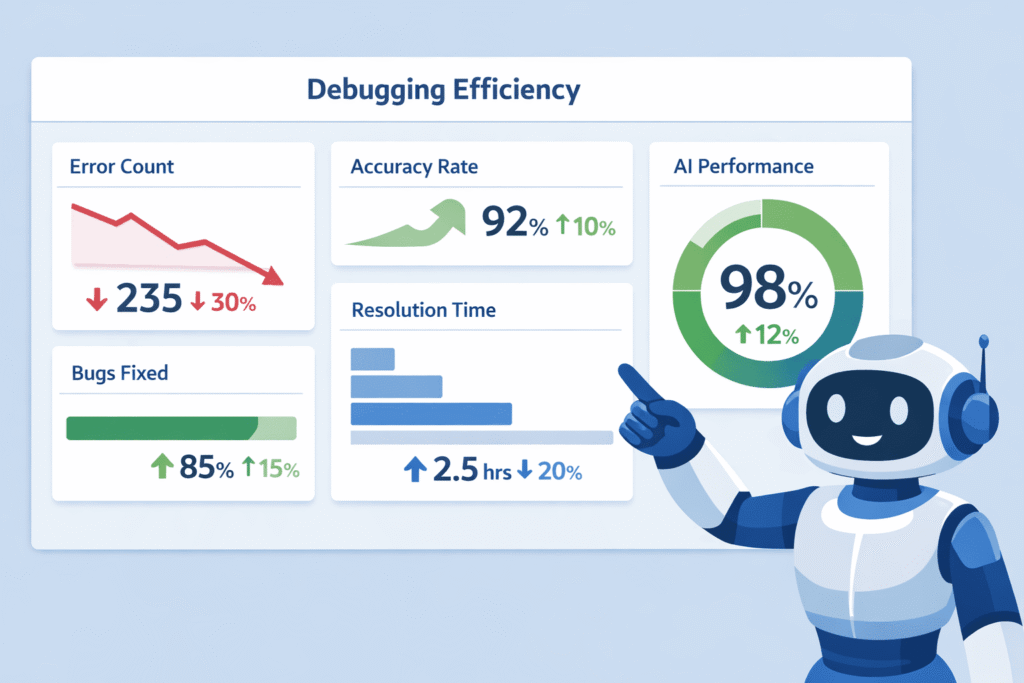
How do you know it’s working? You need metrics beyond “it feels better.” Research benchmarks like MBPP (Mostly Basic Python Problems) use pass@k scores. pass@1 measures if the first code draft works. pass@10 measures if you get a working solution in ten tries.
The self-debugging framework aims to dramatically improve pass@1. How? By making that first draft better through internal refinement.
The AI, guided by the explicit debug loop, effectively runs multiple mental iterations before it outputs the “first” draft. Studies show this error-driven refinement can give a 12% to 15.9% lift in pass@1 accuracy.
Think of it this way. A raw AI might generate 10 candidate solutions, and one works (pass@10). Your guided AI, using this loop, generates one candidate solution that has already been mentally debugged against simulated errors.
That one solution has a much higher chance of being the pass@1 winner. You get sample efficiency.
FAQ
What is a self-debugging framework and why does it help AI fix bugs?
A self-debugging framework guides AI through clear debugging processes instead of random fixes. It uses root cause analysis, hypothesis formation, and debug loop iteration to narrow errors.
By combining test failure feedback, structured diff output, and a code verification step, the AI learns from mistakes and applies a minimal code fix rather than rewriting everything.
How does rubber duck debugging work when guiding an AI?
Rubber duck debugging for AI focuses on forcing clear code explanation chains. You ask the AI to explain what the code should do, predict expected results, and flag uncertainty.
This reduces symptom masking avoidance and improves error-driven refinement. The process helps surface wrong assumptions before runtime exception traces or compiler error feedback appear.
Why are explicit debug prompts important for AI bug fixing?
Explicit debug prompts reduce hallucinated API fixes and random refactor proposals. They enforce constraint enforcement, API assumption checks, and verification commands.
This keeps the blast radius limit small while improving prediction accuracy boost. Clear prompts also support failure hypothesis testing and help the AI focus on autonomous bug fixing instead of guessing.
How can test feedback improve AI debugging accuracy?
Test failure feedback gives concrete signals the AI can act on. Unit test integration, runtime log analysis, and stack trace parsing guide error-driven refinement.
Over time, this leads to pass@1 improvement and better sample efficiency gain. Reusing feedback messages also increases success refinement rate without adding more examples.
What steps help an AI fix bugs safely without breaking other code?
Safe guidance includes a code verification step, type checking loop, and human review gate. The AI proposes a minimal code fix, checks expected result prediction, and logs changes with audit trail logging. Rollback automation and CI pipeline failure checks prevent risky changes while supporting self-healing agent behavior.
The Path to a Self-Correcting System
Guiding an AI to fix its own bugs isn’t magic, it’s engineering discipline pointed at the model itself. You set up tight debug loops, clear structure, and code review rules so the AI behaves less like a guesser and more like a junior dev learning fast. Over time, it starts catching the easy security and logic mistakes before they hit production, and you get to focus on architecture instead of cleanup. If you want to pair that with real-world secure coding skills, check out the Secure Coding Practices Bootcamp.
References
- https://ai.madisonunderwood.com/insights/ai-experiments/ai-debugging-in-2025-we-asked-gpt-5-1-to-fix-our-bugs-here-s-the-truth
- https://ijarcse.org/index.php/ijarcse/article/view/20
Related Articles
