


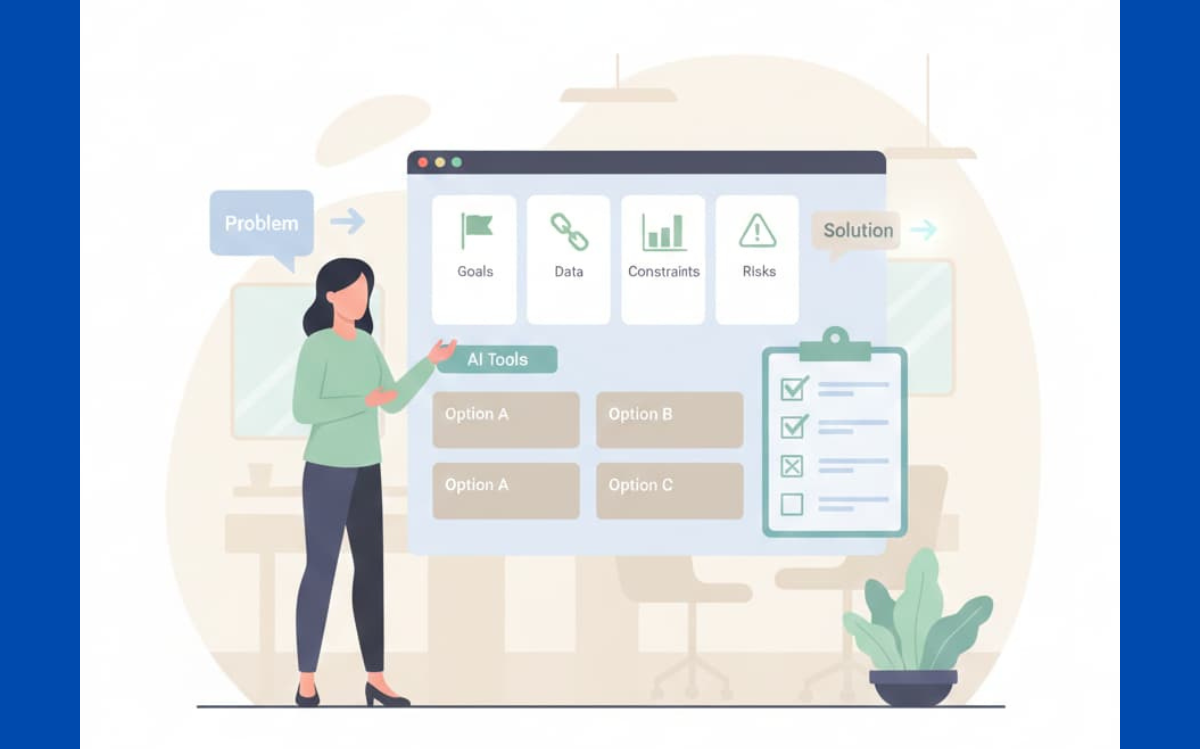
You pick the right AI tool by starting from your project, not from the tool. Most teams do the opposite: they watch a shiny demo, then twist their problem to fit what they just saw. A better way is quieter and more boring, but it works. Write down your goals in plain language, list your limits, data, budget, timeline and decide how you’ll know it worked.
Only then do you compare tools to that list. You’re not chasing features, you’re checking fit. Keep reading to walk through this method step by step.
Key Takeaways
- Your project’s core objective is the single most important selection criteria.
- A structured proof-of-concept (PoC) on a real task provides the only reliable evidence.
- Security, data governance, and exit strategies are non-negotiable, not afterthoughts.
Defining Your Project Needs
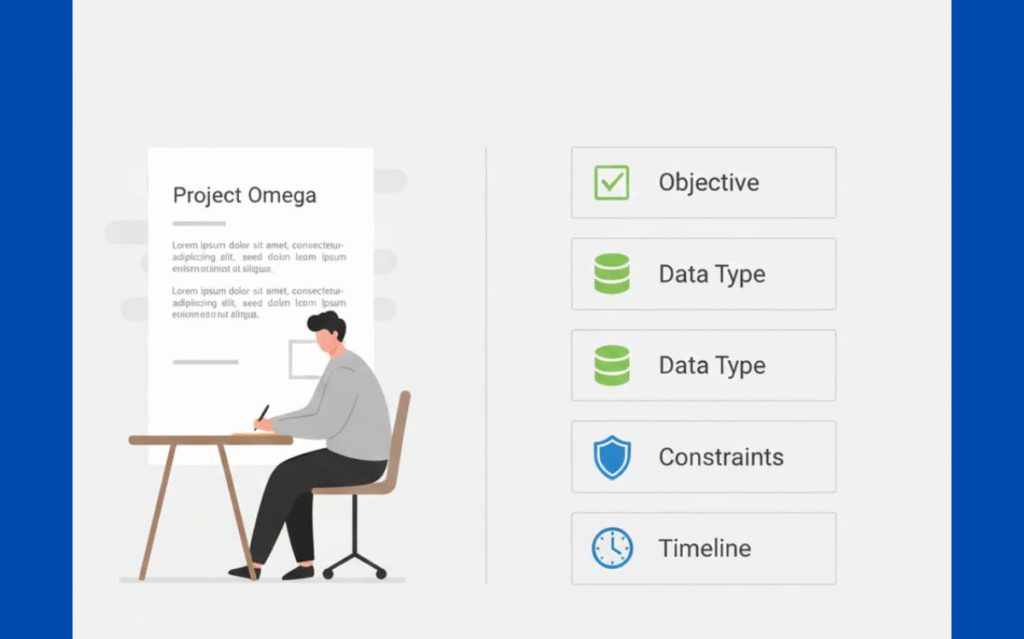
The projects that go sideways in our world almost always fail here, before a single tool is chosen. Teams rush to “use AI” without really knowing what they’re building. That’s where we’ve seen the most security gaps and wasted effort. Vague targets like “improve efficiency” or “get better insights” don’t give you enough to design, secure, or test anything.
So we push our learners and partner teams to pin down one clear, sharp outcome. What problem are you actually trying to solve? Automating a painful data entry workflow, predicting which customers are likely to churn, or generating first-draft marketing copy, those are all different beasts. Each one leans on different AI capabilities, different data flows, and different risk profiles.[1]
On the technical side, your requirements become the guardrails. We’ve seen teams ignore their own data reality and pay for it later. So we ask:
- Is your data structured (tables, fields, logs) or unstructured (emails, PDFs, chat logs)?
- What’s the quality like, noisy, mixed, partially labeled?
- How much data do you actually have?
- Which systems, APIs, and internal services does this tool need to connect to?
When those questions get skipped, integration turns into a slow-motion crash. The tool might look powerful in a demo, but if it can’t work with your data formats, your access control model, or your security policies, it’s effectively useless and in some cases, dangerous.
Choosing essential tools and editors that truly fit your workflow minimizes such disconnects and streamlines integration with existing systems.
Identifying Project Objectives
We usually start with a workshop. Product, engineering, security, and business leads are all in the room (or the call). The first task is simple but hard: everyone has to agree on a single-sentence objective.
Something like: “Reduce the time analysts spend cleaning data by 50 percent while maintaining existing security controls.” When we get to that level of clarity, the conversation changes. It becomes obvious which tools don’t belong. A fantastic image generator or a flashy chat interface just falls away if the real job is secure data transformation or safe enrichment.
Those success metrics we mentioned become part of our non-negotiables. If we can’t measure it, we can’t tell if the model is helping or quietly introducing new risks. For bootcamp projects, we ask learners to tie their metrics directly to the core objective and then map those metrics to tests: performance tests, security tests, and basic reliability checks. That way, tool selection isn’t a feature debate; it’s a fit check against a clear mission.
Defining Technical Requirements
| Requirement Area | Key Question | Why It Matters |
| Data Type | Is your data structured or unstructured? | Determines suitable model types and preprocessing needs |
| Data Volume | How much data is available today? | Impacts model performance and feasibility |
| Latency | Real-time or batch processing? | Affects architecture and user experience |
| Deployment Model | SaaS, private cloud, or on-prem? | Must align with security and compliance policies |
| Integration | Does it integrate with existing APIs and services? | Reduces friction and long-term maintenance cost |
| Team Skills | Can your team build and maintain it safely? | Prevents over-engineering and insecure shortcuts |
| Security Controls | Does it support secrets management, RBAC, logging? | Essential for secure coding and audits |
Evaluating Potential AI Tools
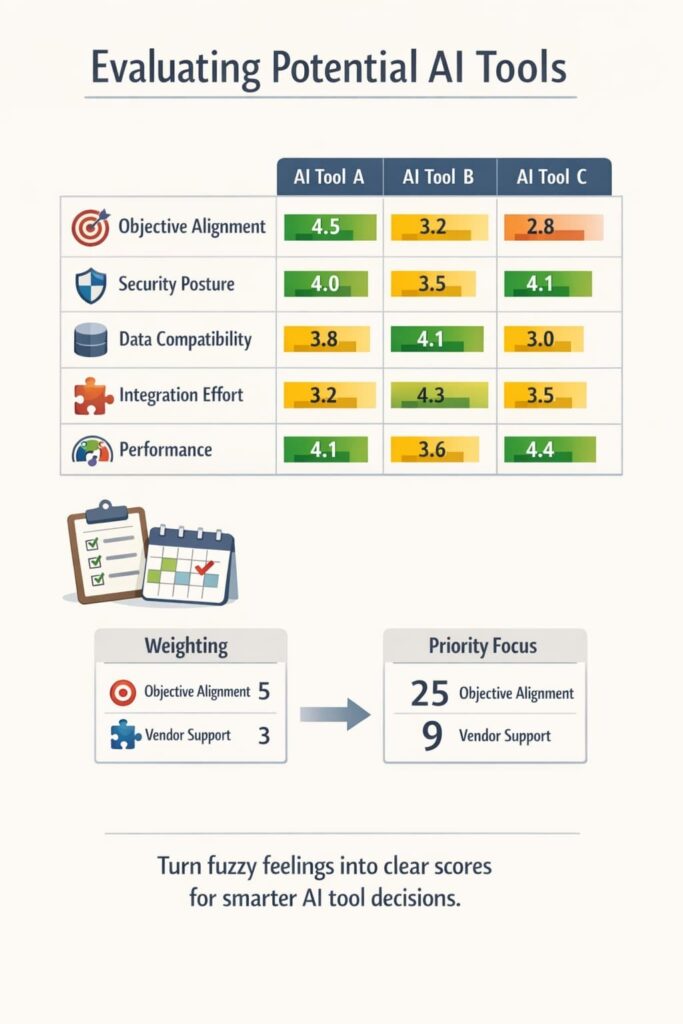
Once the project needs are sharp, we shift into something more structured. Instead of arguing in circles about “which tool feels better,” we build a scorecard. It’s not fancy. Usually, it’s just a spreadsheet we’d be comfortable showing in a security review.
We set the rows as decision criteria based on everything we defined earlier: objective alignment, security posture, data compatibility, integration effort, performance, and so on. Across the columns, we list the tools we’re considering. Then we assign weights. “Objective Alignment” might get a 5, “Vendor Support” a 3, “UI polish” maybe a 1 or 2, depending on the use case.
This turns a fuzzy gut feeling into a semi-quantitative view. We’ve seen it help teams avoid getting swayed by the most charismatic demo and instead lean on the checklist they agreed on when everyone was calm.
This approach is where AI editors are more efficient by condensing complex criteria into actionable insights that reduce friction and speed selection.
Core Decision Criteria
Some criteria are dealbreakers. Others are just nice bonuses. We reflect that in the scorecard. A tool that fails a high-weighted criterion, like security or data compatibility is usually out, even if it performs brilliantly somewhere else.
Security and compliance stay front and center, especially in our secure development context. We ask very direct questions:
- How does the tool handle your data, does it leave your environment, and if so, how?
- Where is it processed and stored, region, provider, residency?
- What encryption is used in transit and at rest?
- How are access controls and audit logs managed?
When a project touches personal data, financial data, or internal IP, these questions move from “good practice” to mandatory. Governance and ethics layer on top of that. Can you explain why the model produced a given output? Is there a way to audit responses, track prompts, and review edge cases? For some regulated environments, we’ve seen teams reject great models purely because explainability and logging weren’t strong enough.
Cost isn’t just the subscription line item. We look at Total Cost of Ownership in a very literal way: training time, infrastructure usage, observability tooling, support effort, retraining or prompt maintenance.
Our learners quickly notice that a cheap tool with a steep learning curve can burn weeks of engineering time and slow down secure coding adoption, while a more expensive product with strong onboarding and guardrails might actually be cheaper in practice.[2]
Creating a Scorecard
The scorecard itself works like a reality check. For each tool, we score it from 1 to 5 for each criterion. Then we multiply by the weight and add everything up. The result isn’t a command; it’s a spotlight. Suddenly it’s clear that Tool A dominates on raw performance but struggles with integration and security reviews, while Tool B integrates smoothly with existing auth and logging but has slightly lower performance.
When we run this exercise in the bootcamp, we insist on writing down the reasoning behind each score. For example:
- “Integration: 2, API rate limits are too low for peak traffic; would require heavy caching.”
- “Security: 5, supports SSO, granular RBAC, detailed audit logs, and data residency controls.”
- “Maintainability: 3, SDK is solid, but documentation for edge cases is thin.”
Documenting these notes gives teams an audit trail. Months later, if leadership asks why a specific tool was chosen, or security wants to revisit assumptions, there’s a clear narrative to follow. For secure development, that transparency is as important as the choice itself, because it shows the decision was made on evidence, not hype.
Conducting a Proof of Concept (PoC)
A demo is a sales pitch. A proof-of-concept is a test. Never skip this step. The PoC is your chance to see how the tool performs under real, albeit limited, conditions with your actual data and your team.
Define the PoC scope tightly. It should focus on a single, representative task that directly relates to your core objective. If your goal is to summarize customer feedback, the PoC task should be to summarize a sample of your real customer feedback. Set a clear timeframe, like two weeks, and define the success thresholds based on the metrics you established earlier.
Evaluating the Results of the PoC
The PoC results are your most valuable data. Measure everything. How long did it take to get the first useful result? How accurate were the outputs. What was the developer experience like? Did the team find the documentation and APIs intuitive? This qualitative feedback is as important as the quantitative metrics.
This is also the time to identify hidden challenges. Were there unexpected latency issues? Did the tool struggle with your specific data format? These are the real-world problems that brochures never mention. The PoC uncovers them before you’ve signed a large contract.
Assessing Risks and Governance

Adopting a new AI tool introduces risk. A proactive approach to identifying and mitigating these risks is what separates a successful project from a costly failure. Think beyond the technical functionality.
What are the risks of vendor lock-in. If you invest heavily in this tool, how difficult would it be to switch later. What is the data portability story? Also consider the risk of the tool becoming obsolete or the vendor changing their pricing model dramatically. These are business risks that require business solutions.
Implementing Risk Mitigation Strategies
Start by using non-sensitive, synthetic, or anonymized data during your PoCs. This minimizes exposure if something goes wrong. As you move forward, implement guardrails. For critical decisions, build in a human-in-the-loop approval step. Validate the AI’s outputs before they trigger irreversible actions.
Define clear data stewardship roles from the beginning. Who is responsible for monitoring the model’s performance. Who handles incident response if the AI produces a biased or incorrect output. Establishing this governance framework early is crucial for long-term health. It aligns with the principles of secure coding practices, where thinking about failure modes and control mechanisms is built into the development lifecycle.
For more nuanced AI-driven reasoning and oversight, the best anthropic models for developers can be integrated to bolster governance and deep review processes.
Making the Final Choice
The final decision is rarely about a single winning score on a spreadsheet. It’s a synthesis of the quantitative data from your scorecard, the qualitative feedback from the PoC, and an assessment of organizational fit.
Consider the softer factors. Is there strong stakeholder alignment behind one option. Does one tool clearly have better documentation and training resources that will speed up adoption. A tool that is slightly less capable on paper but has a much smoother path to integration might be the better choice.
FAQ
How do I assess AI tool suitability for my specific project goals?
Start with AI tool selection by mapping your business problem to AI match. Define success metrics, KPIs, and expected ROI evaluation for AI. Then assess AI project fit by reviewing capabilities, data readiness for AI, and scalability needs. A clear AI capability assessment prevents choosing tools that look powerful but fail real project goals.
What data readiness factors matter most when choosing an AI tool?
Data quality for AI tools matters more than model hype. Check structured vs. unstructured data handling, labeling needs, annotation quality, and data governance for AI. Also review data lineage, ownership clarity, and privacy implications. If your data is incomplete or inconsistent, even advanced AI tools will struggle to deliver reliable results.
How should teams evaluate cost, ROI, and pricing models for AI tools?
Look beyond licensing terms and pricing models for AI tools. Factor deployment speed, experimentation speed, resource utilization, and ongoing monitoring costs. ROI evaluation for AI should include maintenance, model updates, and scaling costs. Comparing pilot viability against long-term operating expense helps avoid tools that become expensive after early success.
What security and compliance checks should guide AI tool selection?
Security considerations for AI tools include access control, audit trails, data residency, and compliance requirements. Review governance tooling, incident response, and explainability of AI tools. Bias detection, ethical use guidelines, and model governance also matter. Strong controls reduce risk and ensure AI solutions align with internal and regulatory standards.
How do scalability and integration affect long-term AI success?
AI solution alignment depends on interoperability with existing systems, API availability, and MLOps compatibility. Check scalability of AI tools, cloud-native or on-prem options, and integration with data lakes or BI systems. Version control, rollback capabilities, and monitoring help teams adapt as usage grows without disrupting user experience.
A Final Framework for AI Tool Selection
Choosing the right AI tool isn’t a one-time decision. It’s the start of responsible adoption. Define needs, evaluate critically, validate with a PoC, and govern risk to build repeatable success. This approach keeps technology serving the project, not the reverse. Aim for the simplest reliable tool that fits real constraints. Start with the problem, not the AI.
Ready to apply this mindset in practice? Join the Secure Coding Practices Bootcamp for hands-on secure development training.
References
- https://www.mckinsey.com/capabilities/quantumblack/our-insights/the-state-of-ai-in-2023
- https://www.deeplearning.ai/the-batch/issue-1/
Related Articles
