
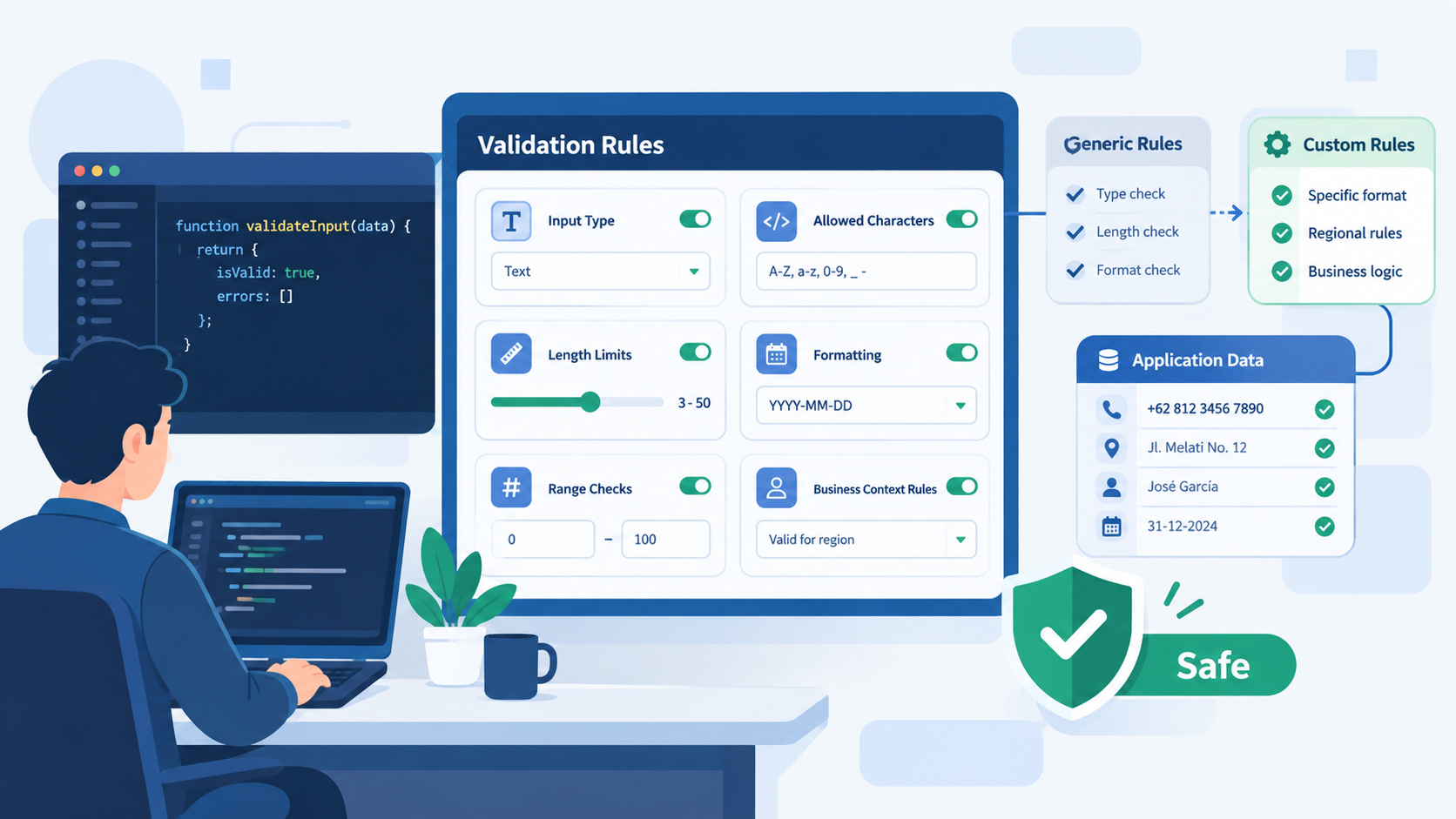

Input validation is only effective when it matches what your application actually needs. Customizing input validation framework rules helps developers move beyond generic checks and create validation that understands specific data, workflows, and security risks.
At Secure Coding Practices, we focus on practical secure coding that helps teams build stronger applications from the start. Instead of relying on default framework rules alone, developers can adjust validation logic to handle real-world edge cases and reduce security gaps. Keep reading to see how customized rules can make validation more effective.
Make Validation Work for Your Code
Good validation is not just about rejecting bad input. It should understand what your application accepts, why it accepts it, and where risks can appear.
- Custom validation aligns security logic directly with your business data, making it more intuitive and effective.
- Tailored rules significantly reduce the attack surface by handling edge cases generic libraries miss.
- A well-customized framework centralizes security logic, making your codebase cleaner and easier to audit.
Why Do Generic Validation Checks Miss Real-World Data?
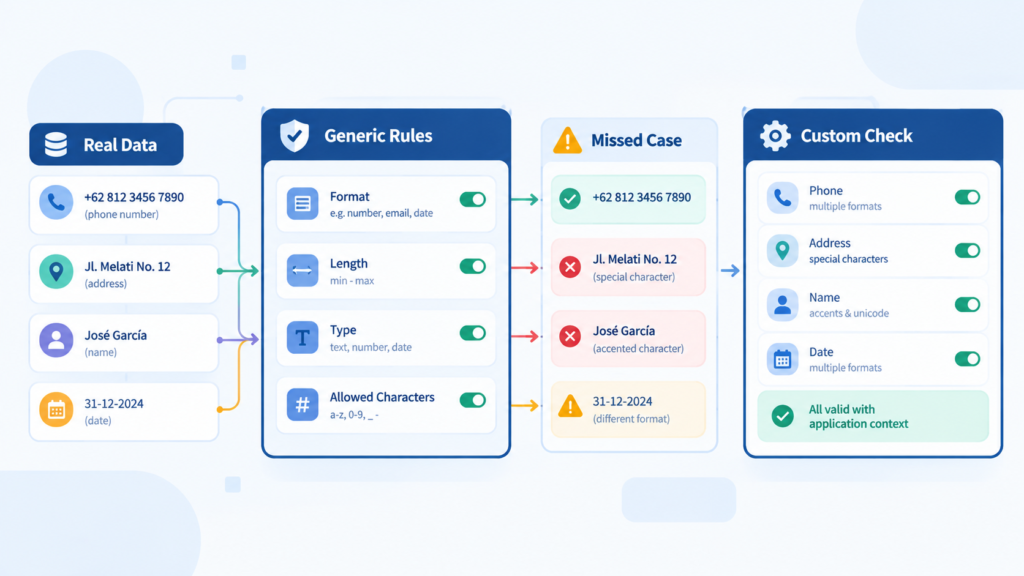
You can install a validation library in minutes. It’ll cap string lengths, check for integers, maybe validate an email format. That’s fine, it’s a start. But your application doesn’t speak in “strings” and “integers.” It speaks in “product SKUs,” “patient IDs,” “international phone numbers,” and “budget allocations.”
“Allowlisting or allowlist validation attempts to check that a given data matches a set of ‘known good’ rules. For example a allowlist validation rule for a US state would be a 2-letter code that is only one of the valid US states.” – OWASP
A generic rule sees ABC-123-!@# and thinks, “Yep, that’s a string under 50 chars.” Your business logic knows that’s a garbage SKU that should never touch the database. That’s the gap. We fill it by writing rules that understand our world.
What Can Happen When Validation Ignores Application Context?
We learned this the hard way on an e-commerce platform. The product configurator allowed custom text engraving. The stock validator allowed letters, numbers, and basic punctuation. It seemed safe.
Until a customer figured out they could input a string of over ten thousand characters, causing a silent failure that crashed the cart rendering process. The rule wasn’t wrong, it was just incomplete for our use case. We needed a custom rule that coupled length checks with a cost-calculation timeout.
Common Gaps Generic Validators Miss:
- Cross-field logic (e.g., end_date must be after start_date).
- Business state dependencies (e.g., cannot modify a “shipped” order’s address).
- Complex, context-specific formats (e.g., license plate variations by region).
- Data dependencies (e.g., selected product option must be in stock).
How Do You Start Building Your Own Validation Logic?
It begins with listening to your domain. Don’t look at the framework’s documentation first. Look at your data models, your user stories, your past bug reports. Where has bad data broken things before? Those are the blueprints for your first custom rules.
The process isn’t about throwing out the framework. It’s about extending it, teaching it your language. You’ll use the framework’s core as an engine, and your custom rules as the specialized steering. Input validation frameworks can provide the basic structure, while custom rules help adapt that structure to your application’s specific needs.
First, you isolate the validation that truly belongs to your business. Is a “Discount Code” just a string? Or does it have a specific prefix, a checksum, an expiry date tied to a campaign? The latter needs a custom validator. You write a small, focused function that encapsulates that rule.
How Can You Turn Business Requirements Into Validation Rules?
Credits: vlogommentary
We adopted this by starting a “validation contract” document for each core data entity. It wasn’t formal. It was a list in a shared doc: “Here’s what a valid User looks like: email (format + unique), password (strength rules), username (no reserved admin names).” This list became our specification.
The framework handled the email format. We wrote a custom rule to check against the list of reserved names. Another custom rule enforced password strength beyond just length. This mix is powerful.
You’ll find that Secure Coding Practices encourage this mindset. It pushes you to think of validation not as a barrier at the gate, but as a definition of what good, clean, safe data looks like for your specific application. It’s a shift from “keep the bad out” to “only let the good in,” where “good” is defined by you. This proactive definition is more secure, every time.
What Are the Practical Steps to Customize a Framework?
Let’s get concrete. You’ve identified a need: your “Project ID” must start with “PRJ-“, followed by three uppercase letters, then a four-digit year. The stock string validator can’t do this. Here’s how you weave a new rule into your existing framework.
When working with input validation frameworks Java developers use, the available built-in rules can handle common formats, while custom validator functions can address application-specific requirements.
Most modern frameworks provide a hook for custom validator functions. You then register this function with the framework. A validation framework library can handle common checks, allowing your custom logic to focus on rules that are specific to your application.
You then register this function with the framework. This might look like telling your validation library, “For the field project_id, use my function validateProjectFormat in addition to the standard ‘required’ rule.” Now, whenever data flows through that validation channel for that field, your custom logic runs. It’s seamless.
A table often helps clarify the layering:
| Validation Layer | Responsibility | Example |
| Framework Core | Basic data type integrity. | string, number, required, email. |
| Custom Business Rules | Application-specific format & logic. | projectIdFormat, discountCodeActive. |
| Cross-Field/Context | Holistic state validation. | endDateAfterStart, inventorySufficient. |
Implementation is iterative. You don’t customize everything day one. You start with the most critical, risk-prone, or complex data points. For us, it was financial transaction references. Then, over time, you build a library of these custom validators.
They become reusable assets. The next time you need to validate something similar, like a “Client Account Number,” you might already have a pattern to follow or a validator to adapt.
When Should You Avoid Heavy Customization?
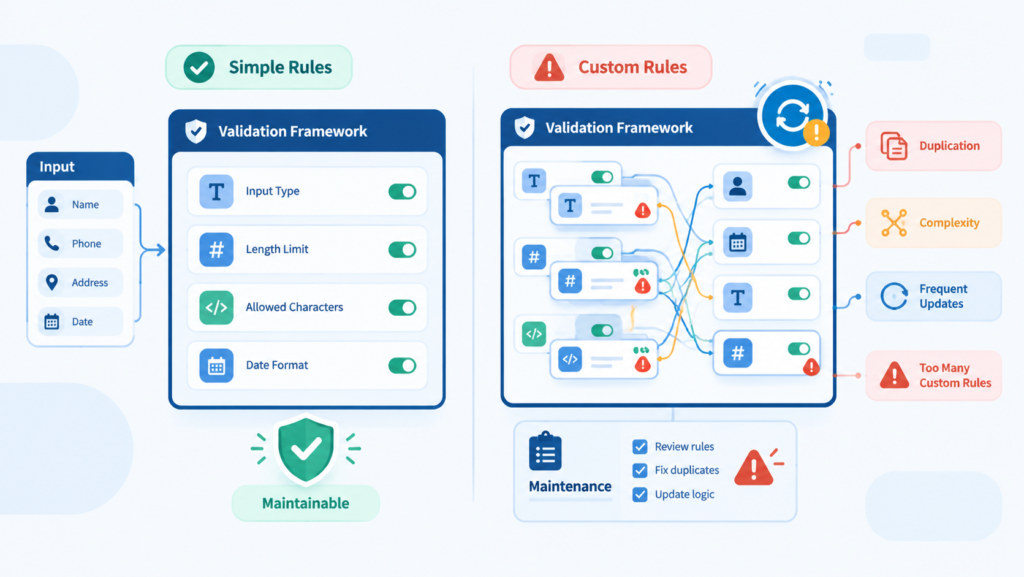
Customization is a tool, not a goal. There’s a real danger in over-engineering this. If you find yourself writing fifty custom validators for a simple contact form, you’ve missed the point. The goal is security and data integrity, not architectural purity. Generic rules are still useful for generic problems.
A user’s name probably doesn’t need a custom validator. “String, required, max 100 chars” is enough. Don’t waste time rebuilding rules that already work well.
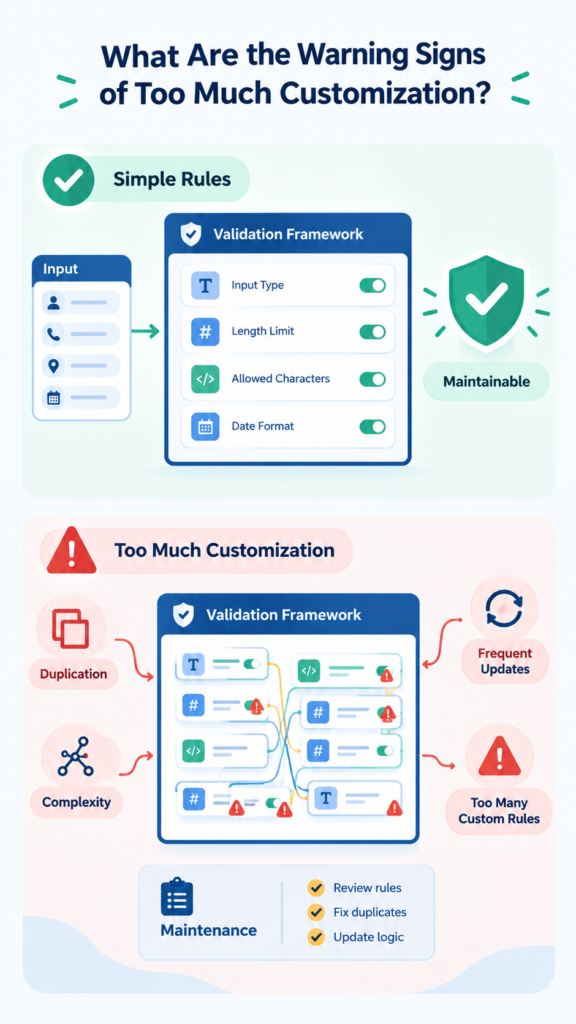
What Are the Warning Signs of Too Much Customization?
A few signs can tell you that your validation logic is becoming unnecessarily complex:
- Too many custom validators: Simple fields are being given specialized rules without a clear security or business need.
- Too many dependencies: A validator needs multiple services or database queries just to check one field.
- Large validation functions: A single validator grows into hundreds of lines and becomes difficult to test.
- Mixed responsibilities: The validator starts handling complex business operations instead of checking input.
- A second framework: Your custom system becomes so large that developers must learn it separately from the original framework.
Another warning sign is when your custom logic becomes a tangled web of dependencies. If your validator needs to instantiate three different services and query two databases to check a single field, you’ve probably put the validation in the wrong place.
“Data could be validated and verified or only directly verified… Validation is about accepting or rejecting data based on its syntax: it checks if data are in proper format (grammar)… Verification is about accepting or rejecting data based on its semantics: it checks if data have proper value (meaning).” – NIST.GOV
That logic might belong in a service layer or a domain model method. Validation should be lean. It’s a checkpoint, not the processing plant itself. Keep custom validators focused on data shape and simple logical relationships.
FAQ
Doesn’t custom validation lock us into a specific framework?
It can create a mild dependency, yes. But the real risk is in the logic, not the framework syntax. Your business rules (e.g., “SKU format is XXX-999”) are valuable. Write your custom validator functions in a way that isolates the business logic from the framework’s API. This makes them easier to port if you ever switch.
How do we test custom validation rules effectively?
Treat them like any other unit of code. Write unit tests for each custom validator function. Pass in valid and invalid examples, including edge cases. Ensure they return the correct pass/fail result. This test suite becomes your living specification for what constitutes valid data.
Is performance a concern with many custom rules?
It can be, if you’re not careful. Validations should be fast and side-effect free. Avoid expensive operations like database calls inside tight validation loops. Most frameworks are designed to run validation efficiently. Profile if you have hundreds of complex rules on a single payload, but for most applications, the overhead is negligible.
Who should own the creation of these rules?
The developers closest to the domain. This often means backend or full-stack developers, in collaboration with product or business analysts who understand the data constraints. It’s a shared responsibility, rooted in a shared understanding of what “correct” data means.
Final Thoughts on Tailored Defense
Customizing input validation is not about clever code. It is about making security fit the way your application actually works. Generic checks provide a useful foundation, but custom rules can address specific data, workflows, and business risks. Start small by choosing one important data entity and adding one focused rule.
If you want practical guidance, the Secure Coding Practices Bootcamp offers hands-on training covering input validation, OWASP Top 10, authentication, encryption, and other secure coding essentials.
References
- https://top10proactive.owasp.org/archive/2018/c5-validate-inputs/
- https://pages.nist.gov/BF/info/bf-bugs-models/bf-input-output-check-bugs-model/