


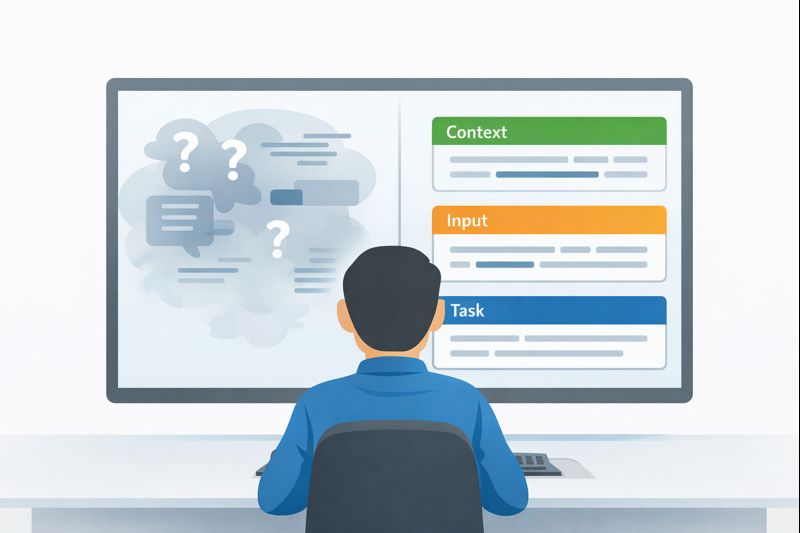
Precise, unambiguous prompts are the closest thing we have to a safety rail for AI: when we spell out exactly what we want, the model stops guessing and starts behaving more like a dependable tool. We’ve seen this firsthand while training developers on secure coding, vague requests almost always lead to risky or half-baked outputs, especially around security-sensitive logic.
The good news is that prompt clarity isn’t magic, it’s a skill we can all learn and apply across our workflows. If you want to cut out that silent guesswork, keep reading and we’ll walk through how to do it step by step.
Key Takeaways
- Replace subjective words like “better” or “efficient” with objective, measurable criteria the AI can actually follow.
- Structure is your scaffold; using tags, headers, and clear sections prevents the model from confusing your instructions with your data.
- Show, don’t just tell; a couple of clear input-output examples train the model on your exact expectations faster than paragraphs of explanation.
The Silent Contract of Clear Instructions
Every prompt is a contract. You’re offering a set of terms, and the AI is agreeing to fulfill them to the best of its ability. The trouble starts when the terms are fuzzy. A contract that says “provide a reasonable number of solutions” is a lawsuit waiting to happen.
Is three reasonable? Is five? The model, in its own statistical way, panics and picks a number from its training data. It might work, but it’s not engineering. A clear contract states, “Provide three alternative solutions.” There’s no room for debate. The shift is mental. You stop asking for a favor and start defining a scope of work. This is where reliability is born.
The Roots of Prompt Misinterpretation
Credits: Screnwriter’s Cheat Code
The gap between human intent and machine execution is paved with good, but vague, intentions. You know what “make it faster” means in the context of your database query. The AI sees a relative term with no benchmark. Was it 100ms before? Should it be 50ms? 10ms? The model picks a direction, optimize, but the degree is a roll of the dice.
This happens because language is packed with subjective shorthand. We use it every day. The problem is that large language models are trained on that same messy, contextual, human language. They’re statistical pattern machines, not reasoning entities.
When you say “improve the user experience,” the model recalls thousands of text passages where that phrase precedes suggestions about button colors, load times, or checkout flows. Which one do you want? It has to guess.
Clarity in prompts enhances output quality by about 35% and reduces irrelevant results by 42%. (1)
The most common culprits are what I call “weasel words.” They sound specific but aren’t. Words like:
- Handle
- Process
- Fix
- Better
- Quickly
- Robust
- Several
Each of these requires the AI to fill in a value. How should it “handle” an error? Log it? Throw it? Return a default? You haven’t said. The hidden assumption is that the AI shares your mental model of best practices. It doesn’t. It only has the pattern you gave it. The fix is surgical. You must audit your prompts for these terms and excise them. It feels awkward at first, like you’re over-explaining. You’re not. You’re finally being clear.
From Foggy Requests to Blueprint Instructions
Let’s move from diagnosis to construction. The transformation is straightforward: turn open-ended questions into goal-oriented commands with boundaries. This is where effective prompting techniques separate casual requests from instructions that behave like real specifications. It’s the difference between giving someone a compass and giving them a map with the destination circled.
Well-structured prompts improve response accuracy from about 85% to as high as 98%. (2)
Look at the shift. An ambiguous prompt might be: “Write a function to clean user input.” The AI has to invent what “clean” means. Strip whitespace? Remove special characters? Sanitize for SQL? It’s a lottery ticket.
A precise prompt builds a fence around the task. “Write a Python function named sanitize_username. It should accept a single string argument. Remove any character that is not alphanumeric (a-z, A-Z, 0-9). Convert the result to lowercase. Return the cleaned string. If the input is empty after cleaning, return None.” This isn’t a suggestion box. It’s a spec.
We build this by adding constraints. Every constraint removes a degree of freedom.
- Role: “Act as a senior backend engineer…”
- Goal: “…to generate a secure login endpoint.”
- Context: “The user table has fields id, email, and password_hash.”
- Constraints: “Use bcrypt for hashing. Validate email format. Return a JSON response with status code.”
- Output Format: “Provide the code in a single Python file using FastAPI.”
Suddenly, the model isn’t painting on a blank canvas. It’s solving a problem inside a well-defined box. The output becomes predictable, and more importantly, testable. You can run the generated code against your criteria. Did it use bcrypt? Yes. Does it validate email? Check. The guesswork is gone.
| Ambiguous Prompt | Why It Fails | Precise Prompt |
| “Write a function to clean user input.” | Uses vague terms with no defined scope or rules. | “Write a Python function that removes non-alphanumeric characters, lowercases input, and returns None if empty.” |
| “Optimize this query.” | No performance baseline or measurable outcome. | “Reduce query execution time from 120ms to under 60ms without changing results.” |
| “Handle errors properly.” | “Handle” is undefined and open to interpretation. | “Log the error, return HTTP 400, and include a descriptive error message.” |
| “Make the response more professional.” | Subjective tone without criteria. | “Use active voice, no emojis, and a neutral technical tone.” |
Building Guardrails with Structural Markers
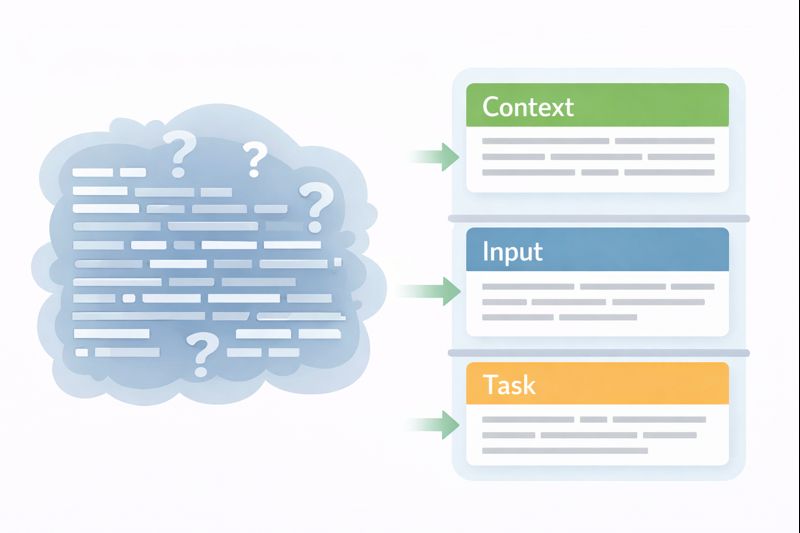
When a prompt gets long, the model can lose the thread. Instructions blend with examples, context gets mistaken for the task. Clear boundaries are especially critical in high-level functionality prompts, where a single vague instruction can distort the entire output. This is where technical formatting earns its keep. It’s not about being fancy. It’s about creating visual and semantic boundaries that the model’s tokenizer can recognize as separate chunks of information.
Think of it like writing a configuration file. You wouldn’t just write a paragraph describing your settings. You use YAML, JSON, or XML because the structure enforces clarity. The same principle applies here. By wrapping your instructions in tags like <task> or ## Instructions ##, you’re creating signposts.
For instance, a messy prompt might state: “I have a list of prices: [10, 20, 30]. Ignore taxes. Calculate the total and apply a 10% discount for the final sum.” The model might try to reason about the list format, or get confused about what to “ignore.”
A structured version creates compartments:
<context>
You are a billing calculator. Taxes are not considered.
</context>
<input>
Prices: [10, 20, 30]
</input>
<task>
1. Sum all integers in the input list.
2. Apply a 10% discount to the sum.
3. Output only the final discounted total as a number.
</task>
The tags act as fences. The model learns to look inside <task> for what to do, and inside <input> for the data to operate on. It’s a simple trick that dramatically cuts down on cross-talk. You can use Markdown headers, XML, or even simple triple dashes (—). The key is consistency. Pick a syntax and stick with it, so the model recognizes your personal “prompt dialect.”
The Unbeatable Power of Showing Your Work
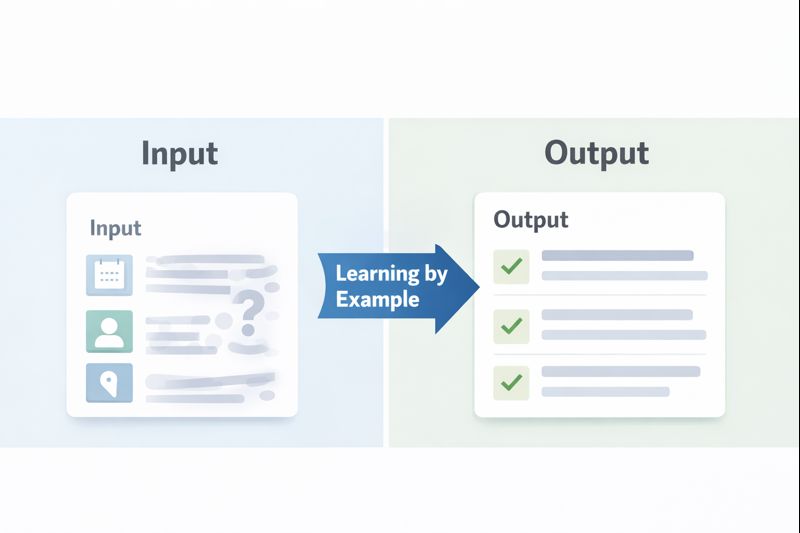
You can describe the perfect coffee table for a hundred words. Or, you can show a picture. For an LLM, a few-shot example is that picture. This technique, called few-shot prompting, is arguably the most powerful tool for eliminating ambiguity. You provide two or three clear examples of an input and the exact output you expect. The model detects the pattern and replicates it.
Why does this work so well? Because it bypasses the need for perfect linguistic description. You’re demonstrating the relationship between input and output, which includes all the unspoken rules, the formatting preferences, the tone. You’re not just telling the model what to do; you’re showing it the how.
Let’s say you need the AI to generate product descriptions in a very specific, technical style. You could write: “Write a product description that is technical and concise, focusing on specifications.” That’s okay. But it’s stronger to show it:
Input: “Product: SSD, Model: X-900, Capacity: 2TB, Interface: NVMe PCIe 4.0, Read Speed: 7000 MB/s”
Output: “The X-900 SSD delivers 2TB of storage with NVMe PCIe 4.0 interface support, achieving sequential read speeds up to 7000 MB/s for rapid data transfer.”
Input: “Product: Monitor, Model: ProView 32, Size: 32-inch, Resolution: 4K UHD, Refresh Rate: 144Hz”
Output: “ProView 32 is a 32-inch 4K UHD monitor featuring a 144Hz refresh rate, designed for high-fidelity visual clarity and smooth motion.”
Now, your final prompt is simple: “Generate a product description in the same style as the examples.” The model has a crystal-clear template. It knows the style, the structure, which data points to highlight, and which to omit. The ambiguity about what “technical and concise” means is gone. You’ve defined it by example.
Defining Success with Numbers, Not Feelings
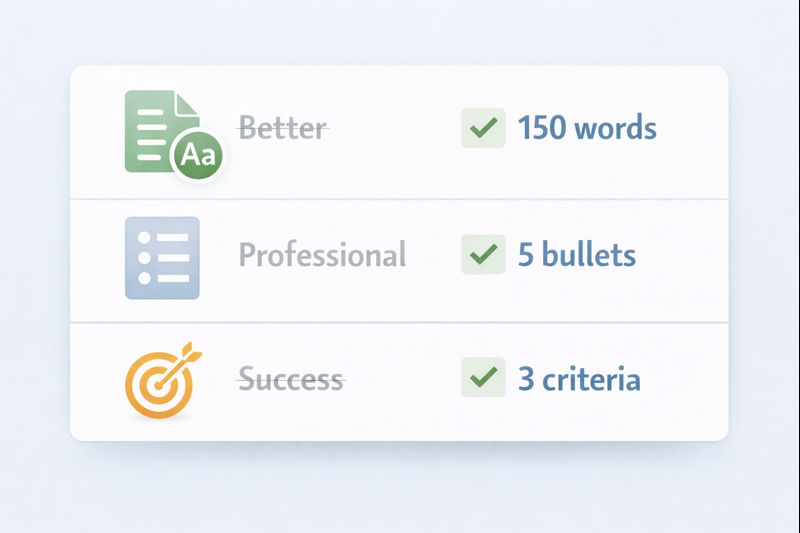
“Make it shorter.” “Sound more professional.” “Be comprehensive.” These are feelings, not instructions. To get consistent results, you must translate feelings into numbers and rules. This is the realm of quantifiable constraints. It moves the goalpost from “looks good to me” to “meets the spec.”
Think about the review criteria you’d apply to a junior developer’s code. You’d check for things like function length, proper error handling, use of specific libraries. Apply the same rigor to your prompt’s success criteria.
Break it down into categories:
- Length: “The summary must be under 150 words.” or “Provide exactly 5 bullet points.”
- Format: “Output must be valid JSON with the keys ‘summary’ and ‘keywords’.” or “Use Markdown for all headers.”
- Tone: “Use the active voice.” or “Avoid adverbs.”
- Logic: “If the input contains an error code, the response must start with ‘ERROR:’.” or “Prioritize solutions that use the standard library.”
- Exclusions: “Do not use the word ‘leverage’.” or “Do not generate any code comments.”
This list becomes your pre-flight checklist. Before you run a major prompt, scan it. Have you defined the length? Have you specified the format? Have you banned any problematic terms? This turns prompt crafting from an art into a repeatable engineering checklist. The output isn’t just better; it’s verifiably correct according to the rules you set.
Test Your Prompts Like You Test Your Code
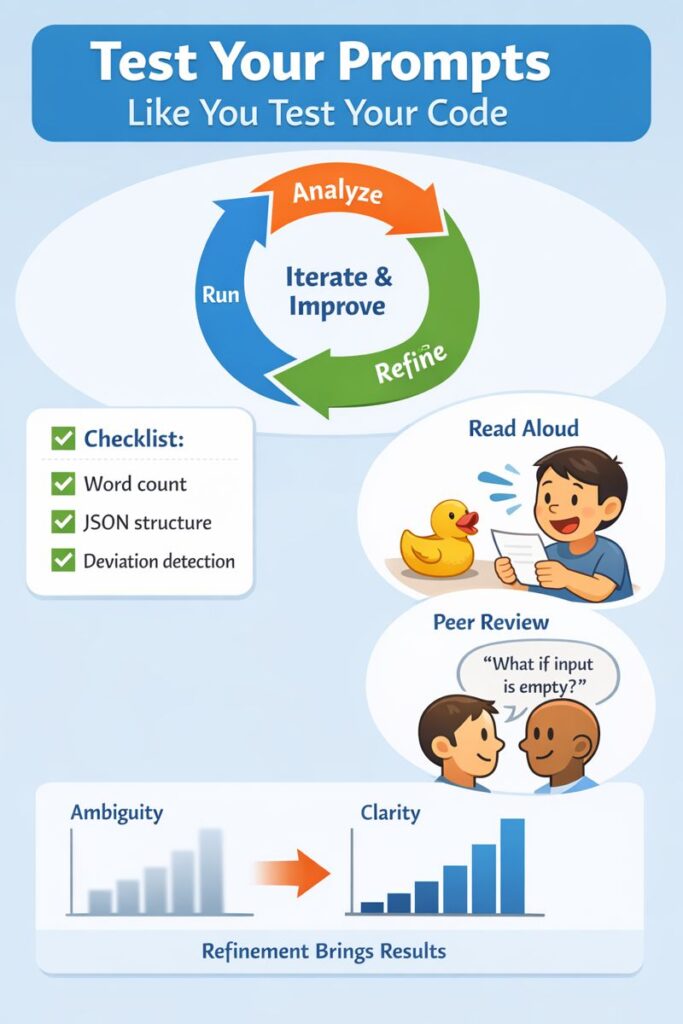
You wouldn’t deploy an untested function to production. A prompt is a piece of software logic, written in natural language. It deserves the same respect. The final, non-negotiable step is iterative testing and review. This is where you catch the subtle ambiguities that slipped through your first draft, especially during conversational code refinement, where back-and-forth interactions compound small misunderstandings.
The process is simple: Run, Analyze, Refine. Run your prompt with a few different, realistic inputs. Don’t just look at the output and think “yep, that’s fine.” Analyze it against your quantifiable constraints. Did it adhere to the word count? Did it follow the exact JSON structure? Where did it deviate? That deviation is a clue. It means a part of your instruction was still open to interpretation.
Then, try the most powerful tool in the tester’s arsenal: read the prompt aloud. To yourself, to a rubber duck, to a colleague. Hearing the words forces your brain to process them as instructions, not just your intent. You’ll spot assumptions you didn’t know you made. Phrases like “as usual” or “the standard approach” have no place here. What’s standard? Define it.
Finally, get a second set of eyes. A peer review for prompts is invaluable. Another developer will approach your instructions without the context in your head. They’ll see the gaps immediately. “What happens if the user list is empty?” they might ask. You realize your prompt didn’t say. So you add a constraint: “If the input list is empty, return an empty list.” The ambiguity is patched. This cycle, write, test, review, refine, is what separates a hobbyist prompt from a robust, production-ready piece of logic.
FAQ
How does prompt clarity reduce misunderstandings in development prompts?
Prompt clarity helps prevent interpretation errors by using precise language, unambiguous instructions, and clear objectives. When you define scope, input specification, and expected output format upfront, the model follows your intent more closely. This reduces vague term usage, assumption removal issues, and error-prone guessing, leading to more reliable and repeatable results.
What makes instructions truly unambiguous for technical prompts?
Unambiguous instructions rely on specific directives, explicit requirements, and detailed specifications. This includes defining parameters, setting constraints, clarifying pronouns, and avoiding modal verbs like “might” or “should.” Clear role definition, context provision, and literal interpretation rules help prevent confusion and ensure the response aligns with your exact goal.
How can examples improve understanding in complex development prompts?
Example inclusion, especially few-shot examples, shows the model exactly what you expect. By pairing inputs with correct outputs, you remove guesswork around tone specification, response structure, and formatting rules. Examples act as reference points that reinforce intent articulation, reduce ambiguity detection issues, and improve consistency across similar tasks.
How do structure and formatting help avoid ambiguity in prompts?
Using markdown usage, bullet points, numbered lists, or XML tagging separates instructions from data. A clear response structure prevents instruction mixing and improves syntax clarity. When you define output format, desired length, and success criteria explicitly, the model processes each part correctly and avoids unintended interpretation.
How should developers test prompts to catch hidden ambiguity?
Prompt testing works like code testing. Run multiple inputs, validate outputs, and check against measurable outcomes and evaluation metrics. Iteration refinement helps detect vague terms, missing edge case handling, or unclear constraints. Reviewing prompts aloud or with peers supports ambiguity detection and strengthens reproducibility assurance.
From Guesswork to Specification: Your Prompt Engineering Standard
Ambiguity isn’t a quirk of language, it’s a failure of specification. When a prompt leaves room for interpretation, the model is forced to guess, and guessing is the opposite of engineering.
The shift outlined in this article is simple but fundamental: stop treating prompts as casual requests and start treating them as formal specifications. When you define scope, constraints, structure, and success criteria with the same rigor you apply to production code, AI output stops being unpredictable and starts becoming reliable by design.
It starts with a ruthless edit, hunting down every “better,” “handle,” and “several.” It’s cemented by building fences with structure and demonstrating patterns with examples. It’s quantified by replacing “good” with “under 200 words” and “professional” with “uses the active voice.” And it’s hardened in the forge of testing, where you find the cracks in your logic before they break your workflow.
The payoff isn’t just slightly better AI output. It’s trust. It’s the confidence that when you describe the blueprint, the machine will build the house you actually designed. It turns a frustrating, hit-or-miss interaction into a reliable engineering tool. Start your next prompt with this protocol. The first one will take longer. Then it becomes habit. And the guesswork never comes back.
Put this into practice. Take your most-used, slightly-flawed prompt right now. Apply just one of these lenses, convert a vague term to a specific metric, or add a single structural tag. Run it again. See the difference. That’s your new baseline.
If you want to apply this same specification-first discipline beyond prompts and into the code you ship, the Secure Coding Practices Bootcamp is designed for exactly that. It trains developers through hands-on, real-world labs to replace ambiguity with clear security boundaries, covering OWASP Top 10 risks, input validation, authentication, encryption, and safe dependency use. No jargon, just repeatable practices you can use immediately.
Treat prompts like specifications. Treat security the same way. When the rules are clear, the system stops guessing and so do you.
References
- https://sqmagazine.co.uk/prompt-engineering-statistics/
- https://www.researchgate.net/publication/385591891_Crafting_Effective_Prompts_Enhancing_AI_Performance_through_Structured_Input_Design
Related Articles
