
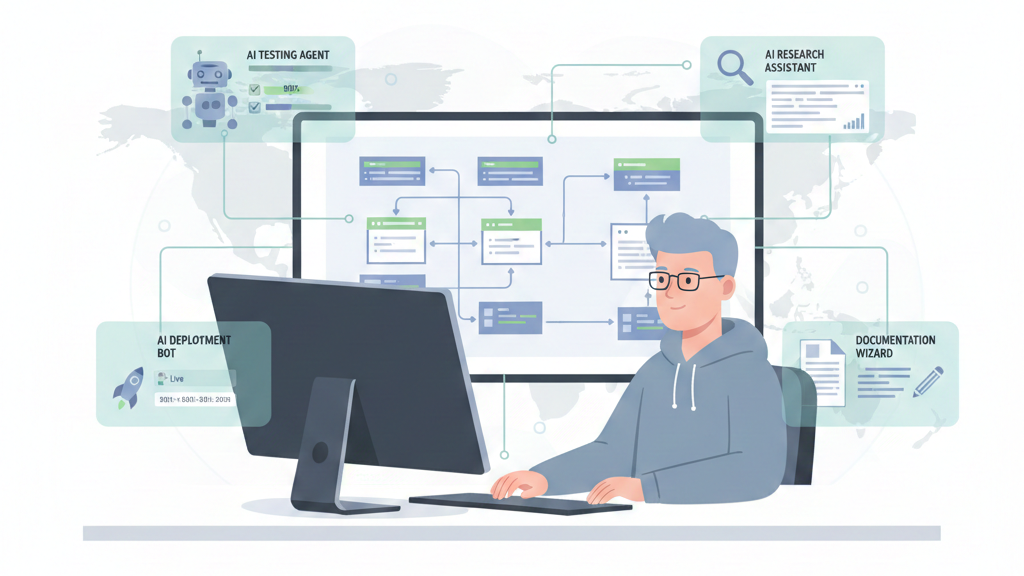

We used to think automation killed the feel for code. Now we build agents. These are structured workflows where AI models call tools, code executors, web search, git, to finish complex jobs. For a senior dev, it’s moving from writing each line to directing a system that writes them.
You don’t just go faster. You get mental space back for architecture and security. The change is quiet, but the numbers show it. Here’s how how senior developers can leverage this workflow for focus
The Workflow Shifts That Give Senior Developers Back Their Focus
- Stop coding, start orchestrating. Use agents for research and generation; this can free 40% of your time for design and review.
- Call tools programmatically. Write small scripts for agents to handle data loops. This keeps big datasets out of the AI’s context, cutting latency and cost.
- Roll out in phases. Go from read-only analysis to gated execution. Build team trust and keep quality high.
How AI Agent Workflows Actually Transform Senior-Level Work
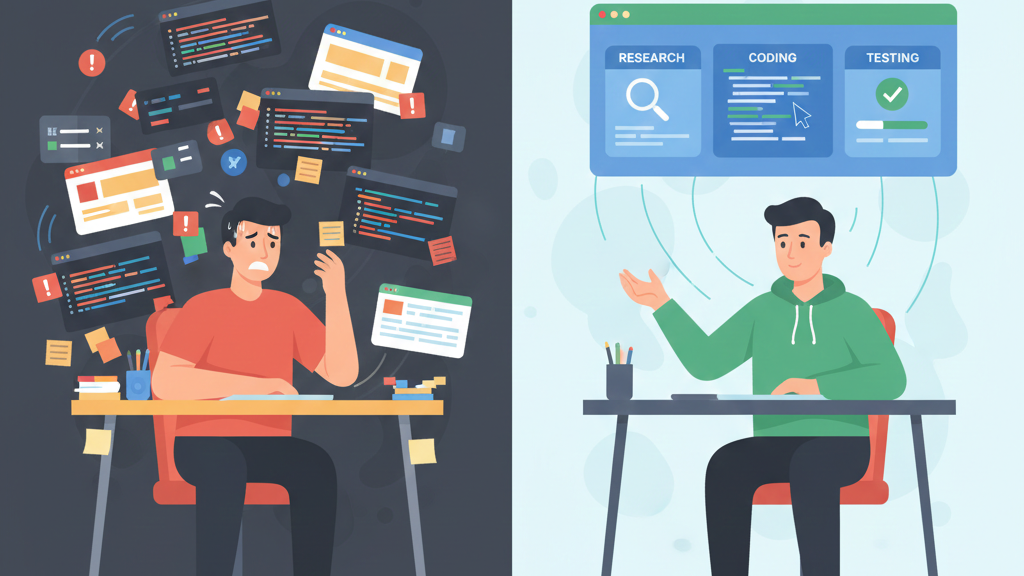
AI agent workflows change how senior developers see their own work. You stop being just the coder and start being the conductor. It’s a cognitive offload engine.
We give it a goal, like “research the latest authentication libraries and draft an ADR”, and it runs a loop: search, synthesize, draft, revise. It can pull from ten sources, run comparisons, and deliver a summary.
“AI tools act more like junior developers than suggestion engines, shifting from ‘predict the next line’ to ‘accomplish this task’.” – Tomaszbujnowicz
That’s where the big productivity gains, often 40-60%, come from. It’s not typing speed. It’s deleting the tedious middle steps of deep work. You avoid switching between your IDE, browser, and notes. The agent gathers, you judge. At our bootcamp, we use this heavily for project scaffolding and updating old docs, necessary work that usually drains focus.
The output is a first draft. We treat it like a sharp junior’s work: good structure, maybe 80% there, but it needs our review. Maintaining this human-in-the-loop oversight is critical, especially as we observe how vibe coding affects junior developer growth and their ability to troubleshoot without an LLM.
Why Programmatic Tool Calling Beats Standard Chat Every Time
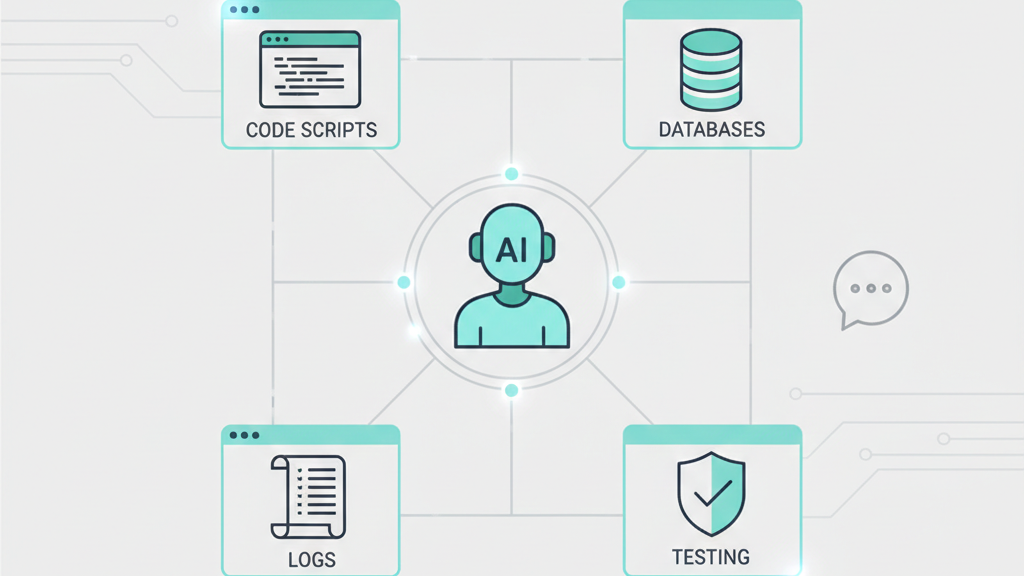
Standard chat is a conversation. You ask, it answers. Programmatic tool calling is different, you write a small piece of code, a Python script, that the agent executes as a custom tool.
Think about a 10MB server log file. Dumping the whole thing into a chat is expensive and slow. Instead, you provide an analyze_logs tool. The agent calls it with a file path. Our backend runs a script to parse the file, extract error rates and patterns, and returns a tiny summary. The AI never sees the raw data, just the insight.
This approach slashes token use by a third. More importantly, it removes the latency of the AI slowly grinding through raw data. The heavy processing is handled by fast, deterministic code. The AI’s job shifts to strategic analysis of the results.
You begin designing toolchains: one tool fetches pull requests, another runs a linter, another queries a database. The agent sequences them based on a goal. This is where senior developers shine.
We understand the dependencies and failure points in that chain. We build the tools and define the workflows, creating leverage that standard chat simply doesn’t have.
Optimizing Context and Managing a Library of Tools
As our tool library grew, we ran into a problem we hadn’t expected. Dropping 50+ tool schemas into every agent prompt didn’t make the system smarter, it just burned the context window before real work even started. The fix came through dynamic, on-demand tool discovery, often called Tool Search, and it changed how our workflows scale.
“AI handles the repetitive implementation while seniors focus on the critical thinking that creates business value.” – Dakic
In our training environments, we keep a central registry for everything, GitHub actions, ticket updates, deployment scripts, security checks. When an agent gets a task, it searches that registry first. Ask for help with code reviews and dependency risks, and it pulls only the few tools that matter. No clutter. No guessing.
What surprised us was how dramatic the improvement felt in practice. Most of the context window suddenly stayed free for reasoning instead of schemas. Tool selection accuracy jumped from roughly 50% to well over 70%. Just like developers do, the agent stopped loading everything and started reaching for exactly what the job required.
Traditional vs. Agentic Development: A Side-by-Side Look
The difference becomes stark when you lay the workflows side by side. It’s not about one being better in all cases, but about knowing which lever to pull for which job.
| Scenario | Traditional Manual Approach | AI Agent Workflow Leverage |
| Data Processing | Write a script, run it, debug. Copy 200KB+ of raw output into notes for analysis. | Agent orchestrates a code loop. You receive a 1KB summary with key trends and anomalies. |
| Tool Discovery | Manually look up CLI flags or API docs, context-switching out of your flow. | Agent searches an internal tool registry, loading only the 3K tokens of schema it needs. |
| Parameter Accuracy | Rely on memory or docs for complex JSON structures, leading to trial and error. | Provide 2-3 input examples in the tool schema. Accuracy jumps to 90% for nested objects. |
| Deployment Coordination | Manual tickets, Slack pings, and status checks across DevOps and QA teams. | Agent sequences the pipeline, running tests and gating promotions, cutting delivery time. |
The table shows a pattern. The manual approach centers you as the processor. The agentic approach centers you as the director, which has a profound impact on developer skills & careers. Your cognitive load shifts from remembering syntax to defining goals and validating outcomes
High-Impact Use Cases for the Senior Engineer
This is where agent workflows start earning their keep in real engineering work. Beyond boilerplate, we’ve found the biggest impact in tasks that are important but traditionally drain time and focus.
Research acceleration is usually the first breakthrough. When our team needs to compare frameworks or libraries, an agent gathers current documentation, repository activity, benchmarks, and community feedback in one sweep.
Instead of spending half a day collecting inputs, we’re reviewing a structured draft within minutes. Mastering these automated discovery patterns is among the vital skills modern programmers need to remain effective as DevOps orchestration becomes the next force multiplier.
DevOps orchestration quickly becomes the next force multiplier. When a critical issue appears, agents can spin up branches, assess diffs for regression risk, run targeted test suites, and push clean builds to staging. Everything is logged automatically, and we step in for approval before production.
Large-scale analysis is where scale really shows. For compliance across thousands of configurations, agents surface only exceptions, not noise.
- Security audits
- Cost optimization
- Incident triage
The system handles volume. We handle judgment
A Phased Rollout: Building Trust in the System
You don’t hand the keys to a new driver on the freeway at night. You start in a parking lot. The same logic applies to integrating agents into your team’s workflow. A structured, four-phase rollout builds trust and manages risk.
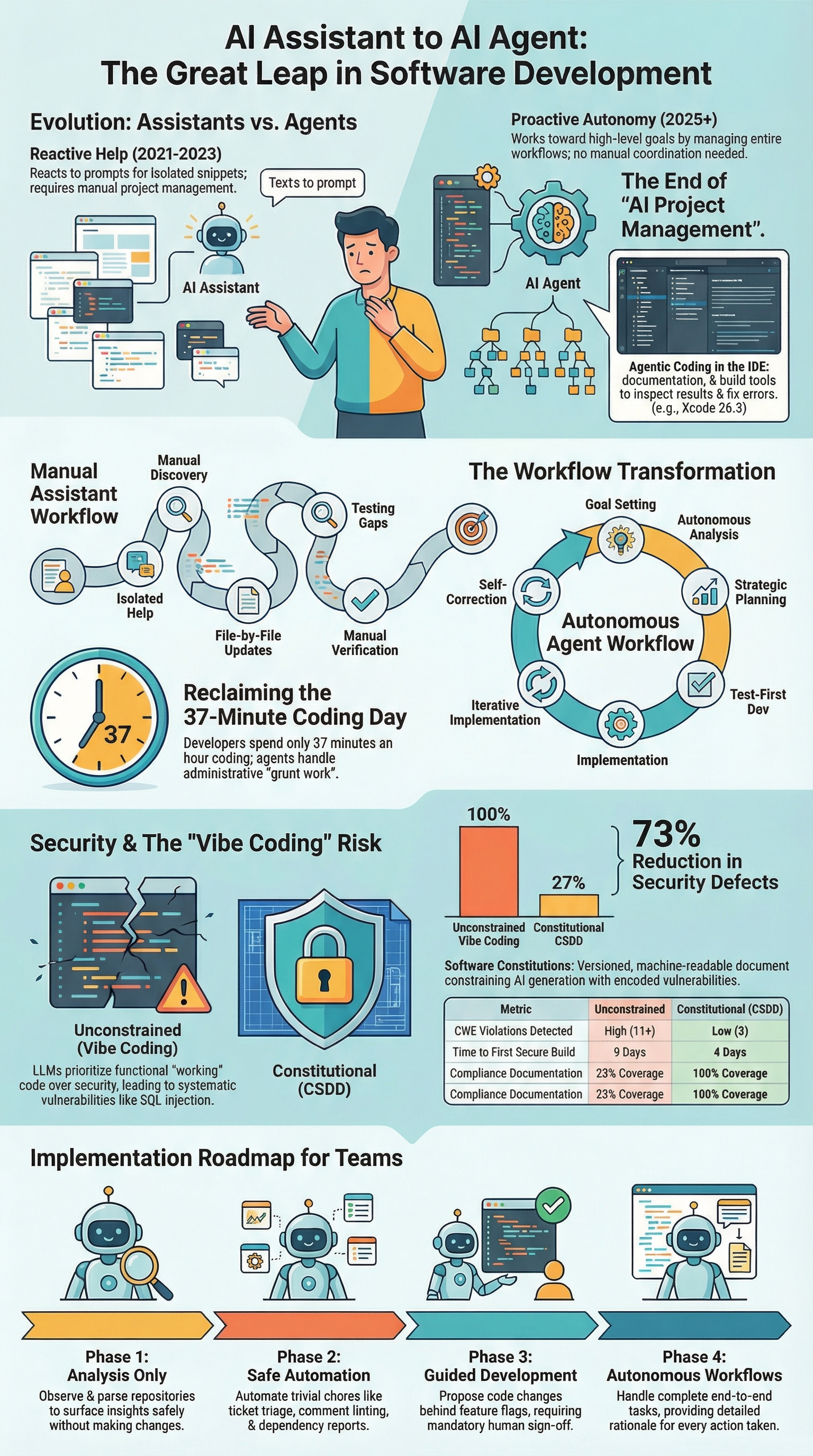
Phase 1: Analysis Only. The agent has read-only access. Use it to analyze pull requests for style guide drift, generate reports on code coverage trends, or identify circular dependencies. It provides insights but makes no changes. This phase proves its analytical value without any risk.
Phase 2: Safe Automation. Let the agent perform actions in low-risk environments. Automate ticket triage based on labels, generate weekly dependency update reports, or comment on PRs with automated linting results. The changes are either informational or happen in sandboxed systems.
Phase 3: Guided Development. Now the agent can suggest changes. It can draft code patches for simple bugs or update configuration files. Crucially, all changes are proposed behind a feature flag or in a draft PR that requires explicit human approval. This is where you integrate it into the code review process.
Phase 4: Autonomous Workflows. For mature, well-defined processes, the agent can execute end-to-end. Think of auto-remediating a known, low-severity alert or running a nightly resource cleanup job. Even here, it should provide a detailed rationale for its actions for auditability. This phase is for tasks where the cost of human latency outweighs the risk of automated error.
This phased approach isn’t just technical. It’s psychological. It lets the team see the agent as a helpful tool that evolves, not a sudden replacement. Each phase delivers value and builds the confidence needed for the next.
Maintaining Code Quality and Security in an Agentic World
This is the part we never compromise on. An agent’s output is still unverified code, and in our experience it deserves at least the same scrutiny as a human pull request, often more.
Secure coding isn’t something layered on later; it’s built into the workflow from the start. We tend to treat agents like extremely fast interns who haven’t yet learned where security pitfalls usually hide.
Much of the protection starts in tool design. When we build database or infrastructure tools, we hard-wire safe patterns directly into them. Parameterized queries, input validation, and clear schemas guide the agent toward secure behavior by default. Instead of vague inputs, we include real examples that model exactly how safe calls should look.
Review still matters. We focus less on trivial diffs and more on architectural impact and risk, backed by automated regression and security tests that gate every change.
Over time, we track outcomes, cycle speed, defect rates, and security issues, and continuously tighten the system.
Quality isn’t a one-time check. It’s an ongoing feedback loop we actively own.
FAQ
How can senior developers use AI agents without losing control of code quality?
Senior developers can leverage this workflow by treating AI agents as support systems, not decision makers. Agents handle research, drafts, and automation while humans review architecture, security, and logic.
This approach blends AI-assisted engineering with best practices like code review, version control, and clear project plans. It keeps AI-written code useful without risking long-term maintainability or hidden technical debt.
How do AI-powered workflows improve testing without slowing development?
AI-powered workflows help generate unit tests, integration tests, and full test suites automatically as features evolve. Senior developers can use this workflow to boost code coverage while keeping build times reasonable.
By pairing automation strategies with test-driven development, teams catch issues earlier, reduce regressions, and maintain faster deployment frequencies across the software development lifecycle.
Can agentic coding really reduce technical debt in large systems?
Yes, when used with structure. Senior developers can leverage this workflow to analyze legacy code, map dependencies, and highlight risky areas. AI agents support system modernization by summarizing modules, tracking dependency updates, and spotting weak documentation.
Instead of adding more shortcuts, the workflow guides cleaner refactors that steadily shrink technical debt across microservices architecture.
How does this workflow change daily developer workflows for senior teams?
Instead of jumping between tools, senior developers set goals and let agent systems coordinate tasks. Research, testing, documentation, and CI/CD practices run in connected flows.
This reduces decision latency and mental overload caused by constant context switching. The result is smoother end-to-end workflows where humans focus on design, tradeoffs, and secure software engineering.
The Senior Developer’s Workflow Advantage
AI agents aren’t about chasing trends, they reshape how senior developers spend focus. Repetitive, large-scale tasks move into workflows you design, freeing attention for architecture, risk decisions, mentoring, and security. Clarity replaces constant context switching, and you stop acting as the bottleneck.
If you want to apply this mindset with real secure development skills, join the Secure Coding Practices Bootcamp here
Hands-on training, real code, and practical security habits that stick.
References
- https://www.tomaszbujnowicz.com/blog/the-real-productivity-story-how-ai-coding-tools-transform-developer-workflows/
- https://dakic.com/ai-senior-developers-superpower