
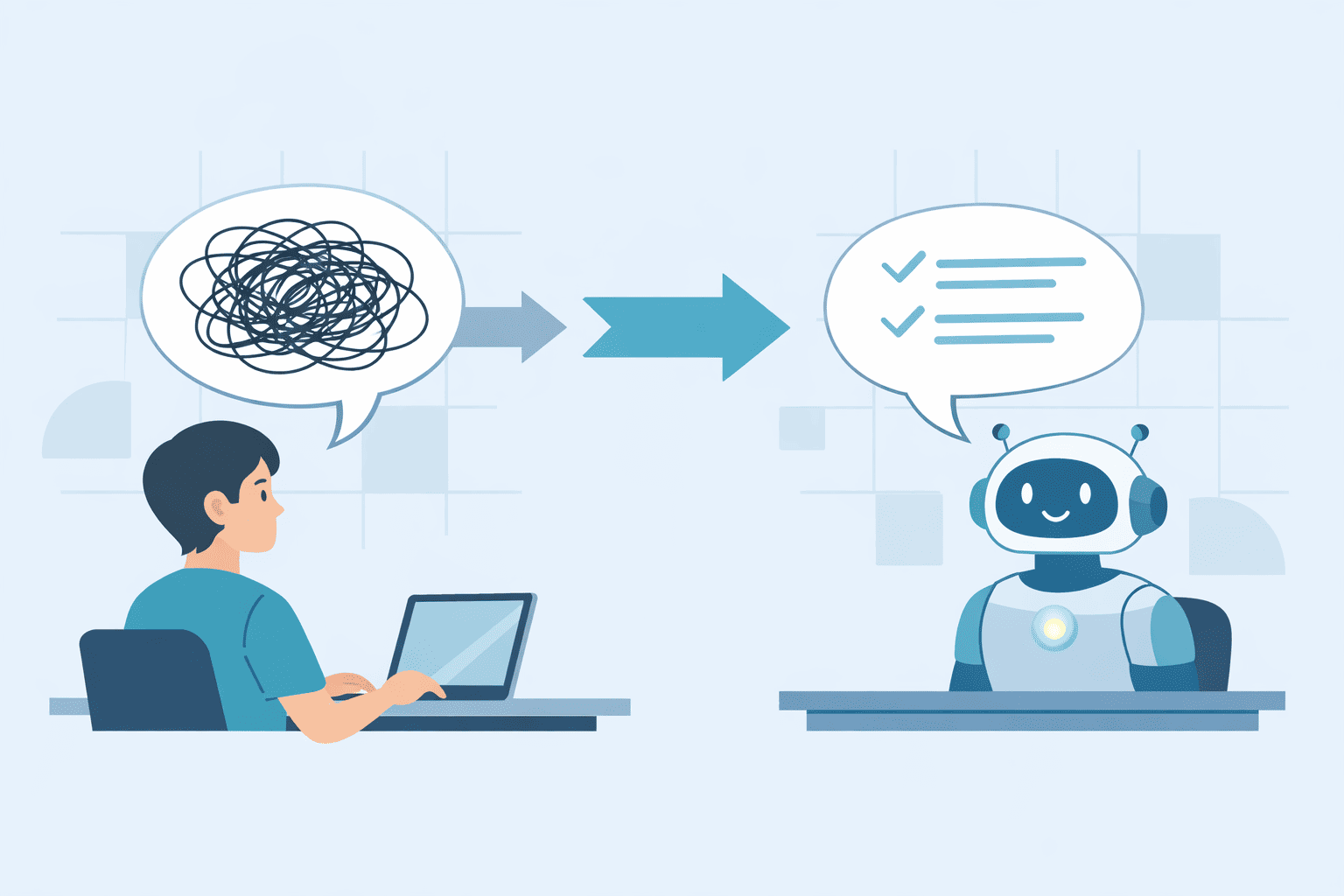

You didn’t fail, and the AI didn’t fail either, the prompt just wasn’t clear enough. When you ask for a list and get a wall of text, or you want a technical breakdown and receive something that sounds like a sales page, that mismatch isn’t random. It’s feedback.
Once you treat every “wrong” answer as a clue about what your instructions are missing, you can start shaping the output on purpose, not by luck. Keep reading to learn the quick fixes and simple structures that make AI responses sharper, faster, and far more reliable.
Key Takeaways
- Stop and correct the AI immediately with a clear, one-sentence pivot, then verify its understanding before letting it continue.
- Refactor your prompts by breaking complex tasks into steps and swapping vague language for explicit action verbs.
- Prevent misunderstandings by defining hard constraints like audience, format, and scope before you even begin.
The “Junior Engineer” Mental Model
Shift your perspective. You’re not talking to a mind-reader, you’re giving instructions to a very sharp, but context-poor, junior engineer.
This junior has read more than any human you know, but they don’t know your project history, your team’s shorthand, or your exact goal unless you spell it out. When their work misses, a good manager doesn’t blame the person, they walk back through the spec and tighten it up.
Most AI “misfires” are really:
- Missing context
- Vague instructions
- Conflicting goals
So the fix isn’t shouting, switching tools, or rewriting everything from scratch. The fix is a smaller, clearer loop: break the work into steps, review early outputs, give pointed feedback, and adjust.
You wouldn’t hand a junior engineer a 40-page requirements doc and expect perfect code in one go. You’d slice the work, set checkpoints, and course-correct along the way.
That same iterative rhythm mirrors how vibe coding workflows evolve in practice, where small feedback loops and intentional direction shape better outcomes over time.
This mindset turns the AI into an assistant writer that responds to structure, not guesswork, making interaction feel precise instead of chaotic, especially given that “general AI chatbots (e.g., OpenAI’s ChatGPT, Google Gemini) can exhibit hallucination rates between 10–20% in typical outputs” [1].
This mindset turns the AI into an assistant writer that responds to structure, not guesswork, making interaction feel precise instead of chaotic.
Phase 1: Immediate Recovery Tactics
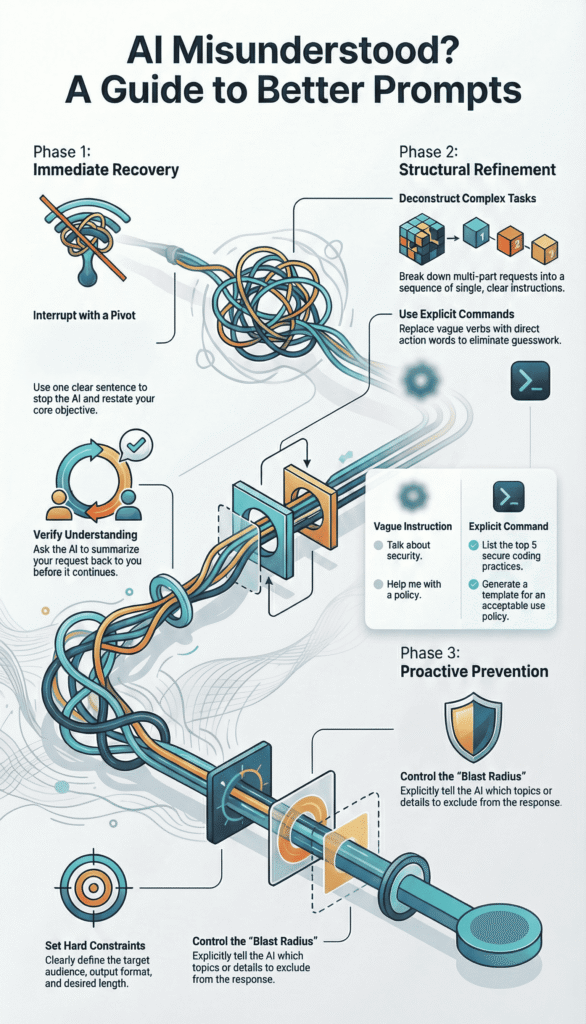
The text is scrolling, and with each line, you realize it’s wrong. Don’t close the window. Don’t start a new chat in frustration. Use these tactical maneuvers to regain control instantly.
First, execute The One-Sentence Pivot. You must interrupt the flow cleanly. Be polite but unambiguous. Acknowledge the misfire and restate the core objective in a single, clean sentence. This resets the AI’s attention without adding new confusion.
- “This isn’t what I was looking for. Please provide a step-by-step guide instead of an overview.”
- “The focus is on practical examples, not theory. Shift the response accordingly.”
- “That’s too technical. Rewrite this for a complete non-technical manager.”
Next, deploy Diagnostic Summarization. Before you allow a rewrite, force a checkpoint. Ask the AI to articulate its understanding of the task back to you. It’s like asking your junior, “Okay, walk me through your understanding of the assignment before you write another line.”
Use this verification prompt: “Before you proceed, summarize in one sentence what you believe my primary request to be.”
If its summary says, “You want a detailed comparison of encryption algorithms,” but you actually wanted “a simple explanation of why we use encryption for emails,” the mismatch is exposed.
Now you can correct it with surgical precision: “Not exactly. I need a simple analogy for email encryption, not a technical comparison.”
Phase 2: Structural Prompt Refinement
Often, the seed of misunderstanding is planted in the prompt’s very structure. It’s too monolithic, too ambiguous, or poorly sequenced. This phase is about fixing the architecture.
Task Deconstruction
AI struggles with multi-threaded instructions. It tries to juggle too many objectives at once and drops them all. The remedy is sequential tasking.
Consider this problematic prompt: “Analyze this error log, suggest the root cause, and write an update for the status page.”
Deconstruct it:
- “Review this error log. List every unique error code you see.”
- “For the most frequent error code from the list above, propose the most likely root cause.”
- “Now, draft a brief, user-friendly status page update based on that root cause analysis.”
You become the project manager. You break the epic into clear, atomic sprints.
Each prompt is a single, completable ticket. This maintains context and gives you quality gates, similar to disciplined debugging and AI refinement workflows where outputs are evaluated step by step instead of assumed correct.
Research shows that structuring prompt strategies can improve response relevance “by up to 40%,” while almost 70% of users report difficulty due to vague queries [2].
That kind of refinement keeps the AI focused on one action at a time, reducing compounding errors.
Eliminating Linguistic Ambiguity
The AI is a literalist. Vague, mushy verbs are its kryptonite. Words like “discuss,” “cover,” or “help with” grant the AI a license to wander through its entire knowledge base. You must replace them with explicit, imperative commands.
Table: From Vague to Explicit
| Vague Instruction (Leads to confusion) | Explicit Command (Leads to results) |
| Talk about secure coding practices. | List the top 5 secure coding practices for web development. |
| Discuss cloud security. | Compare the shared responsibility models of AWS and Azure in a table. |
| Help me with a security policy. | Generate a template for an acceptable use policy for employee devices. |
| Make this better. | Rewrite the following paragraph to be more concise and use active voice. |
See the shift? “List,” “compare,” “generate,” “rewrite.” These are direct calls to action. They tell the AI what to do, not just what topic to ponder.
It eliminates the guesswork, and guesswork is the enemy of precision. This is the same principle behind clear requirements in our own work, defining explicit acceptance criteria upfront prevents bugs later.
Phase 3: Setting Hard Constraints and Boundaries
Most “hallucinations” or overly generic replies stem from a lack of walls. The AI has a vast plain of information and, without fences, it will roam. Your job is to build those fences with definitive constraints.
Audience and Jurisdiction Mapping
This is critical. Who is this for, and where will it be used?
You’d never write the same document for a boardroom and a developer’s stand-up. The AI needs that same guidance. Constrain the Target Persona tightly. Is this for a new security analyst in a healthcare company? Or a CFO in a European fintech? State it explicitly.
This also sets the legal and operational landscape. Define the Regional Context (e.g., “Assume California Consumer Privacy Act (CCPA) compliance”).
Specify the Industry (“for a retail company handling PCI DSS data”). This isn’t just adding color. It actively directs the AI to pull from relevant knowledge subsets and apply appropriate guardrails.
It’s the prompting equivalent of a foundational Secure Coding Practice, building with the right context and constraints from the very first line to ensure the output is fit for purpose.
Output Formatting and Blast Radius
You must dictate the shape and size of the response. Left to its own devices, AI tends toward expansiveness. You need to be the editor.
- Length & Format: “Provide the answer in 4 bullet points, each no longer than 15 words.” “Summarize in three sentences, then provide a 3-column table.”
- Structure Enforcement: “Use this exact template: Issue: [Name], Impact: [Low/Med/High], Immediate Action: [One step].”
- Blast Radius Control: Explicitly rule topics out. “Do not include historical background.” “Exclude any mitigation steps involving network hardware.”
If the AI ignores your structure, correct it firmly: “Your response did not follow the requested format. Please provide the answer again using the exact template I provided.” You are enforcing the specification.
The Iterative Loop: A Practical Workflow
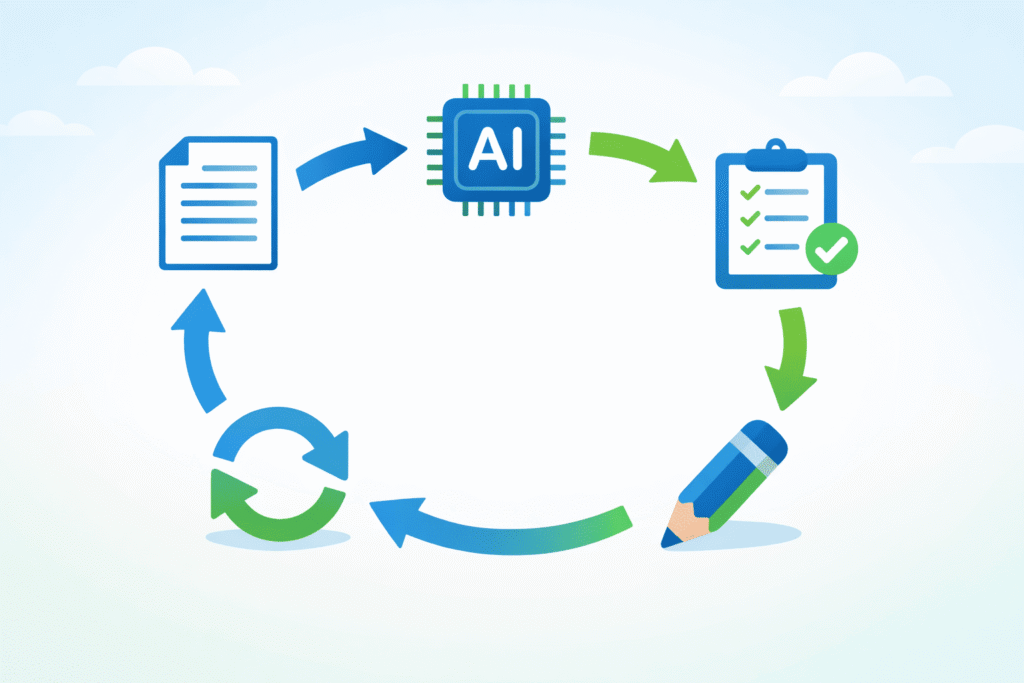
So what does this methodology look like in daily use? A simple, three-step iterative loop.
- Broad Generation: Start with a good-enough prompt to generate raw material. “Give me 5 different ideas for explaining multi-factor authentication to employees.”
- Selection and Refinement: Choose the most promising direction. Then, apply your constraints. “Take idea #4 and develop it into a storyboard for a 90-second training video. The audience is remote sales staff.”
- Final Polish: Add the finishing, granular specs. “Now, write the video script for the first 30 seconds. Use a conversational, helpful tone.”
This loop, generate, select, constrain, mirrors any robust creative or engineering process. It reflects how teams learn to guide an AI to fix its own bugs through controlled iteration rather than one-shot perfection. Each pass sharpens the AI writer’s output by narrowing scope and intent, reinforcing iteration as the pathway to quality, not a sign of failure.
Your Path to Clearer Prompts
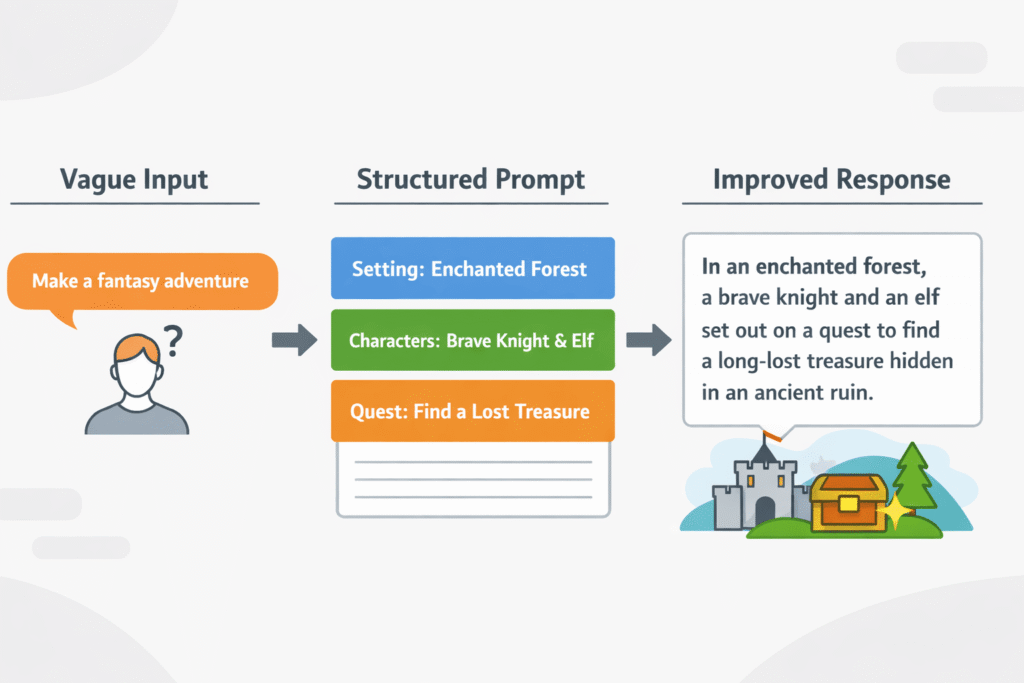
When the AI misunderstands, you’re not stuck, you’re at the start of a simple protocol. This is closer to engineering than guesswork.
First, pause. Don’t pile on more words to a broken prompt. Instead, look at where the wires crossed. Was the task too big? Break it into smaller blocks. Was your language soft or vague? Tighten it with direct, observable verbs. Was the AI missing context? Add who it’s for, why it matters, and what shape the answer should take.
A quick mental checklist helps:
- Is the main action crystal clear?
- Is the audience named or described?
- Is the format (list, outline, email, spec) spelled out?
The shift is from reacting emotionally to debugging calmly. You’re not at the mercy of a black box, you’re the one writing the spec.
Once you see yourself as the specialist defining constraints, each “off” answer stops feeling like failure and starts feeling like a test run.
Do this often enough, and those strange, off-base outputs become rare, and when they do show up, you’ll know exactly how to pull the response back on track with one clear, grounded revision at a time.
FAQ
What is what to do when the AI misunderstands prompts?
This topic explains what to do when the AI misunderstands prompts, including its definition, basics, and how it works in practice.
It focuses on identifying unclear inputs, missing context, and vague goals. Understanding these foundations helps beginners and advanced users diagnose problems faster and choose the right strategy before rewriting or testing new prompt versions during real world use cases.
How does what to do when the AI misunderstands prompts work step by step?
Best practices for what to do when the AI misunderstands prompts include a clear step by step approach. Start by restating goals, add constraints, then provide examples. Avoid long mixed instructions. Test one change at a time.
This workflow reduces confusion, improves performance, and helps troubleshoot problems without overcorrecting or adding unnecessary complexity for beginners, freelancers, agencies, teams, projects, overall.
What are common mistakes in what to do when the AI misunderstands prompts?
Common mistakes in what to do when the AI misunderstands prompts often come from assumptions. Users skip context, overload instructions, or expect perfect results instantly. The pros and cons involve speed versus control.
Knowing how to avoid mistakes saves time, improves accuracy, and prevents repeated errors when refining prompts across different use cases for small business, teams, long-term workflows, growth.
Which tools support what to do when the AI misunderstands prompts workflows?
People ask about tools for what to do when the AI misunderstands prompts to support a better workflow. Simple tools help track prompt versions, compare outputs, and document changes. Automation can assist testing, but human review stays critical.
Choose tools that support learning, reporting, and steady improvement rather than blind reliance in real world projects, teams, audits, compliance, checks, goals.
Is what to do when the AI misunderstands prompts worth it for beginners and advanced users?
Many wonder if what to do when the AI misunderstands prompts is worth it long term. The answer depends on goals, scale, and skill level.
For beginners, it builds clarity fast. For advanced users, it supports strategy and metrics. Future trends point toward better guidance, not fully automatic fixes in real world use cases, teams, businesses, planning, roadmaps, reviews, decisions.
Closing the Loop
Treating every AI exchange like a design review changes the whole dynamic. The model stops feeling like a slot machine and starts acting more like a fast, literal junior dev that’s waiting on your specs.
Concrete verbs, clear audiences, and crisp formats give it something solid to push against, and your follow-ups are where the real training happens.
You’re not “prompting,” you’re iterating toward a standard. If you care about that kind of disciplined thinking, you’ll probably appreciate the rigor of the Secure Coding Practices Bootcamp.
References
- https://www.docket.io/glossary/hallucination-rate
- https://moldstud.com/articles/p-analyzing-prompt-effectiveness-a-comprehensive-comparison-of-approaches-in-ai