

You debug AI code by treating it like a fast but untested collaborator, then verifying every assumption with a clear system. Start by reading the intent, tracing inputs to outputs, and validating edge cases before trusting results. This method cuts through confusion and turns messy snippets into dependable software.
The real work isn’t syntax; it’s exposing flawed logic, hidden assumptions, and silent failures. With a methodical workflow, you move fast without breaking everything, avoid the reported 67% extra debugging time, and ship code that actually works. Keep reading to learn a workflow you can reuse on every AI-generated change today.
Key Takeaways
- Spot AI’s common logical flaws using a quick visual checklist.
- Apply a four-step workflow that blends automated tools with essential manual review.
- Leverage specific tools and prompts to interrogate the code, not just run it.
The Strange Logic of a Machine Mind
| AI-Generated Pattern | Why It Looks Correct | Hidden Risk in Production |
| Clean loops with clear variables | Matches common examples in training data | Off-by-one errors or infinite loops under edge inputs |
| Confident function calls | Familiar naming and structure | Hallucinated or deprecated APIs |
| Optimistic conditionals | Assumes valid input paths | Crashes on null, empty, or malformed data |
| Minimal error handling | Appears concise and readable | Silent failures that bypass logging |
| Reused logic blocks | Feels DRY and efficient | Incorrect assumptions copied across contexts |
There’s a moment we see over and over in our secure coding bootcamps. Someone runs AI‑generated code, it compiles, it looks clean, and then it fails in a place nobody expected. No loud error, just a quiet derailment a few lines into a helper function. From the outside, the code feels “right,” but that illusion is exactly why AI-generated code needs constant human oversight before it ever reaches production.
What’s actually happening is simple: the model matches patterns, it doesn’t reason. It imitates how code usually looks, not what correct behavior must guarantee. So the bugs repeat themselves.
Off‑by‑one loops, missing null or empty checks, unchecked return values, assumptions about data shape that aren’t enforced anywhere. During workshops, we watch students fix the same families of mistakes across different languages.
Our instructors lean into that. We teach learners to treat AI output as a draft that’s guilty until proven otherwise, and to hunt these recurring patterns like security flaws, not harmless quirks.
Control Flow, Missing Edges, and Imaginary APIs
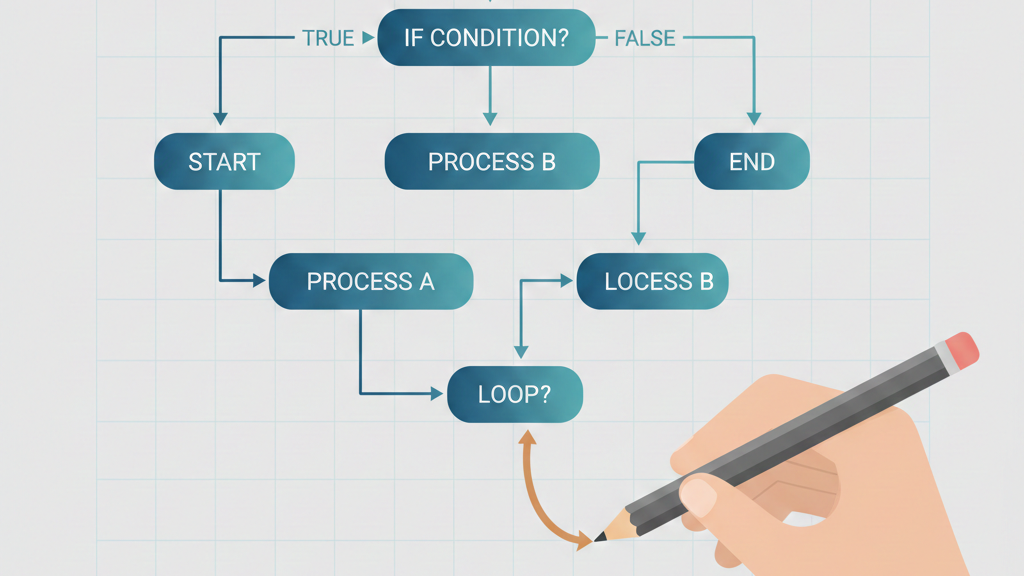
In our secure development labs, the happy path is usually the first thing to break. AI-generated code tends to picture the world where inputs are valid, APIs are responsive, and no one sends a blank field.
A student will bring us a neat handler that works once, with perfect test data. Then we feed it an empty list, a null “data” field, or an upstream timeout, and the whole flow collapses.
We walk through it together with a debugger. At every branch, we ask: what if this is false, what if this throws, what if an attacker crafts the worst possible input? That mindset shift, from optimism to controlled pessimism, changes how people read AI code. They start spotting missing error handling, weak validation, and unguarded assumptions.
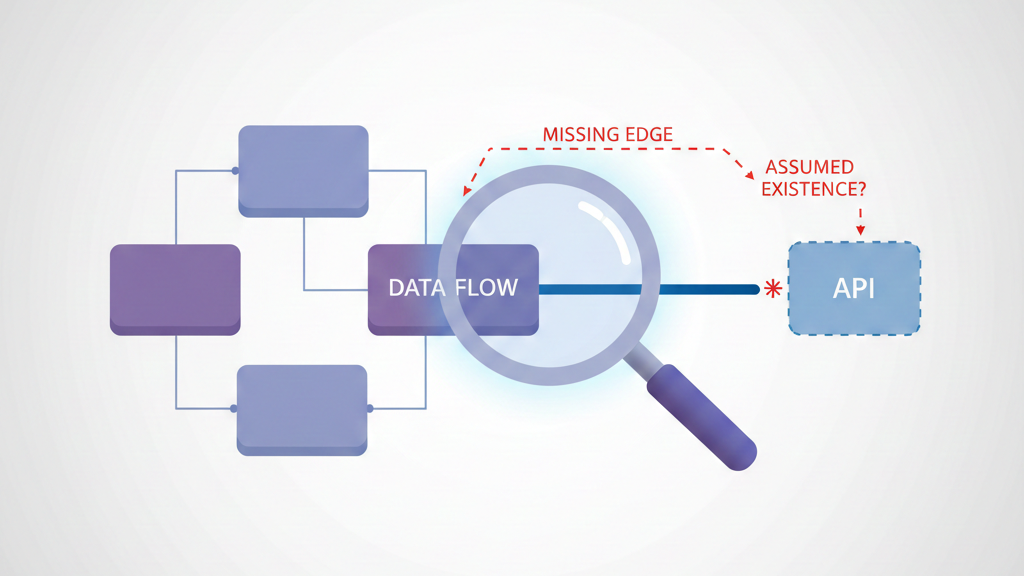
On top of that, we constantly run into hallucinated APIs and outdated function signatures. Our rule for learners is blunt: never trust an import or method call until you’ve checked the real documentation and wrapped it in safe control flow.
Step 1–2: Building a Calm, Reliable Debug Habit
| Debug Step | What You Examine | What It Prevents |
| Pattern scan | Missing guards, exits, secrets | Chasing obvious bugs too late |
| Static analysis | Insecure defaults, dead code | Shipping silent vulnerabilities |
| Assumption review | Input shape and data trust | Logic failures under real usage |
| Tool-assisted review | Linter and SAST findings | Repeating known mistake classes |
When a snippet breaks, we see the same thing in our bootcamp: eyes jump to the error log, panic rises, and focus drops. What actually works is slower and more methodical.
We begin with a pattern scan. No debugger yet, just a fast security-minded read:
- Missing try/catch or finally
- Loops with no clear exit
- Secrets in plain text (API keys, tokens, passwords)
- Unclosed brackets or mismatched parentheses
- Missing null/undefined checks around external data
Instructors often ask, “Where can this fail or leak?” and wait for students to point at specific lines. That repetition trains the eye.
Then we run static analysis with strict rules using enterprise-grade linters and security scanners.
- Raw SQL or shell concatenation
- Insecure HTTP instead of HTTPS
- Weak crypto or unsafe defaults
- Dead code and unused variables hiding logic flaws
From our cohorts, the pattern is clear: those who lock in these first two steps spend far less time chasing noisy, low-level bugs. That’s why we teach debugging and AI refinement as a repeatable discipline, not a reaction to broken builds or last-minute failures.
Step 3–4: Tracing the Code and Stress-Testing the Logic
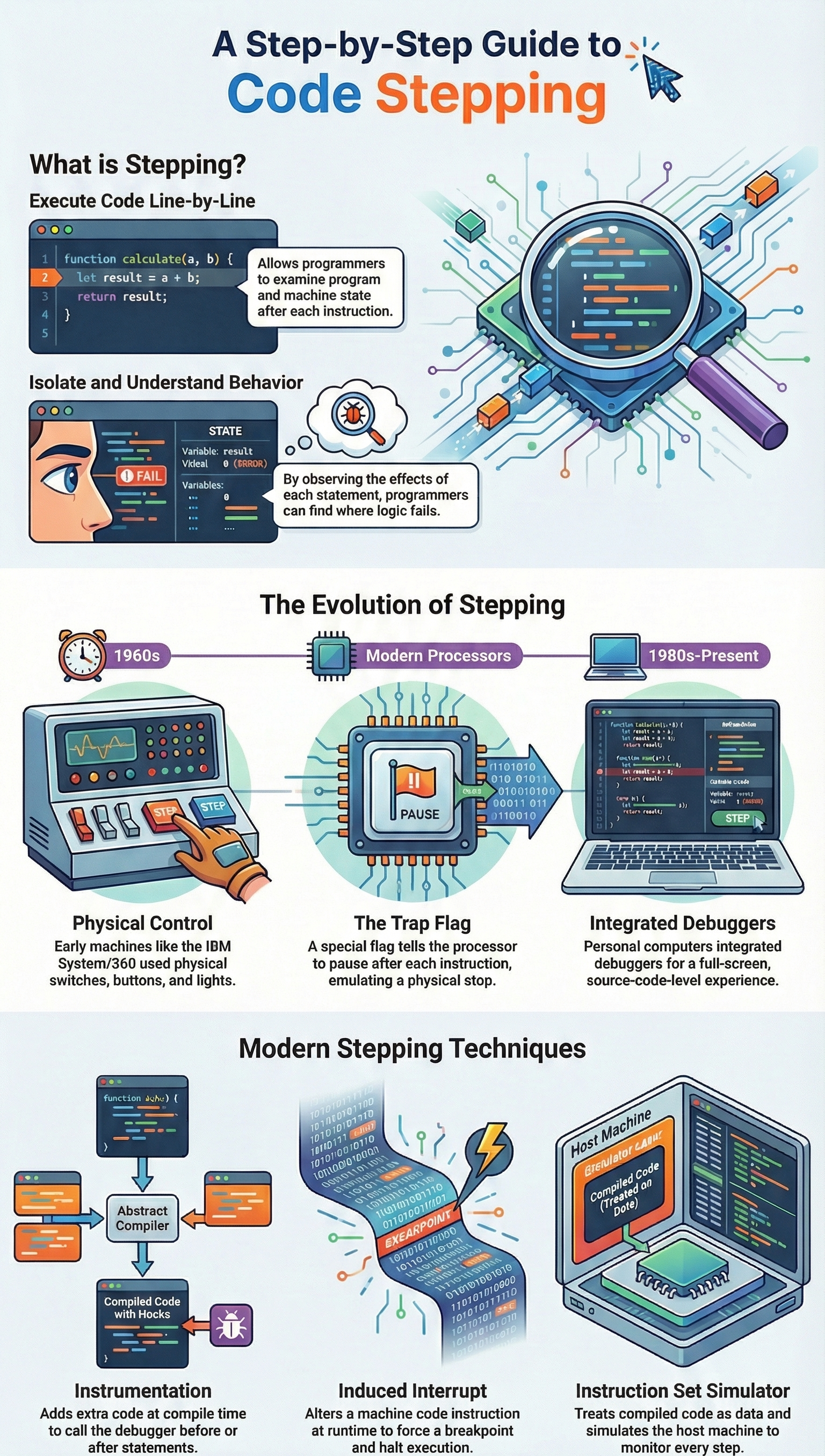
After the surface and structural checks, we move into the part students usually resist at first: slow, deliberate tracing. In our secure coding[1] labs, we make everyone walk the code with a debugger, even when they think they already “know” the bug.
For the manual trace, we typically:
- Set a breakpoint at the function entry
- Feed in a simple, known test input
- Step line by line, watching variables mutate
- Compare each branch to the intended requirement
More than once, we’ve watched AI-generated conditions flipped, or error handling that never fires. That gap between expectation and reality is where subtle failures hide.
Then we treat final validation like a gate:
- Security: sanitized input, HTTPS only, no hardcoded secrets, safe error messages
- Business logic: realistic scenarios, edge cases, and even hostile inputs
If we find several serious issues here, we usually tell students to stop patching endlessly and regenerate or rewrite with tighter, security-focused instructions. That discipline keeps secure development stable as systems grow.
The Toolbox for Interrogation
Sometimes the code just feels off, and we can’t say why yet. That’s when our toolbox matters. In our secure development bootcamp, debugging is a method: we use AI, but we keep control.
- We run /explain in dense code so the AI translates it to plain language, and in that breakdown we often see the flawed logic it quietly slipped in.
- With /fix, we always paste the full stack trace, because the exact error path shapes the quality of the patch.
We also lean on /tests. We ask the AI to generate unit tests probing edge cases and risky flows. Those tests often fail at first, which is useful, they reveal wrong assumptions. One habit we drill into students: don’t let the same model, in the same session, write, explain, fix, and judge the code. Change models or sessions so bias doesn’t quietly snowball.
When issues surface repeatedly, we shift from patching to documented strategies for correcting AI coding errors, backed by tests that deliberately probe edge cases and failure paths.
Gates and Guardians in Your Pipeline
At some point, everyone realizes they can’t hand-check every AI-generated line for security or correctness. That’s when gates and guardians become non-negotiable. Our pipeline is opinionated on purpose. It assumes the AI will occasionally hallucinate, cut corners, or recommend something it barely understands.
We wire in protections:
- Pre-commit hooks running security linters before code ever leaves a laptop.
- Static analysis in CI on every push, not just release branches.
- Pull request gates that require clean reports from automated dependency and vulnerability scanners before humans even debate style.
We’ve watched students trust an AI-suggested library that looked elegant but carried known vulnerabilities. The automated gate blocked the merge, flagged the risk, and turned it into a lesson instead of a breach.
Over time, learners start predicting what these tools will reject, which shows the habits are forming. The AI can still propose unsafe shortcuts, but the pipeline stands as a quiet guard, refusing to let them pass unnoticed.
Making It Stick
Credits: Kevin Leneway
Debugging[2] isn’t a one-off task. It’s a discipline. For it to work, you need to build habits that prevent the same mistakes from recurring. This is about working smarter, not just harder.
Start with atomic prompts. Don’t ask the AI for a whole microservice. Ask it for a single, well-defined function. “Write a Python function that validates an email format” is better than “Write a user registration module.” Smaller scope means fewer interacting parts to go wrong. It also makes the output easier to verify completely.
Always, always conduct a manual review. Even for solo projects. Step away for five minutes, then come back and read the code as if you’ve never seen it. Explain it to yourself line by line. This simple act uncovers so many “what was I thinking” moments, which with AI become “what was it thinking” moments.
Finally, track what goes wrong. Keep a simple log. “Prompt for file parser led to resource leak.” “API client hallucinated getData() method.” Over time, you’ll see your own personal pattern of AI failures. You’ll learn to anticipate them. You’ll refine your prompts to avoid them. The process gets faster. The code gets better.
FAQ
How do I start AI-generated code debugging without missing hidden problems?
Start AI-generated code debugging with effective strategies and systematic debugging approaches. Look for common AI code errors, control flow issues AI, exception handling flaws, and hallucinated functions.
Use a manual code review checklist, error pattern recognition, and business logic validation. Combine static code analysis AI code, semantic code analysis, and security vulnerability scanning early to spot flawed logic quickly.
Which tools help find AI code bugs faster during development?
Use interactive debuggers built into modern IDEs with breakpoint and variable inspection support. Apply breakpoint setting AI with variable inspection runtime. Add ESLint for AI code, SonarQube analysis, Chrome DevTools profiling, performance profilers AI, and Postman API testing. GitHub Copilot debugging with slash commands Copilot like /explain code errors, /fix suggestions AI, and /tests generation speeds reviews.
How can I catch runtime and integration failures in AI-written code?
Apply runtime debugging techniques, strategic logging AI, and error log context review. Use automated testing AI code, integration testing strategies, contract testing APIs, and regression catch methods.
Add containerized testing, multi-environment support, and staging comprehensive tests. Validate integration boundaries, external service validation, API mismatch fixes, deprecated API removal, and microservice debugging before release.
How do I reduce risk from AI hallucinations and security issues?
Focus on debugging AI hallucinations with high-risk code review and risk-based verification. Run penetration testing critical, pre-commit security gates, CI/CD AI validation, and PII redaction testing.
Check type checking AI code, concurrency bug hunting, resource leak detection, and security vulnerability scanning. Use low-risk code linting, predictive bug detection, and historical pattern fixes to prevent repeats.
How do teams improve long-term quality of AI-generated code?
Track defect density tracking and apply peer code oversight. Use diff analysis tools, automated bug fixing, patch generation AI, and refactoring readability. Enforce test suite validation, line coverage targets, and edge case coverage.
Apply prompt refinement debugging, atomic prompt scoping, iterate prompt strategies, inspect isolate instrument, deterministic scenarios, production traffic patterns, debug-gym environments, and action observation space.
The Final Inspection
Debugging AI-generated code effectively isn’t a battle against the machine. It’s the process of applying your human judgment to its output. You provide the context, the skepticism, and the understanding of consequence that the model lacks. You use systems to catch predictable errors, tools to illuminate dark corners, and relentless validation to ensure the final product isn’t just plausible, but correct.
The AI is a powerful draftsman. You are an engineer. Start treating your prompts like blueprints and the generated code like a first draft that demands a rigorous inspection. If you want to sharpen that inspection process and build habits that hold up under real-world pressure, take the next step and explore the Secure Coding Practices Bootcamp.
References
- https://en.wikipedia.org/wiki/Secure_coding
- https://en.wikipedia.org/wiki/Debugging