

Vibe coding removes the worst friction between your ideas and working software by turning plain English into real, functional code.
You don’t start with a blank editor or a maze of configuration files, you start with the problem you want to solve. Instead of wrestling with syntax, you describe behavior, flows, and outcomes, then let the system handle the scaffolding, boilerplate, and glue code.
This doesn’t replace your skills, it gives them a faster path to production, and opens the door for non-coders to join in too. Keep reading to see how this changes everyday development.
Key Takeaways
- Automate the mundane to focus on creative problem-solving and secure architecture.
- Prototype in minutes, not days, by describing your application’s intent.
- Democratize development, allowing experts and beginners to build software through conversation.
Automating Repetitive Tasks
Every developer knows the real drain isn’t the clever logic, it’s the grind. The boilerplate. The endless configuration files, the same data-fetching hooks, the empty UI shells you’ve written a hundred times already. These pieces are necessary to make the app stand up straight, but they quietly eat away at your energy and attention.
Vibe coding steps in here as a kind of hands-on assistant for that repetitive layer. Instead of hand-writing the same patterns again, you describe what you want, and the system lays out the structure. You keep the control and intent, while the machine handles the repetitive assembly.
In practice, that looks like this:
- Generating API client code from an OpenAPI specification.
- Creating standard CRUD (Create, Read, Update, Delete) operations for a database model.
- Setting up project scaffolding with all necessary directories and base files.
- Spinning up form layouts and validation shells based on a data schema.
- Producing consistent logging, error-handling, and retry wrappers around network calls.
Each of these steps usually takes time, focus, and a lot of careful copy-paste. A recent report shows developers spend only 16% of their working hours writing new code, with the rest lost to setup, debugging, and maintenance tasks [1].
When the AI handles it, that time doesn’t just vanish, it gets reassigned to parts of the work that actually need judgment and taste.
So instead of tracing through config flags or wiring the tenth version of the same controller pattern, you can look harder at what really matters for the app. You get more mental space for design decisions, data modeling, and the “what if this breaks?” questions.
The hours that used to disappear into setup work can now go into security from day one, into clearer domain boundaries, into better user flows, especially when teams adopt methods similar to vibe coding, which help reduce friction in repetitive tasks.
With the baseline code generated for us, we can think more carefully about input sanitization, authentication paths, and data protection strategies right at the start, instead of treating them as an afterthought bolted on at the end.
Accelerating Prototyping Speed
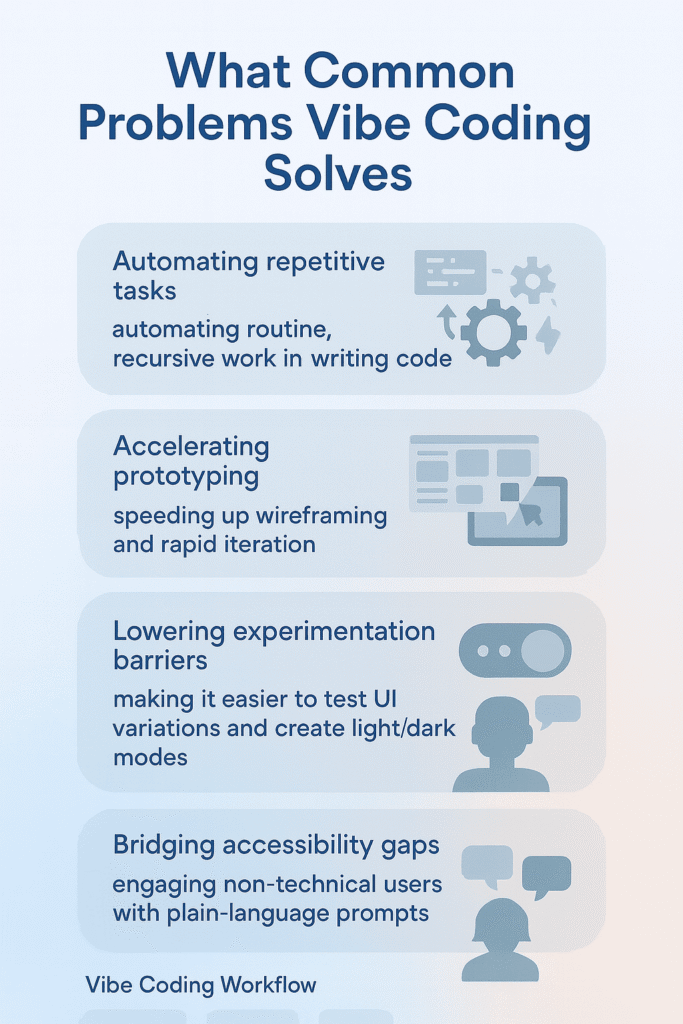
Rapid prototyping lets ideas live or die on their actual merit, not on how much build time you can spare. When you can spin up a working model in hours instead of days, you find out very quickly whether an idea deserves more of your attention.
Vibe coding pushes hard on this point by shrinking the path from concept to first version into a single back‑and‑forth with an AI.
Instead of opening a blank editor and setting up frameworks, you describe what you want to see and how it should behave. The AI turns that narrative into something you can click on, test, and even share.
For example, you might ask for:
- A main task list screen with checkboxes, titles, and due dates
- An “Add Task” button at the top that opens a simple input form
- Basic client‑side validation for empty titles or invalid dates
- A lightweight layout that works on both desktop and mobile
- Local storage or mock data so tasks persist during testing
From that simple description, the system can generate a basic interactive page that already feels like a real app. It won’t be perfect, and it’s not meant to be. It’s a sketch in code, a rough draft you can poke at, often aligning with vibe coding fundamentals that streamline early-stage prototypes.
The power sits in the loop that follows. You try the prototype, notice what’s awkward, then adjust the prompt: “Group tasks by today, this week, and later,” or “Add a simple filter for completed vs. active tasks.”
Seconds later, you have a new version. What used to take a week of evenings can shift into a single afternoon of focused exploration, where the question isn’t “Can I build this?” but “Is this worth building further?”
Lowering Experimentation Barriers
You can almost feel it when a project gets heavy. Not because the idea is bad, but because every little experiment starts to feel like a liability, like work you’ll later throw away. That’s usually when people stop exploring.
Experimentation in software often comes with a pretty high entry fee. Trying out a:
- new library
- different user interface pattern
- alternative algorithm
usually means writing a lot of code you may never use again. That cost doesn’t just slow you down, it quietly teaches you not to try. So ideas stay in your head instead of on the screen. Vibe coding flips that tradeoff.
Say you want to see how a dark mode toggle would look and feel in your app:
- You don’t dig through CSS docs.
- You don’t wire up state logic by hand.
- You don’t fight with theme tokens or config files.
You just prompt the AI: “Add a toggle switch to the top right that switches the theme between light and dark mode.”
You get immediate, working code to play with. If you don’t like the look, you tweak the prompt. If the interaction feels off, you try another version. No guilt, no cleanup backlog sitting in your repo.
When the cost of trying an idea drops close to zero, experimentation stops being a “phase” and becomes part of your normal rhythm. You keep momentum.
You can follow curiosity in small steps, and that freedom makes it much more likely you’ll land on a design or solution you wouldn’t have found under heavier constraints.
Bridging Accessibility Gaps

You can tell a field is gated when smart people stand on the outside, not because they lack ideas, but because they lack the right vocabulary and tools. Software has been like that for a long time.
For decades, building software meant you had to:
- learn one or more programming languages
- understand frameworks and libraries
- manage tooling, environments, and deployment
- debug cryptic errors and edge cases, and surveys show developers spend a large share of their time on tasks unrelated to writing new features, such as maintenance, testing, and environment setup [2].
That’s a lot to ask from someone whose real job is research, design, marketing, or running a small business. So they waited on “the tech team,” and many good ideas never left the notebook. Vibe coding loosens that gate.
Now a domain expert,the marketer, the biologist, the small business owner,doesn’t have to become a full-stack developer just to test an idea. They can speak in plain language and rely on AI to handle the translation into code.
Picture a researcher staring at a messy CSV from a new experiment. They know what they want to see but not how to code it. They can say:
- “Read this CSV file.”
- “Chart the data from column A against column B as a scatter plot.”
- “Make it interactive so I can hover and see exact values.”
From that, the AI can:
- generate a Python script with Pandas and Matplotlib or Plotly
- or build a small web page using JavaScript and D3.js
The researcher stays focused on the question, not the syntax.
This doesn’t replace professional developers, especially not on large, sensitive, or complex systems where design, scaling, and security really matter, but it does reflect a shift toward core coding philosophy that prioritizes clarity and accessibility for non-specialists.
What it does is widen the circle of people who can build small, tailored tools for themselves. The center of gravity shifts,from wrestling with implementation details to shaping and refining the actual problem, which is where their expertise lives.
FAQ
How can I use natural language prompts if I’m new to coding?
You can start by describing what you want in simple words, and tools using natural language prompts or semantic code prompts will turn your idea into a draft.
These options support english-to-code translation, AI code iteration, and iterative code refinement. They help you try creative code experimentation without worrying about complex rules or no-syntax coding.
What if I’m unsure how AI code generation fits my workflow?
You can use AI code generation in small steps. Start with boilerplate automation or AI-assisted prototyping to test ideas quickly.
These tools support generative coding techniques, vibe-based programming, and conversational programming. They make the idea-to-code workflow easier while keeping you in control of the final result.
How do I handle mistakes when using prompt-driven apps?
You can fix mistakes by rewriting your request or adding details. Prompt-driven apps usually support prompt engineering coding and intuitive code creation, which guide you through fast prototyping AI.
Since the process encourages frictionless coding, it’s easy to adjust, retry, and refine until you get the result you want.
Can non-coder software tools really help me build something useful?
Yes. Many non-coder software tools support accessible app development, syntax-free development, and low-code AI integration. They handle the heavy lifting, while you focus on simple instructions.
With features like AI dev acceleration and rapid app building, you can test ideas faster and make real progress without deep technical skills.
How can AI pair programming boost my developer productivity?
AI pair programming helps you work faster by giving quick suggestions, checking logic, and offering LLM code synthesis when needed.
It supports conversational programming, code vibe matching, and an overall natural dev experience. These features help you build confidently, reduce repetitive tasks, and keep a steady developer productivity boost.
Your New Development Rhythm
You can tell when a tool helps without pretending to be magic. Vibe coding lives there. It won’t replace the deep work behind complex, performance-critical systems, where every detail needs expert control.
But for the everyday pain,repetition, slow starts, fear of “wasting” effort, and the sense that coding is only for specialists,it offers a real shift.
Vibe coding centers the process on intention and creativity. You describe what you want, the AI handles the first draft, and you step in where judgment matters: refining behavior, improving performance, and making sure the code is secure and reliable.
The best way to understand this new rhythm is to feel it. Start with a small idea, describe it, and see what appears on the screen.
And if you want that speed without sacrificing security, you can join the Secure Coding Bootcamp and learn how to ship safer code from day one.
References
- https://www.infoworld.com/article/3831759/developers-spend-most-of-their-time-not-coding-idc-report.html
- https://www.sonarsource.com/blog/how-much-time-do-developers-spend-actually-writing-code/